

Airgram for Google Meet & Zoom
Reimagine your online meeting experience
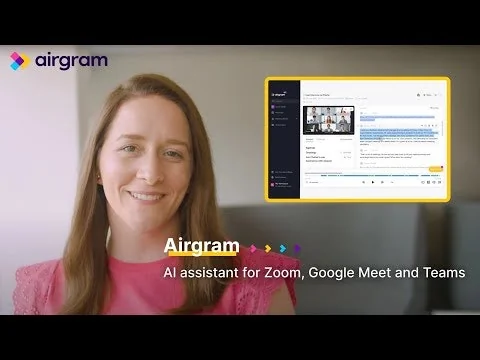





What is Airgram for Google Meet & Zoom?
Less distraction, more productivity - 🎃 Live transcription for Google Meet & Zoom 🎃 Speaker detection 🎃 Collaborative notes w/ timestamps 🎃 Video recording (1080p) 🎃 Chrome extension for GMeet 🎃 Google Calendar, Slack integration
Pros & Cons
Pros
- Automatic meeting recording
- Easy sharing
- Live transcription
- Multi-language support
- Related notes section
- Responsive to user feedback
- Scrum meeting templates
- Searchable transcripts
- Unlimited transcriptions
Cons
- Difficult account cancellation
- Random bot appearances
- Speaker distinction issues
Tool Details
| Categories | Video conferencing, Chrome Extensions, Meeting software |
|---|---|
| Website | www.airgram.io |
| Added | October 30, 2021 |
| Platforms | Web |
| Social | Twitter · Facebook |
Recent Reviews (6)
great product for meeting management!
TLDR: Really helpful for global teams whose daily schedules are packed with online meetings. :-) This is actually a pretty cool online meeting tool! I’m a marketing manager at an NFT game studio and our team has been working from home ever since the pandemic began. We are an international team with colleagues from the United States, France and Singapore. Our development team has the daily scrum, and game designers have their daily meetings. We’ve outsourced our social media campaigns to a team in the Netherlands so I have to check with their manager on the progress every day on Google Meet (with a 6hr time difference). Did I mention the weekly briefing with the boss? You can only imagine how many meeting notes and action items I need to organize and review after a day is over. I came to know Airgram through a referral link my friend sent me. Apparently, she’d been using the product for a few weeks and she participated in the refer & earn campaign to get more free recordings. I tried it, and I’m loving it. I love that Airgram helps me record and transcribe the WHOLE meeting so I can review some key messages I might have missed out on after the meeting. I get to search the keywords in the transcripts so I don’t have to playback the recording again and again. I love that Airgram helps me organize my notes of recurring meetings. Their Related notes section lets me view all my previous daily sync-up meetings with the outsourced team, so I know where we left off yesterday and what I could prepare for today’s sync-up. I’ve invited all 11 members of my marketing team to use Airgram for our meetings and have received some positive feedback about our meeting productivity. I see they also have a collection of Scrum meeting templates, so I’ll recommend it to our development team as well. Another important reason I like Airgram is that I can feel that the Airgram team really listens to what the users say. I saw someone post a feature request about tagging the recordings so as to find them more quickly, which I thought was a pretty helpful feature so I upvoted the request. And a few weeks later, I saw that the team had marked the request as PLANNED! I worked in the customer success team for 4 years before joining my marketing team and I know how valuable user feedback is to teams big or small. I’ll definitely post my ideas to the request forum if I see any improvement that could be made. Keep up the excellent work, Airgram team! I’ll look forward to your next big updates. Best, Charlie :-)
I wanted to love this but this product has become a nuisance that frankly isn't worth the trouble. Despite revoking it's access to my calendars, the bot sporadically shows up to zoom meetings -- random meetings at random times often past the meeting start time. Deleting or cancelling my account is something I thought I had done several times. (the help site is void of what steps to take). Fingers crossed that the bot doesn't show up to any meetings tomorrow but not holding my breath. User beware.
Airgram assistants are more plentiful then actual video conference participants recently so the product must be catching on. There are several other similar meeting agenda creation, transcript and summary apps and ultimately I am hoping to see them integrate into the video platform as the costs of AI separately in all my business apps as an add on is already not trivial. Plus, it feels like I should be sandboxing all of these AI instances so that I have a full data set to draw insights from.
It saves much time when I need to make some notes during meetings, because it can automatically record Zoom, Google Meet and Microsoft Teams meeting. Also, it is easy to share my recording with others by inviting them to my recording or just a link sending to them.
nice thing, even though it mostly doesn't distinguish speakers yet =) i love unlimited amount of transcriptions per month + that they have a few languages unlike to otter solely for english
Frequently Asked Questions about Airgram for Google Meet & Zoom
When did Airgram for Google Meet & Zoom become popular?
Airgram for Google Meet & Zoom became popular around October 30, 2021.
What are the main advantages of using Airgram for Google Meet & Zoom?
The top advantages of Airgram for Google Meet & Zoom include: automatic meeting recording, easy sharing, live transcription, multi-language support, related notes section.
What are the disadvantages of Airgram for Google Meet & Zoom?
Some reported disadvantages of Airgram for Google Meet & Zoom include: difficult account cancellation, random bot appearances, speaker distinction issues.
What is Airgram for Google Meet & Zoom's overall user rating?
Airgram for Google Meet & Zoom has an overall rating of 4.2/5 based on 6 user reviews.
What type of tool is Airgram for Google Meet & Zoom?
Airgram for Google Meet & Zoom belongs to the following categories: Video conferencing, Chrome Extensions, Meeting software.
Related Video conferencing Tools

Vemos
Virtual movie nights made easy.

ZEGOCLOUD
To build a connected world by powering real-time engagement.
Deeptrue
Real-Time AI Copilot for Global Meetings

Flutin 2.0
Professional multistreaming platform with Free-flow Studio

MeltingSpot
Customizable community platform
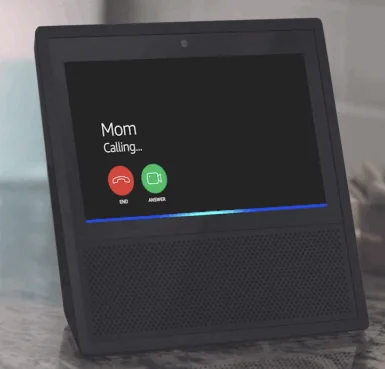
Echo Show
Amazon Echo now has a screen
Related Chrome Extensions Tools
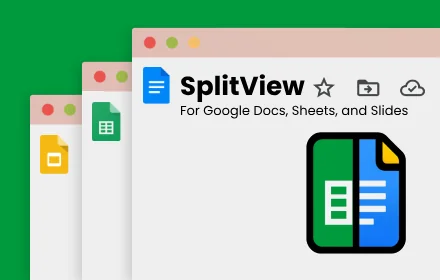
Google Docs SplitView
Open Docs, Sheets, and Slides side-by-side in a single tab
TopNotch
Makes the new MacBook Pro notch disappear like a Ninja
Lookup AI
Confused? Just highlight and click.

Datagator
browser extension that sues online trackers

n8nChat
Create automations in seconds by generating n8n workflows

Grid Overlay Pro
A browser extension to visualize grid layouts on any webpage
Related Meeting software Tools

Sembly AI
The smartest AI assistant for your online meetings

Teza
AI-generated briefs on investors and thought-leaders
Brightful Meeting Games
Kick off your next meeting in style with a fun icebreaker

OurSails
Simple. Private. Secure. Your Collaborative Meetings App

Sokuji
Real-time AI translation for multilingual conversations

Otter
Record and review in real time.
Compare Airgram for Google Meet & Zoom :




Don't Get Fooled by Fake Social Media Videos
The world's first fact checker for social media. Paste any link and get an instant credibility score with sources.
Try FactCheckTool Free