

Warp
The platform for coding agents, locally and in the cloud.
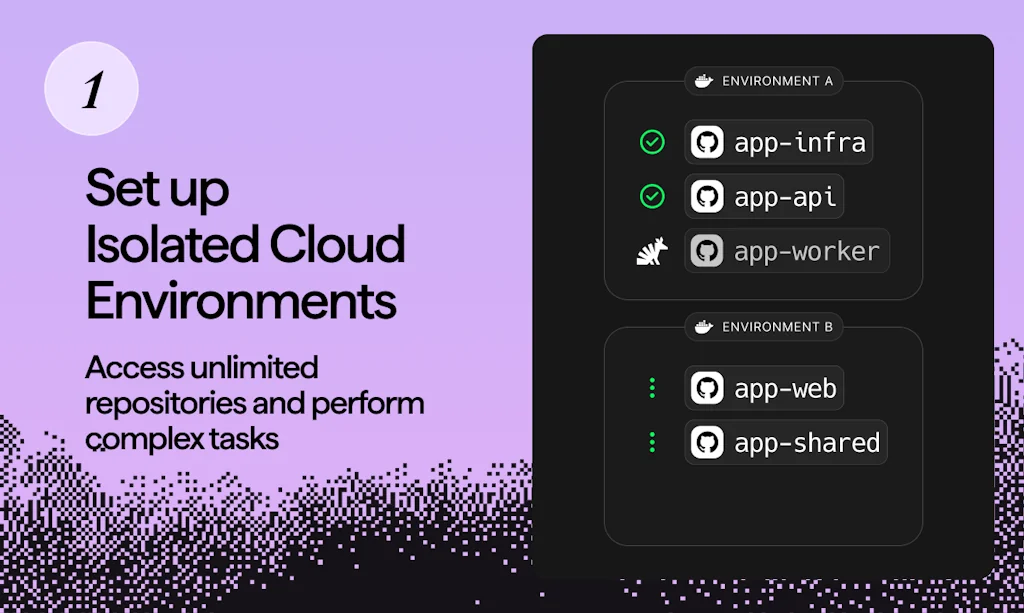
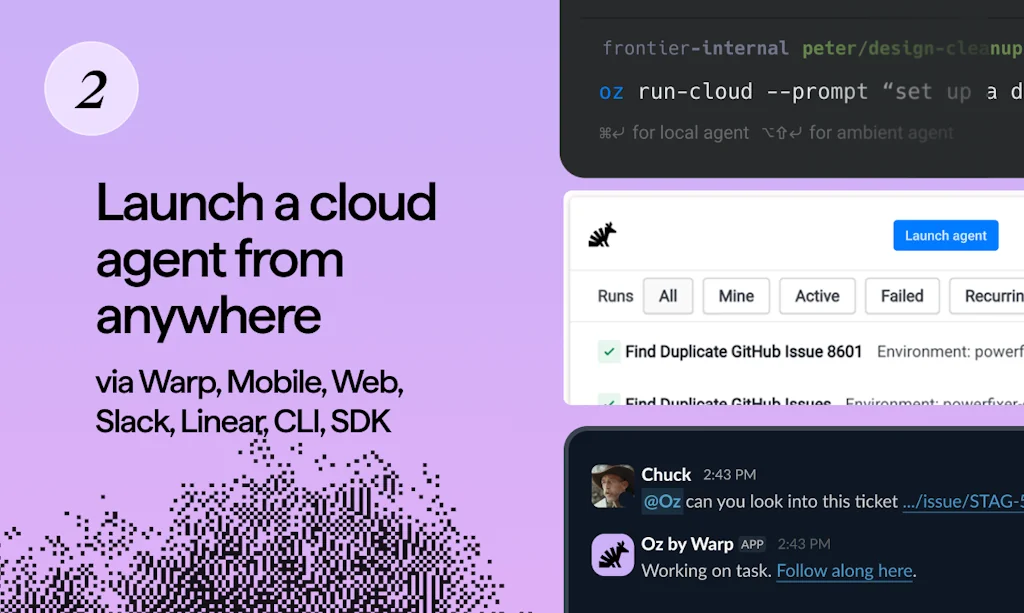
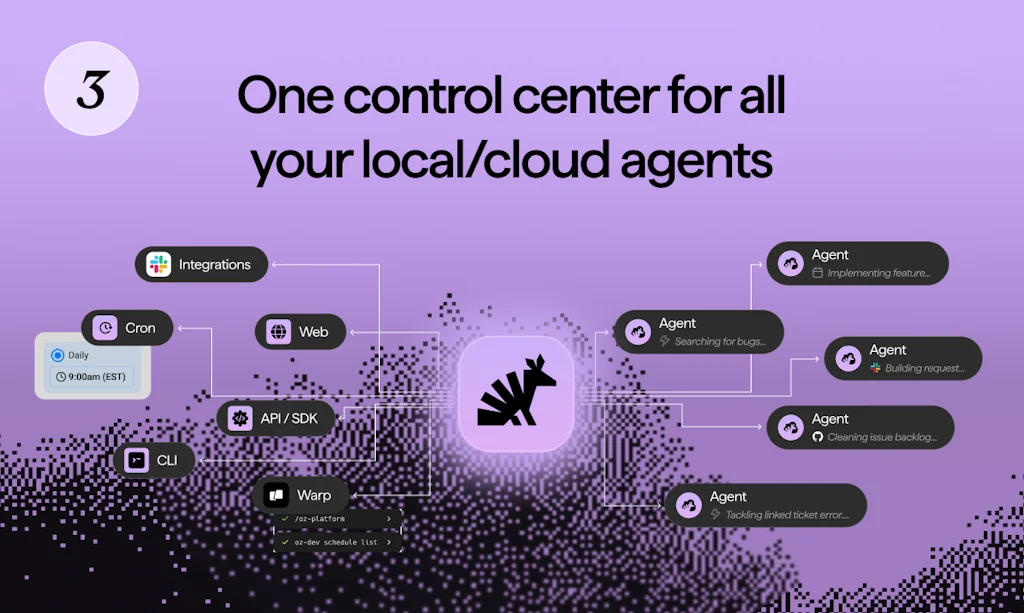
What is Warp?
The best terminal for building with agents + Oz, the orchestration platform for cloud agents
Pros & Cons
Pros
- AI integration
- Terminal as IDE
- Block-based output
- Workflow management
- Collaboration features
- Cross-platform support
- Fast performance
- Git integration
Cons
- Expensive pricing
Tool Details
| Categories | AI Coding Agents, Terminals, Command line tools |
|---|---|
| Website | oz.dev |
| Added | April 6, 2022 |
| Platforms | Web |
| Social | Twitter · Instagram · LinkedIn · GitHub |
Recent Reviews (13)
I've been using Warp for a couple of months, can honestly say it's a game changer in the terminal game. It's still early days for Warp, but I see the team iterating on it and release updates all the time. It's so much easier to use - browse history, save commands, share snippets with the team etc. Obviously there are hardcore terminal users with crazy setups and shortcut mappings for who this won't be their cup of tea, but for most developers using a terminal in their day-to-day workflow it's a game changer!
I relied on Warp AI heavily to debug errors I was getting in running the Astro project as well as the CLI Node.js logic. I also used Warp Drive to store all my workflows for the project.
Really awesome experience using Warp - loved the interface and it makes simple tasks that are unnecessarily hard in the terminal simple again! I've been using it for the past few months and it's definitely boosted my productivity in the terminal!
I switched to Warp after being a long-time user of iTerm. After I saw Warp's use of blocks a few years back, I wanted to test it out. Due to a device limitation, I couldn't, but after that was resolved, I started to use Warp and haven't looked back since. Now we're in the age of AI Agents and MCP. And the launch of Warp 2.0 has not disappointed. Warp has seen the trends and taken its time implementing them, and it shows. The new Agentic Development Environment fits nicely into Warp's use of blocks and features like secret redaction. Warp has not only maintained its position as my preferred terminal, but will now also be my guide into the age of AI-assisted development. I'm sure I will continue to use Warp for many years to come, I don't see a reason not to.
I'm really proud to say I've been using Warp since early beta, and have been on their paid/AI plan since it was first offered. I work on macOS, Ubuntu and Windows, so having Warp on all platforms is my saving grace. Using the terminal as an IDE is a new skill I'm developing. Since VScode doesn't really let your integrate Warp into their terminal, I'm not sure if Warp will one day be my primary IDE (hoping for some future there). My favorite feature is "Warpify" your shell into WSL or when you SSH into your VPS (boom)... powerful mang!
It started out great, but the forced login and survey does it for me. Sure, I will login if it improves my experience on your app, and especially if I already like it -- but I hate being forced to go through it when I'm trying to get something done. It doesn't end there either, we have a long mandatory survey with mandatory questions, and a tiny hidden skip button for some of the questions. Why put the skip button there at all if you're so desperate to have people answer your survey? For fairness to Warp, the configuration for the app was reset after I had to reset my macOS password, and the keychains were removed / not synched yet. It is a one time step when you first install the app, but I continue to dislike being made to go through that long process for a terminal.
Warp is a good terminal. It is fast and reliable. It works well with multiple tabs and makes tab switching easy. It also has a ton of preset commands and allows you to create your own presets workflows. However its auto complete is not great. One thing that I miss in particular is auto-complete for git commands. For example, when pushing to a remote repository for the first time, you usually use: "git push -u origin ", unfortunately when I type "git push -u origin " with the name of the current branch. It instead uses the name of another one, and only presents the correct suggestion after pressing tab. This can be confusing at times, since you might set the wrong remote branch by mistake. Handling git was something that their competitor, Fig, did very well. Personally, I would like to have a similar experience on Warp. Also, the hotkeys are sometimes unintuitive, for example, when you get an auto-complete suggestion, you have to press the right arrow to accept it, because pressing tab will open the auto-complete menu.
I've been using Warp for a couple months now and it has completely changed my development flow (for the better!). I am a heavy terminal user, most of my development flow lives in the terminal. I was also a heavy TMUX user, but with Warp I've basically replaced my TMUX flow with Warp's default functionality. It's easy to use, it looks great, and it makes finding new functionality extremely easy. The customer support is also great, I had some questions about upcoming features and they were on top of keeping me up to date which I really appreciate.
Warp is a very fast, modern take on what a Terminal program should be, moving away from the old tty model to take advantage of modern features. I found it very easy to work with, it was just missing a few features for me to use as a daily terminal. It is improving rapidly, and the developers are VERY responsive to the community. Keybindings are getting better, and nearly where I need them to be. Some programs that were designed around manipulation of TTY output can have visual problems in Warp, but that is improving as well. The ability to easily grab the output of a command, and a strong workflow system and (multiline!!!) command line history are standout features. As someone who has been using Bash/ZSH after coming from Kornshell in the 80s, the lack of a vi-mode is a bit of a hinderance, but I look forward to integrating that in a true multiline local editing environment.
This project genuinely changed the way I work with a terminal. I get work done faster, I don't have to faff around with searching for weird command-line commands thanks to Workflows, I can generate my own commands using natural language through OpenAI and also share output blocks with people as fast as possible. I really like where this project is going and I am really excited to see what's next for Warp in terms of collaboration.
It's amazing. I wish there was something like it for Windows too. The AI part is really useful for writing those verbose commands or helping remember that flag you rarely need in a command, but when you need it, it's the only way. Also, just being able to navigate around with the VSCode keybindings is a game changer. Also, the way it groups, segments the command history makes navigating through your history a breeze
I love warp. I didn't think I would want command line AI, but damn if it doesn't guess my next command pretty darn well. And when I needed it to retag some docker containers for GCP I just told it what I wanted and the suggestion was spot on.
Warp is amazing! It is easy to use, highly configurable and the Warp team has been very responsive to questions and feedback. I am accustomed to working in a terminal and find myself at home utilizing it daily. One simple example of my use was to utilize it to develop a new application using a new programming language (Rust) to include tests, documentation, source control, user guides, logging ... It is an amazing tool helping me learn and grow my development skills and helps to ensure standards and best practices are followed. I have been extremely productive utilizing Warp !!
Frequently Asked Questions about Warp
When did Warp become popular?
Warp became popular around April 6, 2022.
What are the main advantages of using Warp?
The top advantages of Warp include: AI integration, terminal as IDE, block-based output, workflow management, collaboration features.
What are the disadvantages of Warp?
Some reported disadvantages of Warp include: expensive pricing.
What is Warp's overall user rating?
Warp has an overall rating of 4.8/5 based on 69 user reviews.
What type of tool is Warp?
Warp belongs to the following categories: AI Coding Agents, Terminals, Command line tools.
Related AI Coding Agents Tools

Windsurf
The first agentic IDE. Tomorrow's editor, today.
AI2sql
Write SQL queries with no knowledge of SQL

Readbay: The First Commit-To-Read App
A minimalist approach to read less but grow exponentially

Text2Query
Turn plain language into powerful database queries

AI Magicx
All‑in‑One AI Powerhouse for Content, Code, Design & More

Vitara AI
From prompt to app: Full-stack, fast, and deployable
Related Terminals Tools
Rayli
generate image of a code block right from the terminal
APX Terminal
Encrypted terminal and SSH client with built‑in AI assistant

diny
From git diff to clean commits
VVTerm
Ghostty-powered SSH client for iOS, iPad, MacOS.

GCLI
GPT powered command line interface

Microsoft Terminal
Be What's Next.
Related Command line tools Tools

Lacona
Keyboard-driven commands for your Mac.

Expo
An open-source framework for making universal native apps
Wing
Iterate on cloud apps in milliseconds, not minutes!

Alternativeto Net
Open source self-hosted web archiving.

Knowns CLI
AI-first CLI for task management and documentation.

Hyper
A terminal built on web technologies
Compare Warp :





Don't Get Fooled by Fake Social Media Videos
The world's first fact checker for social media. Paste any link and get an instant credibility score with sources.
Try FactCheckTool Free