

Thinkbuddy AI
Native ChatGPT for MacOS - voice first AI + GPT4 vision
What is Thinkbuddy AI?
Supercharge your workflow with ThinkBuddy’s multi-model AI.
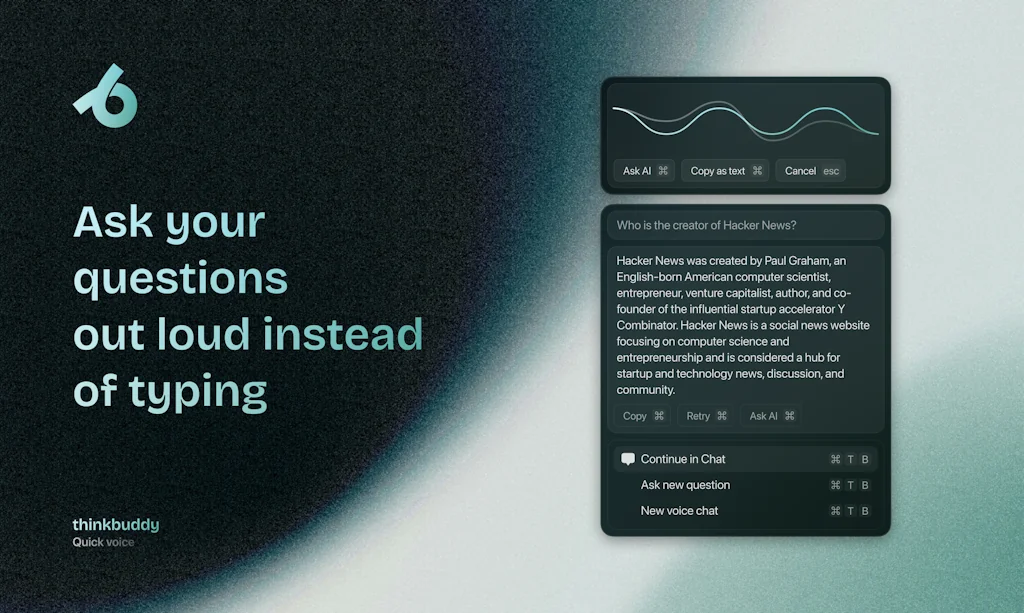
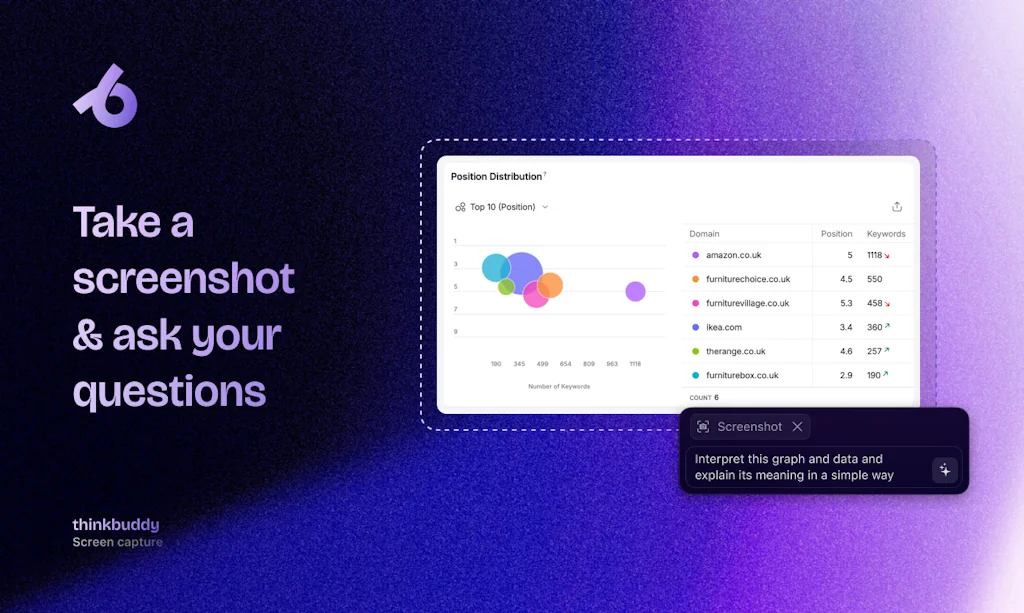
Ask same questions GPT-4o, Claude, Gemini, Deepseek v3 and more—all at once. Extract text from URLs, convert videos to audio, and enhance OCR for low-quality scans. Use voice, screenshots, or drag-and-drop for seamless input. Enjoy local-first privacy, Whisper-based voice transcription, and advanced TTS for large documents.
Now on web, Mac, and soon Windows. Versatile, efficient, and built for productivity.
Pros & Cons
Pros
- Keyboard shortcuts
- Multi-model AI
- User-friendly UI/UX
- Voice commands
- Claude integration
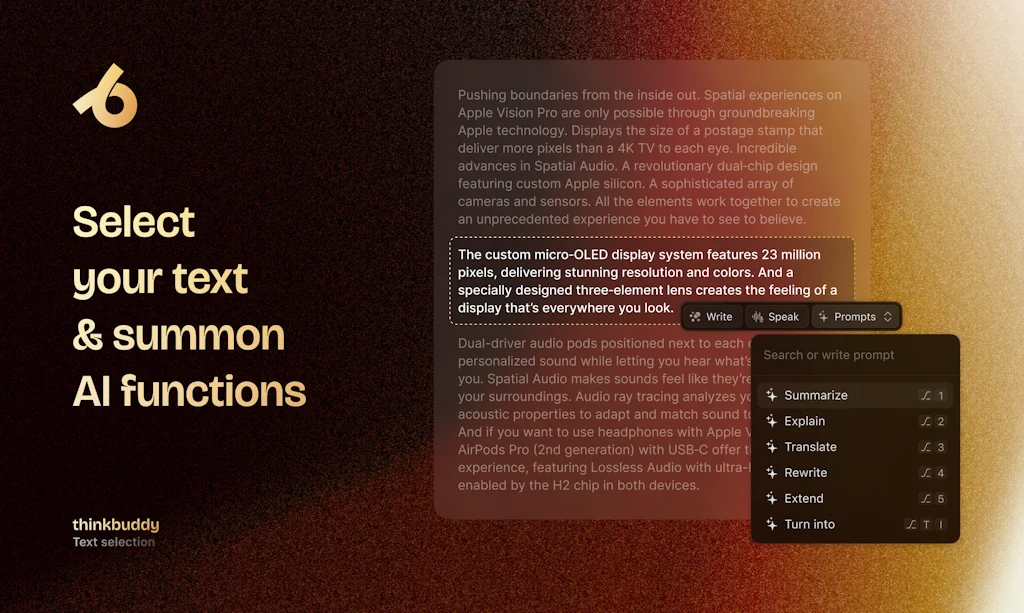
- Custom prompt creation
- GPT-4 integration
- Lifetime pricing model
- Regular updates
- Cross-platform availability
- Efficient workflow
- Local-first privacy
- MacOS integration
- Screenshot input
- Whisper-based voice transcription
Cons
- Bugs
- Lifetime pricing concerns
- Menu bar persistence
Tool Details
| Categories | AI Generative Media, LLMs, AI Chatbots |
|---|---|
| Website | thinkbuddy.ai |
| Added | February 27, 2024 |
| Platforms | Web |
| Social | Twitter · Instagram · LinkedIn · GitHub |
Recent Reviews (8)
Thinkbuddy is an amazing product. Have been using it for the last 2 months and it is one of the best mac apps u can use! @yigitkonur and @sezerufukyavuz have been killing it!
Thinkbuddy.ai is a promising app with an appealing and user-friendly UI/UX. The regular updates demonstrate the developers' commitment to continuously improving the app. A major plus is the integration of the latest LLMs like Anthropic Claude and OpenAI ChatGPT 4, which offer users powerful AI capabilities. The planned ability to integrate local LLMs in the future is an interesting approach and could increase the app's flexibility. However, there are concerns regarding the lifetime pricing model, as the usage costs for most LLMs are very high, questioning the app's long-term profitability. A feature I would wish for in the future would be the ability to integrate my own API keys from providers like Anthropic or OpenAI. This would give users some assurance that they could continue using the app even in the event of the company's bankruptcy. Overall, thinkbuddy.ai is a solid app with a lot of potential, but there is still room for improvement and concerns regarding the pricing model and long-term sustainability.
I was skeptical about the value, but after spending a couple of weeks with it, I will not go back. It's way more convenient than loading up a browser and jumping into ChatGPT or Claude. Creating prompts and linking them to keyboard shortcuts and the LLM I want to use has been huge! I have a professional coach prompt with Opus, a summary prompt with GPT-4, and a coding prompt with Gemini Pro, all with instant access via hotkeys! Also, I love that large context prompts from the clipboard are pasted via a "clipboard object", rather than scrolling through 200K lines! Best way to describe this Thinkbuddy is to AI as Superhuman is to email!
Thinkbuddy AI appears to be a cutting-edge tool designed specifically for MacOS users, integrating voice-first AI and GPT-4 technology. It enhances user experience by allowing voice commands, screenshots for queries, custom prompt creation, text command execution, and dictation using Whisper. It's designed for seamless integration into the MacOS environment, aiming to provide efficient and convenient interactions with AI. The product seems to offer a unique blend of features tailored for Mac users seeking a more interactive and productive AI experience.
🔥🔥🔥 This app is crazy cool! Having all the top-notch AI models is something I'm addicted to. The UX is perfect, the remix feature is incredible. There are some bugs sometimes, but all the updates are bringing some cool things and devs are reactives. I'm really looking forward to the upcoming features, plus a mobile app – it will truly be the best product on the market! And even now, the LTD is just unbeatable on the market
Thinkbuddy is a wonderful application that speeds up my tasks and makes my daily work routines easier. Accessing AI with voice commands, making quick translations, and summarizing complex texts with a single click is a lifesaver. I save time by making instant writing edits with shortcut keys. Access to advanced features like GPT4 without any installation hassle is a whole different comfort 🤩 🌟
so far pretty good. Took a gamble and got the discounted lifetime license. One if the most convenient ways to access Claude 3’s Opus outside of the US in a nice multi-functional UI
It's easier to use than the ChatGPT app! The shortcut feature is very useful. However, it would be better if it stayed on the menu bar when the app is closed.
Frequently Asked Questions about Thinkbuddy AI
When did Thinkbuddy AI become popular?
Thinkbuddy AI became popular around February 27, 2024.
What are the main advantages of using Thinkbuddy AI?
The top advantages of Thinkbuddy AI include: keyboard shortcuts, multi-model AI, user-friendly UI/UX, voice commands, Claude integration.
What are the disadvantages of Thinkbuddy AI?
Some reported disadvantages of Thinkbuddy AI include: bugs, lifetime pricing concerns, menu bar persistence.
What is Thinkbuddy AI's overall user rating?
Thinkbuddy AI has an overall rating of 4.9/5 based on 8 user reviews.
What type of tool is Thinkbuddy AI?
Thinkbuddy AI belongs to the following categories: AI Generative Media, LLMs, AI Chatbots.
Related AI Generative Media Tools

ThumblifyAI
Create Thumbnails That Make People Click

Vaanee AI Voice Studio
Art with impression

Audino AI
Make content creation simpler with AI-generated audio

What to Meme
Meme ideas for startup founders in one-click
Zoviz
AI-powered branding & logo creation platform

Syllaby
Effortless Video Marketing: Brainstorm, Create, Share!
Related LLMs Tools






Related AI Chatbots Tools

ChatWebby AI
Customized AI chatbot for your sites, docs, audios & videos

TheB.AI
Your All-In-One AI Platform

X Detector | AI Content Detector
Free AI Detector & AI Checker for ChatGPT, Claude & Gemini

Chat Data
Powerful AI Chatbot Offering Exceptional Customization

Wiz Write
The voice-powered writing tool that will change how you work

Stock Market GPT for Investment Research
AI powered stocks, balance sheets, analyst report comparison
Compare Thinkbuddy AI :





Don't Get Fooled by Fake Social Media Videos
The world's first fact checker for social media. Paste any link and get an instant credibility score with sources.
Try FactCheckTool Free