

Thunder Client
Hand-crafted lightweight Rest client for testing APIs
What is Thunder Client?
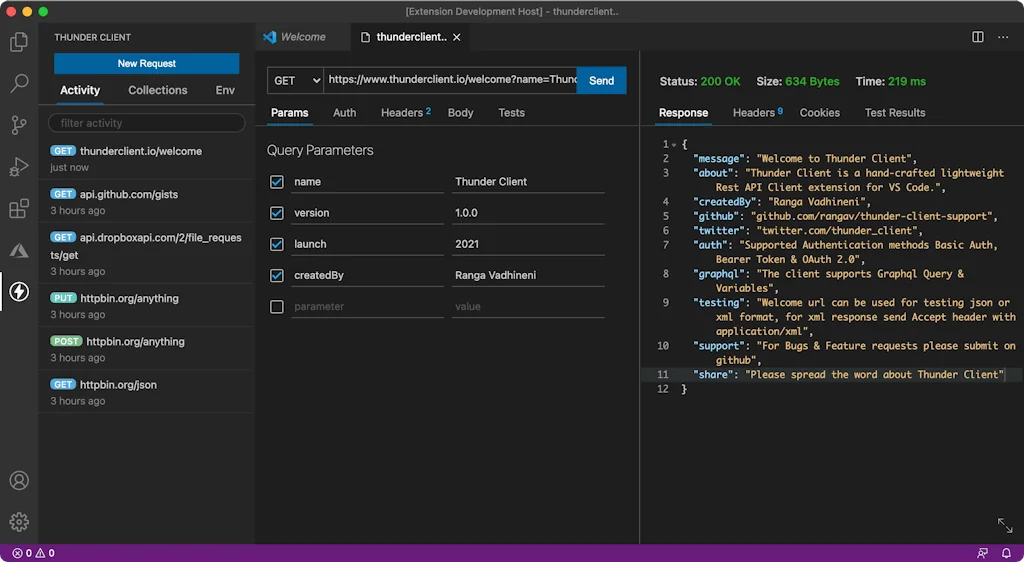
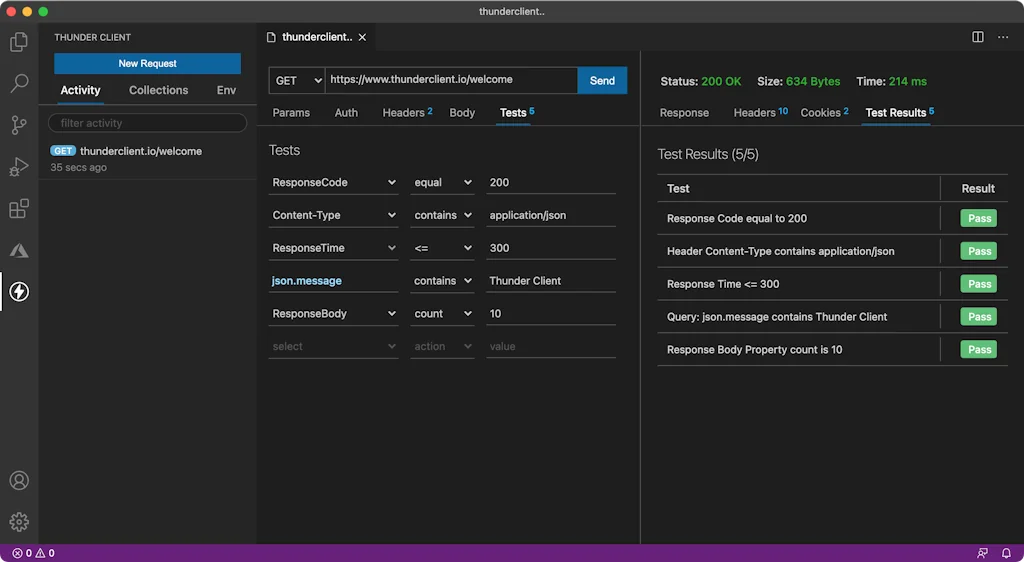
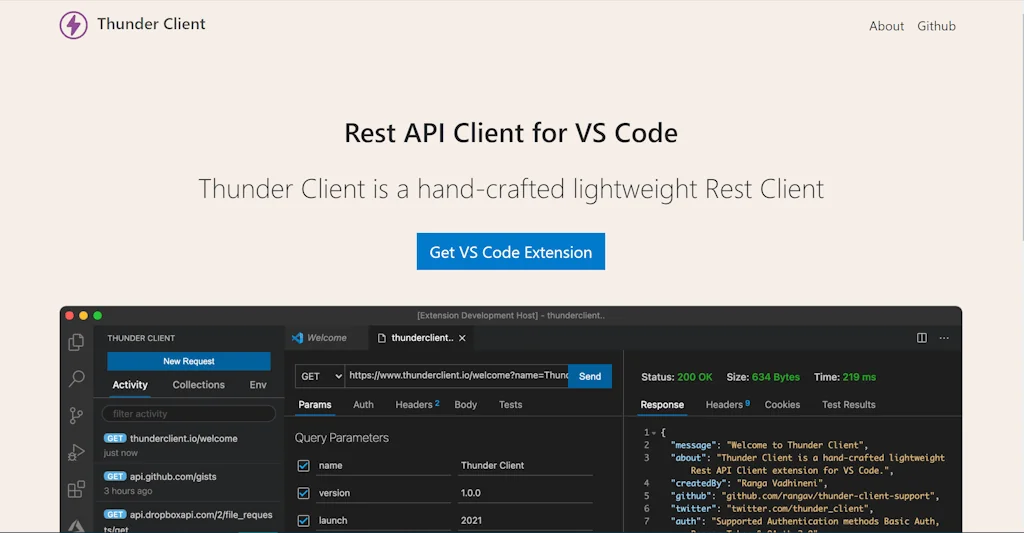
Thunder Client is Rest API Client Extension for Visual Studio Code, with simple and clean design. The extension makes api testing very easy with Scriptless GUI based testing.
Pros & Cons
Pros
- VSCode integration
- Easy to use
- Replaces Postman
- Remote API calls
- Swagger file import
Cons
- Free tier limitations
- Closed source
- Deletes collections on rollback
- Missing Git integration
Tool Details
| Categories | Code editors, Testing and QA software |
|---|---|
| Website | www.thunderclient.com |
| Added | March 31, 2021 |
| Platforms | Web |
| Social | Twitter · GitHub |
Recent Reviews (13)
Great user experience as it is similar to other http clients. Was missing easy github integration for collaboration with the rest of the team.
Excellent VSCode Plugin! I love to work and debug with it!
It's an lovely app
Amazing product integration, I was using postman in the past, but the ability to use an API client directly in VS code is a game changer! Intuitive, Easy to use, swagger file import, ... It's almost perfect !!! A nice feature would be a .thunder file in the VS code project that could be added to a repo and synced with the Thunder client :)
What I find uniquely useful about Thunder Client is the ability to execute API calls from remote machines. This lets you make request when the API server is only accessible from within a VPN.
Recently went paid with a limit of 25 requests per collection on the free tier. ** BEWARE ** Several reviews have also pointed out it is deleting your collections and environments if you roll back to the previously free version. Happened to me as well.
So convenient to use this along side VSCode, most of the features that I need for API testing/checking is already there. Would love to see new features like Env variables and pre-request script so that we can dump Postman. Great job! 👍
It was fun and super easy to use, unfortunately I have to provide the body before it runs the test. Apart from that it was super intuitive to use!
Having a powerful and easy-to-use Rest API Client directly in VSC has been life-changing. It's easy to use, organize, and fully featured.
The app is very good. Simple yet powerful. I would add one thing: the possibility to run a script before a request is sent; for example to retrieve some variable from a database.
Easy to set up and use. Powerful to have it sit in VS Code alongside your code. Author is very responsive to Github issues.
Allows me to get rid of Postman, and keep all dev related thigs inside VS Code
So far so smooth! Everything about it has been righteous so far. And when it comes to my stack, when things come together smoothly, it makes developing a way better experience!
Frequently Asked Questions about Thunder Client
When did Thunder Client become popular?
Thunder Client became popular around March 31, 2021.
What are the main advantages of using Thunder Client?
The top advantages of Thunder Client include: VSCode integration, easy to use, replaces Postman, remote API calls, swagger file import.
What are the disadvantages of Thunder Client?
Some reported disadvantages of Thunder Client include: free tier limitations, closed source, deletes collections on rollback, missing Git integration.
What is Thunder Client's overall user rating?
Thunder Client has an overall rating of 4.4/5 based on 16 user reviews.
What type of tool is Thunder Client?
Thunder Client belongs to the following categories: Code editors, Testing and QA software.
Related Code editors Tools

Revideo
Create videos with code

CodeSandbox
Free, instant, collaborative sandboxes for rapid web development.

WebContainer API
Dev environments. In your web app.
CSS Generator
Visual CSS, SASS, SCSS, LESS generator 🏗 for 👨💻.

CKEditor 5
Real-time collaborative WYSIWYG rich text editor.

1MB v3
Your code editor. In the cloud.
Related Testing and QA software Tools

Betatesters.io
The platform connecting mobile developers and beta testers

MyUptimeKuma
Uptime Kuma is an easy-to-use monitoring tool.

Iterate
Test and manage your GPT prompts, all for free

LLM API Pricing Calculator
Calculate and compare the cost of using LLM APIs for free

QA Sphere
Fast, Efficient & Clutter-Free Test Management System

tquic_client
A high-performance CLI to benchmark HTTP/3 servers
Compare Thunder Client :




Don't Get Fooled by Fake Social Media Videos
The world's first fact checker for social media. Paste any link and get an instant credibility score with sources.
Try FactCheckTool Free