
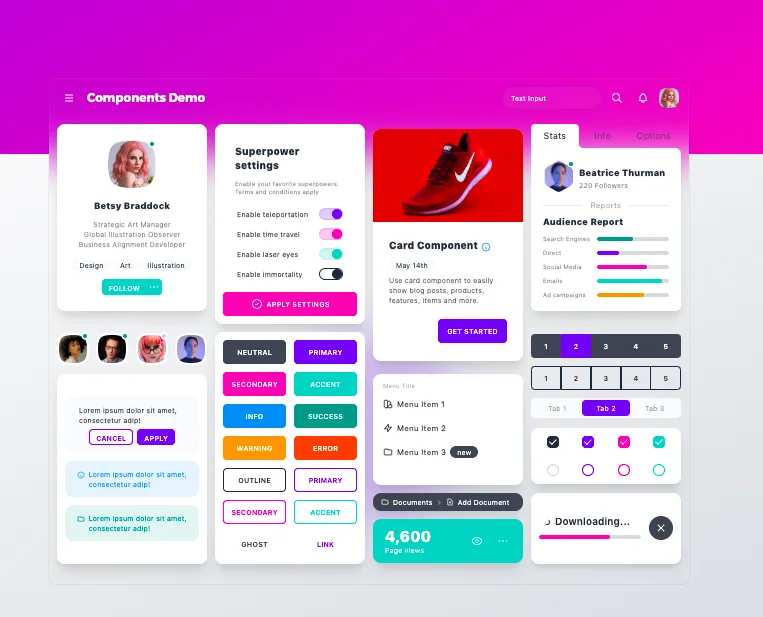
DaisyUI
Free UI components plugin for Tailwind CSS

Practical UI
A book to learn a logic-driven approach to UI design
Updated July 2026
| DaisyUI | Practical UI | |
|---|---|---|
| Rating | 5.0★ | 5.0★ |
| Reviews | 39 | 12 |
| Pros | 12 | 8 |
| FactScore™ | 79.3 | 55.7 |
FactScore™ Comparison
FactScore™ weighs both quality (rating) and popularity (reviews) for a fairer ranking than stars alone.
Pros & Cons
Only in DaisyUI — Pros
Tailwind CSS integration Time saving Pre-built components Customizable themes Beautiful design Easy to use Compatible with popular frameworks Comprehensive documentation Consistent design Free Clean HTML Rapid prototypingBoth tools — Pros
—Only in Practical UI — Pros
Practical guidelines Design principles Suitable for beginners and experienced designers Comprehensive resource Easy to understand language Visual examples Accessibility emphasis Applied examplesOnly in DaisyUI — Cons
—Both tools — Cons
—Only in Practical UI — Cons
Price not adjusted for all markets Digital format onlyDetails
| DaisyUI | Practical UI | |
|---|---|---|
| Categories | Design resources, UI frameworks | Interface design tools, Design resources, Design mockups, UI frameworks, Books |
| Platforms | Web | Web |
| Added | May 22, 2021 | March 14, 2023 |
| Website | daisyui.com | www.practical-ui.com |
Who Should Pick Which?
Choose DaisyUI if...
- Tailwind CSS integration
- Time saving
- Pre-built components
Choose Practical UI if...
- Practical guidelines
- Design principles
- Suitable for beginners and experienced designers
With a FactScore™ of 79.3 vs 55.7, DaisyUI leads in community reception. DaisyUI uniquely offers Tailwind CSS integration and Time saving, while Practical UI stands out for Practical guidelines and Design principles.
What Users Say
DaisyUI
DaisyUI has been a fantastic addition to KanShareBan, providing a beautifully designed and highly customizable component library that works seamlessly with Tailwind CSS. It enabled us to build a sl...
Daisy UI provided the beautiful and responsive components that shaped Shut Up & Breathe's user interface. Its pre-designed elements allowed us to craft a clean, cohesive look that’s easy to navigat...
Long term DaisyUI user here, and 1 tip: USE IT Beautiful library, save hours of development time & headaches. Also, the founder (Pouya) is super helpful and responsive to our feedback. For insp...
Practical UI
The thing I love about this book is that it is simple enough for non-designers to use as a jumping off point to learn UI design, but it's also a great resource for designers looking to level up the...
As an engineer with not the best design chops, this book helped me launch a polished product. It would certainly not look as good without the guidance.
Adham, congrats on the book! I've just finished reading it and I can honestly say I look forward for the second volume :D! Your approach was a down to earth practical advice style which I would hav...
Related Comparisons





Frequently Asked Questions
Which is better, DaisyUI or Practical UI?
Based on FactScore™, DaisyUI leads with a score of 79.3 vs 55.7. DaisyUI has a higher rating of 5.0★ compared to 5.0★.
What are the pros of DaisyUI compared to Practical UI?
DaisyUI uniquely offers: Tailwind CSS integration, Time saving, Pre-built components, Customizable themes, Beautiful design.
What are the pros of Practical UI compared to DaisyUI?
Practical UI uniquely offers: Practical guidelines, Design principles, Suitable for beginners and experienced designers, Comprehensive resource, Easy to understand language.
Is DaisyUI better rated than Practical UI?
DaisyUI is rated 5.0★ from 39 reviews. Practical UI is rated 5.0★ from 12 reviews.
What is the FactScore™ of DaisyUI and Practical UI?
FactScore™ weighs rating and review volume together. DaisyUI scores 79.3 and Practical UI scores 55.7.
Don't Get Fooled by Fake Social Media Videos
The world's first fact checker for social media. Paste any link and get an instant credibility score with sources.
Try FactCheckTool Free