

What is Bear?
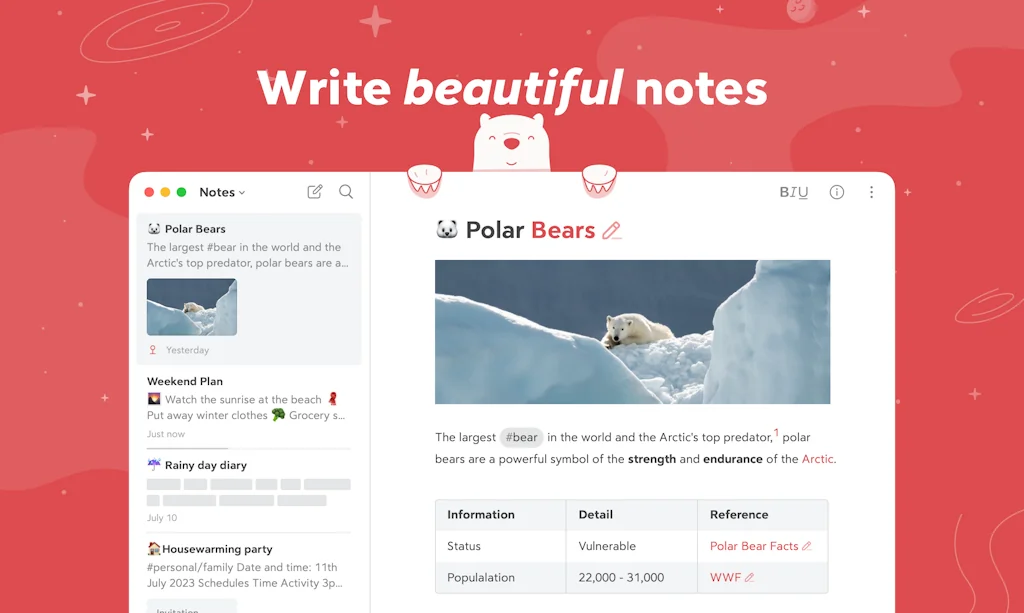
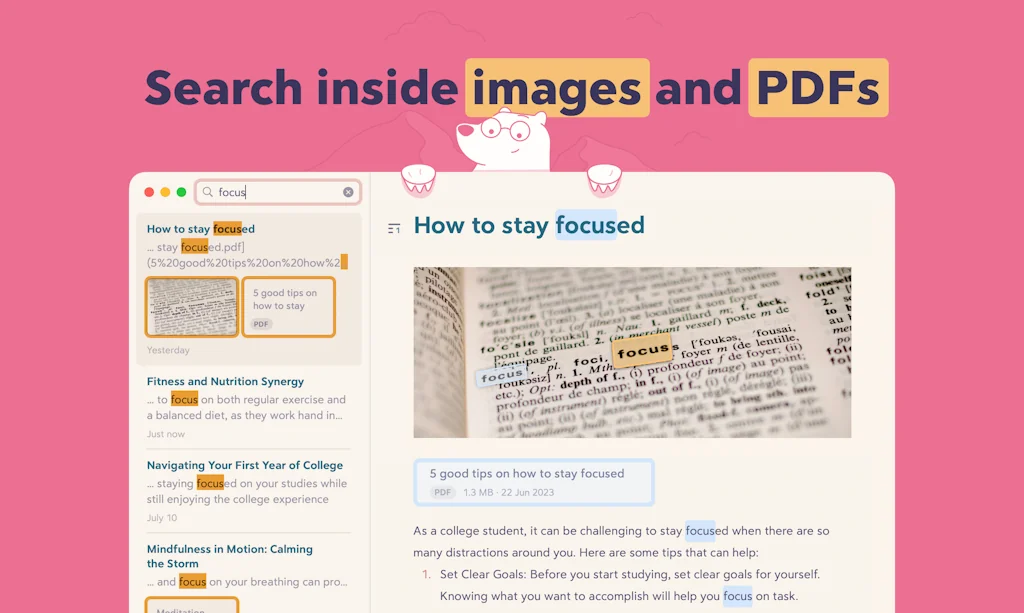
Bear is a beautiful, powerfully simple Markdown note taking app to capture, write, and organize your life.
Take notes, plan your day, journal thoughts, organize tables, create lists and tasks, sketch ideas, link notes together, write a book, and much more.
Bear is used by writers, lawyers, chefs, CEOs, teachers, doctors, engineers, students, parents... you get the picture. Getting started couldn't be faster—no signup and no account. Just open a note and write naturally.
Pros & Cons
Pros
- Beautiful design
- Simple interface
- Markdown support
- Fast performance
- Ios compatibility
- Apple ecosystem integration
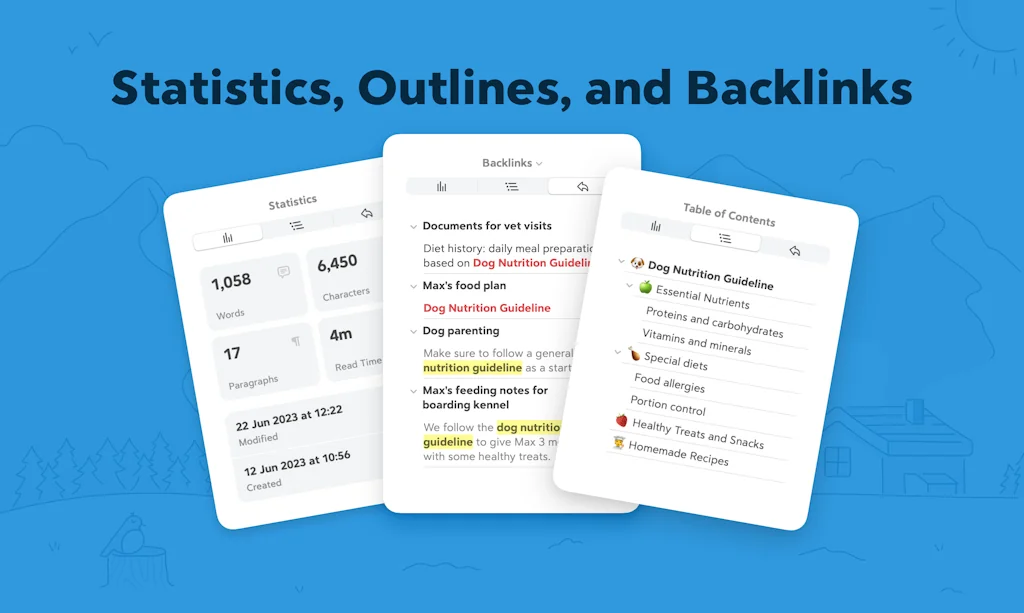
- Backlinks
- Export options
- Reasonable subscription cost
- Icloud sync
- Tags and hashtags
- Custom keyboard shortcuts
- Encryption
- Sketch tool
Cons
- Limited cross-platform support
- No web version
- Wysiwyg editor issues
- No windows support
- Tags and hashtags
Tool Details
| Categories | Note and writing apps, Writing assistants |
|---|---|
| Website | bear.app |
| Added | June 21, 2016 |
| Platforms | Web · iOS |
| Social | Twitter · Instagram · Facebook · LinkedIn |
Recent Reviews (13)
I am looking for a better .md editor than VS code or Obsidian. I tried to use this but I can't see how to 'view source'. There's a pref checkbox to "hide markdown" but it seems to not do anything? Sometimes the WYSIWYG editor messes up when you paste a link, or you want to put in some extra html (eg for an image tag to control its width or add a style sheet). But seems that's not possible? It's like Slack's updated frustrating rich-text input editor. The point of markdown is that you can edit it cleanly with a scalpel. Maybe it's not for technical people, just treat it as a replacement rich text editor like Word or Apple's own Notes app? Just checked Typora and it has a keyboard shortcut to toggle source mode, would really like that here.
It's the best Apple-ecosystem note editor out there. I admit I use it less than I used to (I switched to Obsidian because of the extensibility and being cross-platform), but the cleanliness and smoothness of Bear is ideal. I don't really like that they promised a web version 4 or 5 years ago with no dice, but the editor is still solid.
Quick to start writing and retrieve! New update has backlinks as well. Beautiful and simple markdown. Really like this - it reminds me of Evernote circa 2011 when it was simpler and faster.
Bear has markdown. Apple's Notes app does not.
New user and I absolutely love it! The aesthetic is on point, with multiple options for themes that truly enhance the visual experience. It's a simple and intuitive app that has all the necessary features for note-taking. Personally, I use it for my poetry writing and drafting before transferring it elsewhere. The ability to export to PDF, HTML, TXT, RFT and other formats is super convenient. Additionally, the lock feature and encryption not on outside but in the app provide added security, which initially caught my attention and prompted me to upgrade to the pro version. I firmly believe in supporting companies that have developed and continue to develop apps or services...and their brilliant brains. Great job, guys! You've definitely won me over. Oh, and did I mention I'm learning code and web design? This app will undoubtedly be a valuable resource for that too. Since the upgrade, the cleaner markup has made me even happier. It's a steal of a deal! edit sooo happy about the fonts toooooooo hehe
I installed the Bear app years ago when it was first released, and from the moment I started using it, I thought, "What a beautiful design!" Years later, not only does it still have a stunning interface, but it's also incredibly user-friendly. The integration with Markdown is incredibly practical, allowing me to focus solely on writing without searching for buttons or commands—just pure text. Now, in its new version, the integration with tables and additional control over images are more than welcome. I have faith that we'll see even more improvements in a shorter time.
Was good but had some gaps. V2 is a fantastic high quality upgrade bringing in lots of useful functionality in a simple clean application that works really well across all apple devices. I am now 100% back on board Use for simple note taking, information capture, personal knowledge management, thinking or even doodling (ok maybe not but it does have a decent diagram/sketch tool) Integrates really well into apple shortcuts and has a great url callback set of commands enabling interaction with other apps. Markdown implementation is great and the addition of backlinks and mentions just seals the deal for me … especially as data is held locally ! Icing on the cake is a sensible and perfectly reasonable subscription cost.. unlike so many others Overall Bear is a really fantastic app and I wholeheartedly recommend giving it a go!
Before I begin my review, I advise potential users to avoid the whiny reviews. Bear's creators directly interact with their users and are unusually transparent. They are always upfront that they are a small team, so it takes them longer to create an impeccable product. Their high standards are actually admirable; I've never had any type of glitches with Bear 1. I am excited about Bear 2's upcoming release. I'll be a Bear subscriber until I die or the company disappears. This has been the only app I've been subscribed to since my first iPhone. It's been the only app that has helped me tremendously with my severe ADHD. So if I may, I'd like to go a bit more into detail at just how much I love this app, and how it's become a daily Perhaps because Bear creators are so approachable, some users become impatient and self-entitled like Jack Perry's review below mine. I believe those reviews show just how amazing the Bear app is because people want more and more uses out of it, more than what it was created to be. And that is what I love about this app: its versatility. Bear is a note-taking app or writing app, a beautiful one at that. It has been the only app where I have been able to keep my notes organized. Their system of hashtags is brilliantly simple. Even better? You can use more than 1 hashtag, and your note will show up in both searches. Their Apple Watch app is perfect for quickly dictating ideas that bounce around in my head; it'll even transcribe my hashtags, so my notes are already organized in my IOS app. It also flawlessly syncs in all of my Apple products. I write everything in it. Email drafts, notes, assignment notes, musings, etc. Like I earlier stated, their hashtag system allows a note to be organized under 2 topics. For my graduate class, I just wrapped up taking [#literarytheory] All assignments, ideas, and notes for this class had this hashtag. I then used a secondary hashtag to organize them more. Throughout various chapters I took a lot of notes on Sigmund Freud, so those notes had the [#freud]. One search of [#freud], and I am able to easily see all of my notes in the search. Being able to quickly type the hashtags is awesome; the quickest way I've ever found to organize notes, even as you type! Their website has more effective ways of organizing notes, but the versatility is key. Those more complex #hashtag hierarchies wouldn't work for me, but the aforementioned one does. It's adjustable to the user. Anyways, it's rare to find a company who stands so firmly behind their product and who refuses to rush and release an inferior product just for monetary gain. I've seen that happen too much. That's why I was fine waiting for Bear 2 and am super excited about its upcoming launch! Bear app is exactly what it advertises itself to be, and I recommend it. :)
Historically I have liked Bear, but I've been waiting for a web version for almost five years as my work is split between Mac and Windows. The fact that Bear 2 is launching still with no web version or even an update in the blog post on if it's still coming feels like such a slap in the face. Some of us have been waiting half a decade for a web version, being told in December 2019 "it's coming along well" and then another update six months later on Reddit saying that an editor update is needed before they can give an ETA. It's 2023, if the web version isn't coming then please just let us know so I can officially abandon this app and commit to Obsidian for good. If cross-platform is important or integral to you I cannot in good conscience recommend Bear anymore.
This app is as close to perfection as any app I've ever used. Elegant, super fast, polished, just an absolute joy to use. I've used this since I graduated from medical school 5 years ago. 1629 notes later and all my work and life is catalogued in Bear -- using it right now to study for my final boards exam in two days. The developers are true craftspeople who have created something remarkable.
Worth the wait! Having been a Beta tester and now happily using the production version - this is one of the most beautiful and carefully crafted writing apps in the apple ecosystem. It's pixel perfect, easy to organise and gets out the way. Now with hidden markdown, tables, ToC, and backlinks. Excellent portability, export and sync. It's a delight to use.
Great app for taking notes, storing info you want to get to later. Just have never liked the hashtag organization, would rather have folders with notes inside of it (ala Craft docs). Hashtags end up getting horrifically cluttered.
I have * Drafts * iAWriter * Standard Notes And from time to time I use Craft - which is a strange animal that I am never sure I like - and I keep deleting the content and then resurrecting it. One of the things I am not so fond of in Craft is that it seems to regard each paragraph of writing as a separate block. It is possible to highlight multiple paragraphs and delete them in one action, but somehow I am not keen on the look of it. So why would I want another note taking app? I am attracted to note-taking apps. So Bear it is. Question: Is there a way to see the time stamp on a note in Bear? Sometimes I look back on older notes and want to know when I wrote them. Answer - Well it is easy to add the current date to a note - see the info under the DATES section here >> https://bear.app/faq/
Frequently Asked Questions about Bear
When did Bear become popular?
Bear became popular around June 21, 2016.
What are the main advantages of using Bear?
The top advantages of Bear include: beautiful design, simple interface, markdown support, fast performance, ios compatibility.
What are the disadvantages of Bear?
Some reported disadvantages of Bear include: limited cross-platform support, no web version, wysiwyg editor issues, no windows support, tags and hashtags.
What is Bear's overall user rating?
Bear has an overall rating of 4.6/5 based on 35 user reviews.
Is Bear available on mobile devices?
Yes, Bear is available on iOS (App Store).
What type of tool is Bear?
Bear belongs to the following categories: Note and writing apps, Writing assistants.
Related Note and writing apps Tools
LilysAI
Don’t miss the sources that change your performance

Drumbitious
Drum Practice Tracker App

Manifest
A simple grid-based pinboard for note taking.

Snipo
Side-by-side AI notetaker for your videos
Craft.do
Your space for notes, tasks, and big ideas
Lifelight:AI Journal/Note for Vision Pro
A modern take on AI for quick note. Also on iPhone and Mac.
Related Writing assistants Tools

EduLLM
From the idea to the first lesson in days not months

AnswerTime
Quick, effective user research—powered by AI

NovelAI
AI-assisted authorship, storytelling & virtual companionship

Restate
Your Solution for High-Quality Real Estate Listings

Easy-Peasy.AI
Create amazing content 10X faster

there.do
From notes to report, with AI and views tracking
Compare Bear :


Don't Get Fooled by Fake Social Media Videos
The world's first fact checker for social media. Paste any link and get an instant credibility score with sources.
Try FactCheckTool Free