

Heptabase
The visual note-taking tool for learning complex topics.
What is Heptabase?
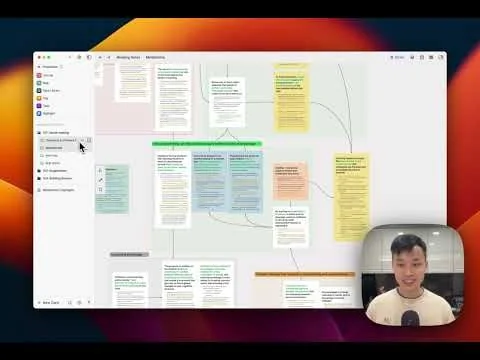
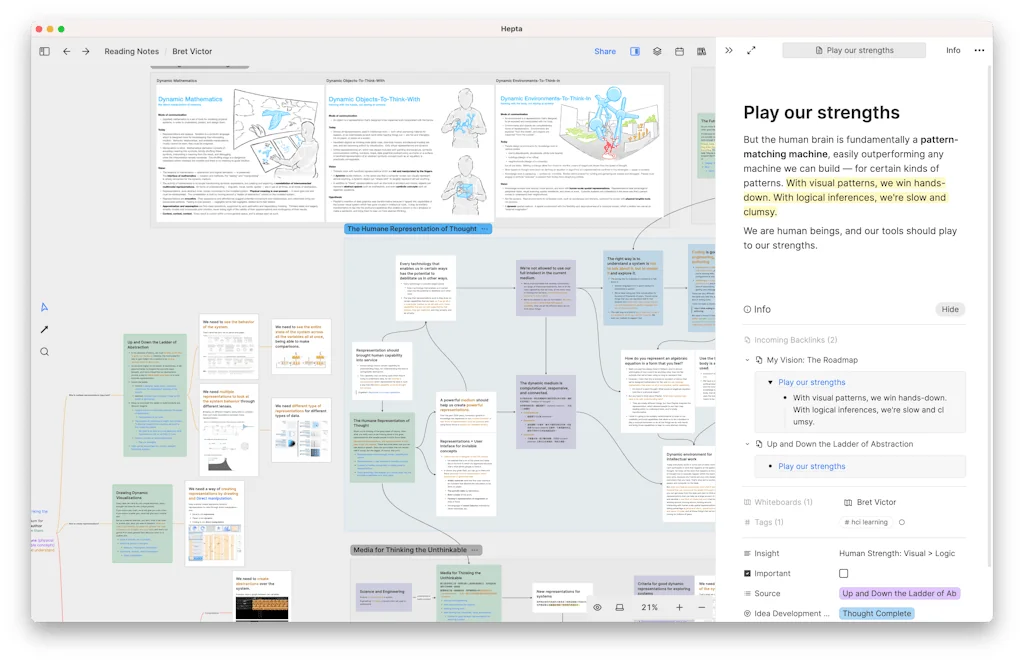
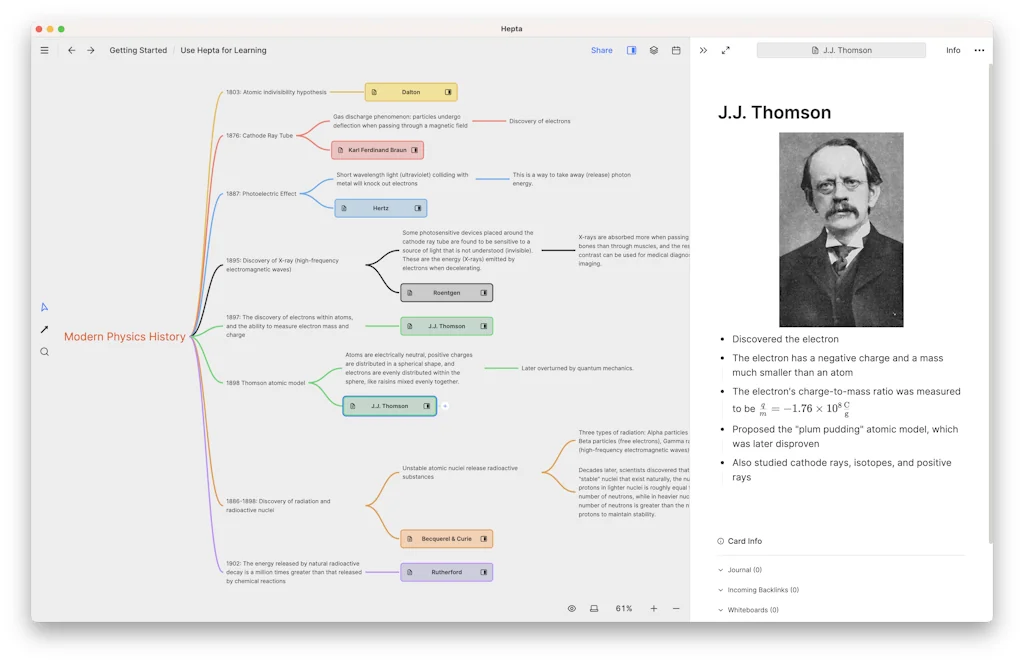
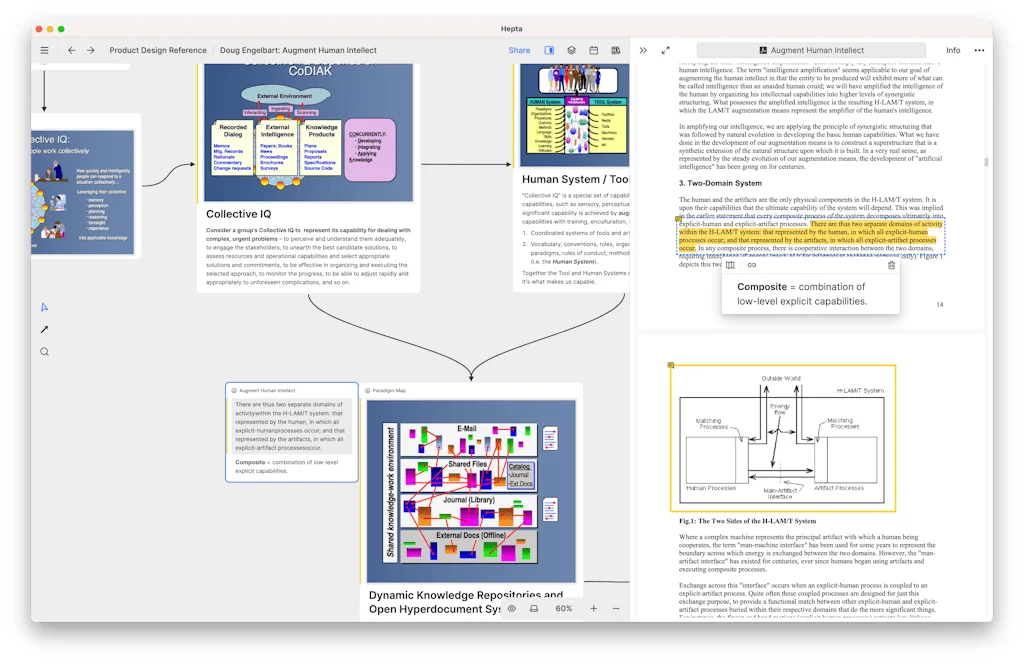
Heptabase is a visual note-taking tool that helps you make sense of your learning, research, and projects. It helps you get into the flow of thinking and brings together everything you need to do better research.
Pros & Cons
Pros
- Visual note-taking
- Knowledge management
- Regular updates
- UI/UX design
- Mind mapping
- Visual learning
- Community engagement
- Infinite canvas
- Whiteboard approach
- Zettelkasten
- Collaborative projects
- PDF functionalities
- Card-based thinking
- Concept mapping
- Search capability
- Tagging system
- Task management
Cons
- Performance issues
- UI/UX issues
- Buggy features
- Friction in use
- Task management
- Team collaboration
Tool Details
| Categories | Note and writing apps, Project management software, Online learning |
|---|---|
| Website | heptabase.com |
| Added | August 8, 2023 |
| Platforms | Web |
| Social | Twitter · Facebook |
Recent Reviews (12)
Love the product! It's been game changing when brainstorming to be able to put my thinking in a mind map. Also very impressed by the number of new features that are being pushed by the team on a monthly basis!
the most powerful visual learning tool I've ever used. intuitive and clear ux design which can work well beyond tutorial. diligent update surpassing community plugins. also naming it "hepta"base is strong indication of product sense, confidence, strong abstraction and coherence. definitely worth a 5 star
Let me explain which note-taking apps I've been using and what I might use in the future. I started with the commonly used Evernote. Over time, I felt its speed and efficiency didn't meet my needs, prompting a switch. The first app I considered was Notion. Being an early adopter, I bought a membership for over 10 years. Notion's database capabilities are impressive. However, when I needed deeper planning, I turned to XMind—a mind mapping tool I've used for nearly a decade that has significantly benefitted my work and life. I've always sought a tool that combined mind mapping with note-taking. When I came across Heptabase, I immediately gave it a try. Though there are minor issues, the experience is excellent. I particularly resonate with some of Alan's philosophies. After moving away from Notion, Heptabase became my primary note-taking app. Meanwhile, I also tried Obsidian. Its functions were overly complex. Despite being the fastest of all note apps I've tried, I eventually abandoned it. I've also used the SiYuan note app—a remarkable piece of software. The developer's integration skills are simply outstanding. Later, as my work became less complex but required more logging, I sought a quick note-taking tool with efficient block search capabilities. While I still use Heptabase (though less frequently due to its lackluster to-do management), I found Logseq to meet my needs. Its query function is robust, allowing for swift syncing of past notes into new ones, significantly reducing workload. However, it's essential to understand that any unorganized notes will become a mess over time. Many initially believed that bidirectional linking in notes would reduce organizational effort—an unrealistic expectation. Consequently, I returned to Heptabase. Encouragingly, their updated mind map feature is a fantastic aid in organizing thoughts, and their updated tags function similarly to Notion's. What's most impressive is their deep understanding of tags. Such a product can only come from profound contemplation of the ultimate form of note-taking. A common challenge users face is the excessive number of tags, making organization difficult. Heptabase integrates tags with its database, addressing its to-do management shortcoming and optimizing tag utilization. Organizing tags allows for deeper project labeling, reminiscent of my experience with Aeon Timeline. Essentially, it means customizing your database deeply while reusing database tags and quickly accessing all your databases—a feat Notion falls short on. Heptabase's underlying philosophy is that one must organize their notes, offering a clear method through tag marking and optimization. This approach is innovative; I'd even call it genius. But I hope Alan remains humble and continues his hard work. Although a couple of friends I introduced to Heptabase didn't renew their subscriptions, I'll continue to support it. Keep it up!
I have been an alpha and beta tester since the very beginning. The developers are responsive, listen to their users, and have made hundreds of improvements since they started. This is not another notetaking app. It is a powerful thinking and notetaking tool which combines linear and visual thinking, including with mind mapping. I applaud the developers for consistently improving the app and I have decided to subscribe. It is now an indispensable part of my workflow. I recommend everyone who wants to improve their thinking and notetaking to try this app.
The level of detail and understanding of human-computer interaction that went into this product is insane. It's different from many other note-taking apps, which have never rethought how note-taking should work on a computer and just built on top of existing paradigms. One example of this is the sidebar of Heptabase, which contains tabs instead of a hierarchy of notes, as most other apps do. I have been looking for a great note-taking app for a long time, and this feels like the one. It's a joy to use Heptabase daily! Great work @alanchan1209 and the rest of the team! 🥳
The team advertises "access with blazing-fast speed" on their landing page, but unfortunately the product falls short as soon as you start to use it beyond a simple demo. Whiteboards with 100s of cards and pdf highlights are slow and laggy, with no improvement in sight. The performance gap between Hepta and something like MarginNote is huge. I hope they address this immediately, because I am already on the hunt for other tools that can perform to fit my (very basic) use-case.
I have used it for >1 year. Seriously a life saver. What makes it different from many PKM that I've tried is its speed, its search capability, PDF functionalities, intuitive built in capabilities (and many more). Also appreciate how the developers listen to users and delivers quickly features that users actually need to facilitate learning and knowledge acquisition. There are more new features rolling in, and I am super excited.
This app is a godsend! I recently started using Heptabase, and let me tell you, it's absolutely amazing! As someone who's been preparing for my Azure certification, Heptabase has been a game-changer for me. I've been a long-time user of Notion, but Heptabase's functionality and capabilities have won me over completely. This app is like the Concept Map software I didn't even know I needed. It's helped me organize my thoughts, study effectively, and connect the dots in a way that no other app has. I want to extend my heartfelt thanks to the creator of Heptabase for wanting to change the way we think and providing us with such an incredible tool. If you are new to Heptabase, definitely read and follow the workflow laid out in the Heptabase Wiki article: "The best way to acquire knowledge from readings."
Features are consistently buggy. Application performance doesn't seem to be a priority for the team. Many people keep mentioning the performance issues but they keep getting ignored. The team seems to be in a big rush to introduce collaboration like features (likely for the enterprise money), but the app struggles to perform even for the individual user. Hope they can refocus, because the product has a lot of potential.
I also have the same problem to log my thoughts visually and can be easily to trace and connect! Therefore, when I first use Heptabase, I can feel it's not just a notebook, it's a brand new way to extract your thoughts out and help you to manipulate it, find the connection between each other to build the own process in your brain. I am the paid user, and stilll try getting familiar with all the functions. Keep it up!
Congrats & Shout out to Heptabase for their fantastic product. My thoughts are always scattered, and Heptabase helps when I bring them together and make sense of them. I've been enjoying reading the public wiki, and I love how Heptabase elegantly ideates the process of thinking and building knowledge in a product. Kudos to the team 🎉
Heptabase is sick. Especially for ppl who like to think using physical blackboard, it’s THE app you should definitely give it a try. It’s not perfect at the moment, but it’s already very powerful and can facilitate both learning and thinking processes. S/o to @alanchan1209 and the entire team.
Frequently Asked Questions about Heptabase
When did Heptabase become popular?
Heptabase became popular around August 8, 2023.
What are the main advantages of using Heptabase?
The top advantages of Heptabase include: visual note-taking, knowledge management, regular updates, UI/UX design, mind mapping.
What are the disadvantages of Heptabase?
Some reported disadvantages of Heptabase include: performance issues, UI/UX issues, buggy features, friction in use, task management.
What is Heptabase's overall user rating?
Heptabase has an overall rating of 4.6/5 based on 34 user reviews.
What type of tool is Heptabase?
Heptabase belongs to the following categories: Note and writing apps, Project management software, Online learning.
Related Note and writing apps Tools





Related Project management software Tools






Related Online learning Tools

Refocus
Saving 137M jobs from AI — the retraining platform for SEA

BrainGate.io
Train your brain not your feed

Carden
Science-based flashcard app with spaced repetition

Flag Match
Match countries with their flags

Alpe Audio
Audio courses to master new topics on the go

Quiz Wizard
AI-powered MCQ & flashcards generator
Compare Heptabase :




Don't Get Fooled by Fake Social Media Videos
The world's first fact checker for social media. Paste any link and get an instant credibility score with sources.
Try FactCheckTool Free