
What is 1Password?
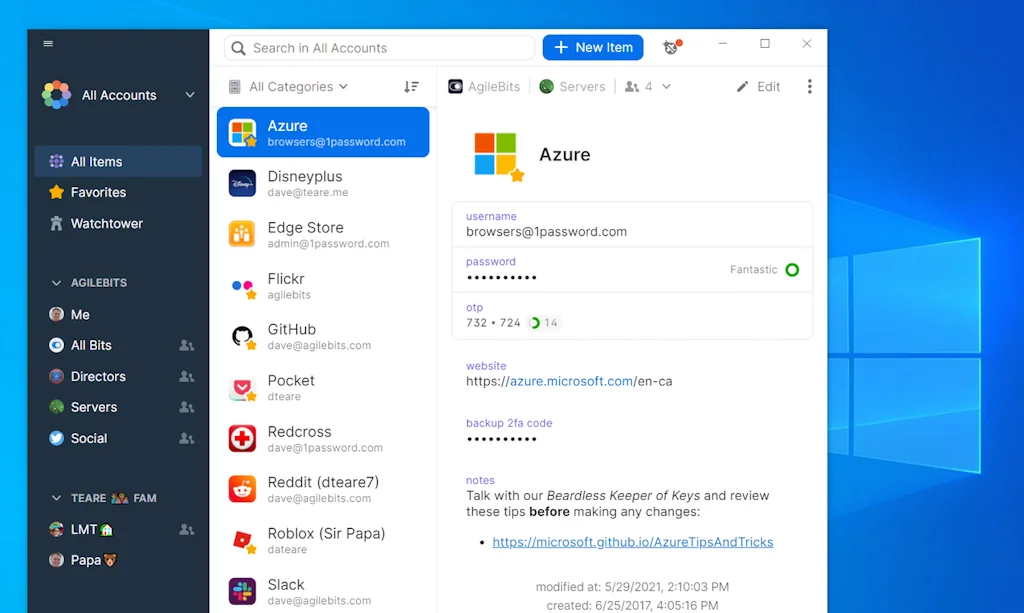
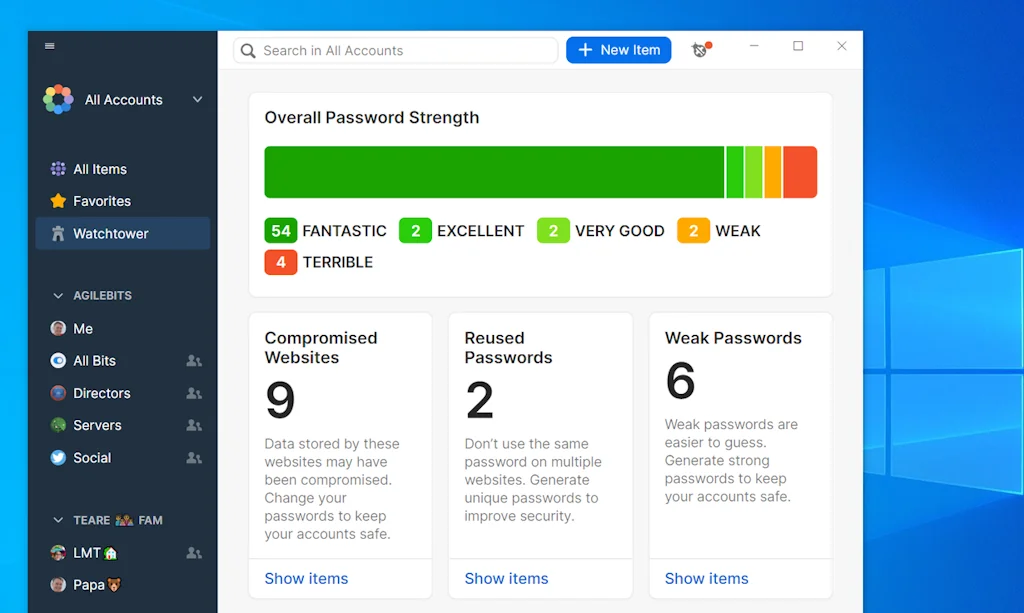
1Password is a password manager, digital vault, form filler and secure digital wallet. Easily store and use strong passwords. Log in to sites and fill forms securely with a single click.
Pros & Cons
Pros
- Secure password storage
- Intuitive interface
- Auto-fill functionality
- Multi-platform support
- Synchronization across devices
- 2FA management
- Credit card storage
- Password sharing
- Biometric authentication
- Chrome extension
- Family and business plans
- Free tier
- Password generation
- Easy to use
- End-to-end encryption
- No intrusive advertisements
Cons
- Occasional auto-fill issues
- High subscription fee
- Competition from Apple
- Desktop app requirement
- Reliance on cloud storage
- Telemetry
Tool Details
| Categories | Password managers, Security software |
|---|---|
| Website | 1Password.com |
| Added | September 17, 2014 |
| Platforms | Web · iOS · Android |
| Social | Twitter · Instagram · Facebook · GitHub |
Recent Reviews (13)
I actually love 1P. Helpful across the team. The ONE thing I'd slightly appreciate is better empty states for why you can't find a particular password in there when searching. (E.g. this pw may not have been saved because...; or this pw may have been saved to a personal account...; etc). Otherwise keep on rockin'!
Started using this for work and found it so easy to use that I've moved all my personal passwords here too. Not having to remember passwords, credit cards or even how I log in across all devices has been a game changer.
Way better than last past. More beautiful and with less security incidents. However, the need for a desktop app looks a little too much. It is not very good to get the new passwords. Sometimes, even with the app opened and unlocked, it does not proactively stores the new password.
I use 1Password in my daily work and life. 1. Pros: High security: 1Password uses end-to-end encryption to ensure that all stored passwords and sensitive information are highly protected and can only be decrypted and accessed by the user. Multi-platform support: Whether it is a mobile phone, tablet or computer, you can easily use 1Password to access and manage passwords. Easy password generation and filling: 1Password can not only generate strong passwords, but also automatically fill in login information, simplifying the management of complex passwords. Sharing function: 1Password allows passwords and sensitive information to be securely shared with team members. 2. Cons: High subscription fee: For team use, 1Password has a high subscription fee. Reliance on cloud storage: Although 1Password is very secure, it still relies on Internet connection and cloud storage, which may have certain risks.
I do think 1Password is the best tool in its category, I have a family subscription and the shared vault is one of the features I like most. The 2FA management is great, It manages also Email accounts settings, Servers login, credit cards information, secure notes. I have it on my phone, laptop (Mac and Windows), iPad and Watch,
Overall extremely simple and effective to use. I appreciate the breadth of passwords/cards/etc that I can save. Sometimes have trouble bypassing Apple's saved passwords settings, but I think that is a function of Apple rather than a shortcoming of 1Pass. Feel really satisfied with effectiveness for the cost.
1Password has proven to be an indispensable tool for managing passwords and confidential information. It simplifies the process of creating and storing complex passwords, providing a high level of security. The interface is intuitive, and synchronization between devices is seamless, which is especially convenient for working across different platforms. The support for biometric authentication adds convenience and confidence in the security of the data. Overall, 1Password significantly boosts productivity and peace of mind, knowing that all important information is securely protected and easily accessible at any time
You may not realize you need this. But once you start getting into the hassle of multi-factor authentication across a bunch of logins with 12-20 character requirements... it's a thing of beauty to have an app that 'just takes care of things' for you.
One of the best apps I've ever used, the 8 version is slick, stable and really boosts your productivity with new shortcuts and new fill-in feature. No more need to install separate extensions to the browsers, just use Quick Access
Works really well most of the time. Its probably not their fault, but sometimes MacOS or iOS will not show 1password as an option. Doesn't automatically fill with apps that use a built in browser window.
Love 1Password and use it every day! Big fan! Would really appreciate an auto-fill feature on iPhone, so it replaces or at least offers an alternative to Apple Passwords on web pages.
I rely on 1Password to help me quickly log into websites. I need to use its sorting feature to clean out old unused login information, but overall I'm very pleased with the app.
Fast, easy to use and handy. It helped me to improve security of many of my old credentials and keeping track of use 2FA whenever possible.
Frequently Asked Questions about 1Password
When did 1Password become popular?
1Password became popular around September 17, 2014.
What are the main advantages of using 1Password?
The top advantages of 1Password include: secure password storage, intuitive interface, auto-fill functionality, multi-platform support, synchronization across devices.
What are the disadvantages of 1Password?
Some reported disadvantages of 1Password include: occasional auto-fill issues, high subscription fee, competition from Apple, desktop app requirement, reliance on cloud storage.
What is 1Password's overall user rating?
1Password has an overall rating of 4.8/5 based on 45 user reviews.
Is 1Password available on mobile devices?
Yes, 1Password is available on iOS (App Store) & Android (Google Play).
What type of tool is 1Password?
1Password belongs to the following categories: Password managers, Security software.
Related Password managers Tools
ShareUrl
Share your accounts without giving out your password 🤫

Which Login?
Never forget how you signed into a website anymore

Drive Password
New generation secret manager entirely based on Google Drive

heylogin
password manager with hardware-based end-to-end encryption

Yorba
Reduce your digital footprint one step at a time

8Password for iOS
Secure password manager
Related Security software Tools

Pentest Copilot by BugBase
Your ultimate ethical hacking assistant

Veriff
AI-powered identity verification software

Astra Security
AI-Powered Offensive Pentest Platform

SpyBuster
Unmask a spy and save your data

CastleFile
Fun, Secure and Client Side File Encryption using Chess.

Haven
Haven: Keep Watch
Compare 1Password :


Don't Get Fooled by Fake Social Media Videos
The world's first fact checker for social media. Paste any link and get an instant credibility score with sources.
Try FactCheckTool Free