

What is PDFMonkey?
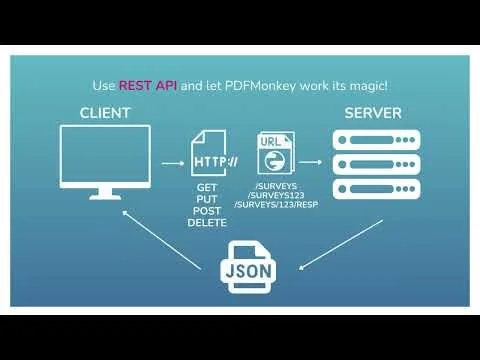
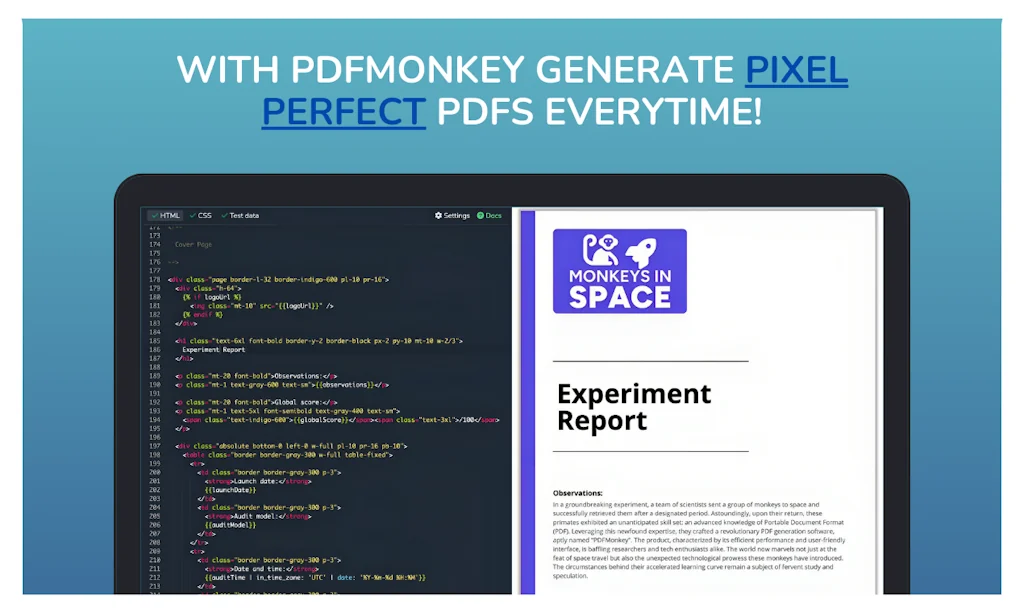
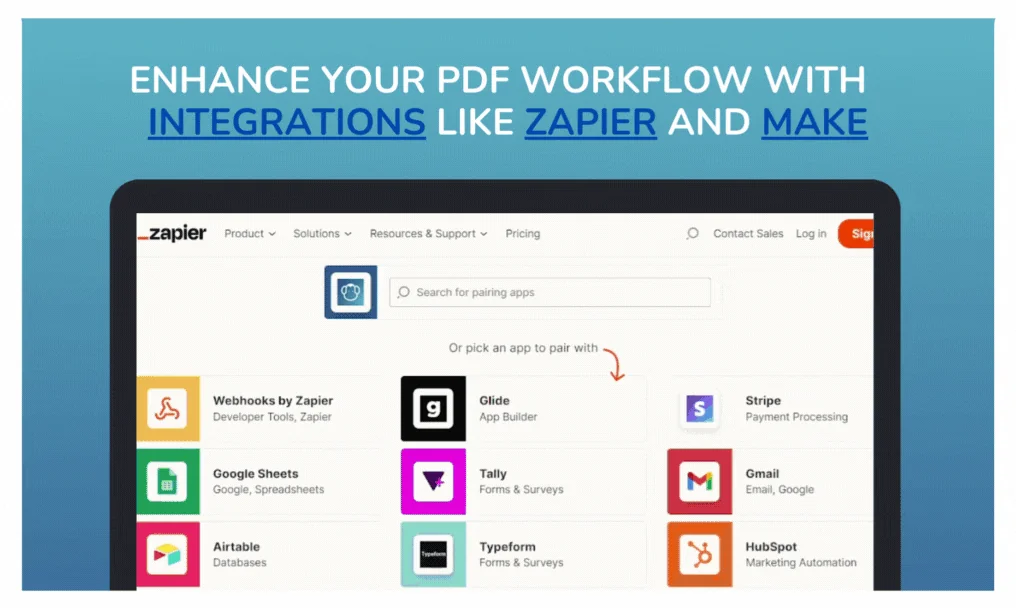
Escape manual PDF hassles with PDFMonkey! Create pixel-perfect PDFs effortlessly. Manage templates and insert dynamic data. Features REST API, JavaScript integration, and seamless connection with Zapier, Make, Glide and more. Start your free trial now!
Pros & Cons
Pros
- Customer support
- Easy to use
- Reliable performance
- Complex template handling
- Personalized PDFs
- Time saving
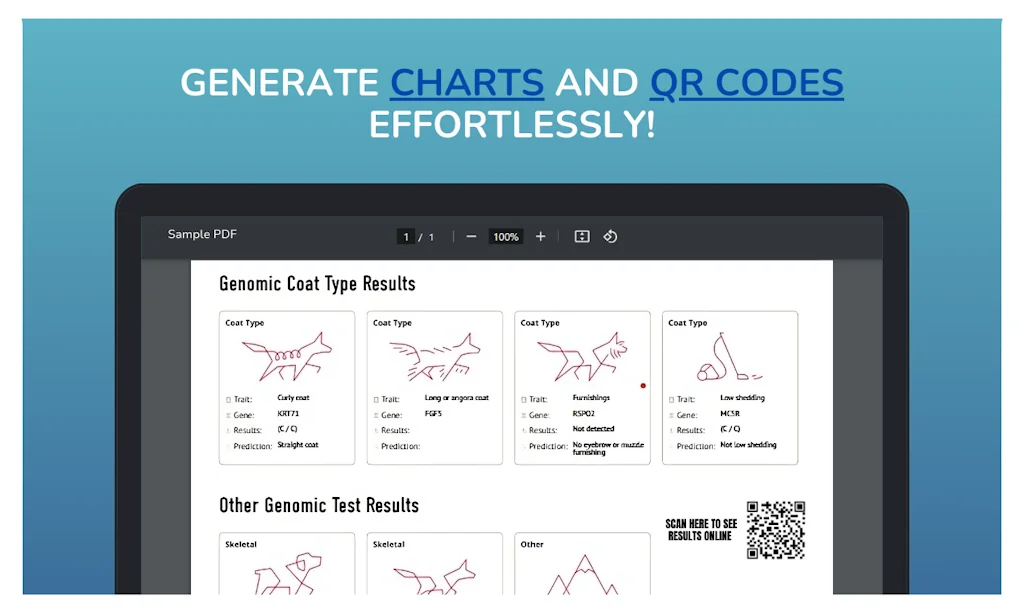
- Chart integration
- Free trial
- High quality output
- HTML and CSS styling
- HTML templating
- Liquid scripts
- Make.com integration
- Zoho CRM integration
Tool Details
| Categories | PDF Editor, No-code Platforms |
|---|---|
| Website | pdfmonkey.io |
| Added | October 23, 2023 |
| Platforms | Web |
| Social |
Recent Reviews (10)
Absolute love PDFMonkey. Integrated it with Zoho CRM to create really nice looking and personalised documents - quotes, proposals, and loads more. By utilising Liquid scripts in PDFMonkey, we were able to do one integration but still create documents that work for lots of different scenarios. The support is top notch too! Highly recommended.
Amazing – during the trial period, the CTO personally called me! That was very nice and truly outstanding support. Some parts of the PDFs I could have built myself with NiceStory.app – our app for creating interactive stories – but with PDFMonkey it’s just so much easier. The quality of the output is really high and consistently great!
For over a year now, we have been utilizing PDFMonkey to generate financial reports derived from the data stored in our Airtable database. We transmit the data to PDFMonkey through Make.com. The service operates swiftly and remains consistently reliable.
WE've been unsing PDF Monkey for a long time at LowCode. It's a super reliable tool, we couldn't be happer. We've made some really complex templates, and there's nothing PDF Monkey can't handle. When we've reached out to support, the team is super friendly and eager to help. Definitely our go-to PDF generation tool.
I have been using PDF Monkey to generate parking passes for our event and it saved me a lot of time compared to coding my own solution using a library like DOMPDF so I'm a fan :)
It has been one year since we use PDF Monkey in order to generate quite complex Bills for our customers at staycation.co . The templating tool is great, easy to use. You have the possibility to create a template in HTML. The SLA is great. Keep up the good work @vincent_trusgnach and @simonc ! We love it!
I’ve been using PDFMonkey in my project (PDFs up to 40 pages). I think it’s a very reliable and easy-to-use tool. It saves me A LOT of time and the support is excellent. I would recommend it 100% :)
It's the best tool I have used to convert data into PDF. With embedded html CSS style you convert billing reports with branded pdf. you can even add beautiful charts to it.
Really satisfy.great apo ever.user interface is familiar and no any errors.
I am sure, I am little late for the comments, but it has been a great tool that has helped me and my sales team a lot.
Frequently Asked Questions about PDFMonkey
When did PDFMonkey become popular?
PDFMonkey became popular around October 23, 2023.
What are the main advantages of using PDFMonkey?
The top advantages of PDFMonkey include: customer support, easy to use, reliable performance, complex template handling, personalized PDFs.
What is PDFMonkey's overall user rating?
PDFMonkey has an overall rating of 4.8/5 based on 12 user reviews.
What type of tool is PDFMonkey?
PDFMonkey belongs to the following categories: PDF Editor, No-code Platforms.
Related PDF Editor Tools




Related No-code Platforms Tools

ChartDB
Your Database, Finally Visualized

n8nChat
Create automations in seconds by generating n8n workflows

Slope
The B2B Payments Platform

Blocks
Low-code AI-powered builder to create your emails

aasaan
Commerce storefront using AI.No code required

Vue Native
A framework to build Native Mobile apps using JavaScript.
Compare PDFMonkey :




Don't Get Fooled by Fake Social Media Videos
The world's first fact checker for social media. Paste any link and get an instant credibility score with sources.
Try FactCheckTool Free