


What is PhotoRoom?
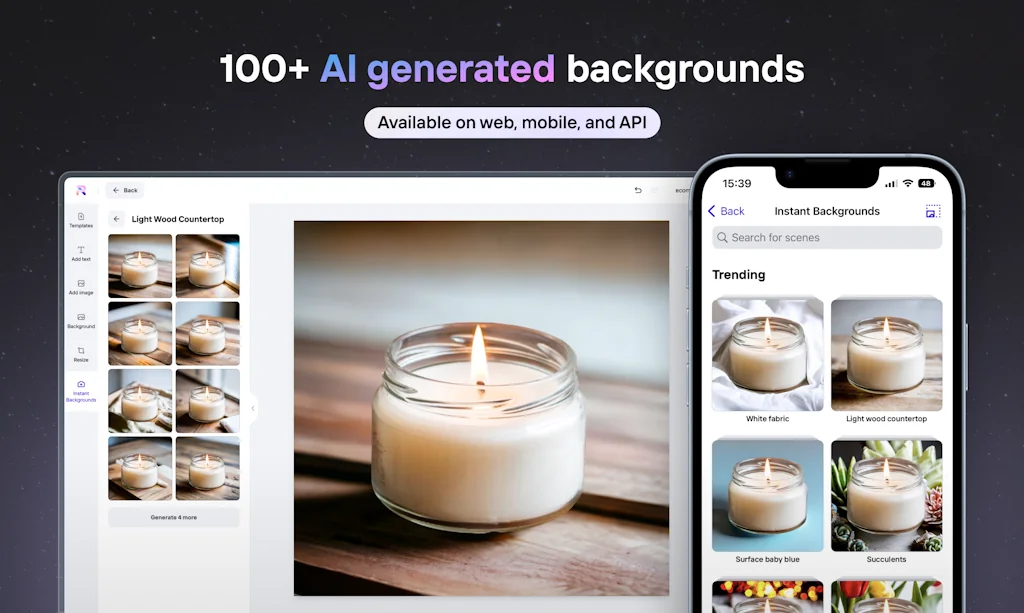
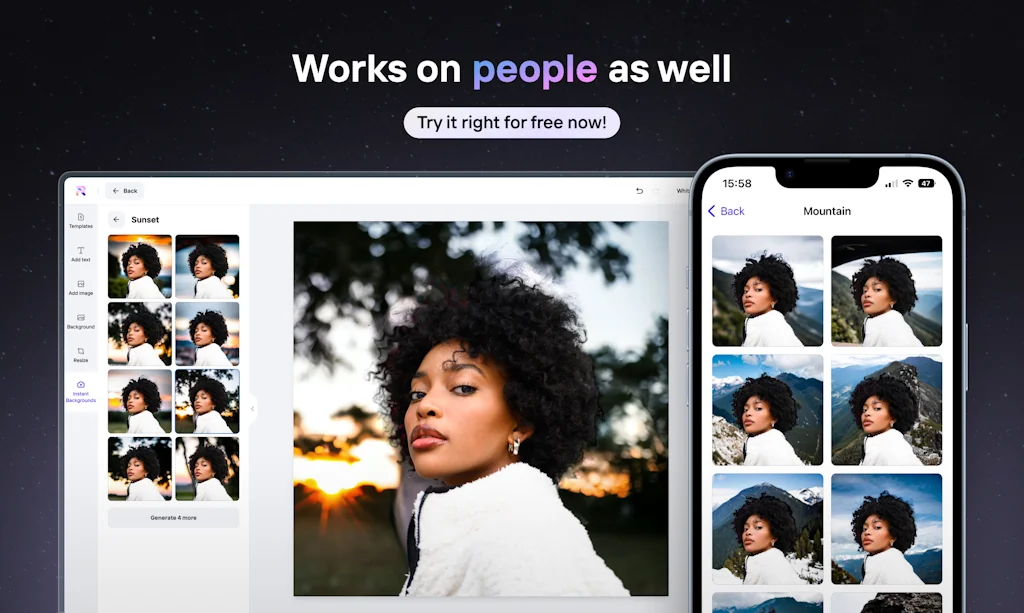
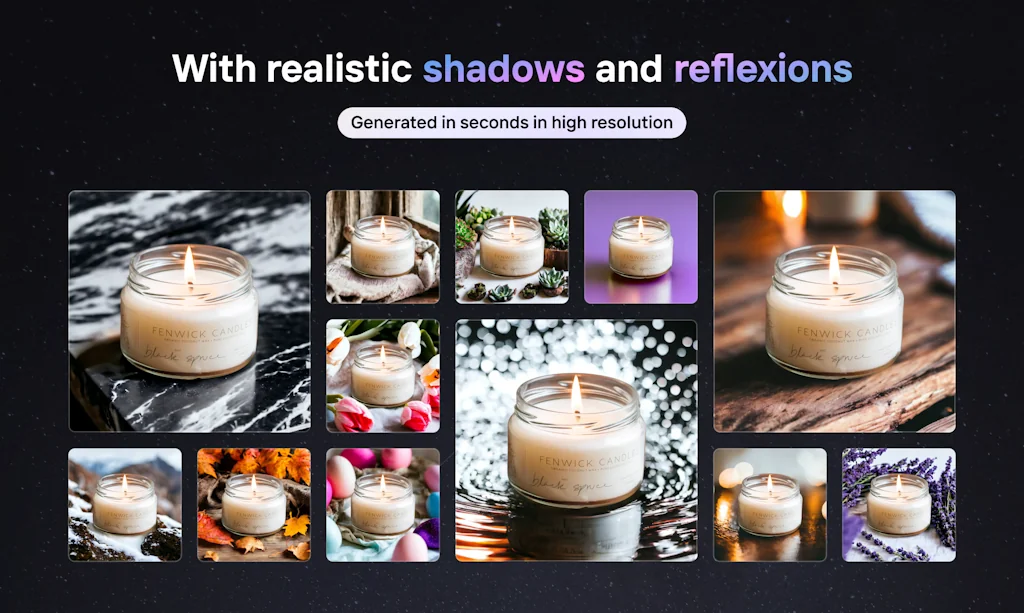
Create studio-quality images in seconds. In one tap, remove the background and compose an image that will showcase a product or a model. PhotoRoom gives design super powers to everyone because you edit objects and not pixels
PhotoRoom is an image editing app that lets you capture, edit, and mix images by editing objects.
Pros & Cons
Pros
- Background removal
- Instant backgrounds
- User-friendly
- Fast performance
- AI image editing features
- Cross-platform availability
- E-commerce optimization
- Generative AI
- Social media post creation
- Templates
- Batch processing
- Customizable backgrounds
- Frequent updates
- Responsive support
Cons
- Unresponsive support
- Buggy pro subscription
- Paywalled features
- Subscription required for some features
Tool Details
| Categories | Photo editing, Background removal tools |
|---|---|
| Website | photoroom.com |
| Added | May 6, 2020 |
| Platforms | Web · iOS · Android |
| Social | Twitter · Instagram |
Recent Reviews (13)
Photoroom provides a lot of AI image editing features and templates, which are very helpful for me to process images quickly. However, the frequency of function updates has decreased recently, and many functions require subscription.
The background removal and workflow for creating social media posts from photos are fantastic! Really well thought out and executed.
Love Instant Backgrounds! So many AI features popping up right now looking like hammers looking for nails. This is the opposite, forget about AI this is delivering something people want in the way that's most useful to them.
Horrible! There was a bug with their pro subscription for the 3 weeks I paid for the app (it is not possible to use pro features). Despite following their instructions, it didn't work. I submitted evidence with the date and time stamp for the bug. I suddenly got access in the last three days (21 in total). I contacted them, but they could only offer me one week for "free" (lol, I already paid for three weeks!) — a complete scam and by far the worst support I've experienced. I'll choose better options next time. Steer clear!
I love all of the app but especially Instant Backgrounds. I can take a photo of my car and instantly teleport it to Paris, New York, Berlin almost literally anywhere. Would I like it to be surrounded by golden lights or fabric or even some weird coloured water? This app can do that. Do I want a selfie with the Eiffel tower in the background? It can do that. Want to take a photo of the flowers you bought mum for Mothers Day but don't want people to know you secretly watch Bluey on Disney+ when everyone is out? That can be changed with this. No one needs to know! Instant backgrounds is such a game changer with literally any photo and I have never found another app like it in terms of what it does.
Can not be simpler, drag&drop the picture, brush on the thing you want to remove, et voila! The pattern that appears instead of the removed object is repetitive and a bit blurred, making it a bit "visible". Maybe adding some manual post treatment possibility (like setting randomization of the pattern, selecting it,...) would be better, but anyway for a quick edit for a social media post >> great tool!
I have tried many applications with the background removal function, photoroom cuts better and more clearly than others. I use cutting out an object on a transparent background, and an avatar in a circle, it turns out very stylish and simple.
PhotoRoom has saved me a ton of time by automatically removing backgrounds. I can use my own or choose from a large variety of backgrounds built into the app. Works great on my Android and now it's in a web version for my laptop. So glad I found it!
I've tried multiple free + paid background removal tools and models like Canva, Ideogram, Microsoft Designer, Photopea, Python packages like rembg, RemoveBg, but this was the absolute best so far, by far.
This software can automatically recognize and remove backgrounds, and also allows you to customize background colors. It is very user-friendly and more than sufficient for beginners.
Good as gold, right here. Beautiful for fast branding, and for maintaining form across the board. I especially love the way I can fire out a variety of profile images on the hop but not have to sacrifice variety and detail for speed.
Love PhotoRoom really helps with my business on selling platforms. Ease of use. Constant upgrades. Listens to what the community wants/needs. Very responsive!!
So far so good! As good as remove.bg and cheaper.
Frequently Asked Questions about PhotoRoom
When did PhotoRoom become popular?
PhotoRoom became popular around May 6, 2020.
What are the main advantages of using PhotoRoom?
The top advantages of PhotoRoom include: background removal, instant backgrounds, user-friendly, fast performance, AI image editing features.
What are the disadvantages of PhotoRoom?
Some reported disadvantages of PhotoRoom include: unresponsive support, buggy pro subscription, paywalled features, subscription required for some features.
What is PhotoRoom's overall user rating?
PhotoRoom has an overall rating of 4.6/5 based on 18 user reviews.
Is PhotoRoom available on mobile devices?
Yes, PhotoRoom is available on iOS (App Store) & Android (Google Play).
What type of tool is PhotoRoom?
PhotoRoom belongs to the following categories: Photo editing, Background removal tools.
Related Photo editing Tools

MB2kB
Compress image or PDF to any specific size from MB to kB

Unfold
Create beautiful stories for Instagram

Replace Cover
Create beautiful cover art for your Spotify playlists

Sidly Before After Video. Side by Side
Create before and after video from two photos

MemeMorph
Turn Yourself Into Your Favorite Memes With AI.

Captions for photos: Captioned
Create post captions with AI
Related Background removal tools Tools

Remover.app
Remove anything unwanted in seconds, for free

imgkits.com
AI image processing tool & remove background & inpaint photo

Pokecut
Use AI to create photos with just a few click or a prompt

PFPMaker
Create an awesome profile picture for free

ClipDrop
AR Copy Paste - Capture and transfer anything around you

Figen
Free post cover & background generator tool
Compare PhotoRoom :




Don't Get Fooled by Fake Social Media Videos
The world's first fact checker for social media. Paste any link and get an instant credibility score with sources.
Try FactCheckTool Free