

Microsoft Designer
Design and edit anything you can imagine with AI
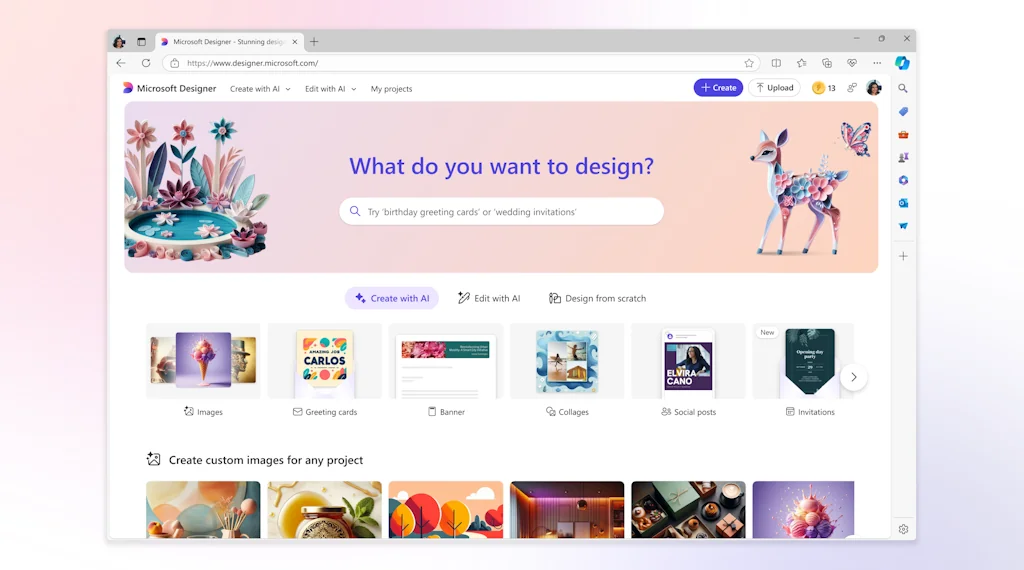
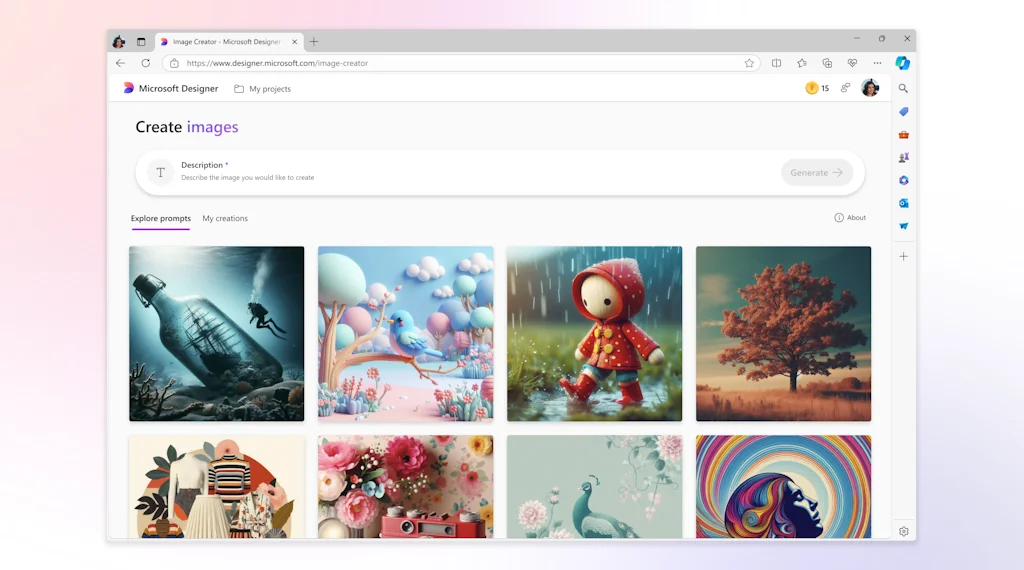
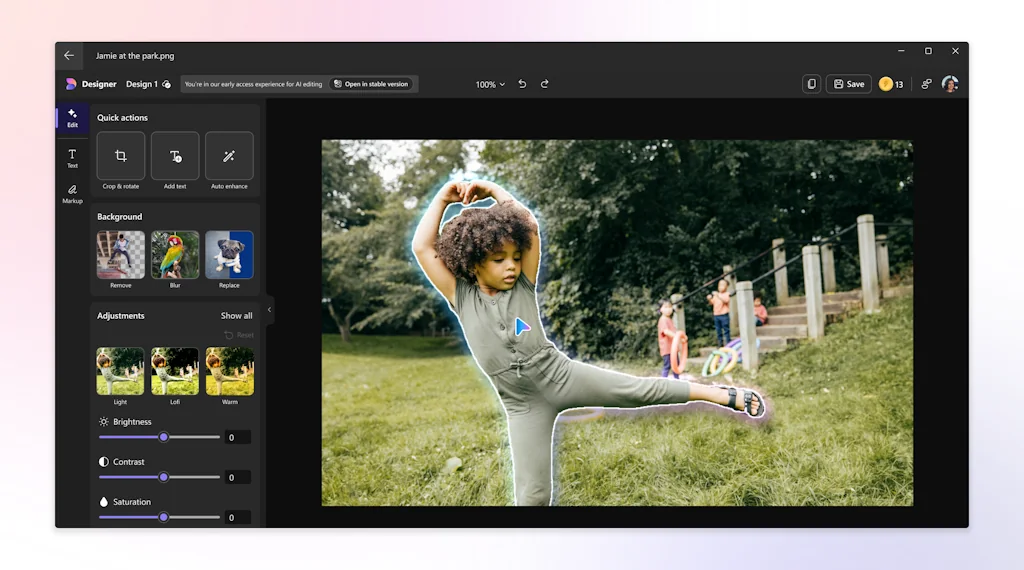
What is Microsoft Designer ?
Microsoft Designer is a graphic design and image editing app powered by AI.
Create eye-catching images with your words, craft next-level designs that pop, and even edit photos like an expert. Designer is integrated across your favorite Microsoft apps like Microsoft Word and PowerPoint to help you create when and where you need it. Microsoft Designer is available via web app & mobile web (designer.microsoft.com) or native mobile iOS / Android applications.
Pros & Cons
Pros
- Easy to use
- AI image generator
- Design suggestions
- User-friendly interface
- Generative AI
- Background removal
- Image quality
- Social media graphics
- Text suggestions
- Web app availability
- Background blurring
- Custom stickers
- Mobile app availability
- Motion effects
Cons
- Lack of video features
- Limited image editing features
- Unreadable text output
Tool Details
| Categories | Photo editing, Graphic design tools, Design resources |
|---|---|
| Website | designer.microsoft.com |
| Added | October 12, 2022 |
| Platforms | Web |
| Social | Twitter · Instagram · LinkedIn |
Recent Reviews (11)
Congratulations on the launch! The speed at which Microsoft is moving on generative AI stuff is astonishing! I particularly like the templates, sample prompts, and tips that show up when a new design is being generated! They make the learning curve much shorter for first-time users like me. I was able to generate a few sample banner ad designs in no time! Also, the feature to remove the background from any uploaded image is super cool and works well! The outputs look on par with the paid image editing tools I've been using.
@mohit_anand1 The UI is slick and so easy to use. Congratulations on that. One question though - Being in this space and having tried out Adobe Firefly and Canva Magic tools (and also Dall E and Stability and a few opensource tools), curious how do you plan to differentiate from these? Most of these look so very similar in terms of end user value. What is it that you are betting on that will get you stickiness?
It certainly looks interesting product from Microsoft. I have signed up and tried a few prompt. I liked the variety of images that it offers to choose from. I am sure it is going to help non-designers quickly create graphics and motions for their web/social media posts. Keep up the good work team Microsoft!
Congratulations on your launch! Microsoft has always been advanced in generative AI and Copilot, and the products have consistently performed well. I tried it out immediately. The interface is fantastic, offering an amazing design experience. I quickly generated the images, expressions, avatars, posters, and even background images I wanted. The current image editing features include background removal and background blurring. It would be even better if it had intelligent image enhancement and one-click style change.
Appreciate the lead in pioneering a new way of custom-made designs, instead of endlessly browsing templates, and AI powered text suggestions. Glad to see the industry pick up this trend too. Since, this product is in preview, I'm anticipating more features would keep coming in. Will check back in some months, and do a full evaluation. But for now, excellent start to bring this all together, keep going, it's going to be a long journey.
I don't understand how this is getting positive reviews when there are alternatives that are much, much better. The image output is not good at all; any time there is text, it's unreadable. I'll mess around with it again a month from now and see if there have been any changes and update if necessary.
Lots of potential to get creative, and our team keeps making it better. I love making custom stickers to use in my texts with family and friends, as well as sending unique personalized messages for special occasions with cards!
This app stands out among the many similar ones available, and its web version is particularly impressive for those who primarily use their web browser for work. It's impressive to witness Microsoft's continual evolution.
Pretty slick app. Loved loved playing with the AI image generator. Would love to see option to let me upload an image and generate more to the image and expand it.
Amazing suggestions with very easy to use UI. Would love to see a community where I can use others' designs more easily.
Image generator is next level, could use some fine tuning but its enjoyable so far!
Frequently Asked Questions about Microsoft Designer
When did Microsoft Designer become popular?
Microsoft Designer became popular around October 12, 2022.
What are the main advantages of using Microsoft Designer ?
The top advantages of Microsoft Designer include: easy to use, AI image generator, design suggestions, user-friendly interface, generative AI.
What are the disadvantages of Microsoft Designer ?
Some reported disadvantages of Microsoft Designer include: lack of video features, limited image editing features, unreadable text output.
What is Microsoft Designer 's overall user rating?
Microsoft Designer has an overall rating of 4.6/5 based on 16 user reviews.
What type of tool is Microsoft Designer ?
Microsoft Designer belongs to the following categories: Photo editing, Graphic design tools, Design resources.
Related Photo editing Tools
PixelGlow
AI to seamlessly merge image cutouts into realistic photos

Panols
Tell a panoramic story w/ Instagram’s grid layout.
TEZZA
Aesthetic photo editor
ResizePixel.com
Easy to use online image editor
Pokecut
Use AI to create photos with just a few click or a prompt

PFPMaker
Create an awesome profile picture for free
Related Graphic design tools Tools

Absurd Design
Free Surrealist Illustrations and Vector Art

Doodlicons
700+ Handcrafted vector doodles and scribbles
Prettysmart.co
An AI based graphic designer and content writer.
Optimage
Automatic image compression that actually works.
ShotKi
Create stunning shortcut screenshots!
threed.io
Generate custom 3D device mockups in your browser.
Related Design resources Tools
ManyPixels
Get your personal graphic designer in a few clicks

Supasnap
Beautify your screenshots instantly – No hassle, no installs

Unpredictably.io
Over 1200 classy 3D icons for your design project
Gudak
BE Simple BE DIFFERENT Be Better
Studyum 3D icons
28 trendy customizable 3D icons for any e-learning product
Absurd Design
Free Surrealist Illustrations and Vector Art
Compare Microsoft Designer :



Don't Get Fooled by Fake Social Media Videos
The world's first fact checker for social media. Paste any link and get an instant credibility score with sources.
Try FactCheckTool Free