

Text Blaze
Eliminate repetitive typing and mistakes.

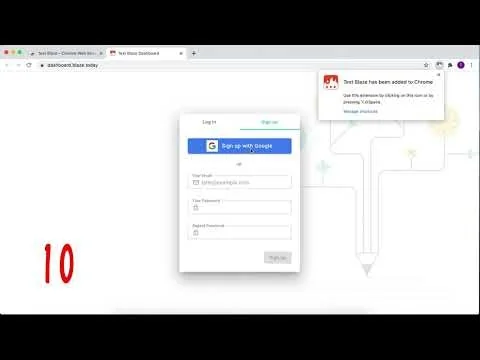

What is Text Blaze?
Easy-to-use templates with endless customizability and powerful automation.
All with full control at your fingertips.
Pros & Cons
Pros
- Time saving
- Automation
- Easy to use
- Text templates
- Chrome extension
- Productivity boost
- Text expansion
- Community support
- Control flow
- DataBlaze integration
- Formulas and if/else statements
- Free tier
- Powerful snippets
- Responsive support team
- Web element selection
Tool Details
| Categories | Productivity, Automation tools, Chrome Extensions |
|---|---|
| Website | blaze.today |
| Added | March 14, 2021 |
| Platforms | Web |
| Social |
Recent Reviews (7)
Text Blaze saves me tons of time every day. The Chrome Extension allows you to create text templates to avoid repetitive typing. Plus, it's so easy to use and offers a generous free version!
Hey PH community! With this APA citation generator, you don't need to remember the various APA rules anymore. We hope that you find this mini-app from us useful 🙂
best timesaver app
I found Text Blaze while researching productivity tools. I tried alternatives like Beeftext, Espanso, and AutoHotkey.I chose Text Blaze for three practical reasons. First, the interface is simple and ready to use without a long learning curve. Second, its AI features fit perfectly for my frequent reuse of AI prompts. Third, integration with DataBlaze and web scraping makes my workflow much more efficient.Other tools like AutoHotkey are powerful but too technical. Espanso is good but its AI features aren’t as complete as Text Blaze. Beeftext focuses only on basic text expansion and lacks flexibility for my needs as an entrepreneur and content creator.So I chose Text Blaze because of the mix of ease of use, advanced AI features, and a growing ecosystem.Here are the reasons why I chose TextBlaze over other options:1. Flexibility: It is available as both a browser extension and a standalone application.2. Integrations: It integrates seamlessly with AI Blaze and DataTables, which I find very helpful.3. Performance and Customization: Features like web scraping and other customization options work quickly. I rarely encounter errors and haven't found any significant issues.4. Community and Support: The community is powerful, comprehensive, and loyal. There are updates from the team every month, so I never miss out on the latest features.
TextBlaze (TB) is probably one of my favorite utility apps of all time (barring grammar correction apps). There are 3 facets that really make it standout. 1st and foremost is control. You control exactly what is being calculated, scrapped, and expanded. There is no AI butting in and telling you how to do things. That isn't to say that TB doesn't have an AI because it does. What I mean to say is that you ask it for advice instead of it dragging you wherever it thinks you should go like Magical (which is another great app for someone else who doesn't want or need to be as precise as I do). TB achieves great precision by allowing things like formulas and if/else statements. Along with an easy-to-use tool that lets you select web elements to scrap. I used TB to set appointments and I needed to include: ID, name, address, product, and day/time of appointment. Then I needed to tag whoever was on routing duty that day, and (if I wanted a bonus) record the appointment along with any bonus worthy metrics. It took time, time I didn't want to invest since I wanted a big bonus. Then, once I managed to get lots of bonus material, it was a slog going through everything, and sending it all in for review. With TB, it was all done in 15 seconds. And the end of the month took about 2 minutes max. Well worth the effort of getting to know the product 2nd, there is the text-expansion. It is invaluable to be able to type quickly and have everything look professional once it is written out. B/c becomes Because, w/ becomes with, and appt becomes appointment. Wonderful time saver, no two ways about it. 3rd, DataBlaze integration. Nothing quite like having a web-based database that seamlessly works with a time-saving app like TB. And for those of you who are picky, a 3rd facet that has to do directly with TB would be the control flow enabled in the app. I love if/else statements to death. Careful planning ahead of time means that I don't ever need to do more than glance at the results afterward. I see TB as a net benefit for everyone who is on the computer all day, and I am unafraid of questions. As is the community and the creators of the app. The number of resources available to someone just starting to learn to use this tool... frankly it is phenomenal and flattering to get a walkthrough of the product (or just one facet of it) with the very people who made it
Absolutely loved the tool. I used to have a Google Keep where I would keep all my snippets under keywords and every time I had to copy-paste something, I had to go to Google Keep, search it up and copy. Text Blaze is truly a gamechanger for anyone who has to do outreach or pretty much any type of communications!
Small but highly useful Chrome Add-on. I primarily use it to respond with templates to Linkedin dms.
Frequently Asked Questions about Text Blaze
When did Text Blaze become popular?
Text Blaze became popular around March 14, 2021.
What are the main advantages of using Text Blaze?
The top advantages of Text Blaze include: time saving, automation, easy to use, text templates, chrome extension.
What is Text Blaze's overall user rating?
Text Blaze has an overall rating of 5.0/5 based on 7 user reviews.
What type of tool is Text Blaze?
Text Blaze belongs to the following categories: Productivity, Automation tools, Chrome Extensions.
Related Productivity Tools

Gooba
Writing app and task manager.

Reflect New Tab for Chrome
Open new browser tabs to a dashboard of customizable widgets

Tock
A super-minimal, keyboard-driven macOS menu bar timer

rain screen
make your mac rain

iBrief
Get concise, accurate summaries of any article in seconds

Caret
Beautiful and clever Markdown editor for Mac and PC
Related Automation tools Tools

Sutro
A smart pool monitoring device

Neurelo Cloud Data API Platform
Transform your databases into APIs

Stateful
DevOps Notebooks for Teams

PullNotifier
Improve productivity for dev teams using Github and Slack

Stacktape
AWS infrastructure 10x faster, 5x cheaper

Unify
The system of action for generating revenue
Related Chrome Extensions Tools

DevLensPro
AI-powered debugging for Claude Code. Point, click, fix

Darkness v2
Beautiful dark themes for your favorite websites

Reddit Summarizer
Summarize long Reddit threads with one click

Best Reminder App Chrome Extension
Smart Reminders in Your Browser

Mighty
Faster Google Chrome that uses 10x less memory

Kolsquare Chrome Extension
Analyze the Performance of Influencers on Instagram & TikTok
Compare Text Blaze :





Don't Get Fooled by Fake Social Media Videos
The world's first fact checker for social media. Paste any link and get an instant credibility score with sources.
Try FactCheckTool Free