
Figma
The collaborative interface design tool
What is Figma?
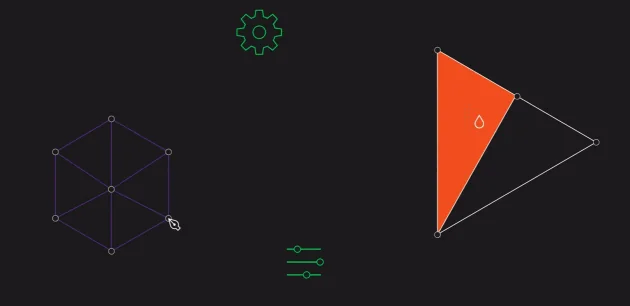
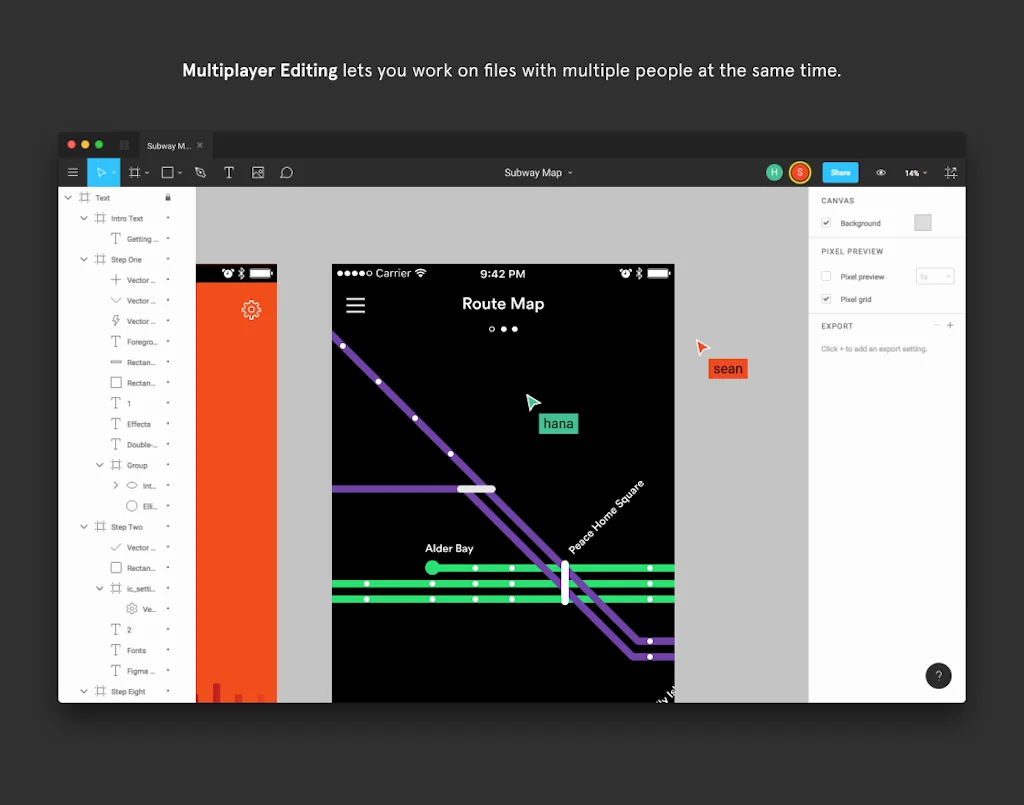
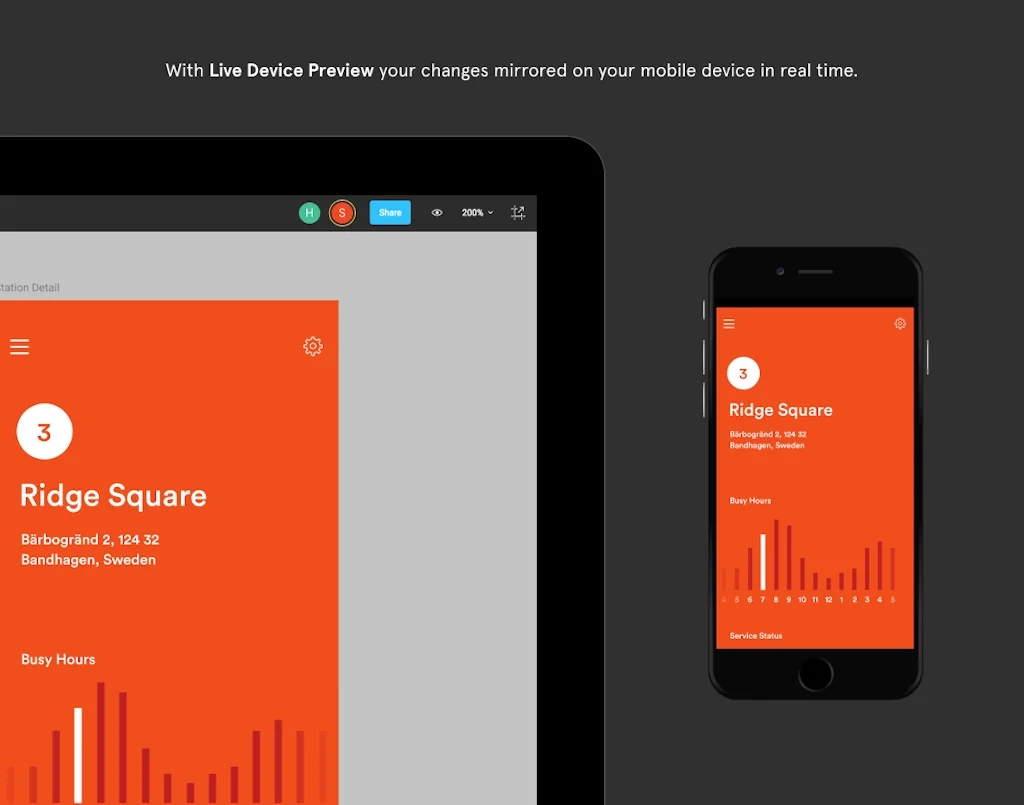
A collaborative design tool for creating user interfaces, mobile apps, and websites with a wide range of features, including vector editing tools, prototyping, and version control, all in a cloud-based platform.
Pros & Cons
Pros
- Real-time collaboration
- Prototyping capabilities
- Intuitive interface
- Cloud-based platform
- Design systems
- Version control
- Developer-friendly
- Community resources
- Extensive plugin ecosystem
- Cross-platform accessibility
- Vector editing tools
- File sharing
- Design-to-code workflow
- Component libraries
- Ai features
- Efficient workflow
- Figjam integration
- Good for decks
- Xczz
Cons
- Slow performance with large files
- Pricing structure
- Steep learning curve
- Limited offline functionality
- Admin panel UX
- Design systems
- Export
- Prototyping capabilities
- Vector export issues
Tool Details
| Categories | Team collaboration software, Wireframing, Interface design tools, Graphic design tools |
|---|---|
| Website | www.figma.com |
| Added | December 3, 2015 |
| Platforms | Web · iOS · Android |
| Social |
Recent Reviews (13)
We chose Figma because collaboration speed and clarity were critical for building a complex Web3 product. Real-time collaboration between designers, product managers, and developers allowed us to iterate fast, align on UX decisions, and reduce handoff friction. Figma’s component system, shared libraries, and prototyping tools helped us keep a consistent design language while moving quickly from concepts to production-ready screens — especially important when designing a multi-wallet hub with complex user flows.
umbrelOS is designed entirely in Figma. One of the hardest UI challenges with Umbrel Pro was making RAID (FailSafe) feel simple. We needed to show users exactly how their storage works, which SSD is in which slot, and what happens if one fails, without overwhelming them. We used Figma to iterate on those illustrations and interactions quickly until it felt delightful instead of intimidating.
We picked Figma because our whole workflow is chaos-by-design and Figma handles multiplayer mode perfectly. Real-time collaboration, clean handoff, fast iteration, fewer “final_final_v9” files. For Meme Dealer, speed mattered more than anything — Figma let us ship screens and test flows without friction. Sketch is solid, but Figma felt more native for our team rhythm.
We chose Figma because it enables real-time collaboration, reduces setup and tooling friction, and keeps design, product, and engineering teams aligned in a single shared workspace. Its browser-based approach, strong component and design system support, and seamless handoff to developers make it especially effective for fast-moving, cross-functional teams. Figma allows us to scale design workflows efficiently while maintaining consistency across products and brands.
I evaluated Sketch, Adobe XD, and InVision before committing to Figma. What made Figma the clear winner: (1) Browser-based means zero friction for client collaboration, (2) Real-time multiplayer editing that actually works at scale, (3) The plugin ecosystem is unmatched, (4) Auto-layout and components are more powerful than competitors, (5) Cross-platform support means my team on Windows and Mac work seamlessly together. After 10 years in the industry and 200+ shipped products, Figma is the only tool I recommend without hesitation.
In comparison to Adobe XD, it's a far more superior product. It performs better and is more user friendly when it comes to applying any functionality to buttons, toggles, etc.
Imo Figma is still the best design / prototype product out there. The new AI features make it even stronger. Figma Make and Figma MCP are worth exploring.
Figma helps us design, iterate, and ship better product experiences.
Learning curve
Figma is where my brand visions come to life before they ever hit the feed. As a brand manager, it’s my go-to for keeping visual identity consistent across campaigns, and as a social media manager, it’s a lifesaver for collaborating with designers in real time. The live editing and comment features make feedback loops fast and (mostly) drama-free. My only wish? It could handle large projects with fewer lag spikes when everyone’s online at once. Still, Figma feels like the creative meeting room every modern marketing team needs, minus the awkward silence.
Figma Review (2025, from an AI-focused designer) Figma is still my go-to for designing UIs — clean, fast, collaborative. With the new AI updates, it's getting smarter: background removal, content suggestions, quick tweaks. Nothing revolutionary yet, but it helps speed up the boring stuff. Figma Make is where things really clicked for me. The flexibility and customization are exactly what I needed. It replaced a bunch of plugins and weird hacks. Honestly, for layout and system design, it’s never been better. But when it comes to prototyping AI behavior — agents, tool calls, branching logic — I step outside Figma. It’s just not built for that. You can fake chatbot flows, sure, but it’s static. There’s no real simulation of intelligence or state. That’s where tools like Lovable.dev or ProtoPie come in. I use those when I need to show how the product thinks, not just how it looks. And for anything close to the real thing, I’ll jump into code — React, Tailwind, whatever makes sense. Figma is evolving in the right direction. But for AI-native products, it's still the canvas, not the engine. I design in Figma. I prototype outside it. That’s the current vibe.
I use Figma daily with my team to design interfaces and collaborate in real time. The ability to work simultaneously on the same file makes feedback and revisions fast and smooth. I personally appreciate how easy it is to create prototypes and share them with stakeholders for quick approval. The intuitive tools allow me to design everything from simple wireframes to detailed mockups without hassle. Figma’s cloud-based platform means we can access our work from anywhere, which keeps our projects moving forward even when we are remote. It has truly transformed how my team designs and communicates visually. I highly recommend it.
Frequently Asked Questions about Figma
When did Figma become popular?
Figma became popular around December 3, 2015.
What are the main advantages of using Figma?
The top advantages of Figma include: real-time collaboration, prototyping capabilities, intuitive interface, cloud-based platform, design systems.
What are the disadvantages of Figma?
Some reported disadvantages of Figma include: slow performance with large files, pricing structure, steep learning curve, limited offline functionality, admin panel UX.
What is Figma's overall user rating?
Figma has an overall rating of 4.9/5 based on 1,360 user reviews.
Is Figma available on mobile devices?
Yes, Figma is available on iOS (App Store) & Android (Google Play).
What type of tool is Figma?
Figma belongs to the following categories: Team collaboration software, Wireframing, Interface design tools, Graphic design tools.
Related Team collaboration software Tools

WIP
A community of makers shipping together

VISIE
a directory of photo, film and video professionals

Kvistly
AI-quizzes for better trainings and team-buildings!

Additor Air
Turns your scattered information into well-organized content

Kive
Generate, manage, and elevate your brand with creative AI.

JetBrains
A suite of intelligent development tools
Related Wireframing Tools






Related Interface design tools Tools

Diagrams.net
Open source technology stack for building diagrams

Figmac
Figma desktop app delivering a more natural Mac experience

Horizon UI
Trendiest open source Admin template for react
SystemFlow
Designer-first framework for Webflow and Figma

Subframe
Ship beautiful product UI in minutes

Golex AI
Turn ideas into interactive demo websites
Related Graphic design tools Tools

Renderro
Powerful cloud desktop for creatives like you.

Charts
The most comprehensive collection of charts for Sketch
Printle
Print-ready wedding stationery in minutes.

Sivi AI
Generate Instant Designs with AI

Sparkle
Vector drawing tool, tailored for web design

Optimize Images
Optimize Images online with our compressor and converter!
Compare Figma :





Don't Get Fooled by Fake Social Media Videos
The world's first fact checker for social media. Paste any link and get an instant credibility score with sources.
Try FactCheckTool Free