

Guidde
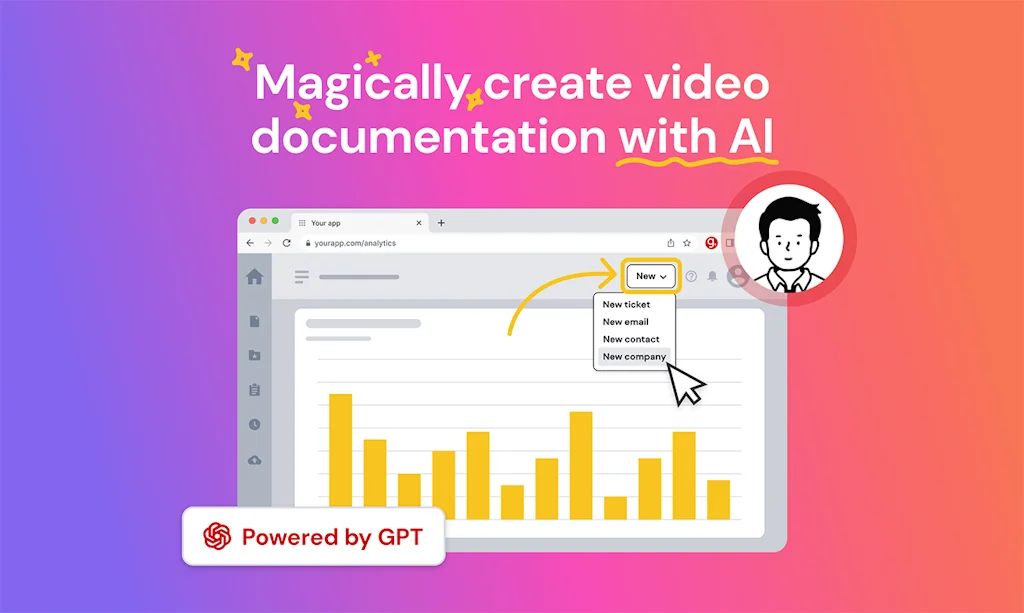
Magically create video documentation with AI

What is Guidde?
Create how-to videos in seconds, easily share with your customers or team.
Pros & Cons
Pros
- Efficient video creation
- User-friendly interface
- Knowledge sharing
- Excellent support
- Free tier
- Audio narration
- Fast performance
- AI-generated annotations
- Automated editing
- Collaborative commenting
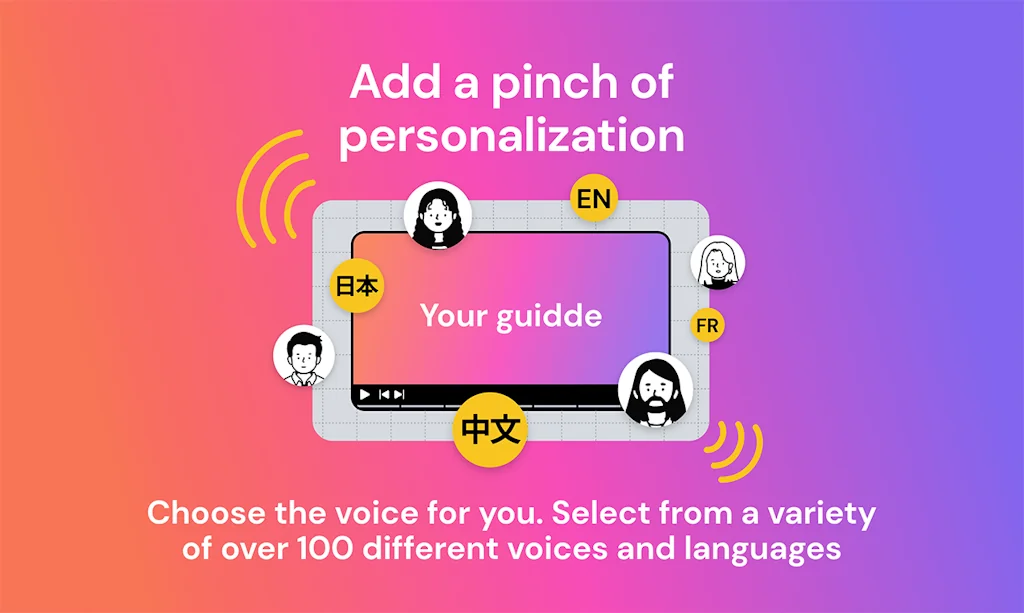
- Multilingual support
Cons
- Personal information collection
- Static speaker element
- Video bugs
- Human voice quality
- Pricing clarity
Tool Details
| Categories | Team collaboration software, Knowledge base software, Customer support tools, Video editing |
|---|---|
| Website | guidde.com |
| Added | November 14, 2022 |
| Platforms | Web |
| Social | Twitter · Facebook · LinkedIn |
Recent Reviews (13)
Guidde AI looks like an amazing tool for anyone who needs to create video documentation quickly and easily. The fact that it uses AI to automatically generate annotations and emojis is a really cool feature that sets it apart from other similar tools. I love how simple and intuitive the interface is, which should make it easy for anyone to start creating engaging and informative videos in no time. And the fact that it supports multiple languages is a huge plus for anyone working with an international team or audience. 🙌 Overall, I think Guidde AI has a lot of potential to save people a lot of time and effort by automating the tedious parts of video documentation creation. I'm excited to see where the team takes it next! 🚀
This is a brilliant idea. I made a quick step-by-step guide for sales tools in the CRM and I was expecting it to be slow and inaccurate but was the opposite. Easy UI and very fast loading of the video. I also managed to edit the descriptions in no time. Congrats!
Great work!!! And small advice from my side, it would be even better if the videos could be made interactive! For example, pausing the video at all spotlight, requiring the audience to click to continue playing. This would be more effective for training scenarios.
👌 Minor Improvement Ideas Sometimes audio or narration alignment can be a bit off, particularly if there’s ambient noise or overlapping speaking points. A few tweaks or improvements here could make it even more seamless. More transparency about data privacy, especially how recordings are stored, processed, and used, would build trust, especially for businesses. More voice options (tones, accents, perhaps more “natural-sounding” voices) could help various users who want different styles.
I use Guidde for all my how-to instructions, and the simplicity of the platform never ceases to amaze me. With a few mouse clicks, you can have professional-quality video documentation with audio narration, a storyboard, a voiceover, screenshots, and more thanks to Guidde AI, a generative documentation production platform.
This is a good tool for user capturing the screen operation. And at the same time, the capturing screen result is dubbed which support editing. When I edit the video, I find that there is a speaker option. But when I add the speaker element to synthetic a video, it is a bit pity that the speaker is static.
Guidde enqbles you to create how to videos simply on your web application, creating a shareable video / gif / kb entry in seconds with automated editing. The videos comes out great and save huge amount of time previously wasted on video editing or repetitive zoom calls explaining the same stuff to different people. Guidde enables us to handle more customers with higher satisfaction rate! Great job!
Guidde AI is a game-changer! With just a few clicks, you can generate video documentation complete with audio narration, screenshots, and more. The platform makes it easy to share know-how with your team and customers. I love the collaborative commenting feature that enables teams to provide feedback and produce content together. Kudos to the Guidde team for creating such a useful platform!
Guidde is an excellent tool because it makes creating step-by-step visual guides and tutorials super easy and professional. Its AI-powered features save time, and the ability to generate clear, engaging documentation helps teams share knowledge more effectively. It’s especially great for onboarding, training, and process explanations.
Creating how-to videos used to be a super complicated process- where I'd have to record my screen with QuickTime, edit it with Adobe Premier, post it on YouTube and only then could I share it with someone. Guidde just removes all of those steps and lets me create how-to videos in less than a minute. It's amazing and incredibly useful.
I’ve been trying out Guidde and it honestly makes creating tutorials so much easier. The interface is super simple, the AI annotations save a ton of time, and the results look really polished. It’s quickly become one of those tools I reach for every day.
Guidde was the easiest tutorial platform I have come across. You can seamlessly create how to videos with a few simple clicks. The platform editing is similar to PowerPoint and Google Sheets which is fantastic. I will definitely be using this for training purposes.
This is very cool, I shall play with the trial, but I can see myself subscribing to this. Can you confirm, in the trial I can create voice overs with avatars. Which plan do I need to subscribe to for that feature, your pricing isn't 100% clear on that.
Frequently Asked Questions about Guidde
When did Guidde become popular?
Guidde became popular around November 14, 2022.
What are the main advantages of using Guidde?
The top advantages of Guidde include: efficient video creation, user-friendly interface, knowledge sharing, excellent support, free tier.
What are the disadvantages of Guidde?
Some reported disadvantages of Guidde include: personal information collection, static speaker element, video bugs, human voice quality, pricing clarity.
What is Guidde's overall user rating?
Guidde has an overall rating of 4.8/5 based on 109 user reviews.
What type of tool is Guidde?
Guidde belongs to the following categories: Team collaboration software, Knowledge base software, Customer support tools, Video editing.
Related Team collaboration software Tools

Making Today
Making Today: Stay Organized, Work Faster.

Needle
Automate any process with AI agents

ActiveCollab
An all-in-one project management tool

Almanac
Structured collaboration for remote teams

Reemo.io
Your streaming rocket for an unreal remote connectivity
noknok
Bring office culture to your virtual workspace
Related Knowledge base software Tools

YouTube Video Organizer
Organize your favorite YouTube videos in Notion

WhoWasAt
Spend less time applying and more time enjoying events!

reconfigured
The analysts' journal for recording findings

Podstellar
Transcribe Youtube videos in under 3 minutes

RESEARCHER
An app designed for academics

Jelled.ai
Stay on top of your inbox
Related Customer support tools Tools

Wiredash
Private analytics and in-app feedback for your Flutter app!

My Browser
Easy to digest browser details to help you with tech support
Joyn
Align product teams with the people closest to customers

AI Assistant and Bot Builder
Visually build AI Assistants connected to your data & tools

trumpet
Build collaborative buyer journeys in 30 seconds

UnInbox
Open Source Modern email for teams and professionals
Related Video editing Tools

Directin AI
Create Amazing AI Films. With One Tool. In One Hour
MontageCMS
Streamline Your Cinema Portfolio

TranslateVideo
Translate your Videos to 75+ languages with just 1-click!

Write-on Video
The video maker for storytellers

Libretto.fm
Recording and Editing made simple.
DupDub
Elevate Your Creativity with AI-Powered Tools
Compare Guidde :





Don't Get Fooled by Fake Social Media Videos
The world's first fact checker for social media. Paste any link and get an instant credibility score with sources.
Try FactCheckTool Free