

What is WorkTime?
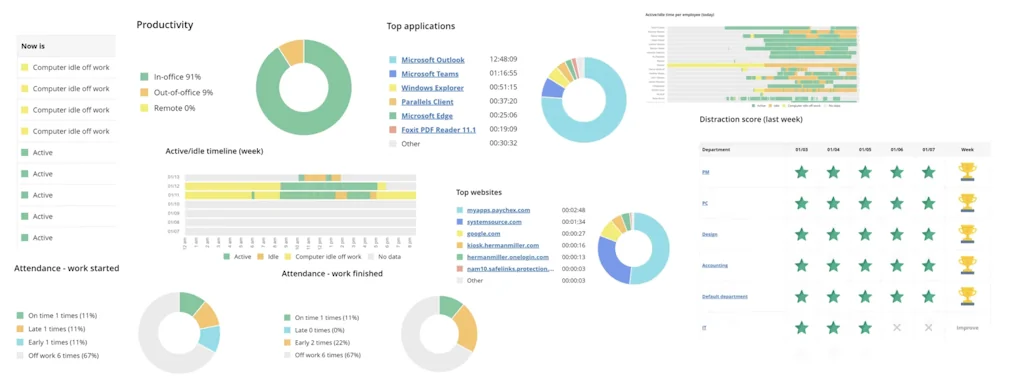
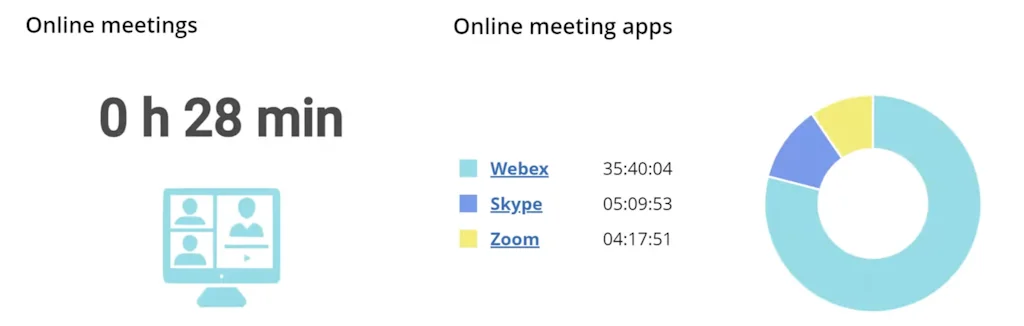
WorkTime is an employee, computer and internet monitoring software. WorkTime monitors productivity and helps boosting it. It monitors working-from-home, remote, and in-office employees. WorkTime does not support any invasive monitoring. It is designed for heavy loads and works well on 1-15,000+ computers.
Pros & Cons
Pros
- Useful reports
- Easy setup
- Productivity tracking
- Non-invasive monitoring
- Accurate reports
- Real-time status updates
- Cost-saving features
- Customer support
- Customizable alerts
- No screenshots or video capture
- Works under heavy load
- 14-day free trial
- Automated notifications
- Custom tags
- Fast performance
- Law compliance guarantee
- Privacy commitment
- Progress reports
Cons
- Complex setup
- Lack of night mode
- Nothing glitches
Tool Details
| Categories | Time tracking apps |
|---|---|
| Website | www.worktime.com |
| Added | April 21, 2023 |
| Platforms | Web |
| Social | Twitter · Instagram · Facebook · LinkedIn |
Recent Reviews (9)
For me, this is a go-to tool that gives real insight. It helped me cut down on unnecessary meetings: I eliminated morning meetings and focused that time elsewhere.
no screenshots
The user-friendly dashboard offers a quick overview of all essential information—productive versus unproductive time, websites visited, applications used, attendance, and more. Knowing that I can access this data encourages employees to limit their social media usage. I also appreciate the blocking feature; it enables me to restrict access to certain sites if usage becomes excessive.
This is the only software I figured out on my own without any help. Everything is clear and works great. There are lots of useful reports. Recently a new feature was released for customizable alerts. You can set time intervals for lateness inactivity or unproductiveness and receive email notifications when something goes beyond the set limits. It’s very convenient
We set up custom tags to track employee productivity which helped identify and eliminate issues with unnecessary software. The system helped us realize that the most expensive programs were hardly being used. This helps save our budget. It's very easy to use and configure.
We’ve been working remotely for a while, and I was looking for a way to monitor my employees' work: attendance and activity. I want to understand exactly what I’m paying for. I tried the 14-day free trial, but I couldn’t figure out how to set up reports. I think it’s because I’m new to this type of software. I reached out to customer support, and they quickly explained everything to me. Now everything is running smoothly. Thank you!
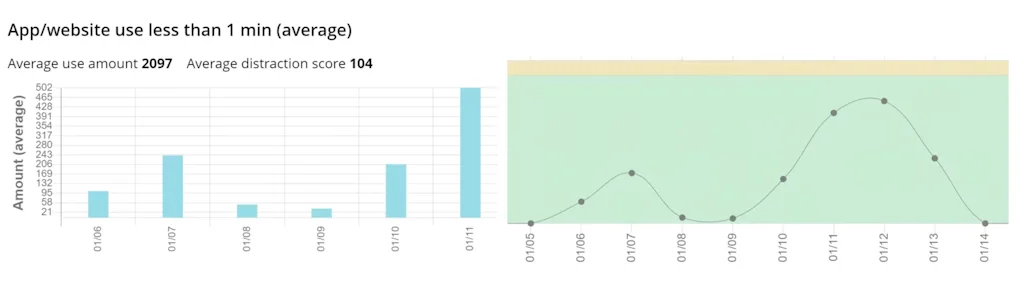
I can see all the computer activities of my employees. A lot of reports. Like that they have more than basics, stuff like distraction score is good
A great tool for small business owners. It helped improve employee attendance and made time tracking much easier. The system is easy to set up, and the reports are so accurate that now I spend more time focusing on strategy instead of routine tasks
An effective tool that provides accurate reports and is easy to use. It helped boost productivity and improve discipline in our department. Really good solution that helps employees work better and more efficiently. I wish it had a night mode.
Frequently Asked Questions about WorkTime
When did WorkTime become popular?
WorkTime became popular around April 21, 2023.
What are the main advantages of using WorkTime?
The top advantages of WorkTime include: useful reports, easy setup, productivity tracking, non-invasive monitoring, accurate reports.
What are the disadvantages of WorkTime?
Some reported disadvantages of WorkTime include: complex setup, lack of night mode, nothing glitches.
What is WorkTime's overall user rating?
WorkTime has an overall rating of 4.7/5 based on 22 user reviews.
What type of tool is WorkTime?
WorkTime belongs to the following categories: Time tracking apps.
Related Time tracking apps Tools

SpeedBump
The intentionally annoying app to stop doomscrolling
Chunk
An essential macos productivity application

Rize
Rize is the most advanced time tracker ever created.

DayTicks
Organize and manage your daily tasks efficiently.

Focus Buddy (YC S24)
AI productivity co-pilot
Clockzones - Timeszones in your Menubar
Instantly view up to 5 timezones from your menubar.
Compare WorkTime :





Don't Get Fooled by Fake Social Media Videos
The world's first fact checker for social media. Paste any link and get an instant credibility score with sources.
Try FactCheckTool Free