
Dropshare
The flexible file sharing solution for macOS & iOS
What is Dropshare?
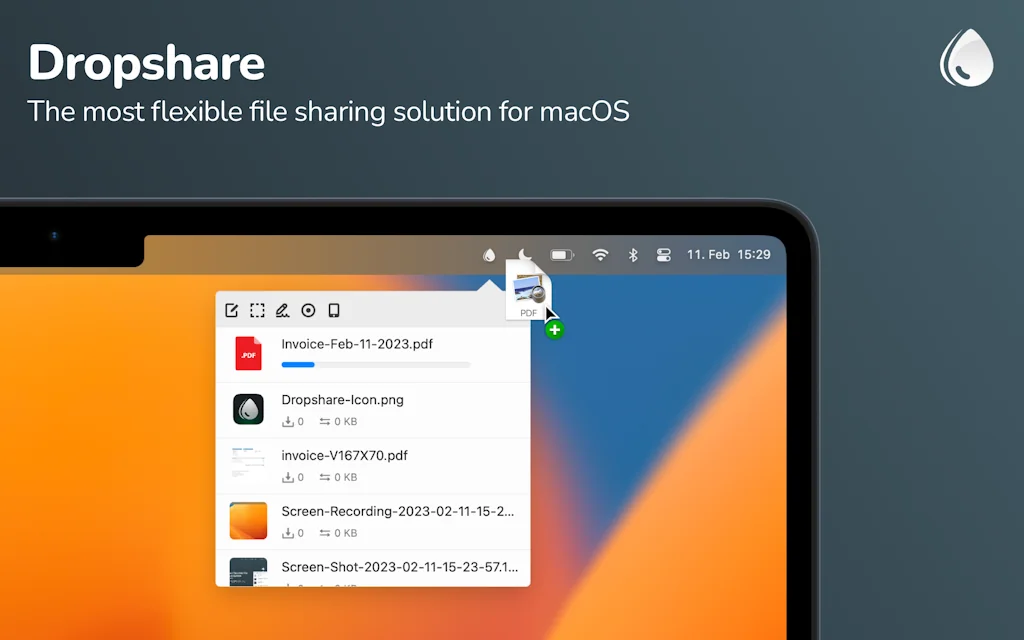
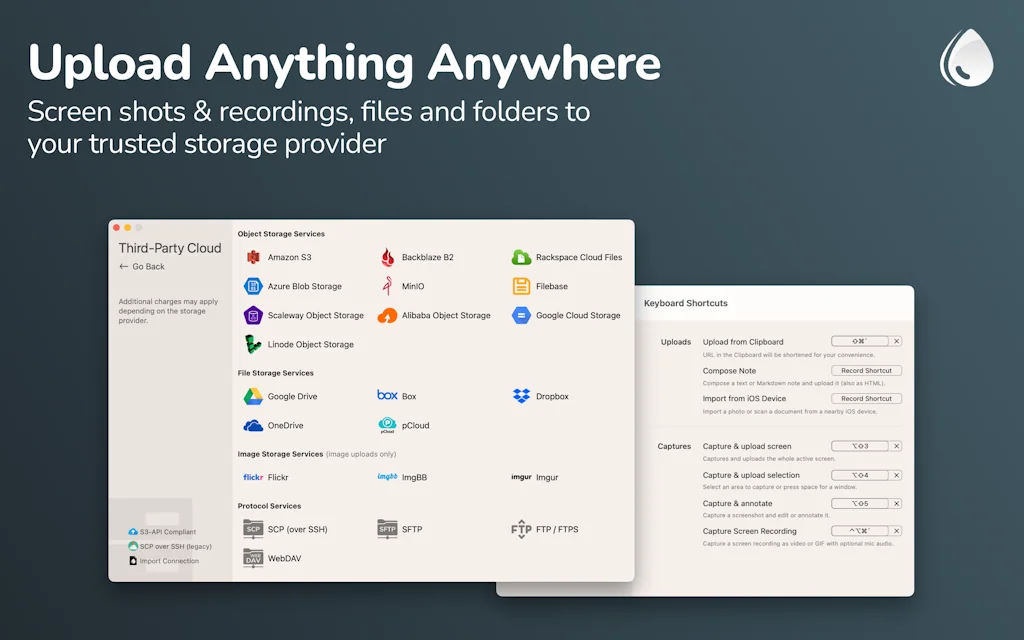
Upload screen shots, screen recordings, files, literally anything and share it immediately with anyone by link. Dropshare is your go-to file sharing tool on macOS and iOS that works with almost any popular storage provider and self-hosted solutions.
Pros & Cons
Pros
- File sharing
- Responsive support
- Screenshot utility
- Multiple storage provider support
- Own server upload
- AWS S3 integration
- Custom url shorteners
- Desktop and iOS versions
- Drag and drop interface
- Frequent updates
- Icloud integration
- Apple Shortcuts support
- Fast performance
- Reliable performance
Cons
- Limited image editing
- Separate licenses for macOS and iOS
- Subscription model for iOS
Tool Details
| Website | dropshare.app |
|---|---|
| Became Popular | January 13, 2022 |
| Platforms | Web · iOS |
| Social |
Recent Reviews (13)
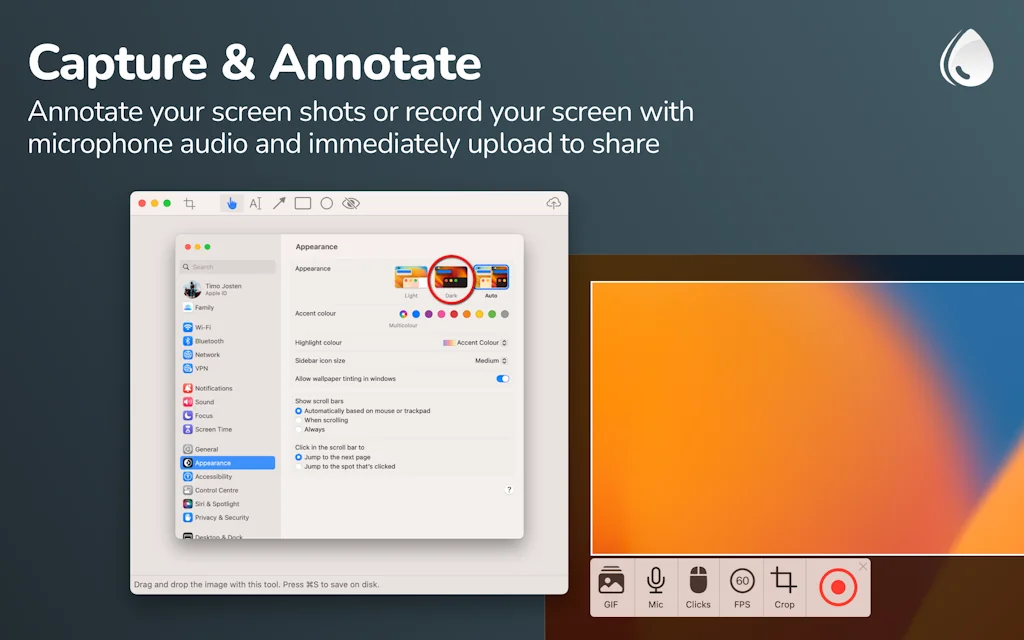
Dropshare is a wonderful tool for sharing files to many different storage providers. You can choose whether to use the built-in Dropshare cloud (with a subscription), or bring your own provider like the S3-API compliant providers, mainstream file storage services (GDrive, Dropbox, OneDrive, iCloud), or protocol services like SCP, SFTP, WebDAV etc. Dropshare also includes a great screenshot utility with various features (including a pretty screenshot feature). Another great feature is having out-of-the-box support for the largest URL shorteners, as well as letting more advanced users choose their own shortener with the option to specify the endpoint, URL parameter, auth parameter, response format & response field (I'll be honest, this is the ONLY app I've ever seen that has such great customisation of URL shorteners)
I use Dropshare probably 100 times a day. It's a key piece of my workflow. I've tried others like cloud app, but Dropshare's combination of simplicity and power is perfect for my needs.
Amazing tool, I've been looking for a free tool to share screenshots and quick feedback with my team. Ability to use your server and custom URL shorteners is the best! Thanks!
I switched from Snagit to Dropshare as my main screen capture and sharing tool. I love how fast, lightweight, and reliable it is for capturing and instantly sharing links. It feels much less bloated than Snagit, with solid hosting and control over sharing. What I miss though is Snagit’s “Cut Out” feature, being able to remove unwanted parts of an image and stitch the rest together. Dropshare keeps things simple, but if it added more editing options like that, it would be close to perfect. Overall: great for quick, no-friction captures and sharing; just a bit behind Snagit when it comes to advanced editing.
Sharing files, basically what the web is for, in different forms. There's always some stupid issues doing the most basic form of file sharing, let it be to a friend or in business, I need to log in with a account to receive a file, the file is too large for this or that service. You don't have to be a developer using this tool, use Dropshares own hosting or power up using AWS S3 or another server provider (watch a few youtube videos and you have your own white-labeled sharing solution with your own design, cool right??). This tool let's you share files, screenshots, screenshare share/screen cast with your camera video in the corner, all in 1-click. Your own domain, your server, no branding, not even in the source code!! Damn. It's even a cool service just to start exploring AWS and some basic coding. (Plug and play HTML and CSS)
I used Dropshare for years and I have multiple licenses for it, but have largely migrated away from it since I came to use my iPad as much as my MacBooks. Dropshare is available on iOS too, so I figured this would be a solution; except the iOS version requires a separate monthly subscription and there is no option to activate my desktop license on the iOS version. Conversely, if I were a Setapp subscriber, I would have full access to both apps on both MacOS and iOS, but the same privilege is not afforded to permanent MacOS license holders.
I don't need to transfer large files too often, need it mostly for WhatsApp when the 16mb limit gives me a headache, the ease with which I can just drag and drop files onto Dropshare and have them automatically uploaded to my cloud and have the link ready to go is just marvellous. As soon as you start to drag a file a drop 'zone' appears on the screen ready for you to dump the file there, it gets uploaded and your link is auto pasted to your clipboard and you are good to go. Great app.
Being able to upload directly to my own server was the original selling point for me. But, with the ease of sharing from the command line and the simple drag/drop interface, it's become a staple application for me.
I just started using Dropshare 5. It does exactly what I need it to do. I found a small bug and reported it. The support was great, and they fixed the bug in just a few days!
Perfect tool to send files and/or screenshots in an easy way. I use this tool for both business and personal use. iCloud integration between macOS and iOS works perfect.
I have been using this app for nearly a decade now and this has always delivered! Never had any serious issues with it and the one time I had a minor, cosmetic, non-breaking occurrence, the developer himself wrote back to me within hours saying the fix would be pushed to the new version! Just WOW.
Very complete app. The app has a long list of features, including support to many cloud providers and servers. Also support for custom url shorteners. They do give support to they customers. I suggested a small feature and they added in the latest update!. It's incredible. Highly recommend it.
I love this tool. Highly recommended if you got to share files with family, friends or co-workers. Works like a charm and unobtrusive on my Macs. Support is top notch as well, I had a question and it was taken care of in no time.
Frequently Asked Questions about Dropshare
When did Dropshare become popular?
Dropshare became popular around January 13, 2022.
What are the main advantages of using Dropshare?
The top advantages of Dropshare include: file sharing, responsive support, screenshot utility, multiple storage provider support, own server upload.
What are the disadvantages of Dropshare?
Some reported disadvantages of Dropshare include: limited image editing, separate licenses for macOS and iOS, subscription model for iOS.
What is Dropshare's overall user rating?
Dropshare has an overall rating of 4.8/5 based on 22 user reviews.
Is Dropshare available on mobile devices?
Yes, Dropshare is available on iOS (App Store).
Don't Get Fooled by Fake Social Media Videos
The world's first fact checker for social media. Paste any link and get an instant credibility score with sources.
Try FactCheckTool Free