

Fing
Manage your home network like a pro
What is Fing?
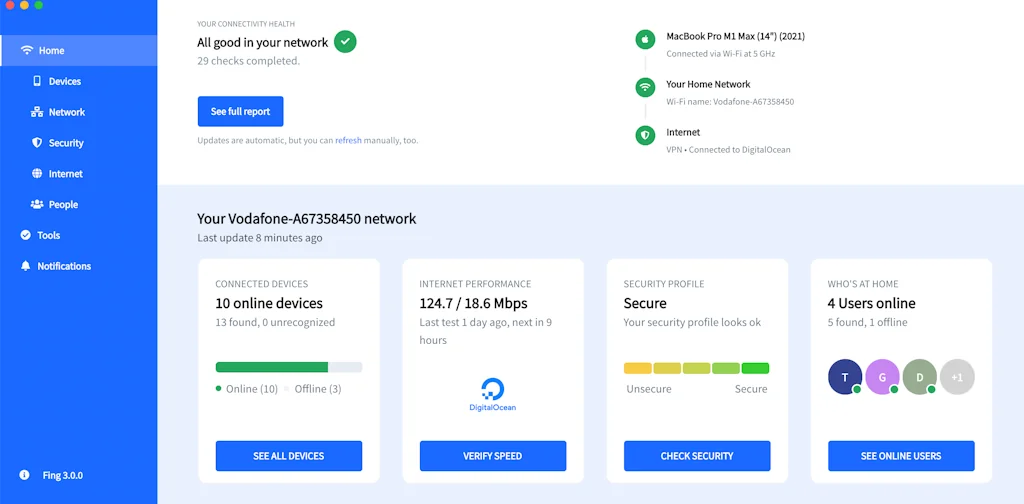
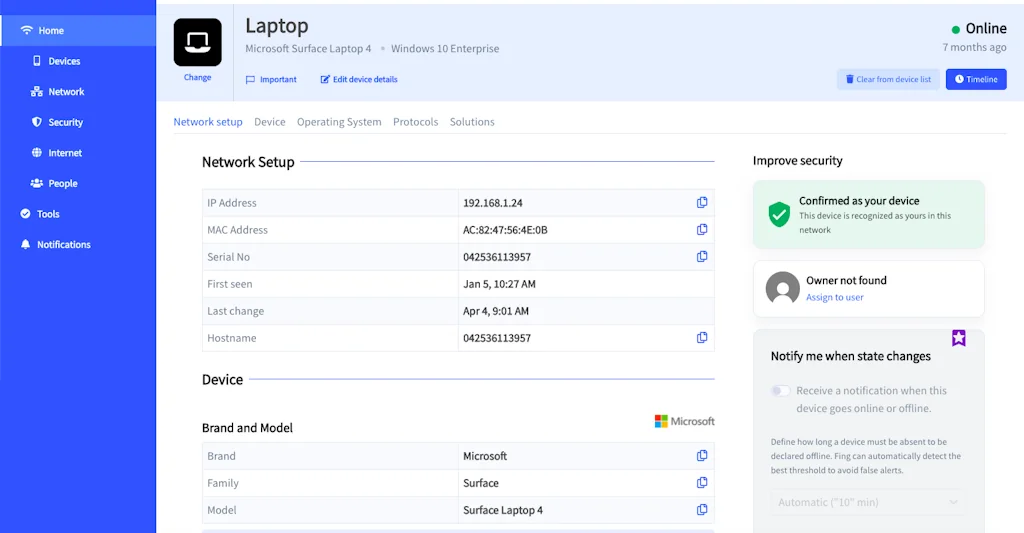
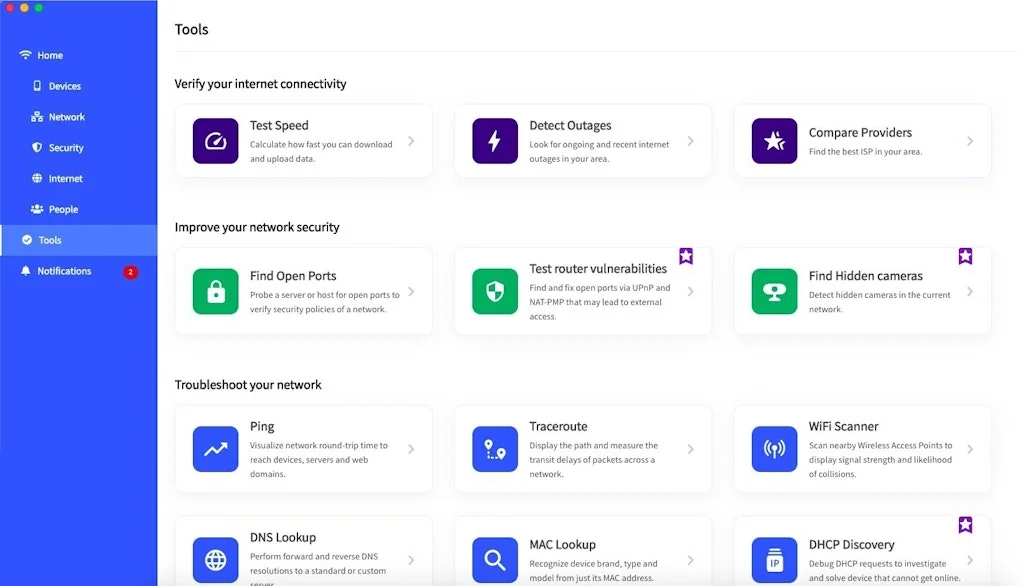
Fing Desktop is an advanced network toolkit and scanner with connectivity health checks, speed tests, notifications of connectivity issues and Internet.
Pros & Cons
Pros
- Connected device monitoring
- ISP comparison
- Network security insights
- Speed performance tracking
Cons
- Asking my google acct password to get 7-day trial $3.99 month
- Fingbox discontinuation
Tool Details
| Website | www.fing.com |
|---|---|
| Added | February 24, 2020 |
| Platforms | Web · iOS · Android |
| Social |
Recent Reviews (10)
I've been using the Fing Desktop App for a while now, and it's become an essential tool for monitoring and optimizing my home network. Here's what stands out: **Speed Performance Tracking**: I initially downloaded Fing to track the speed performance of my Wi-Fi home network. It delivers accurate and real-time insights that helped me identify speed fluctuations and ensure my ISP was delivering as promised. ** Comparison with Local Providers**: One of its more insightful features is the ability to compare my network’s current performance against other service providers in the area. It’s a great way to assess whether I'm getting competitive speeds and reliability. ** Connected Device Monitoring**: The app makes it simple to see which devices are connected to my home network at any given time. This visibility helps me manage usage and detect unfamiliar devices instantly. ** Network Security Insights**: Most importantly, Fing offers a snapshot of my network’s security performance. It highlights potential vulnerabilities and gives me peace of mind that my digital space is well protected.
Lets face it guys.....if you’ve ever wanted to feel like a tech wizard without the hassle, FING is the app you’ve been waiting for! As someone who values both simplicity and powerful functionality, this app has completely transformed how I manage my home network. Here’s why I’m obsessed: ✅ Real-Time Network Insights: FING gives me a crystal-clear snapshot of every device connected to my Wi-Fi. No more guessing if a neighbor’s hogging bandwidth or wondering what that mysterious “Device XYZ” is! ✅ Security Superhero: The app alerts me instantly about unrecognized devices, helping me spot intruders before they become a problem. Peace of mind? Check! ✅ User-Friendly & Lightning-Fast: The interface is sleek and intuitive—no tech degree required. Scans take seconds, and features like internet speed tests, port scanning, and even parental controls are just a tap away. ✅ Bonus Perks: The wake-on-LAN feature is genius for remote access, and the device customization options (naming, categorizing) make organization a breeze. Why You’ll Love It Too: -Perfect for both tech newbies and pros. -FREE core features that actually work (no gimmicks!). -Regular updates with improvements and new tools. I’ve tried countless network apps, but FING stands out for its reliability, depth, and sheer ease of use. If you care about your network’s health and security, download this app NOW. Trust me—you’ll wonder how you ever lived without it! #BestAppEver
I have been using Fing for about three months now, and I must say it's a fantastic networking utility. I find Fing to be very user-friendly and easy to use. It allows me to see my entire network and all the devices connected to it at once, which makes network management much more manageable. However, I have noticed that some of the features are not complete or well thought out. For instance, the "Access point has insufficient protection" alert does not provide sufficient information on what exactly is wrong or how to fix it. I think the developers need to go through the app and look at all the "little things" to ensure everything is properly worded and executed. Despite these minor issues, I still find Fing to be the best app for viewing home network status and overall home network management. No other app has yet to do what Fing does, and I am impressed by its ease of use and the ability to see my network's overall status.
FING is the best. I was looking for such an app that can monitor my different networks located remotely and show on my mobile their online / offline status without setting up heavy hardware servers or high load monitoring systems. I found FING, it was 100% what i was lookin for. It does great job for me. I have installed fing desktop on all my remote networks on simple 24/7 powered on PCs and setup all devices in respected networks (name them, model update, assign to users etc), the rest of info is collected by FING (mac address, ip, internet speed etc). This setup network scanner is now visible in my FING mobile (Android) app. The feature set is so robust that you can setup a low cost desktop computer and load it with FING Desktop, it will scan the network for all online devices on that subnet and makes a list, you can then edit that list with precise model / name / comment / assign to user. this way you can see the user is in the premises and which fixed device is online. FING can also check security vulnerabilities of your network. You can check hidden cameras on the network. Install mobile app and get all scans right on your palm. What i miss is: 1.wifi scanner can also in main FING desktop menu other than tools so a remote wifi scan can be initiated. (a must have feature) 2.Initiate remote refresh scan from mobile app. Almost all free features are enough to kick you start and up for running the network. I strongly appreciate the developer for making such an app and encourage users to go premium to support FING.
LOVE IT. I love having oversight over my wifi, what's being connected, and disconnected and intrusions, if any. It's easy to use (at least for someone who's used to tech like me). It's chockful of useful features i.e: - It provides Internet Service Provider recommendations that are available in my location, based on my internet efficacy, price and other considerations etc that are important to the consumer - Where there are issues, it either provides solutions or it'll point to the solution. For the average modern consumer in 2022 - wifi (and technology in general) is so much a part of our lives that a tool like Fing is almost indispensable to help us give us more oversight and control over our wifi security, efficacy, and ultimately, provide more bang for our buck. One feature I would love to see - Being able to kick out (i.e. disconnected ban? block? blacklist) devices that no longer need to connect to my wifi or that I don't recognise. OMG, that, would be amazing. Disclaimer: I write this without knowing if I am currently able to do exactly that with my wifi router (Apple Time Capsule). I just looked but I don't think so. Advice like this would be great to add to Fing!
IMHO the free version of Fing is a real-time cross-section of network activity & functionality & I find the dashboard is still simple to negotiate. Being of limite means & having multiple devices online, I don't use either paid version, but find the free one good enough for some peace of mind. I highly recommend this relatively unique software
Una volta associato ad un fingbox aveva funzioni anche con google home poi tolte. Ora mi si scrive: La tua richiesta di utilizzare le funzionalità di pausa e blocco del dispositivo è stata respinta per questo tipo di rete in quanto Fing non può presumere che tu sia il proprietario di Casa Laghetto. Mettiti in contatto con il team di supporto se pensi di essere il proprietario di questa rete. Allora mi chiedo è diventato tutto a pagamento? In questo caso che utilità ha il fingbox che non è ne più venduto e tra l'altro immagino fuori produzione?
Fing is a phenomenal app! It deserves a solid five-star rating for its exceptional network scanning and troubleshooting capabilities. With Fing, I can easily discover and manage devices on my network, monitor their activity, and identify any issues. The app's intuitive interface and comprehensive features make network management a breeze. Fing is a must-have tool for anyone looking to optimize their network performance. Highly recommended!
Great product - Lets you quickly answer the question 'What's on my network?' as well as control some aspects of it. They also usually figure out what it is too using a giant database of products that gets better over time as users tell it it's wrong & put the correct device in. Tons of other features, go to their page - they explain it better than I could. Check out the Fingbox too.
Customer support is really bad. This company does not care about providing good customer service. I had problems with my annual subscription and they didn't make an effort to resolve and keep me as a customer. I paid for 1 year of service, it only worked for a few months (they don't want to solve the problem) and they don't refund the amount proportional to the remaining period.
Frequently Asked Questions about Fing
When did Fing become popular?
Fing became popular around February 24, 2020.
What are the main advantages of using Fing?
The top advantages of Fing include: connected device monitoring, ISP comparison, network security insights, speed performance tracking.
What are the disadvantages of Fing?
Some reported disadvantages of Fing include: asking my google acct password to get 7-day trial $3.99 month, fingbox discontinuation.
What is Fing's overall user rating?
Fing has an overall rating of 4.6/5 based on 19 user reviews.
Is Fing available on mobile devices?
Yes, Fing is available on iOS (App Store) & Android (Google Play).
Don't Get Fooled by Fake Social Media Videos
The world's first fact checker for social media. Paste any link and get an instant credibility score with sources.
Try FactCheckTool Free