

Lasso - Window Manager for macOS
Easily organize windows with just a few clicks
What is Lasso - Window Manager for macOS?
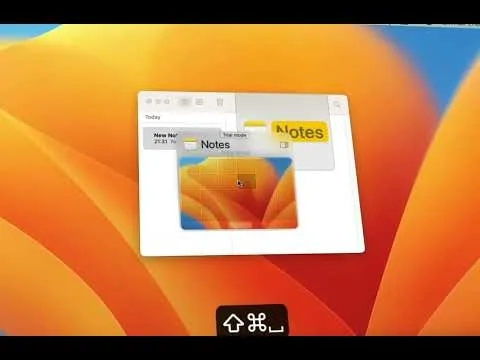
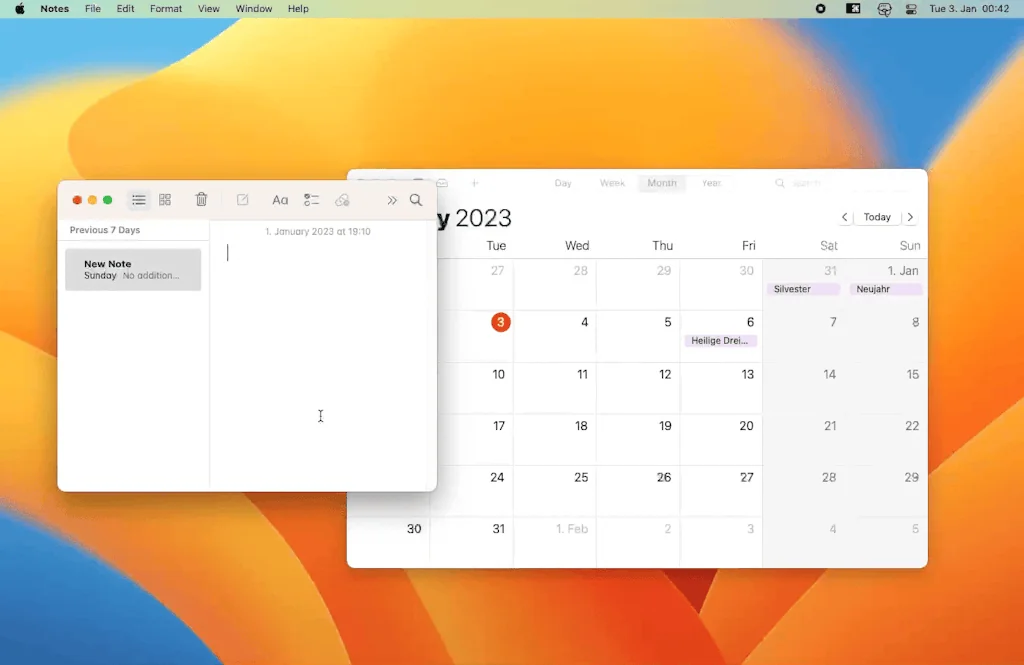
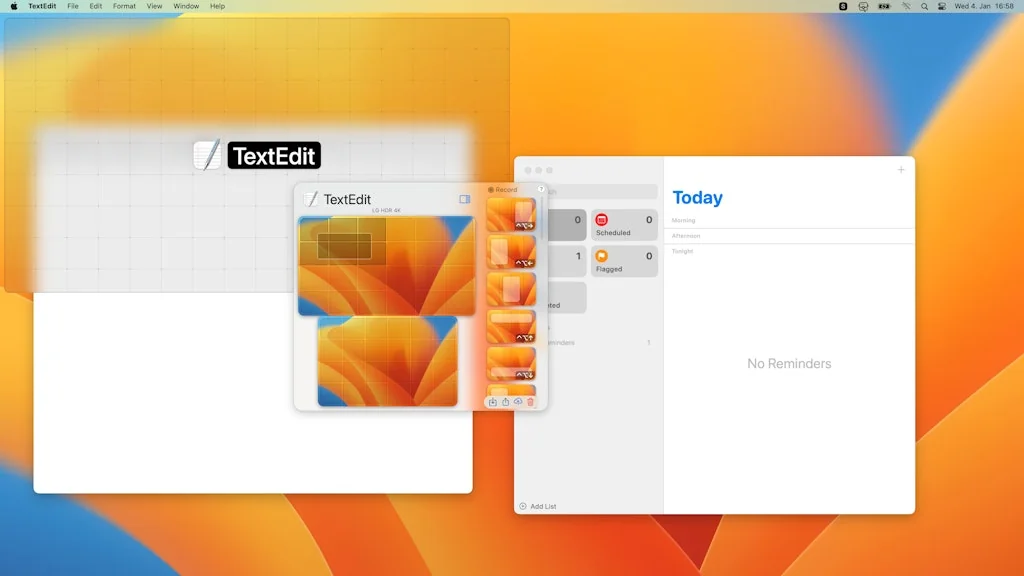
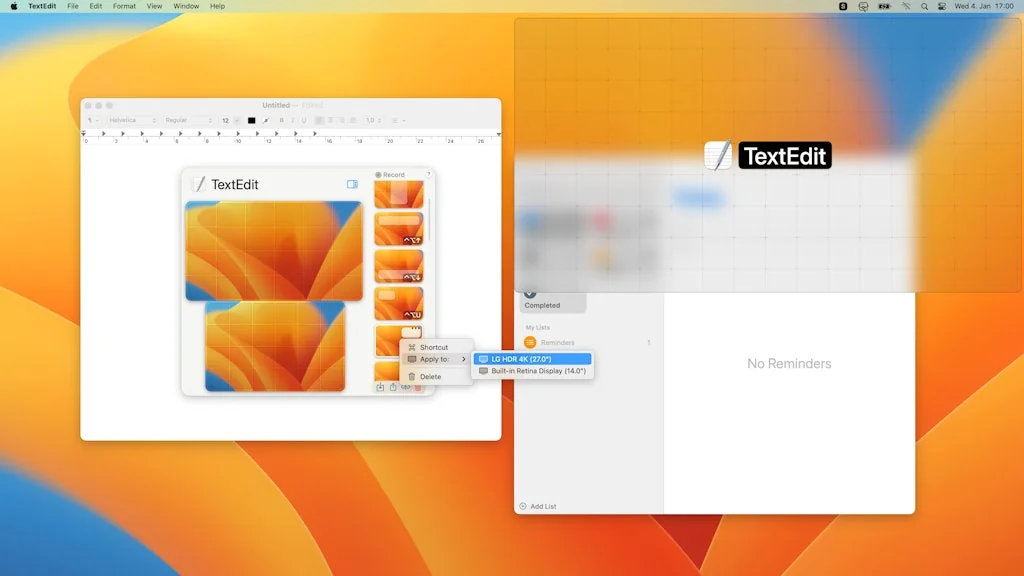
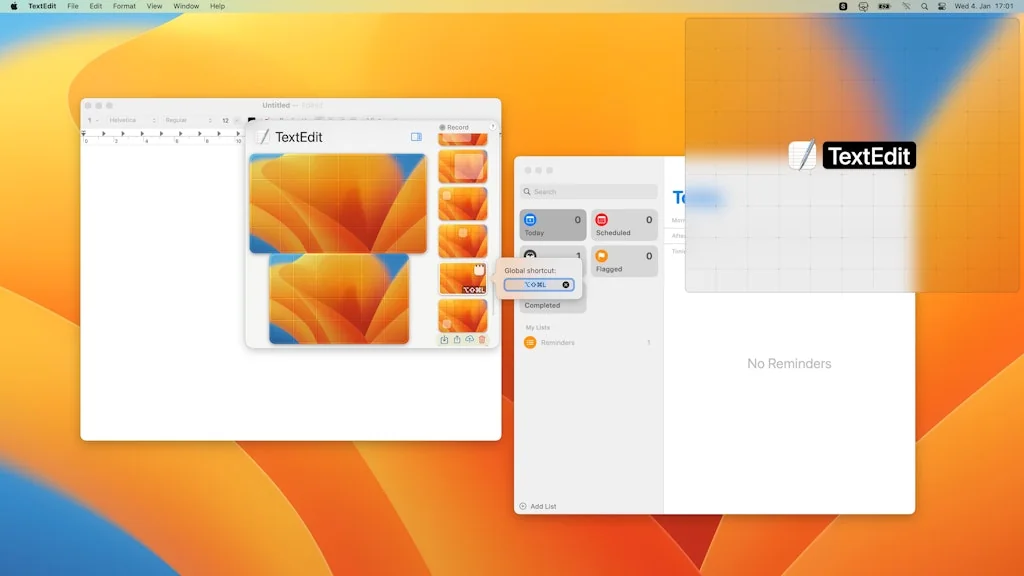
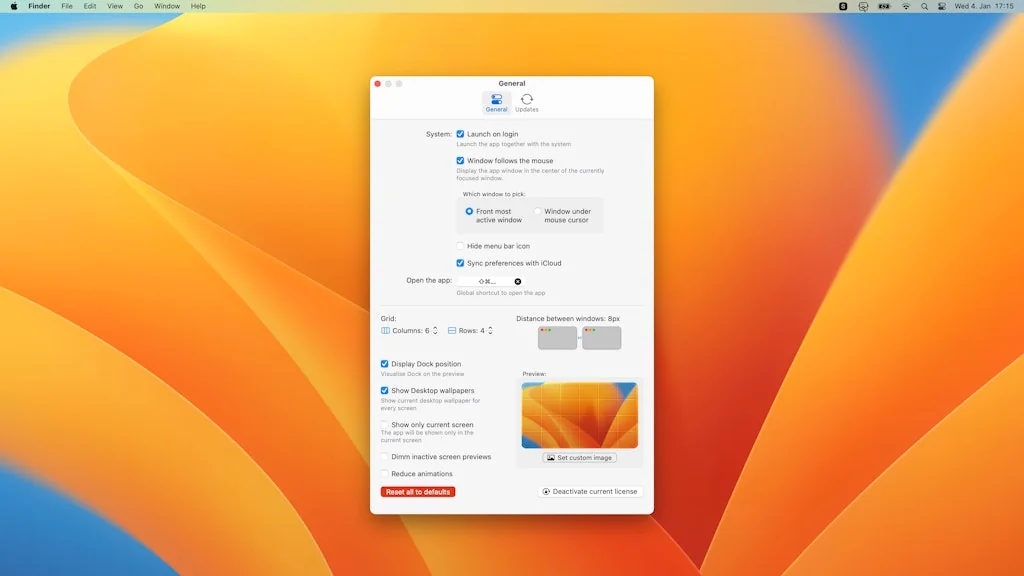
Say goodbye to frustrating, hard-to-remember keyboard shortcuts! Lasso solves the problem with an easy-to-use grid system where you can click and drag to move and resize windows. Plus, with endless arrangement possibilities, you'll never feel limited to just halves and thirds.
Pros & Cons
Pros
- Easy to use
- Flexible window management
- Multi-monitor support
- Intuitive interface
- Customizable grid system
- Keyboard shortcut support
- Custom shortcuts
- Customizable window layouts
- Fast performance
- Modern UI
- Responsive developer support
- Lightweight
- Customizable window padding
- Compatible with stage manager
- Quick window arrangement
- Reliable performance
Cons
- No window snapping
- Inconsistent icon design
- Keyboard shortcut support
- Limited Adobe app support
- Missing window centering feature
- Multi-monitor support
- No instant drag windows
Tool Details
| Website | thelasso.app |
|---|---|
| Became Popular | January 18, 2023 |
| Platforms | Web |
| Social |
Recent Reviews (13)
Lightning fast, intuitive UI, easy to use. It does exactly what you expect it to, and does it well. This couldn't get better! I find myself using the same two-app layout for the same apps, I wish I could do it in one step instead of having to repeat the operation after focusing each window, but this is already lightyears better than having to position the windows manually! I wish I could set the "Distance between windows" to match the margins the system uses for the system Picture in Picture playback. Would take away from the guesswork 😅
Awesome. Noticed a problem, asked the dev about it on discord, new release with the bug fixed was out like 24 hours later. Has better UI than other window managers by far
One of the best window management apps out there for mac. The move and resize features are a wonderful innovation. Now I can grab my terminals without titlebars.
I believe Lasso is a major productivity hack, from excellent multi monitor support, understanding that each screen might have different purposes and thus require different layout configurations, to being intuitive on the interaction, positioning the options right next to the cursor. As a person coming from tiling window managers such as i3 on linux, this is a much needed addition to Mac environment. I would only add support for keyboard shortcuts to access the size of the segments to avoid having to reach to the mouse and it would be perfect. At the moment I combine it with magnet for those browsing moments where edge detection is sufficient and I love that Lasso is not the kind of manager that gets interference even when there are no bounds between the items.
Overall a nice take on window managers. I would like to see shortcut action support that can tap into recorded window sizes. I like using keyboard shortcuts with the window sizes, but having a shortcut that could launch an app, resize it, then launch another, and then resize it would be convenient. However I realize that can already be built using better touch tool shortcut action that runs the keyboard shortcut. The reason I gave this 4 stars is because the icons it uses for the built in full size, center, and move window to display do not match the icons used for recorded window sizes run with a key board shortcut. I prefer the design of the latter icons, but honestly they should just be consistent in art style. Finally, it would be cool if lasso could add support for window snapping. It would be different than competitive apps, as I could set a corner or size portion of the screen to snap to a specific recorded window size in lasso.
I really like that it lets me manage windows with minimal keyboard inputs. I use another app to map the middle click on my mouse to trigger the key combination for Lasso. That makes the entire setup keyboard-less and I love this workflow! One nice feature would be to be able to switch between overlapping windows (ie those that are on top of each other in the same grids). e.g. You hover over a window, press a keyboard combination, and then use the scroll wheel to bring overlapping windows into focus one by one.
I saw Lasso come up on Product Hunt and wanted to test it straight away, as I have used various window managers in the past, but none quite hit the sweet spot for me. I was instantly impressed, not only by the functionality of the app, but also by the care and attention to detail in the UI. After using the app daily during the 1-week free trial, I realised that I could use Lasso as my go-to for managing windows, and could delete all other window manager apps I previously used. I have customised the keyboard shortcut to invoke Lasso, so that within seconds I can very quickly place any open windows exactly where I want, on either of my screens. There are built-in links to tutorials (which I haven’t personally tried, but I’m sure they will be helpful). All-in-all, a fantastic little tool to add to the toolbox. Purchasing a license to support the developer was a no-brainer, as he was very responsive when I asked questions.
I love the functionality - I've set a few favorite positions, and the ability to cleanly draw new positions is the absolute best, I use this every day! For a next version I'd like the ability to use a modifier key to draw without 'snapping to grid', and maybe an option to show existing windows in the preview window then to draw snapping to edges of the other windows on the screen instead of grid. Even without these, I would happily buy again!
Started the App using from trial and realized within 2 days that this app is helpful as most of the time I am switching between multiple screen sizes and having the option to align the app window as per my like is a better option with the one-time purchase this app deserves to be in most recommended app list. I can assign diff grid styles in different sizes of screens which is a +1 feature. I hope they bring more awesome features soon.
This is the app that finally convinced me to try out a window management app. Being a fan of good UI/UX, I like how quick and easy it is to set an app to go to a particular area without needing to memorize a bunch of keyboard shortcuts. Using various different monitor sizes is also great because you can customize the number of columns + rows per monitor so you can take proper advantage of the different sizes.
Used Magnets before moving over here since the import was so good. And it allows me to create and save custom layouts for my wide monitor which is useful when sharing a portion of my screen during meetings. The only thing I wish it had was the centering that Magnet has which allows you to move the window to the center without changing the size.
Lasso makes it easier for me to position all my apps that I need to see at the same time on two screens with a keyboard shortcut. I really like that I can specify the grid (e.g. 6 x 6), other apps that I tried are very limited in that regard.
This is an amazing window manager unlike most other ones on the market. I love that it allows me to "draw" where and how big I want a window to be! It's lightning fast and super easy to use. I use it on a daily basis and it's truly one of those apps that I can't use a Mac without.
Frequently Asked Questions about Lasso - Window Manager for macOS
When did Lasso - Window Manager for macOS become popular?
Lasso - Window Manager for macOS became popular around January 18, 2023.
What are the main advantages of using Lasso - Window Manager for macOS?
The top advantages of Lasso - Window Manager for macOS include: easy to use, flexible window management, multi-monitor support, intuitive interface, customizable grid system.
What are the disadvantages of Lasso - Window Manager for macOS?
Some reported disadvantages of Lasso - Window Manager for macOS include: no window snapping, inconsistent icon design, keyboard shortcut support, limited Adobe app support, missing window centering feature.
What is Lasso - Window Manager for macOS's overall user rating?
Lasso - Window Manager for macOS has an overall rating of 4.9/5 based on 44 user reviews.
Don't Get Fooled by Fake Social Media Videos
The world's first fact checker for social media. Paste any link and get an instant credibility score with sources.
Try FactCheckTool Free