
SwifDoo PDF
PDF editor, PDF reader, AI PDF Editor, File management
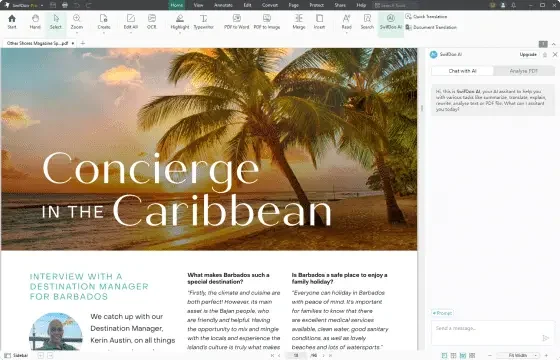
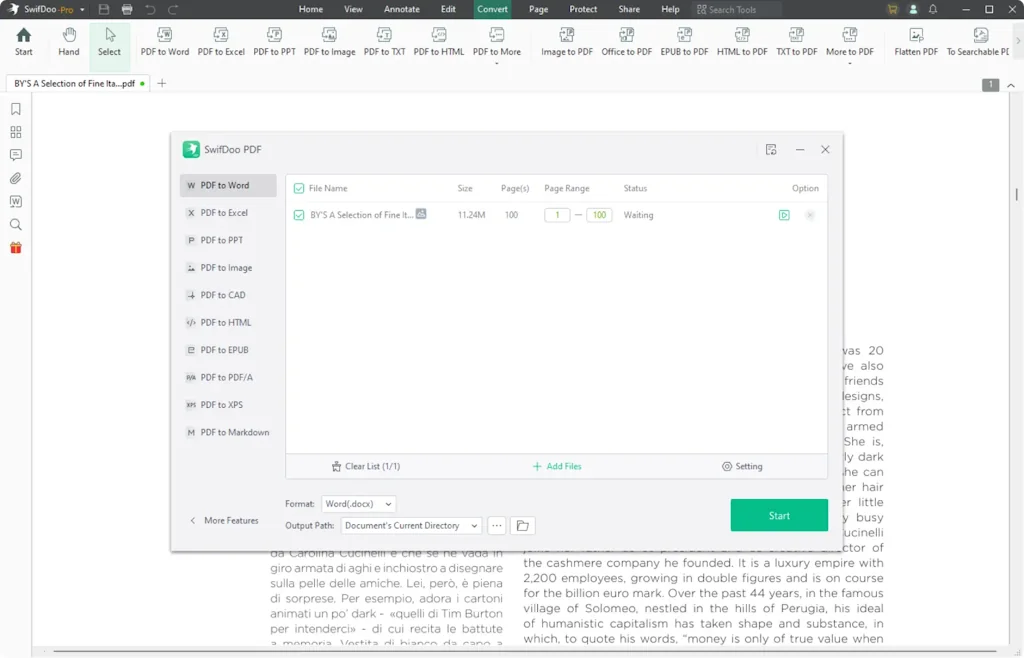
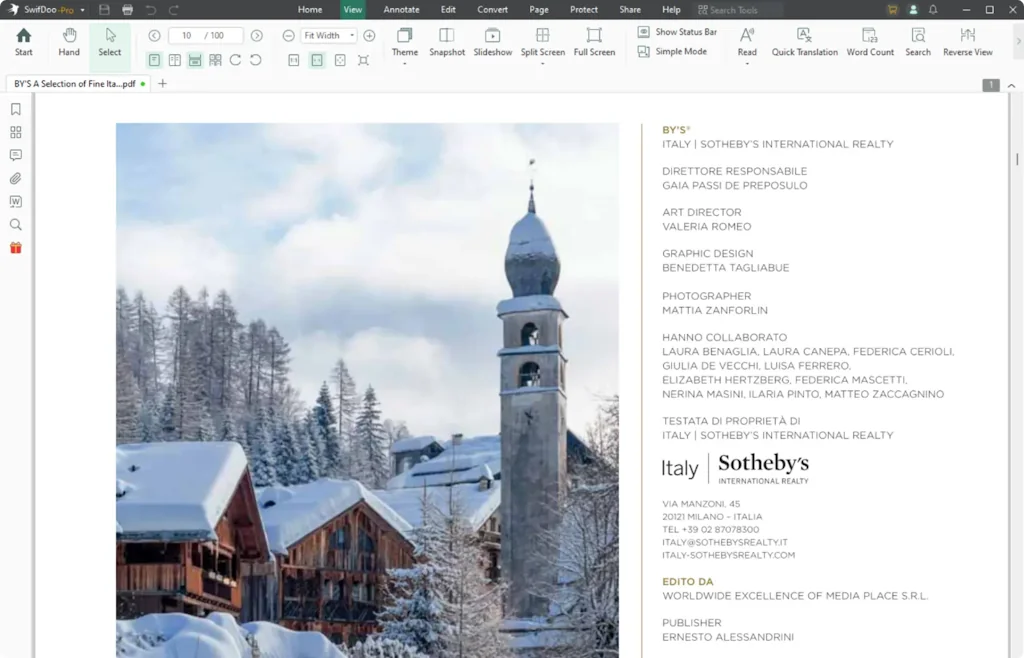
What is SwifDoo PDF?
SwifDoo PDF is an all-in-one PDF editor tool that offers features that most users often require. This free software comes with a user-friendly interface where most of its main features layout.
Pros & Cons
Pros
- Conversion tools
- User-friendly interface
- Fast performance
- Lightweight
- OCR feature
- Annotation tools
- Merge and split PDFs
- Affordable pricing
- AI assistant
- Password protection
- E-signatures
- Compression tools
- Batch processing
- Cloud integration
- Ad free platform
Cons
- Limited OCR accuracy with complex layouts
- Limited to Windows
- Watermarks in free version
Tool Details
| Website | www.swifdoo.com |
|---|---|
| Added | November 23, 2021 |
| Platforms | Web · iOS · Android |
| Social | Twitter · Instagram · Facebook · LinkedIn |
Recent Reviews (10)
SwifDoo PDF stands out with its sleek, intuitive interface and impressive performance. It goes beyond basic PDF editing by offering tools like OCR for extracting text from scanned files, and the ability to seamlessly merge, split, or annotate documents. The software’s ability to convert PDFs into various formats like Word and Excel is a major plus. While some advanced features require a paid plan, the free version is still highly functional. Overall, SwifDoo PDF offers a blend of simplicity and powerful tools, making it a fantastic choice for users seeking a robust, easy-to-use PDF solution.
I've been using SwifDoo PDF for the past two years, and it has completely changed how I handle PDFs. Unlike other bulky software that slows down my system, SwifDoo is lightweight, fast, and incredibly user-friendly. Editing PDFs is smooth, and the conversion tools work flawlessly—whether I need to convert PDFs to Word, Excel, or even images, the formatting stays intact. One feature that really stands out is the OCR technology, which helps extract text from scanned PDFs with great accuracy. The built-in AI assistant is another game-changer, making tasks like summarizing and proofreading effortless. Plus, e-signatures and annotation tools make it perfect for both work and personal use. What I appreciate most is its affordable pricing—I don’t have to pay a fortune for features that actually work! After trying multiple PDF editors, SwifDoo remains my go-to because of its reliability and efficiency. If you're looking for a hassle-free, all-in-one PDF solution, this is definitely worth it!
SwifDoo PDF is an intuitive and feature-rich PDF software that excels in document management. It offers a clean interface that makes navigation straightforward, even for beginners. The software provides a range of useful tools, including PDF creation, editing, and conversion to various formats such as Word and Excel. Additionally, features like merging, splitting, and annotating PDFs make it a versatile choice for handling documents. One of its standout features is the Optical Character Recognition (OCR) tool, which accurately extracts text from scanned documents, a great asset for those working with image-based files. The software also offers solid security options, including password protection and file encryption, which ensure your documents stay safe. Although the free version is functional, some advanced features are locked behind a paid subscription, which may be a downside for casual users. However, for those who require comprehensive PDF tools, the full version is well worth the investment. Overall, SwifDoo PDF is a reliable and user-friendly PDF solution, suitable for both personal and professional use. Its range of features, combined with smooth performance, make it a top choice for anyone looking for an efficient PDF tool.
SwifDoo PDF is a user-friendly, feature-packed PDF tool ideal for both personal and professional use. It offers seamless PDF creation, editing, and conversion to formats like Word and Excel. Key features include merging, splitting, annotating PDFs, and OCR for extracting text from scanned documents. The software also provides strong security options such as password protection and encryption. While the free version is functional, some advanced features are locked behind a paid subscription. Overall, SwifDoo PDF is a reliable and efficient solution for managing and editing PDFs, making it a great choice for anyone needing a comprehensive tool.
I've been using SwifDoo PDF for the past two years, and it has completely changed how I handle PDFs. Unlike other bulky software that slows down my system, SwifDoo is lightweight, fast, and incredibly user-friendly. Editing PDFs is smooth, and the conversion tools work flawlessly—whether I need to convert PDFs to Word, Excel, or even images, the formatting stays intact. One feature that really stands out is the OCR technology, which helps extract text from scanned PDFs with great accuracy. The built-in AI assistant is another game-changer, making tasks like summarizing and proofreading effortless. Plus, e-signatures and annotation tools make it perfect for both work and personal use. What I appreciate most is its affordable pricing—I don’t have to pay a fortune for features that actually work! After trying multiple PDF editors, SwifDoo remains my go-to because of its reliability and efficiency. If you're looking for a hassle-free, all-in-one PDF solution, this is definitely worth it!
I've been using SwifDoo PDF for the past two years, and it has completely changed how I handle PDFs. Unlike other bulky software that slows down my system, SwifDoo is lightweight, fast, and incredibly user-friendly. Editing PDFs is smooth, and the conversion tools work flawlessly—whether I need to convert PDFs to Word, Excel, or even images, the formatting stays intact. One feature that really stands out is the OCR technology, which helps extract text from scanned PDFs with great accuracy. The built-in AI assistant is another game-changer, making tasks like summarizing and proofreading effortless. Plus, e-signatures and annotation tools make it perfect for both work and personal use.
SwifDoo PDF is an impressive and user-friendly PDF software that offers a wide range of features for both personal and professional use. The interface is sleek and intuitive, making navigation simple even for beginners. It allows for effortless PDF creation, editing, and conversion, supporting a variety of formats. One of its standout features is the ability to merge, split, and annotate PDFs with ease, providing great flexibility for document management. The software also offers a solid set of security features, including password protection and encryption, ensuring your files are safe. Its performance is smooth, and tasks are completed quickly, with minimal lag. The OCR (Optical Character Recognition) feature is particularly useful for extracting text from scanned documents. However, some advanced features are locked behind a paid subscription, which may be a downside for casual users. Despite this, the free version offers a decent set of tools for most needs. Overall, SwifDoo PDF is a reliable, feature-packed PDF tool that delivers excellent value for money, especially for users looking for a comprehensive, easy-to-use solution for PDF editing and management. Highly recommended!
SwifDoo PDF is a versatile and efficient PDF tool that delivers a solid performance for editing, converting, and managing PDFs. The user interface is clean and intuitive, making it easy to navigate even for first-time users. It allows for seamless creation, editing, and conversion of PDFs, with support for various formats like Word, Excel, and image files. The software also includes useful features like merging, splitting, and annotating PDFs, making document management straightforward. The OCR (Optical Character Recognition) functionality is a standout, as it enables users to extract text from scanned documents with great accuracy. Additionally, security features such as password protection and encryption help ensure document safety. While the free version offers many useful tools, some advanced features are only available in the paid version, which may be a limitation for casual users. However, the overall performance is smooth, and tasks are completed quickly without much lag. In conclusion, SwifDoo PDF is a reliable, user-friendly PDF solution with a wide range of features that make it ideal for both personal and professional use. Highly recommended for those looking for an affordable and powerful PDF tool.
SwifDoo PDF is a powerful and user-friendly PDF tool that offers a wide range of features for both personal and professional use. Its interface is clean and easy to navigate, making it accessible for users of all experience levels. The software allows for seamless PDF creation, editing, and conversion to formats like Word and Excel, making document management a breeze. Key features include the ability to merge, split, and annotate PDFs, which adds versatility. The OCR (Optical Character Recognition) function is especially useful for extracting text from scanned documents. Security is also a priority with options for password protection and encryption, ensuring documents remain secure. While the free version provides many useful tools, some advanced features are only available in the paid version, which may be a limitation for casual users. However, for those who need more robust functionality, the premium version offers excellent value. Overall, SwifDoo PDF is a reliable, feature-packed PDF solution that is both easy to use and highly effective. Whether you need basic editing or more advanced tools, it delivers strong performance, making it a great choice for anyone needing a comprehensive PDF tool.
I started using SwifDoo PDF recently, and it has completely streamlined my workflow. From quick edits and seamless file conversions to the OCR tool that extracts text from scanned documents, everything works flawlessly. The AI assistant is a lifesaver for summarizing and proofreading PDFs, making document handling effortless. Plus, it’s lightweight, super fast, and doesn’t drain system resources like other editors. Whether for work or personal use, SwifDoo delivers pro-level features without the hefty price tag—definitely a must-have!
Frequently Asked Questions about SwifDoo PDF
When did SwifDoo PDF become popular?
SwifDoo PDF became popular around November 23, 2021.
What are the main advantages of using SwifDoo PDF?
The top advantages of SwifDoo PDF include: conversion tools, user-friendly interface, fast performance, lightweight, OCR feature.
What are the disadvantages of SwifDoo PDF?
Some reported disadvantages of SwifDoo PDF include: limited OCR accuracy with complex layouts, limited to Windows, watermarks in free version.
What is SwifDoo PDF's overall user rating?
SwifDoo PDF has an overall rating of 4.9/5 based on 67 user reviews.
Is SwifDoo PDF available on mobile devices?
Yes, SwifDoo PDF is available on iOS (App Store) & Android (Google Play).
Don't Get Fooled by Fake Social Media Videos
The world's first fact checker for social media. Paste any link and get an instant credibility score with sources.
Try FactCheckTool Free