

Teameet - Multilingual Team Meeting
Video calls with interpretation in the speaker‘s own voice
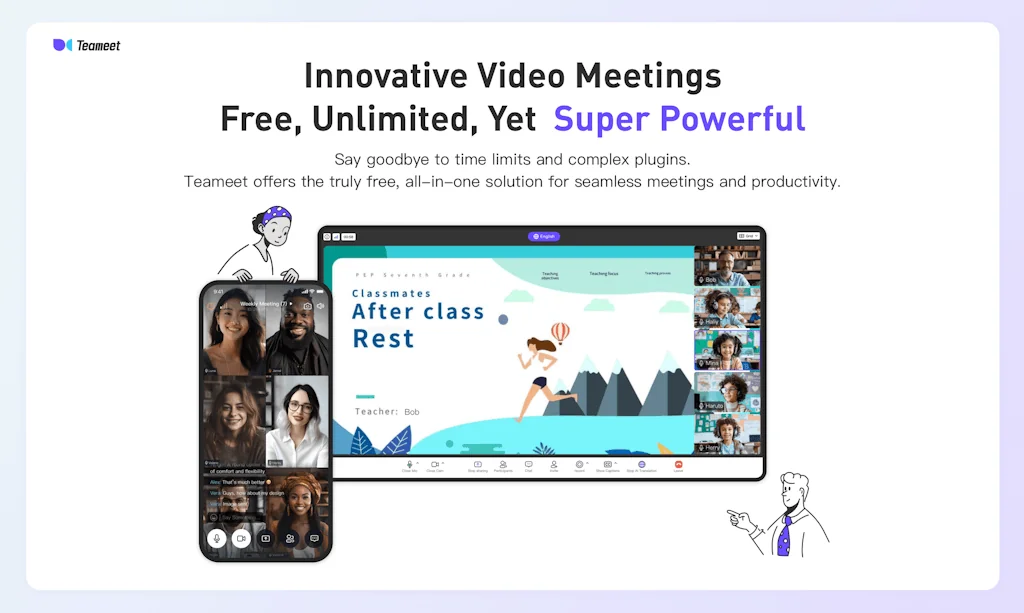
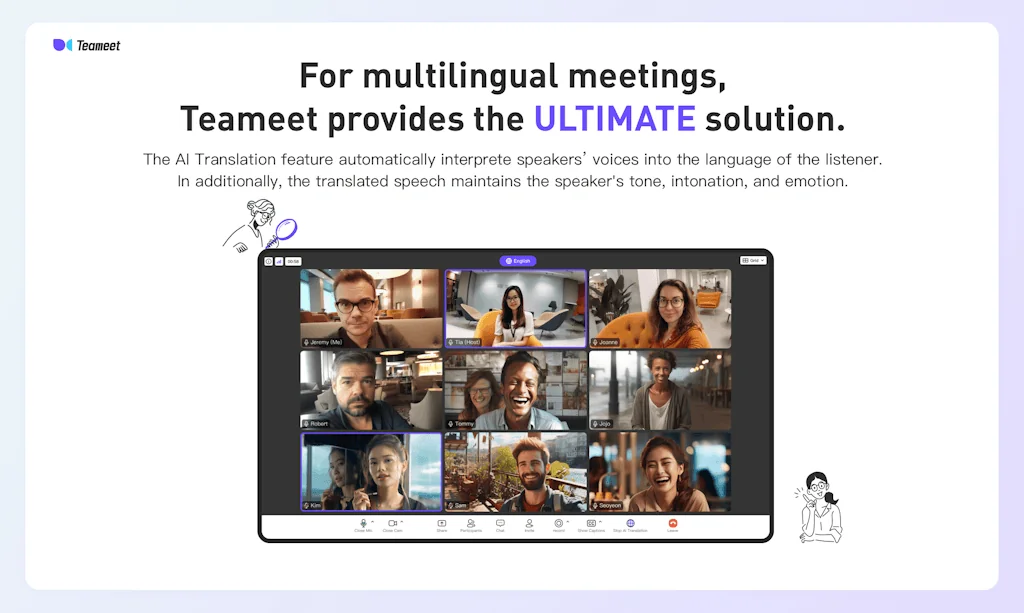
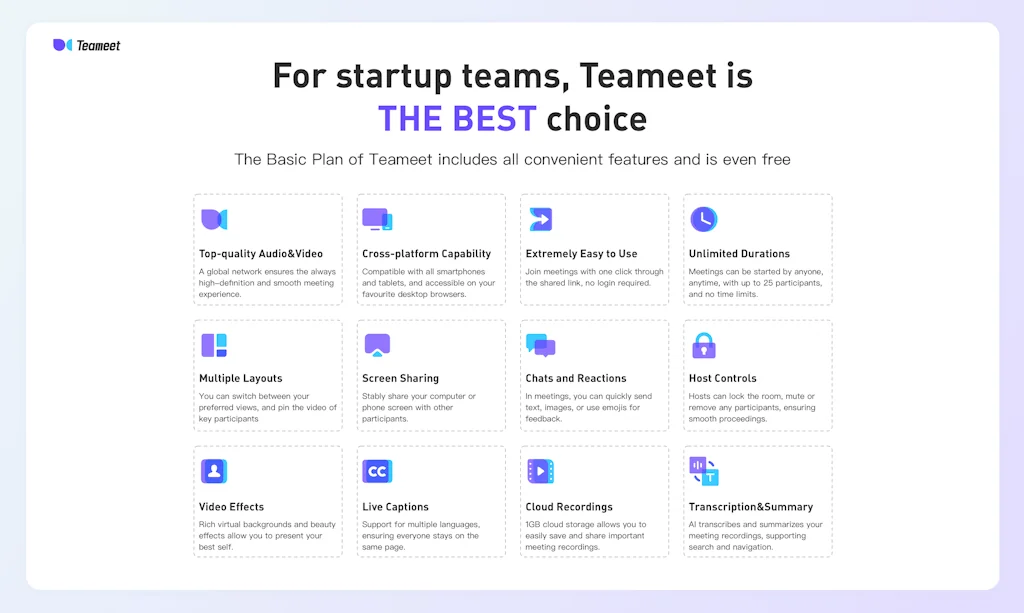
What is Teameet - Multilingual Team Meeting?
Teameet is an advanced AI-powered video meeting platform featuring cutting-edge AI Speech Translation technology. Our solution enables real-time cross-language meetings by interpreting speech in the speaker's original voice and tone, providing a seamless and natural communication experience. It is ideal for international team collaboration, global business, and online education.
Pros & Cons
Pros
- Free tier
- High-quality audio and video
- User-friendly interface
- Meeting recording
- Unlimited meeting duration
- Real-time translation
- Stable performance
- Transcripts
- AI meeting summaries
- Screen sharing
- Virtual backgrounds
- AI speech translation
- Beauty enhancement
- Chat function
- Customizable layouts
- File sharing
- No ads
- Real-time chat
- Seamless integration
- Security measures
Cons
- Virtual background handling
Tool Details
| Categories | Video conferencing, Video and Voice calling, Meeting software |
|---|---|
| Website | www.teameet.cc |
| Added | June 8, 2023 |
| Platforms | Web · iOS · Android |
| Social | Twitter · Facebook |
Recent Reviews (13)
Good product with AI transcript and real time translation + Pricing as a competitive edge. There is a lot of room for enhancement. Entities with multi-regional teams, should give it a try.
As a frequent user of video conferencing tools, I was intrigued by this new app that promises seamless communication across different languages through real-time audio translation.
Our team's first product may not be well-known yet, but it is our pride.
As a frequent user of video calls, I was immediately impressed by Teameet's high quality audio and video. The clarity is superb even with multiple people. The AI meeting summaries are a game-changer for my productivity. I can quickly recall key discussions. I appreciate the fun virtual backgrounds and effects which make long meetings more engaging. Overall, Teameet has greatly improved my experience with remote meetings thanks to its reliability and useful features. It has become my go-to video platform. I enthusiastically recommend others try it, especially since it's free.
Great app! It has enough functions and is very playable. The virtual background handling could probably be better.
eameet is a highly efficient online multi-person meeting platform that excels in fostering seamless collaboration. Its user-friendly interface simplifies navigation, ensuring easy access to essential tools. The platform offers diverse communication options, including high-quality video and audio calls, as well as a chat function for real-time interaction. What sets Teameet apart is its stability and impressive video and audio clarity, providing an uninterrupted meeting experience. Supporting screen sharing enhances collaborative work on documents and presentations. Teameet is adaptable to various team sizes, accommodating both small team huddles and large-scale conferences effectively. Teameet enhances productivity through seamless integrations with other tools and applications. This capability streamlines workflows, allowing teams to collaborate effortlessly and share information. In summary, Teameet is a top-tier choice for online multi-person meetings. Its user-friendly design, exceptional audio and video quality, adaptability, and strong security measures make it a reliable solution for virtual collaboration. Whether for remote work or team discussions, Teameet consistently delivers a smooth and effective virtual meeting experience.
As someone who has been working remotely lately, TeamMeet has become my preferred tool for remote communication. The unlimited, free meetings have significantly boosted my work efficiency. The ability to record audio allows me to effortlessly revisit every crucial moment. Beauty enhancement and background replacement are also among my frequently used features. The user-friendly interface makes navigation a breeze, even for someone like me who isn't tech-savvy. TeamMeet has become my top choice.
Teameet is a free video conferencing solution that offers a range of features for remote teams to stay connected and collaborate effectively. Free and Easy to Use,Good Audio and Video Quality,Customizable Layouts… Recordings and transcripts: Teameet allows you to record meetings and provides transcripts for better accessibility and reference. Recorded meetings can be downloaded or shared with other team members for future reference or archiving purposes.
Teameet is a powerful video conferencing application that provides stable and smooth video calls, allowing team members to communicate and collaborate efficiently anytime, anywhere. It not only offers simple video calling, but also supports screen sharing, real-time chat, file sharing, and many other features, helping team members to share information and resources effectively.
Firstly, its interface design is very user-friendly, allowing people to use various functions easily and intuitively. Moreover, I am very satisfied with the audio performance of this software. The smoothness of the audio makes communication among meeting participants feel very natural, without any noise or delay interference.
Impressive! It supports multi-person video conferences, both on the Web and the app. It even allows you to record the meetings and generate a textual transcript, making it convenient for post-meeting review and summarizing key points. And the best part? All of this is absolutely free. Can you believe it?
I was pleasantly surprised as a user who accidentally downloaded it This should be the smallest and most fully functional conference software I have ever used I can also schedule and invite participants to join meetings The most important thing is that it is currently free
The audio/video software is perfect for professionals. It offers amazing sound and video quality, and the editing features are comprehensive yet easy to use. The ability to customize settings is also a plus. Highly recommended!
Frequently Asked Questions about Teameet - Multilingual Team Meeting
When did Teameet - Multilingual Team Meeting become popular?
Teameet - Multilingual Team Meeting became popular around June 8, 2023.
What are the main advantages of using Teameet - Multilingual Team Meeting?
The top advantages of Teameet - Multilingual Team Meeting include: free tier, high-quality audio and video, user-friendly interface, meeting recording, unlimited meeting duration.
What are the disadvantages of Teameet - Multilingual Team Meeting?
Some reported disadvantages of Teameet - Multilingual Team Meeting include: virtual background handling.
What is Teameet - Multilingual Team Meeting's overall user rating?
Teameet - Multilingual Team Meeting has an overall rating of 5.0/5 based on 20 user reviews.
Is Teameet - Multilingual Team Meeting available on mobile devices?
Yes, Teameet - Multilingual Team Meeting is available on iOS (App Store) & Android (Google Play).
What type of tool is Teameet - Multilingual Team Meeting?
Teameet - Multilingual Team Meeting belongs to the following categories: Video conferencing, Video and Voice calling, Meeting software.
Related Video conferencing Tools
EduDo 2.0
Video-based discussions platform

Ant Media Server
Ultra Low Latency WebRTC Streaming
Remote Browser Embed
Co-browsing into your app

LiveKit
The open source platform for real-time communication

Macro
Give your meetings superpowers.

100ms Video SDK
Add live video conferencing to your app in hours, not months
Related Video and Voice calling Tools

Minutes
Make your meetings async with voice and video.

Mirotalk
Simple, Secure, and Fast. Mirotalk is Powered by WebRTC.

SuperNormal
Async video updates for remote teams

telbee
Voice messaging for your website, podcasts & social media

SquadCast by Descript
The Cloud Recording Studio that Creators Love

Hacky Loom
Lightweight loom.com alternative. 100% free and open source
Related Meeting software Tools






Compare Teameet - Multilingual Team Meeting :




Don't Get Fooled by Fake Social Media Videos
The world's first fact checker for social media. Paste any link and get an instant credibility score with sources.
Try FactCheckTool Free