

Zoom
Video communication made simple and easy
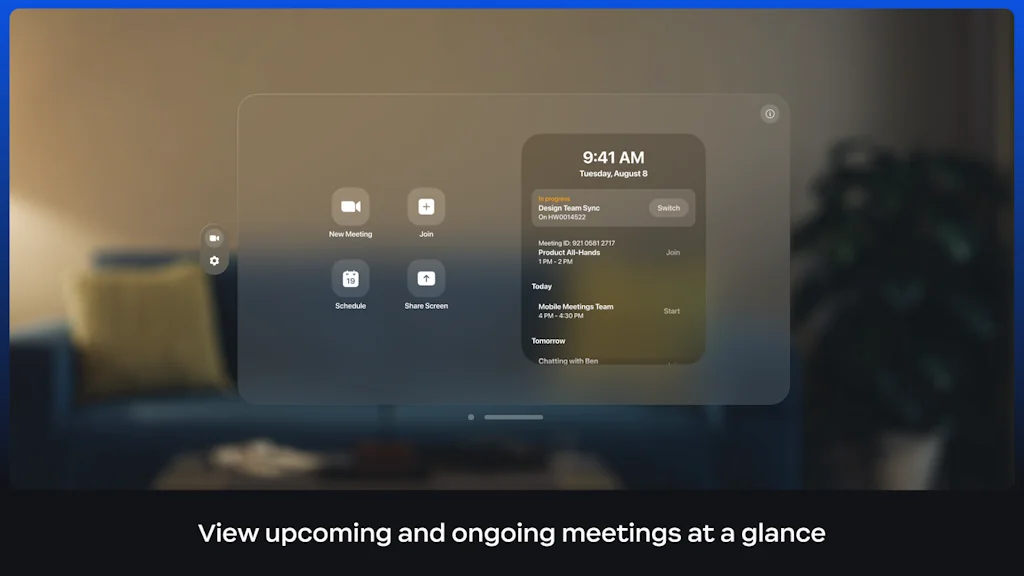

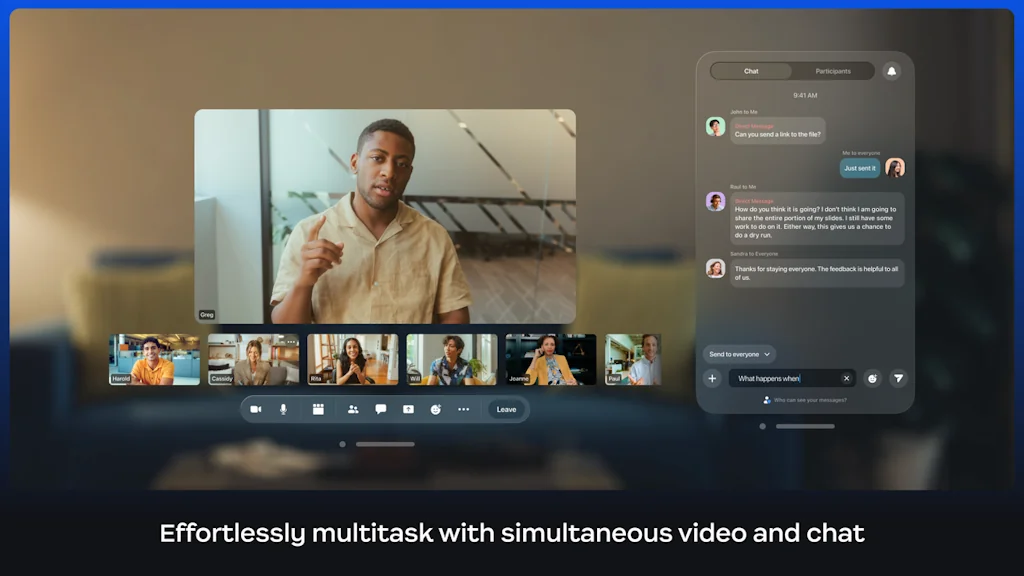

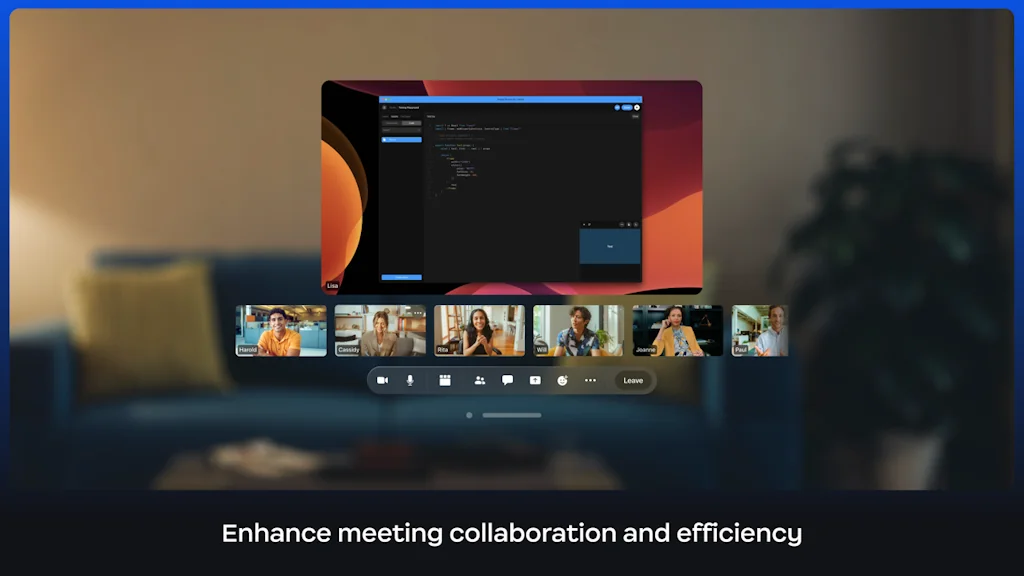
What is Zoom?
Make teamwork more meaningful across hybrid teams with modern collaboration solutions.
Pros & Cons
Pros
- Ease of use
- Video quality
- Reliable performance
- Screen sharing
- Audio quality
- Breakout rooms
- Collaboration tools
- Webinar support
- Recording feature
- User-friendly interface
- Large meeting support
- Virtual backgrounds
- Free tier
- Security improvements
- Cross-platform support
- Cloud recording
- Team collaboration
Cons
- 40-minute limit on free meetings
- Connectivity issues
- Dated interface
- Security concerns
- High resource usage
- User-friendly interface
- Screen sharing
- Better mobile whiteboard experience
- Cross-platform support
- Ease of use
- Large meeting support
- Reliable performance
Tool Details
| Categories | Video conferencing, Video and Voice calling, Meeting software |
|---|---|
| Website | www.zoom.us |
| Added | August 13, 2014 |
| Platforms | Web · iOS · Android |
| Social | Twitter · Facebook |
Recent Reviews (13)
Use Zoom daily, at least 5 hours a day. Stable connection, and decent UI. One feature I would love to see is a way to find out if all invited participants have joined.
We rely on Zoom to onboard creators, run team syncs, and host workshops. It’s stable, frictionless, and the gold standard when you’re building trust and collaboration remotely. For us, Zoom is more than a tool—it’s a communication backbone.
Barely to none learning curve. Simple system with convenient scheduling integration such as google calendar etc. Even though users are free to upload backgrounds, I do wish the app provides more background options.
I rely on Zoom every day for both work meetings and catching up with friends. It has made remote communication much smoother and more efficient for me. The video quality is usually clear, and the features like screen sharing help during presentations. Sometimes the connection drops or audio lags, which can be frustrating, but these issues are rare. Overall, Zoom has become an essential tool that helps me stay connected and productive, especially when working from different locations. I appreciate how easy it is to use, even for less tech-savvy people.
Zoom is a reliable video conferencing tool that makes virtual meetings, webinars, and team collaborations easy. It offers high-quality video and audio, screen sharing, and breakout rooms, making it ideal for both professional and personal use. While it’s user-friendly, occasional connectivity issues and the 40-minute limit on free meetings can be drawbacks. Security has improved over time, but privacy concerns still arise occasionally. Overall, Zoom remains one of the best options for remote communication.
Zoom is a reliable video conferencing platform known for its ease of use, high-quality video, and robust features. It’s widely used for remote work, online meetings, webinars, and virtual events. Features like screen sharing, breakout rooms, and cloud recording enhance collaboration. While the free plan has a 40-minute limit on group calls, paid plans offer extended meeting times and advanced tools. Despite occasional security concerns, Zoom remains a top choice for seamless virtual communication.
Zoom has become essential for both work and personal connections. The setup is quick, and joining meetings is a breeze. The video and audio quality are reliable, and the screen-sharing feature makes collaboration so much easier. I also love the breakout rooms for team discussions and the ability to share files during meetings. Although the free version limits meeting time, it’s still perfect for shorter conversations. Overall, Zoom is a user-friendly and dependable platform for staying connected virtually. It’s definitely my go-to for online meetings.
Zoom is a reliable video conferencing platform known for its ease of use, high-quality video, and versatile features. It’s great for meetings, webinars, and virtual events, offering screen sharing, breakout rooms, and recording options. The platform runs smoothly across devices, making remote work and online collaboration seamless. While the free plan has limitations like a 40-minute meeting cap, its overall performance, stability, and integrations make it a top choice for professional and personal communication.
Zoom has become an essential tool for both work and social interactions. It’s incredibly easy to use, and the video and audio quality are generally great. I love how simple it is to schedule meetings and share links, making virtual communication seamless. The screen-sharing feature is super helpful, especially for work presentations or collaborative projects. One of my favorite things is the breakout rooms feature, which is perfect for team discussions. The only downside is that the free version limits meeting durations, which can be frustrating for longer sessions. But overall, Zoom is a reliable and efficient platform for virtual meetings.
Zoom has been a game-changer for online communication, whether for work, socializing, or learning. It’s incredibly easy to set up a meeting, and the quality of both video and audio is excellent. I love how seamless the screen-sharing feature is, making virtual presentations and collaborations so much easier. The breakout rooms feature is also a huge plus for group discussions. While the free version has a 40-minute limit, it’s a great tool for shorter meetings. Overall, Zoom makes virtual interactions feel more natural and efficient. It’s definitely one of the best tools for staying connected!
Zoom has been a game changer for both work and social interactions. The video and audio quality are consistently great, and it's super easy to set up and join meetings. I love the screen sharing and virtual background features—they make virtual meetings feel more interactive and professional. The breakout room feature is also a big plus, especially for team discussions. While the free version has a 40-minute meeting limit, upgrading to the paid plan removes that restriction. Overall, Zoom is an incredibly useful and reliable platform for staying connected.
Zoom is one of the most reliable video conferencing platforms, perfect for work meetings, webinars, and virtual gatherings. It’s easy to use, with a clean interface and solid video and audio quality, even on slower internet connections. I really like the screen-sharing feature, breakout rooms for group discussions, and virtual backgrounds, which make meetings more interactive. It also integrates well with calendars, making scheduling seamless. The free plan has a 40-minute limit on group meetings, but overall, Zoom remains one of the best tools for remote communication and collaboration.
Zoom has been my go-to video conferencing app for a while now. It’s easy to use, reliable, and the video and audio quality are consistently good. Whether for work meetings, webinars, or catching up with friends, it gets the job done without much hassle. I really like the screen-sharing feature, virtual backgrounds, and how well it handles large group calls. It also integrates smoothly with calendar apps, making scheduling meetings effortless. The only downside is the 40-minute limit on free group calls, but overall, it’s still one of the best video conferencing tools out there.
Frequently Asked Questions about Zoom
When did Zoom become popular?
Zoom became popular around August 13, 2014.
What are the main advantages of using Zoom?
The top advantages of Zoom include: ease of use, video quality, reliable performance, screen sharing, audio quality.
What are the disadvantages of Zoom?
Some reported disadvantages of Zoom include: 40-minute limit on free meetings, connectivity issues, dated interface, security concerns, high resource usage.
What is Zoom's overall user rating?
Zoom has an overall rating of 4.6/5 based on 335 user reviews.
Is Zoom available on mobile devices?
Yes, Zoom is available on iOS (App Store) & Android (Google Play).
What type of tool is Zoom?
Zoom belongs to the following categories: Video conferencing, Video and Voice calling, Meeting software.
Related Video conferencing Tools

Perfect Recall
Share clips from Zoom

Remote Demo Day
Pitch 4,000 investors remotely

Houseparty for Mac
Your favorite group video chat for macOS

Zoom Exotic
100+ video backgrounds for Zoom

Proficonf
Professional real-time video conferencing platform

Superpeer
Host cohort-based courses, live events, or 1:1 sessions
Related Video and Voice calling Tools

Vibely
Record Zoom Calls 10x Cheaper Than Gong

LiveKit
The open source platform for real-time communication

HQ Trivia
A live mobile sports trivia show that anyone can win. Need help? DM @hqhelps.
System2
Video-powered 1-on-1 fitness coaching by elite trainers 💪

Uscreen
Build your own Netflix

CapHacker
Free AI Video Caption Generator
Related Meeting software Tools

Sidenote AI
AI copilot for meeting follow-up

Notiv
Meeting collaboration that fits your workflow
Vibely
Record Zoom Calls 10x Cheaper Than Gong
24me Smart Personal Assistant
Calendar, Tasks, Notes and Reminders in one place!

Whereby
Beautiful, simple video calls in your browser

Brags Space
Put your actions where your mouth is
Compare Zoom :




Don't Get Fooled by Fake Social Media Videos
The world's first fact checker for social media. Paste any link and get an instant credibility score with sources.
Try FactCheckTool Free