

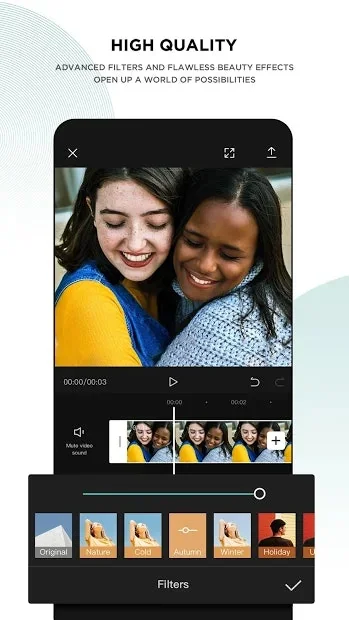
What is CapCut?
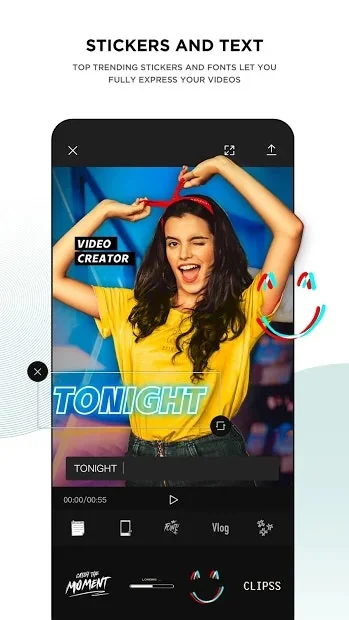
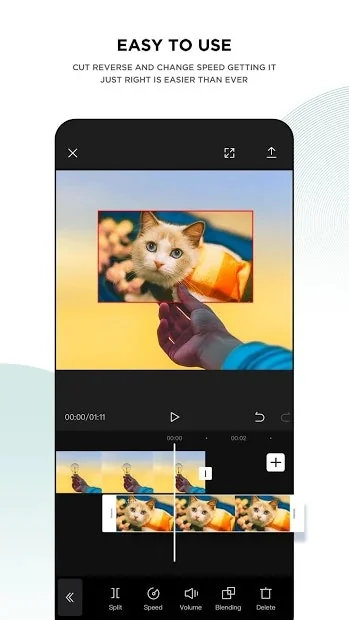
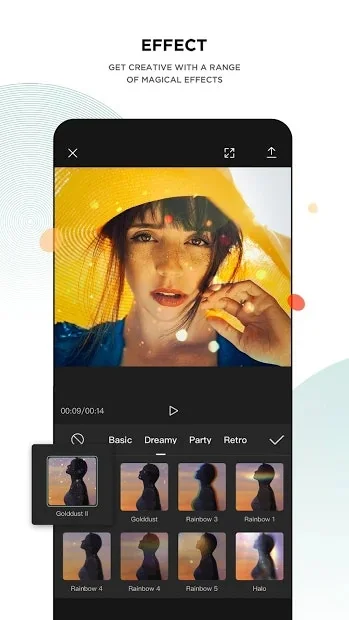
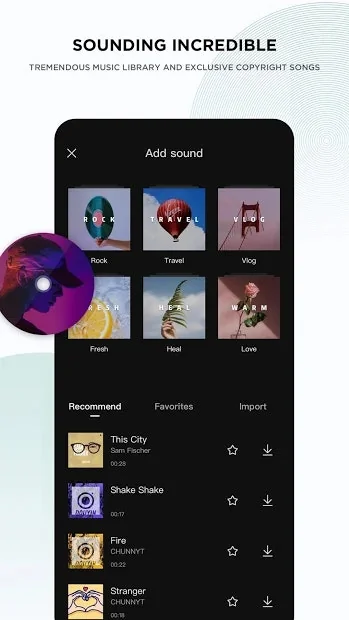
CapCut is a free all-in-one video editing app that helps you create incredible videos, from ByteDance. 📣Easy to use 📣 High quality 📣 Top Music Hits/Sounding incredible 📣 Stickers and text 📣 Effects
Pros & Cons
Pros
- Beginner friendly
- Powerful editing features
- Free version
- Intuitive interface
- Filters and transitions
- Template library
- TikTok integration
- Auto-captions
- Sound effects library
- AI-based background remover
- AI-powered effects
- Desktop version
- Dynamic subtitles
- Easy to use
- Export speed
- Motion presets
- Time-saving
- Voice-over tools
- Watermark removal
Cons
- Pro features paywall
- Browser compatibility issues
- Customer support issues
- Limited free version
- Cloud storage limitations
- Watermark on free version
- Desktop version
- Slow export
- Template library
Tool Details
| Categories | Video editing, Mobile editing apps |
|---|---|
| Website | apps.apple.com |
| Added | May 31, 2021 |
| Platforms | Web · iOS · Android |
| Social |
Recent Reviews (13)
We record in Screen-Studio and edit in CapCut—our go-to combo for creating quick, polished content. CapCut is incredibly intuitive and beginner-friendly, yet packed with enough features to make your videos look professional. From auto-captions and transitions to sound effects and motion presets, it’s got everything you need to produce high-quality edits without the steep learning curve. Tip: Use CapCut’s auto-caption and AI-based background remover to save time on common editing tasks—especially useful for social-first content like launch videos, tutorials, and product demos. We explored other options like Premiere Pro and Descript. (Descript has great voice editing!) While those tools offer deeper customization, CapCut hit the sweet spot for speed, ease of use, and quality—especially for lean teams or startups creating content regularly. If you want to produce great-looking videos without spending hours editing, give CapCut a shot. It’s free, fast, and surprisingly powerful.
Thanks to CapCut's user-friendly design, we particularly appreciate the smart captions, music and sound effects library, and cover design features. These have significantly increased our efficiency when producing videos related to the Minduck brand and products. Compared to our previous use of Premiere, we no longer need high-performance Macs to create quality videos efficiently. The export speed of CapCut is especially impressive!
CapCut is one of the best mobile video editors I've used. It makes it super easy to record organic content and add great effects, captions and green screens, all painlessly.
CapCut is my editing pit stop for turning raw clips into scroll-stopping content. As a social media manager, it’s the easiest way to keep videos looking sharp without needing a full production setup. The auto captions, transitions, and trending templates save me hours—especially when I’m batch-creating Reels or TikToks. I just wish the desktop version synced smoother with mobile; switching devices mid-edit can be a pain.
CapCut is good, but the main issue is that it doesn't work on all browsers, only chrome. The issue I have with this, is that I use Opera GX, which it does not support. The cloud storage is also very small, which means you can't edit more than 2 or 3 videos without TREMENDOUS LAG. Non-Chrome users beware, you can not use this software because it blocks you when you try and open or make a video.
CapCut has made it easier for me to create videos, both professionally and personally. I’m impressed by how its template library keeps growing, always updated with real-time trends, especially on social media platforms like TikTok (my favorite). Its ease of use and the creativity it offers make it an essential tool for any content creator.
It's a super easy-to-use video editor. I use the desktop version, and I like the fact that I can record decent voice-overs using the AI-powered volume and sound enhancements within the product even though I don't have a good audio recording device.
The software is good but their free CapCut pro trials are scams. There is an option to invite a friend and the both of you get 7 days of free CapCut pro and it ever worked. Then on their website they tell you that if you subscribe, you can have a free 7 days trial. So I clicked on that and did what i needed to do but i immediately got debited and they say the renewal is in a month. There is absolutely no free 7 days. Also, this pro version is absolutely not worth 12€ per month wtf.
CapCut is a user-friendly video editing app that offers powerful tools for creating high-quality content. With features like filters, transitions, AI-powered effects, and an intuitive interface, it’s great for both beginners and professionals. Its seamless integration with TikTok makes it a popular choice for short-form video creators. While some advanced features require a subscription, its free version provides plenty of editing capabilities.
This used to be such a good editing software but its all turned to shit. Everything is paywalled making editing impossible, the website is super glitchy, etc etc. The worst part is, I was editing and used a "pro" effect without knowing. Does Capcut warn you? Nope! They just let you finish and perfect the edit and then tell you once its all done. Switched to adobe pro because this "Capcut" is the worst editing software.
Cap cut has free options that allow for beginner editors to get their feet wet without breaking the bank on something like Adobe Photoshop or Vegas Pro. It comes with more comprehensive options at the Pro level and it's a bit less of a hit on the wallet if you're double checking you really want to make editing your second gig.
Had to put together a quick self-intro video for my new company and didn't have much time to edit. Thankfully the premium AI tools for Capcut helped me throw something together without having to re-film a bunch of time. Definitely much faster and easier to use than alternatives
One of the best softwares in 2024 to use for video editing, it has great features and multiple editing options for anyone who wants to edit reels, longer form content or something quirky. Love the preset transitions, text effects and filters for my content!
Frequently Asked Questions about CapCut
When did CapCut become popular?
CapCut became popular around May 31, 2021.
What are the main advantages of using CapCut?
The top advantages of CapCut include: beginner friendly, powerful editing features, free version, intuitive interface, filters and transitions.
What are the disadvantages of CapCut?
Some reported disadvantages of CapCut include: pro features paywall, browser compatibility issues, customer support issues, limited free version, cloud storage limitations.
What is CapCut's overall user rating?
CapCut has an overall rating of 4.4/5 based on 37 user reviews.
Is CapCut available on mobile devices?
Yes, CapCut is available on iOS (App Store) & Android (Google Play).
What type of tool is CapCut?
CapCut belongs to the following categories: Video editing, Mobile editing apps.
Related Video editing Tools

Mockoops
Drag. Edit. Done.

Videoblocks by Storyblocks
Be brilliant on a budget with quality stock video clips

Deepshot
AI reshoots and lip generation at your finger tips

Flixier
AI Video Editing Built for Speed and Creative Control

Ezgif
Animated GIF editor and GIF maker

Priorli
Produce content on your creativity, just a little help of AI
Related Mobile editing apps Tools

DTCH
iOS app to encourage you to gently curb your phone usage

Haptic Life Tracker
The entire history of you
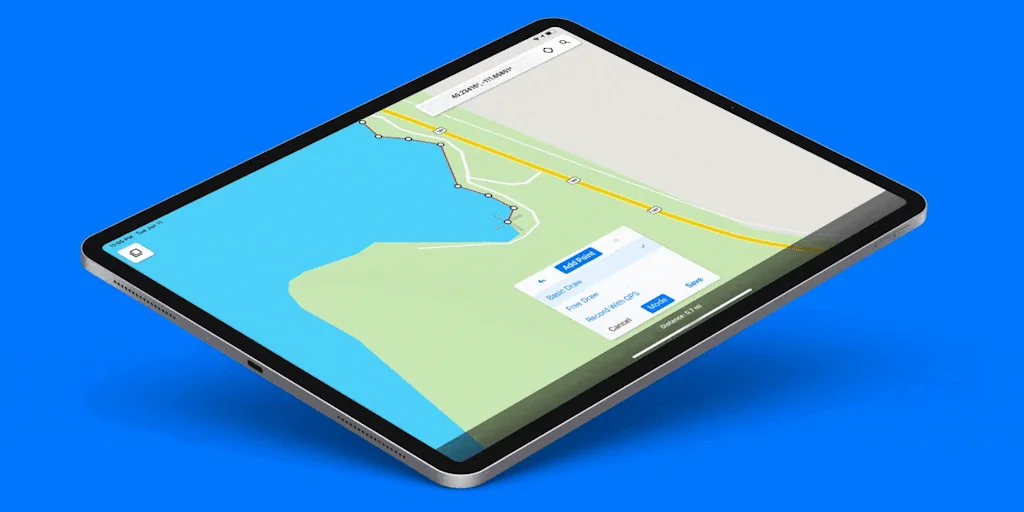
Touch GIS
Field Data Collection & Mapping

The Beta Family
We are a crowdtesting community

AltStore.io
A home for apps that push the boundaries of iOS

Sizze Figma plugin
Export Figma designs to React Native code
Compare CapCut :





Don't Get Fooled by Fake Social Media Videos
The world's first fact checker for social media. Paste any link and get an instant credibility score with sources.
Try FactCheckTool Free