

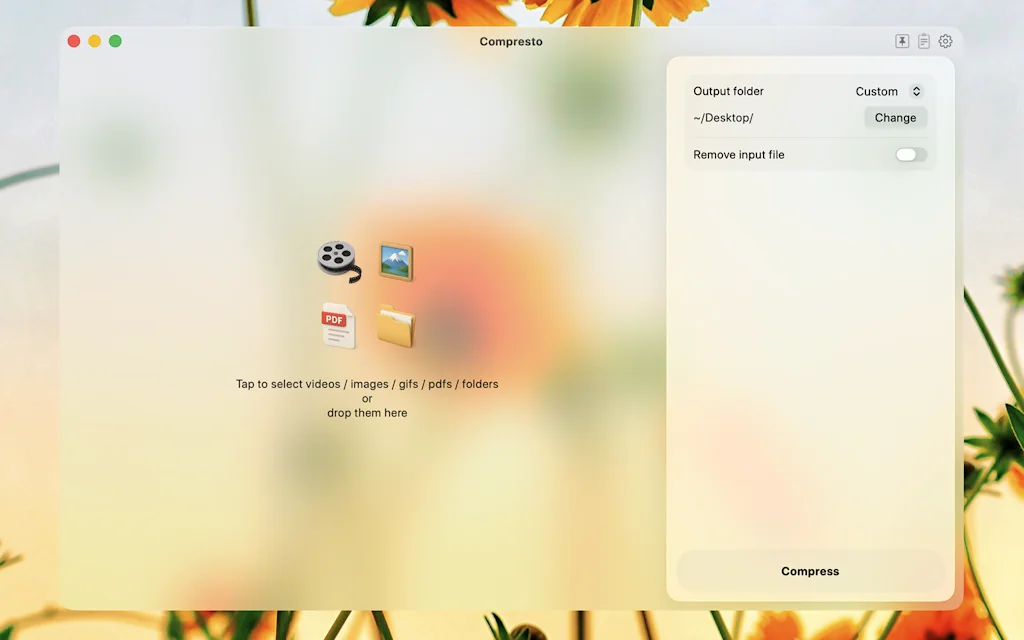
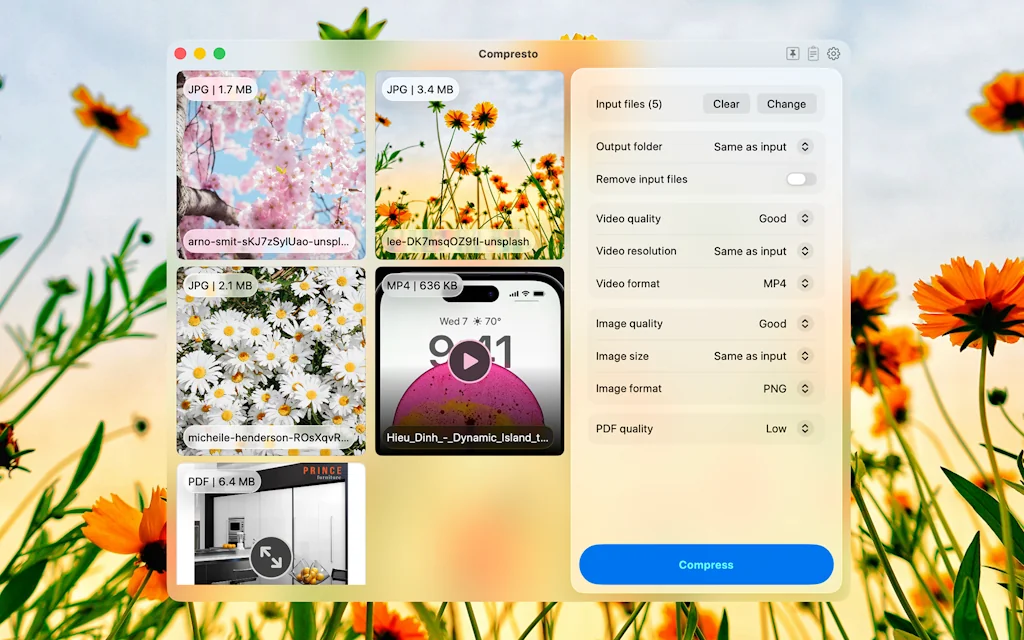
What is Compresto?
Stop uploading your video to online website for compressing. Compresto helps you to compress your video up to 90% file size reduction without significant loss of quality while working totally offline.
Pros & Cons
Pros
- Video compression
- User-friendly interface
- Image compression
- Apple Silicon support
- Automation options
- Compression history
- Customizable settings
- Fast compression speeds
- Offline functionality
- Preserves file creation dates
- Replace original files
Cons
- Metadata not retained
- Windows version not available
Tool Details
| Categories | Video editing |
|---|---|
| Website | compresto.app |
| Added | January 4, 2024 |
| Platforms | Web |
| Social |
Recent Reviews (8)
It was a great example of how to levarage existing command-line tools and bring them to a general audience by hiding them behing a nice UI.
Reduced my video from ~50MB to ~5MB! Super easy to use 👍
CompressX is a game-changer! A must-have app for optimizing videos and images.
CompressX is an essential video compression application for macOS, featuring a user-friendly interface that enhances workflow efficiency. It offers exceptionally fast compression speeds, particularly noticeable on Apple Silicon M2 devices. The developer's approach to the compression level setting is intuitive and effective, simplifying the process compared to other tools that involve complex configurations. I highly recommend CompressX to anyone seeking a dependable and quick video/image compression solution, especially when dealing with large and bulky files. Pros: - Native Apple Silicon hardware support ensures top performance. - Intuitive interface for a seamless user experience. - Preserves file creation dates for improved organization. - Automation options using smart techniques. - Ability to save converted files in the original location or custom folders. - Efficient option to replace original files with converted ones. - The Compression history feature allows you to easily keep track of your compression activities and make it easier to manage your files. Cons: - Converted files do not retain metadata such as GPS location (this issue may be addressed in future updates). I ADORE THIS APPLICATION!
Great so far, first day Image 7MB: Optimage 969 KB Compress X: 650 KB More customizable and better
Rarely does a tool alter my established 20-year workflow, but this one is a game-changer. In a realm where communication and motion are inseparable, this product stands out for its streamlined process and remarkably compact outputs. A big thank you to Hieu!
Just what I needed! This is awesome!
Unparalleled product in its class.
Frequently Asked Questions about Compresto
When did Compresto become popular?
Compresto became popular around January 4, 2024.
What are the main advantages of using Compresto?
The top advantages of Compresto include: video compression, user-friendly interface, image compression, Apple Silicon support, automation options.
What are the disadvantages of Compresto?
Some reported disadvantages of Compresto include: metadata not retained, Windows version not available.
What is Compresto's overall user rating?
Compresto has an overall rating of 5.0/5 based on 10 user reviews.
What type of tool is Compresto?
Compresto belongs to the following categories: Video editing.
Related Video editing Tools

Captioned
Create addictive 60-second videos.

Thematic
Trending music for creators 🤝 New fans for music artists

Record Once
Create video tutorials with AI that edits and fixes mistakes

VideoPoet
A large language model for zero-shot video generation

Rephrase.ai
Personalised AI videos with real humans

Renderforest
Create Videos, Logos, Mockups & Websites - All in One Place
Compare Compresto :





Don't Get Fooled by Fake Social Media Videos
The world's first fact checker for social media. Paste any link and get an instant credibility score with sources.
Try FactCheckTool Free