

Typedream
No-code site builder, easy as Notion, pretty as Webflow
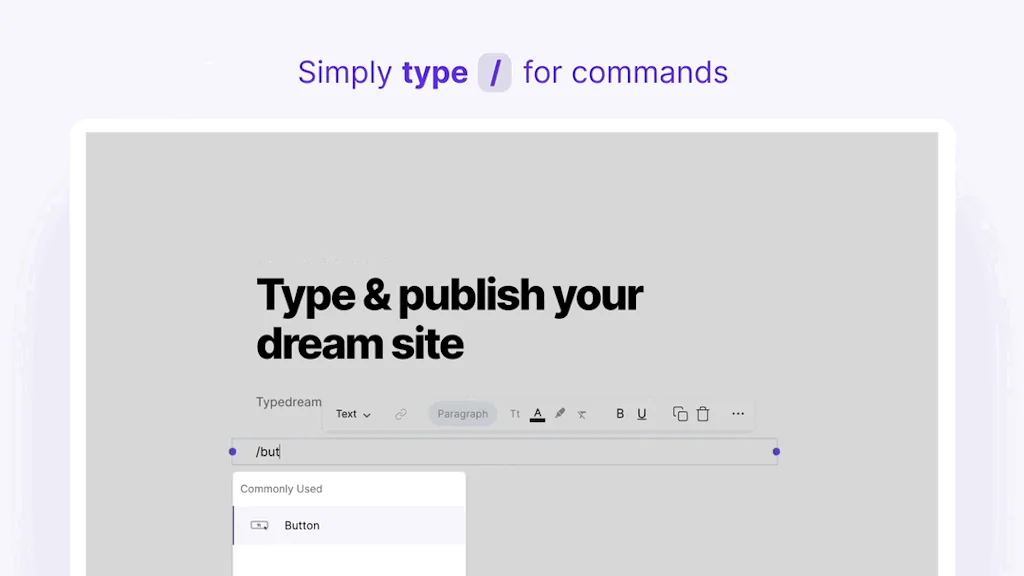
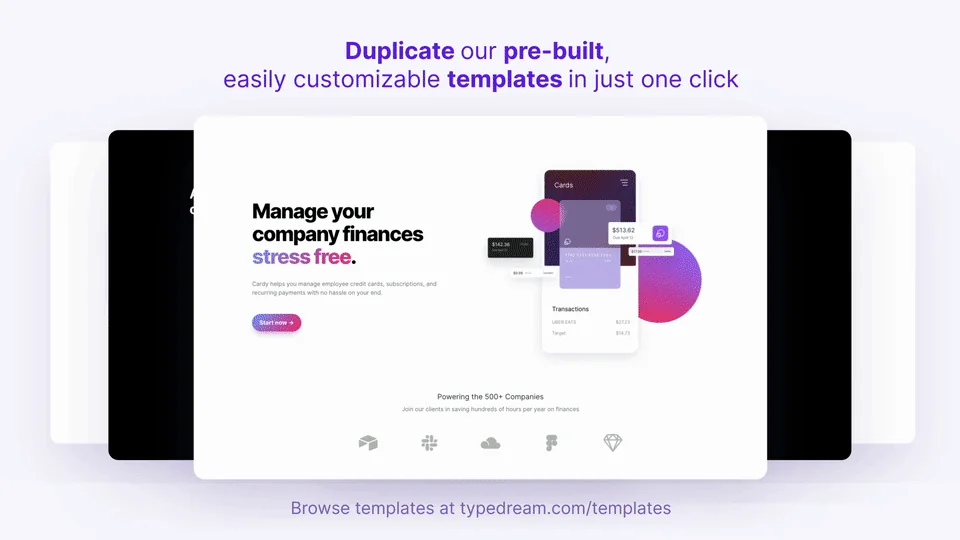
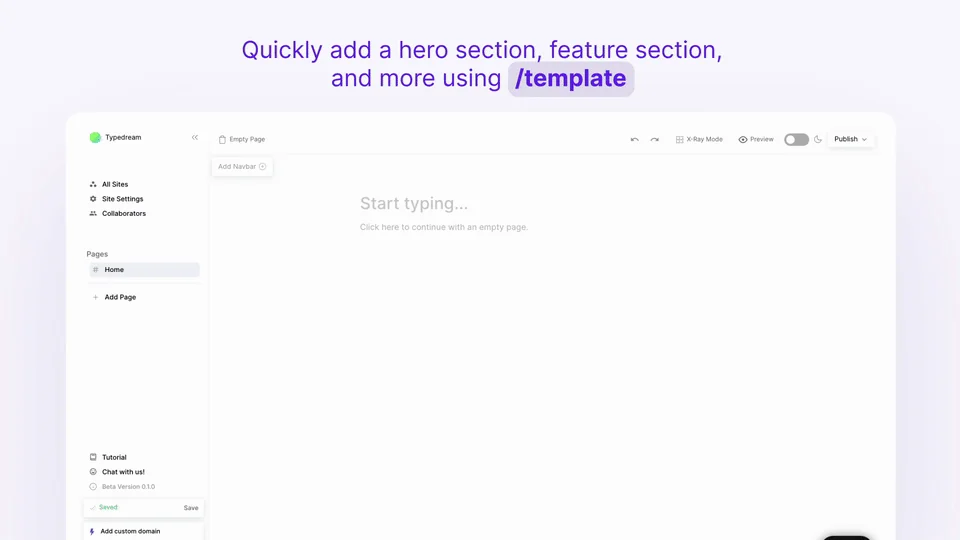
What is Typedream?
Everything you need to build your website in record time. Simple to design and manage with no-code.
Pros & Cons
Pros
- Easy to use
- No-code
- Fast setup
- Customizable templates
- Drag-and-drop interface
- Responsive design
- Notion integration
- Simple website builder
- AI suggestions
- Beautiful gradients
- Easy deployment
- Excellent UI/UX
- Minimal product landing pages
- User-friendly interface
Cons
- Buggy website creation studio
- Slow performance
- Basic subscription workflows
- Difficult domain setup
- Lack of SEO controls
- Limited templates
- Non existent customer support
- Poor mobile optimization
Tool Details
| Categories | Website builders, No-code Platforms, No-Code Website Builder |
|---|---|
| Website | typedream.com |
| Added | July 7, 2021 |
| Platforms | Web |
| Social | Twitter · Instagram · Facebook |
Recent Reviews (13)
The platform is easy to use, even for those without much coding experience, thanks to its intuitive drag-and-drop interface and powerful features. What I love about Typedream is that it allows you to create fully responsive and customizable websites and web applications in a matter of hours, not days or weeks. The platform offers a wide range of templates and components that can be easily customized to fit your specific needs. Another great feature of Typedream is its seamless deployment process. With just one click, you can publish your website or web application to a custom domain or a subdomain of the Typedream website. This makes it easy to share your project with others and get feedback quickly. Just one feedback, sometimes it takes a little more time to load a few pages.
Thanks to typedream I am able to sell so many of my digital products. I am an online Notion creator and I use typedream to make minimal product landing pages. It has changed my onboarding process and also transformed the web-building experience
Super hard to set own domain in GoDaddy. It made me move to Framer.
Absolutely loved this!!! I'm a paying customer. I literally built my portfolio within 1.5 days no-code at all, used it to present it to important people to help me get warm intros. Did i mention its responsive??? I designed my case studies for web and was dreading the mobile version but IT WAS ALREADY RESPONSIVE. What helped was that i put together all the information I wanted to show on notion first, rearrange it based on my story and then once its good I put the contents on typedream and visually optimize it there. Hope this is helpful if you're considering a no-code tool for your design portfolio.
My team built a landing page using Typedream and it was surprisingly easy. I personally used it to test layout ideas for a client. The design tools are great, though I’d love to see better mobile optimization. Still, it’s one of the best no-code builders out there.
Typedream 2.0 impressed my team when we launched a simple project site. I appreciated the drag‑and‑drop style like Notion and the AI suggestions. Setup was smooth and the site looks clean. Wish there were more templates but overall it’s a solid no-code solution.
By far, the best no-code website builder ever! As a Canva user, it definitely is easy and intuitive just like Canva, but for creating websites. This solves my pain in learning code for website, making me put all my energy into creativity and design. Super recommending it for biz owners who need their website STAT! Plus the template feature is AWESOME.
I have experimented with many website builders, but they always felt like a compromise between creative freedom and ease of use. Typedream is a tool where I feel like I have both components. I was able to get a polished landing page in a matter of time, and I was able to customize it as I wanted.
I can't believe I am so late to this app. I am a fan of No-Code apps but some be subpar. Not Typedream though, I feel they thought about everything that a user on their platform would need to do and made it super simple. I had an awesome site up and running in less than 20 mins.
By connecting Typedream to Notion, it's easy to get a data-driven website up quickly. The format allows for a nice visual design and the ability to create templates simplifies site management. This is a great platform for non-developers who want to go beyond static websites.
I used Typedream to build the landing page for my consultancy and my personal newsletter and am now building another website. It is super simple and easy to use specifically with its drag-and-drop templates. I used it to create Notion-style websites.
Fairly easy to use (considering I never followed any tutorials to navigate the platform). The templates are aesthetically pleasing as well.
Am enjoying using the platform, think it could do with some more SEO controls but great overall
Frequently Asked Questions about Typedream
When did Typedream become popular?
Typedream became popular around July 7, 2021.
What are the main advantages of using Typedream?
The top advantages of Typedream include: easy to use, no-code, fast setup, customizable templates, drag-and-drop interface.
What are the disadvantages of Typedream?
Some reported disadvantages of Typedream include: buggy website creation studio, slow performance, basic subscription workflows, difficult domain setup, lack of SEO controls.
What is Typedream's overall user rating?
Typedream has an overall rating of 4.7/5 based on 24 user reviews.
What type of tool is Typedream?
Typedream belongs to the following categories: Website builders, No-code Platforms, No-Code Website Builder.
Related Website builders Tools

Bootstrap Build
Free powerful Bootstrap theme builder!

The Free Website Guys
Get a professional website for free.

Instant - Shopify Page Builder
Build serious Shopify pages. All-visual, no-code.

Looka
Design your own beautiful brand

TrafficTicker
Monitor your Google Analytics site traffic in real-time

Versoly
The fastest way to build your pixel perfect website
Related No-code Platforms Tools

Stunning.so
Build Fullstack WebApps 10x Faster with AI

n8nChat
Create automations in seconds by generating n8n workflows

MicroWidgets
One-click website upgrades for developers who'd rather code

Vzy
Make pro websites on your phone, no code required.

NoDocs
No-Code Product Documentation Builder

Flowdrop
Playground For Agents And Workflows
Related No-Code Website Builder Tools

Elfsight
No-code AI widgets that engage & convert website visitors
Readdy
Websites that stand out, built and published in minutes
Webjourney
Framer that allows you to vibe-code

Custom Waitlist
Create stunning, customizable landing pages with no code
Ordinary
Simple page maker to refresh the ordinary

Mobirise
Create awesome websites! No code & free. Publish anywhere.
Compare Typedream :


Don't Get Fooled by Fake Social Media Videos
The world's first fact checker for social media. Paste any link and get an instant credibility score with sources.
Try FactCheckTool Free