

Webflow
Where creativity drives performance
What is Webflow?
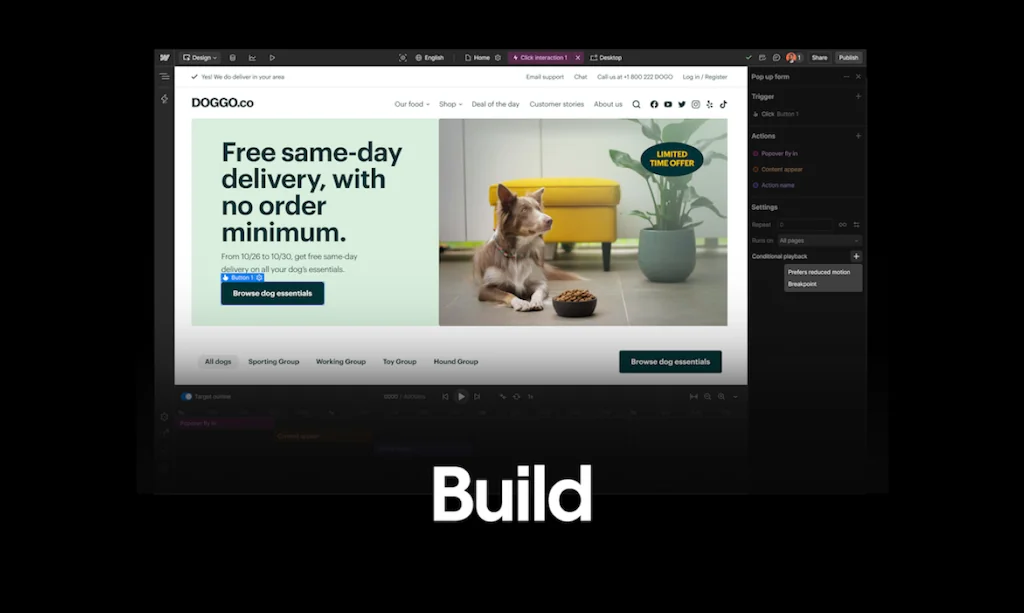
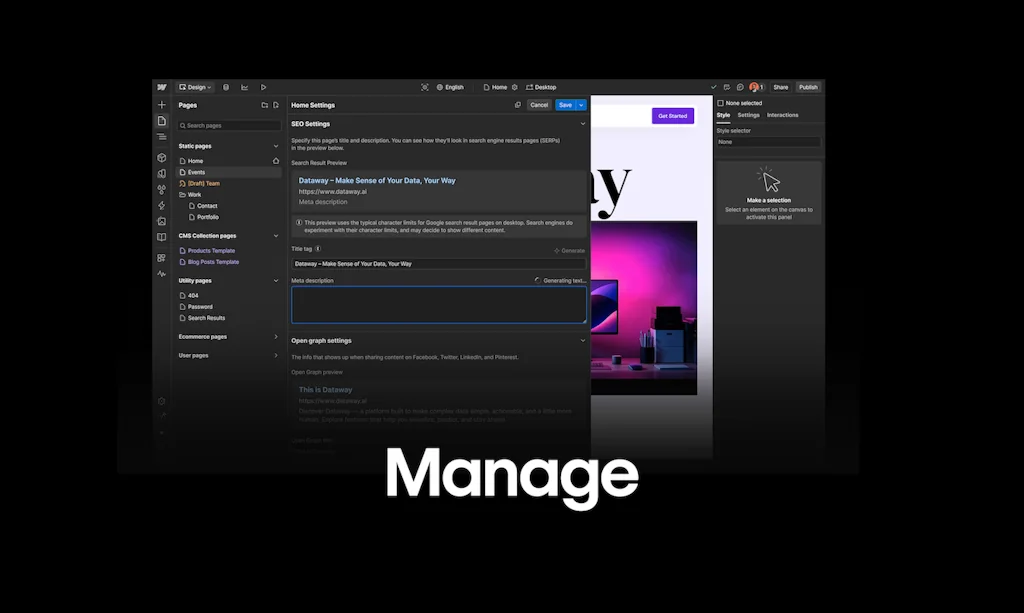
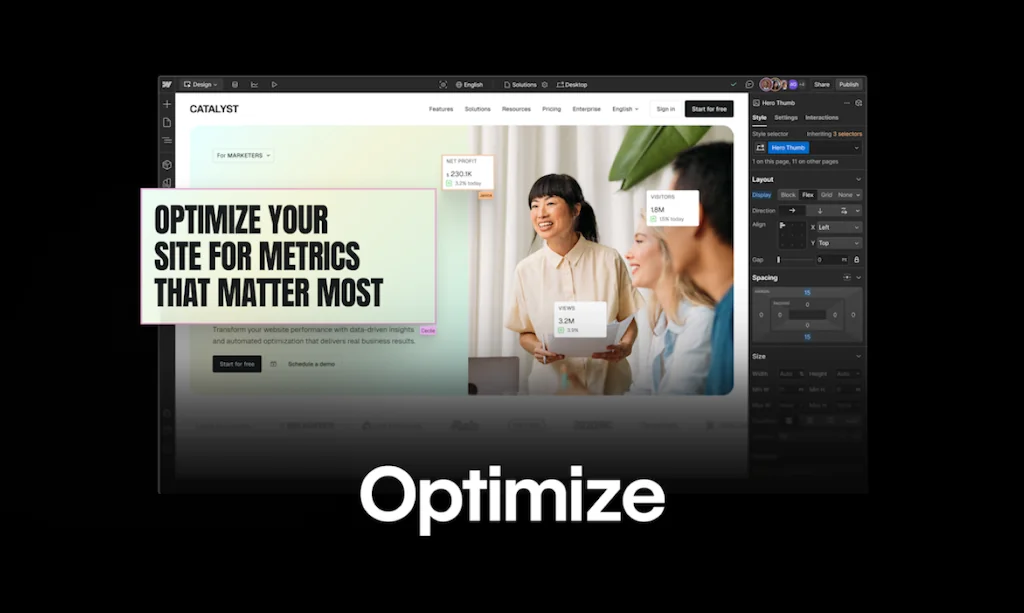
Webflow is a Website Experience Platform (WXP) that empowers cross-functional teams of marketers, designers, and developers to visually build, manage, and optimize stunning websites with AI-driven personalization and a powerful composable CMS, enabling businesses to drive real, measurable results.
Pros & Cons
Pros
- No-code website builder
- Visual editor
- Fast website development
- Powerful design tools
- Responsive design
- Extensive customization options
- Clean code export
- Flexible CMS
- Reliable hosting
- Collaborative features
Cons
- Steep learning curve
- Limited self-hosting
- Mobile performance issues
- Template pricing
- Collaborative features
- Weird bugs
Tool Details
| Categories | Website builders, Content Management Systems, Ecommerce platforms |
|---|---|
| Website | webflow.com |
| Added | December 19, 2013 |
| Platforms | Web |
| Social | Twitter · Instagram · Facebook · LinkedIn |
Recent Reviews (13)
Webflow has been the cornerstone of our development process, allowing us to create custom, responsive websites for the StudioForm Pro Library. Its visual interface enabled us to design and develop sophisticated multi-step forms without writing code, streamlining our workflow and boosting our productivity. Webflow's powerful features and intuitive design capabilities have been essential in building the foundation of our SaaS product.
Webflow empowered us to design and build a stunning, responsive website for Remote Nomad Jobs without needing extensive coding skills. Its visual development platform and intuitive interface allowed us to quickly iterate and launch our site, making the process super fast and efficient. The flexibility and control Webflow offers are unmatched, enabling us to create a beautiful and user-friendly job board.
While Webflow definitely has a steep learning curve, it's a super fun platform to work with. If you're looking to build simple landing page or blog, I might suggest a simpler tool like Caard, Framer, etc, but if you need the customization and power of the CMS, Webflow is where it's at.
After shipping 200+ products over 10+ years, I've evaluated nearly every web design platform. Here's why Webflow stands out:1. Professional Code Output: Unlike Wix or Squarespace, Webflow generates clean, semantic HTML/CSS that's actually production-ready. This matters when working with clients like Hoffman Homes who need enterprise-grade solutions.2. Designer Control: Framer is great for prototyping, but Webflow gives me pixel-perfect control over responsive design without compromising on visual editing. I can implement complex design systems that scale.3. No-Code Power: Adobe Dreamweaver requires coding knowledge, while WordPress is too plugin-dependent. Webflow hits the sweet spot—powerful enough for complex projects, accessible enough for rapid iteration.4. Client Handoff: My Doceo projects benefit from Webflow's CMS and Editor mode, which lets clients update content without breaking the design. WordPress can't match this without extensive custom development.5. Integrated Hosting: Unlike building in Figma then exporting to various platforms, Webflow's hosting, CDN, and SSL are seamlessly integrated, eliminating the development-to-deployment gap.As a Top Rated Plus designer on Upwork, I need tools that deliver both creative freedom and technical reliability. Webflow consistently delivers on both fronts.
Webflow has completely changed how my team and I approach web design. I use it almost daily to prototype and publish pages without needing to write code, which saves us hours. The visual editor feels intuitive but still gives me full control over layout, interactions, and responsiveness. My team loves how easily we can collaborate and quickly push updates. The CMS tools are flexible, and we’ve been able to build everything from landing pages to dynamic blogs with ease. It’s rare to find a tool that balances power and usability this well. For us, it’s become an essential part of our workflow.
Webflow has radically transformed the way I work and build websites! I can build fast, custom and scalable websites/front-ends for businesses. Currently building my agency with Webflow as the foundation of everything we do. I am a big believer in the product and SEO is downright freaking incredible. The Designer is not for the faint of heart. It takes time to learn. All in all I can't recommend it enough to people building sites or clients looking for an alternative website builder/host.
Webflow (2025) remains the gold standard for visually designing custom, responsive websites without coding, offering pixel-perfect CSS/HTML control, powerful CMS features, and advanced interactions—though its learning curve and mandatory hosting costs may steer beginners toward simpler tools like Wix or professionals toward Shopify for e-commerce.
Webflow is a good content management system/website platform if you've got someone who really knows it on your team to help you fine tune it (I do not code so I need that expertise to fix what I break!). I do love the fact that it will scale alongside me as my company grows, but would also love for some of the features to be a bit more refined.
Ever since I discovered Webflow, my experience of web development has completely changed. This tool is absolutely revolutionary! I extremely appreciate the intuitive visual editor that allows me to create websites without coding. At the same time, if I'm more tech-savvy, I can customize every aspect of the site with my own code. That's the flexibility I've been looking for. It's also important that Webflow allows me to design responsive sites with ease. Whether my designs are adapted for smartphones, tablets or computers, they always look great. With Webflow, I can focus on design and creativity instead of worrying about technical details. It is a tool that has helped me speed up my work and delivers amazing results. I recommend Webflow to anyone who creates websites, regardless of experience level!
Webflow has completely transformed how I build websites! The interface is incredibly intuitive, even for those without coding experience. I love the design freedom it provides—every detail can be customized to fit my needs. Plus, the CMS system is a huge asset for easily managing project content. Webflow combines the power of a professional tool with the simplicity of a no-code platform. I highly recommend it to anyone looking to create high-quality websites without compromise!
Having worked on both backend and frontend development with other team members, I have sympathy for each 'side' and how difficult it can be to coordinate changes without falling out not to mention how much time, money and energy is wasted in the (broken) process. So to be able to work on either side and work in relative harmony together is a godsend for a busy app development team. When do you think the "import of React components back into Webflow" piece might be available @bryantchou and how would that work exactly? I'm assuming that the Source component the desginer works on would be left untouched and the fully hooked-up React component would become a new component instance in the Webflow project?
We transitioned from wordpress to webflow about a year ago and I can confidently say it has simplified my job significantly. The best improvement factor was not dealing with plugins for every feature.
It's also important that Webflow allows me to design responsive sites with ease. Whether my designs are adapted for smartphones, tablets or computers, they always look great. With Webflow, I can focus on design and creativity instead of worrying about technical details. It is a tool that has helped me speed up my work and delivers amazing results. I recommend Webflow to anyone who creates websites, regardless of experience level!
Frequently Asked Questions about Webflow
When did Webflow become popular?
Webflow became popular around December 19, 2013.
What are the main advantages of using Webflow?
The top advantages of Webflow include: no-code website builder, visual editor, fast website development, powerful design tools, responsive design.
What are the disadvantages of Webflow?
Some reported disadvantages of Webflow include: steep learning curve, limited self-hosting, mobile performance issues, template pricing, collaborative features.
What is Webflow's overall user rating?
Webflow has an overall rating of 4.8/5 based on 135 user reviews.
What type of tool is Webflow?
Webflow belongs to the following categories: Website builders, Content Management Systems, Ecommerce platforms.
Related Website builders Tools

Zeroqode
Everything you need to build apps without code

Bootstrap Build
Free powerful Bootstrap theme builder!

Platforms Starter Kit
Build the fastest multi-tenant apps with custom domains

StartKit.AI
The first SaaS boilerplate for creating AI products

SlashPage
Create websites in seconds to build your first 1K community

Plasmic
The visual builder for your codebase
Related Content Management Systems Tools






Related Ecommerce platforms Tools

inai
A No-code Payments Platform

Evolup
Create your affiliate stores automatically with AI!

Keylitic
A database of trending product keywords

SiteAgent
Engage Smarter, Serve Faster, Grow Your Digital Presence

Tiny Acquisitions
Where the best tiny projects are acquired

Savewise
Search engine to compare cashback offers for 12,000+ shops
Compare Webflow :



Don't Get Fooled by Fake Social Media Videos
The world's first fact checker for social media. Paste any link and get an instant credibility score with sources.
Try FactCheckTool Free