

Uizard
App, web, & UI design made easy - powered by AI

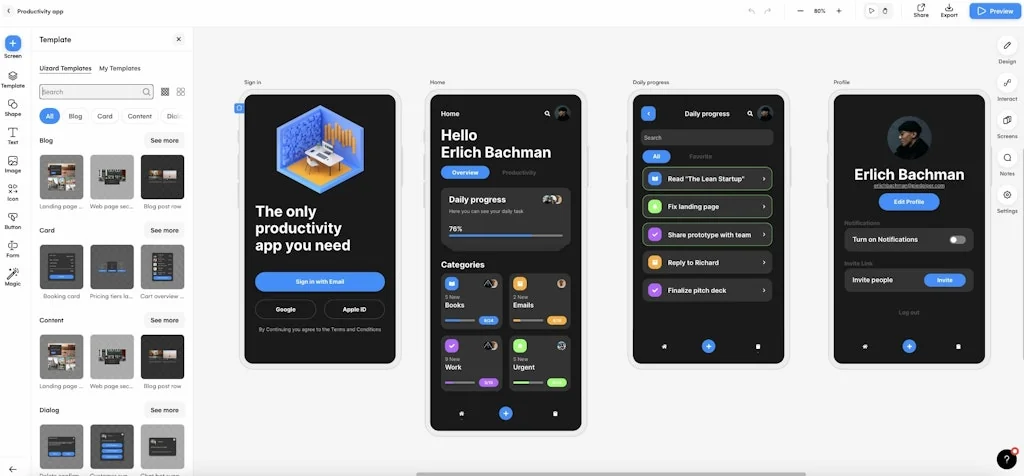
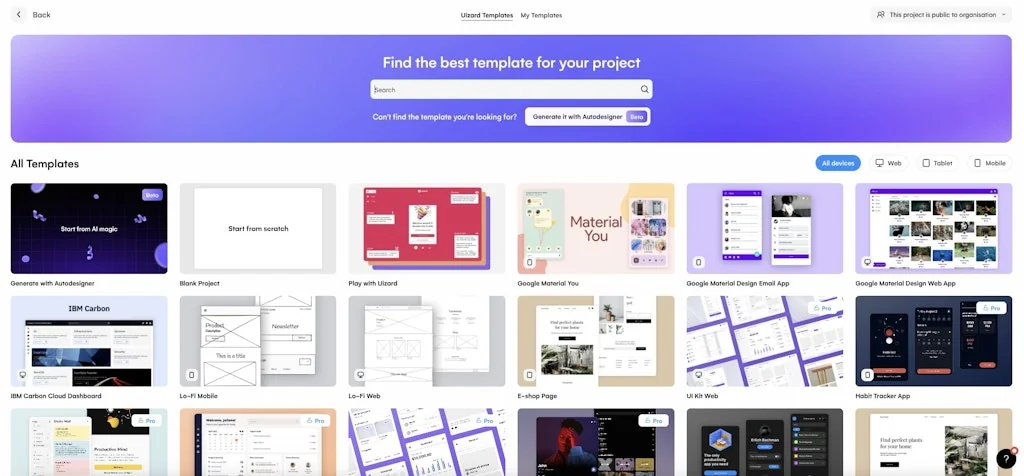
What is Uizard?
Supercharge your productivity. Design at lightning speed. Collaborate in real time. Uizard is a rapid, AI-powered design tool for designing wireframes, mockups, and prototypes in minutes. No design experience? No problem. Take control of the design process like never before with Uizard's easy-to-use, drag-and-drop editor. Sign up for free today.
Pros & Cons
Pros
- AI-powered design
- AI design generation
- Fast prototyping
- Design inspiration
- Export to Figma
- Non-designer friendly
- Real-time collaboration
Cons
- Generic design output
- Deceptive billing practices
- Inaccurate prompt interpretation
- Basic manual design functions
- Poor customer support
Tool Details
| Categories | Wireframing, Interface design tools, AI Designer |
|---|---|
| Website | uizard.io |
| Added | June 9, 2017 |
| Platforms | Web |
| Social | Twitter · Instagram · Facebook · LinkedIn |
Recent Reviews (9)
I have tried some new AI design tools for product design, but this one just blew my mind, and the accuracy is next level really. It returns the product as you describe it 80% and even the design style.
Great product & great team – our product designers love it that I now can throw my (stupid) ideas at them in super high-fidelity 😅🫶
I have literally never used a better software. Uizard has 10x'd our productivity when creating designs, couldn't recommend it more!
Feels like i've been scummed. I watched a video about how it works, made a tour around UI and it felt like its a strong tool to manage design with text prompts. I wasted a lot of time and 20 bucks for subscription to realize thats all it can do is to take 2-3 sentence prompt and generate some very typical template for 3-5 pages with generic landing, generic search page, and generic contact form and add some random text and colors from your prompt. There is even no common structure between generated pages, company logo/title could be different. What I imagined this tool would do is to follow the text prompt commands to change the design, but any attempt to change design leads that it just breaks everything and make some ugly output. Especially if you import from figma or from screenshot. Manual function for design is vary basic, i cant even flip the image horizontally or make some mask. Not a "figma killer" at all. And I see same reviews 2 years ago. Another "fake it till you make it" thing with fancy tutorial videos and interfaces, but empty inside.
I recently tried the Uizard app, which claims to generate UI designs from text prompts. Unfortunately, my experience with the app was quite disappointing. The auto designer feature, in particular, left a lot to be desired. One of the major issues I encountered was the repetitive nature of the designs generated by the app. It seemed like the same design was being shown to me repeatedly, with only minor modifications to color and order. This lack of variety was frustrating, especially considering the app's promise of creating unique designs based on text prompts. Another significant problem I faced was the app's inability to accurately interpret the given prompt. For instance, when I requested an "admin dashboard for an ecommerce website to manage listings and orders," the generated pages were completely irrelevant to the prompt. This discrepancy between the expected outcome and the actual result was highly disappointing. Additionally, the overall impression I got from using the Uizard app was that the company might be using the buzzword of AI to attract customers without delivering on its promises. It felt like a gimmick to collect money rather than a genuinely useful tool. Given my frustrating experience, I decided to unsubscribe from the app immediately. I felt that it was a waste of both time and money, and I would not recommend it to others seeking an efficient UI design generation tool. In summary, the Uizard app's auto designer feature fell short of expectations, offering repetitive designs with minor variations and generating pages that were irrelevant to the provided prompt. It left me with the impression that the app's AI capabilities were more of a marketing ploy than a truly effective solution. I advise others to consider alternative options when looking for a UI design generation tool.
Design generation doesn't work very well, but it would be nice to have this feature in Figma. This product's support team is basically non-existent. They have been wrongfully charging me for more than 7 months now, and claim that they can only refund me for this month, claiming that they "can't find" the email I sent in December 2023 about the false charge issue. Definitely not a tool to trust with corporate use.
Love Uizard's ability to create AI designs and export to Figma now! Some of the designs from the AI generator are a bit generic, or don't include all the details I'm looking for, but I know it will keep getting better. Regardless of the limitations of the beta features - the fact that I can whip up a design that fast as a first draft for ideas, then iterate on it is awesome. Great for inspiration too!
Had a great experience with this new piece! Asked for an app the described the Ben and Jerry flavors and where to buy them, and came back with an a filled with both pictures and text regarding 6 different flavors! And a map screen for where to buy!! Amazing - can’t wait to see where they take it from here.
Incredible. And amazing video demo too
Frequently Asked Questions about Uizard
When did Uizard become popular?
Uizard became popular around June 9, 2017.
What are the main advantages of using Uizard?
The top advantages of Uizard include: AI-powered design, AI design generation, fast prototyping, design inspiration, export to Figma.
What are the disadvantages of Uizard?
Some reported disadvantages of Uizard include: generic design output, deceptive billing practices, inaccurate prompt interpretation, basic manual design functions, poor customer support.
What is Uizard's overall user rating?
Uizard has an overall rating of 4.2/5 based on 12 user reviews.
What type of tool is Uizard?
Uizard belongs to the following categories: Wireframing, Interface design tools, AI Designer.
Related Wireframing Tools

React Proto
React application design and prototyping tool
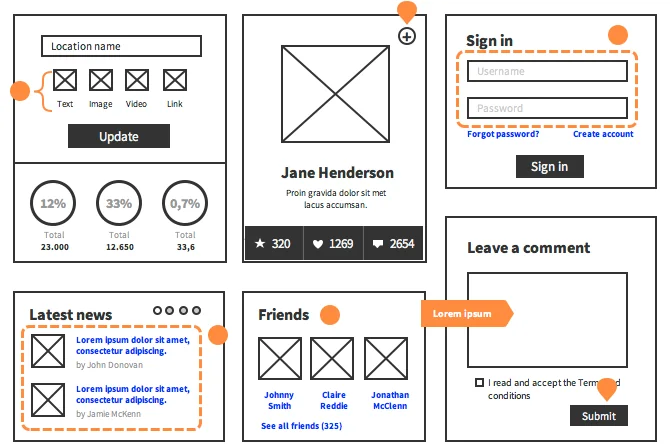
UX Map for Axure RP
Create compelling UX documentation in no time
UXPin
The full-stack UX design platform:

Visily
AI-powered app wireframing & prototyping

Blocks
Your team’s wireframing tool - right from Figma

Wireframer
Cool text for your wireframes
Related Interface design tools Tools

Pagedone
Lightning fast modern designs for your next project

Horizon UI
Free & open-source admin template for React & NextJS

Atomize by Quarkly
Library for creating atomic react components

Design Sight
The missing link between design and development

Toools.design
1,500+ design resources, weekly updated for the community

kickstartDS
The starter kit for Design Systems, Open Source, low-code.
Related AI Designer Tools






Compare Uizard :




Don't Get Fooled by Fake Social Media Videos
The world's first fact checker for social media. Paste any link and get an instant credibility score with sources.
Try FactCheckTool Free