
What is VS Code?
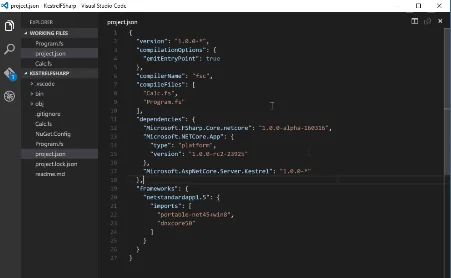
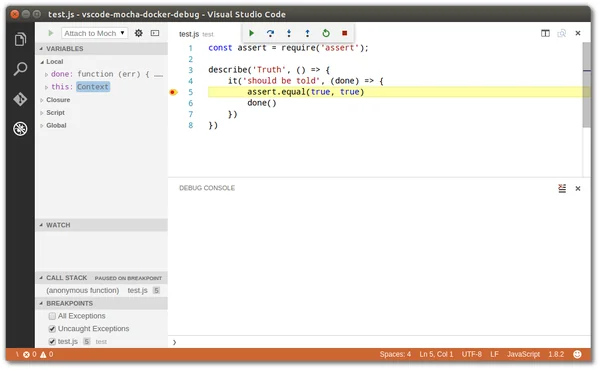
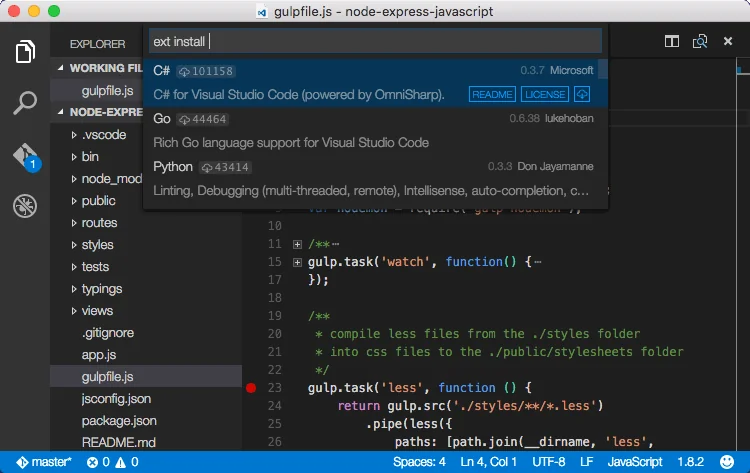
Visual Studio Code is a code editor redefined and optimized for building and debugging modern web and cloud applications.
Pros & Cons
Pros
- Extensive extension library
- Fast performance
- Lightweight
- Community plugins
- Customizable interface
- Git integration
- Free tier
- Debugging tools
- IntelliSense
- AI autocomplete
- Cross-platform
- Integrated terminal
- Open source
- Context aware
Cons
- High memory usage
- AI autocomplete
- Complex setup
- Debugging tools
- Integrated terminal
- Proprietary
- Slow performance
Tool Details
| Categories | Code editors |
|---|---|
| Website | code.visualstudio.com |
| Added | April 29, 2015 |
| Platforms | Web |
| Social |
Recent Reviews (13)
Visual Studio Code was the backbone of YT Speed Controller's development. Its powerful JavaScript editing capabilities, extension ecosystem, and integrated terminal made coding efficient and enjoyable. Features like IntelliSense and live debugging were crucial for creating a reliable, bug-free extension.
free and compatible with many OS. Execute fast on the computer. with nice plugin such as live server and Github copilot, that I use all the time. I Also like the design, autosave feature, code cleaning, and the possibility of language that understand, from HTML, CSS/SCSS/LASS, PHP, JSON/JS, SQL and more.
Great support for TypeScript, but also great extensions for languages like Go and Rust. I like that it's lightweight from the start, and you can make the editor more full-featured with extensions, but it's up to you.
VS Code is an exceptional code editor that strikes the perfect balance between performance, flexibility, and ease of use. Whether you’re working with JavaScript, Python, C++, or any other language, VS Code offers powerful built-in features and a vast extensions marketplace to enhance productivity. The customization options are impressive, allowing developers to tweak themes, keyboard shortcuts, and settings for a personalized workflow. The Git integration and debugging tools are some of the best in any editor. The Live Share feature makes pair programming and real-time collaboration incredibly smooth. Sometimes, it can feel sluggish when running too many extensions, but overall, it’s still the best free editor available. Whether for web development, software engineering, or data science, VS Code is an essential tool for every developer.
Really great, we moved our team over to VSCode from Eclipse and we're all very happy with it. The third party app library is very extensive and we've found quality plugins for what we need pretty much every time. It integrates very well with all our tech stack and has helped us speed up development with sensible shortcuts, great search/find capability. The only bug bear is debugging, the debugger is great, but we're struggling to be able to make the debugger listen for multiple processes that wish to attach to it. If there's a VSCode python debugging guru out there that can straighten this out, then this review might get an extra star.
I switched from Sublime and also tried others previously (Atom, Coda, BBEdit, PhpStorm). VS Code has all the features I need or didn't even think I'd need until I tried it but it never feels too cluttered. Copilot integration to me is currently the main thing that would keep me from switching. However, Copilot is still in active development and has its quirks. We'll see how VS Code will change in the future.
VS Code is my favorite code editor by far. It is lightweight, fast, and super customizable. I love the built-in terminal, Git integration, and the wide range of extensions for everything from debugging to theming. IntelliSense and autocomplete save me a ton of time. It works great for JavaScript, TypeScript, Python, and more, perfect for my development workflow.
I love using VS Code for my data science work. The extensions are where VS Code excels. I'd recommend Python, Code Runner, Docker, Jupyter, Live Share, Prettier Rainbow CSV, and AWS Toolkit (if you use AWS). Once these are installed, data science in VS Code is a great experience. You can handle any data and view results without having to move programs. If you're in data science you need VS Code.
My constant companion in writing code. Allowing me to chop and change my development experience to each project I work on. The shame is that parts of the tool are proprietary and clunky. For instance, the remote tools consistently expect to download the server-side-component, sometimes multiple times a day.
I'm not sure I'll ever use another IDE again. I came from a background where Visual Studio was the go-to, but it was always so heavy and resource intensive. Once I switched to VSCode, I was hooked. It's light, easily customizable, and fully integrates with git!
Lightweight and fast: VS Code is a lightweight code editor that starts up quickly and runs smoothly. This makes it ideal for everyday use, even on older or less powerful computers. Cross-platform: VS Code is available for Windows, macOS, and Linux, making it a good choice for developers who work on multiple platforms. Highly extensible: VS Code has a large and active community of developers who create extensions that add new features and functionality to the editor. This makes it possible to customize VS Code to meet your specific needs. Supports a wide range of programming languages: VS Code has built-in support for a wide range of programming languages, including Python, Java, JavaScript, C/C++, C#, and many more. It also has extensions available for additional languages and frameworks. Rich set of features: VS Code includes a rich set of features for code editing and development, such as syntax highlighting, auto-completion, code refactoring, debugging, and integration with popular version control systems.
One of the very few apps where I'd give it a 5/5. It does what it needs to do. No adverts, no premium. Has multi window support. Has git integrations, extensions, and themes. Excellent!
Visual Studio Code is an incredible code editor that provides a productive and seamless coding experience. As a development tool, it offers many functionalities that help developers write better code more efficiently. The code editor is designed to be user-friendly and visually appealing, making navigating and understanding your code easy. One of the greatest benefits of using VS Code is its powerful extensions, allowing developers to customize their editor to fit their needs. These extensions can help with various tasks such as debugging, code analysis, and code formatting, saving time and improving the code's overall quality. Another fantastic feature of VS Code is its ability to work with multiple languages, making it a one-stop shop for developers. The editor supports various programming languages, including Python, Java, and JavaScript. Visual Studio Code is an excellent code editor with advanced functionality, customized configurations, and an incredible user experience. Unsurprisingly, it has become one of the most popular code editors in the world among developers.
Frequently Asked Questions about VS Code
When did VS Code become popular?
VS Code became popular around April 29, 2015.
What are the main advantages of using VS Code?
The top advantages of VS Code include: extensive extension library, fast performance, lightweight, community plugins, customizable interface.
What are the disadvantages of VS Code?
Some reported disadvantages of VS Code include: high memory usage, AI autocomplete, complex setup, debugging tools, integrated terminal.
What is VS Code's overall user rating?
VS Code has an overall rating of 4.9/5 based on 218 user reviews.
What type of tool is VS Code?
VS Code belongs to the following categories: Code editors.
Related Code editors Tools

shell.how
Explain how your shell command works

Cursor Convo Export extension
Effortlessly save & revive your Cursor AI chats

Redactor
Flexible, extensible javascript WYSIWYG editor

Quill
Your powerful rich text editor.

CodeViz (YC S24)
Interactive visual maps of your codebase in VS Code

VSC Links
Create your own content-aware file/http links within VSCode.
Compare VS Code :





Don't Get Fooled by Fake Social Media Videos
The world's first fact checker for social media. Paste any link and get an instant credibility score with sources.
Try FactCheckTool Free