

Hoverify
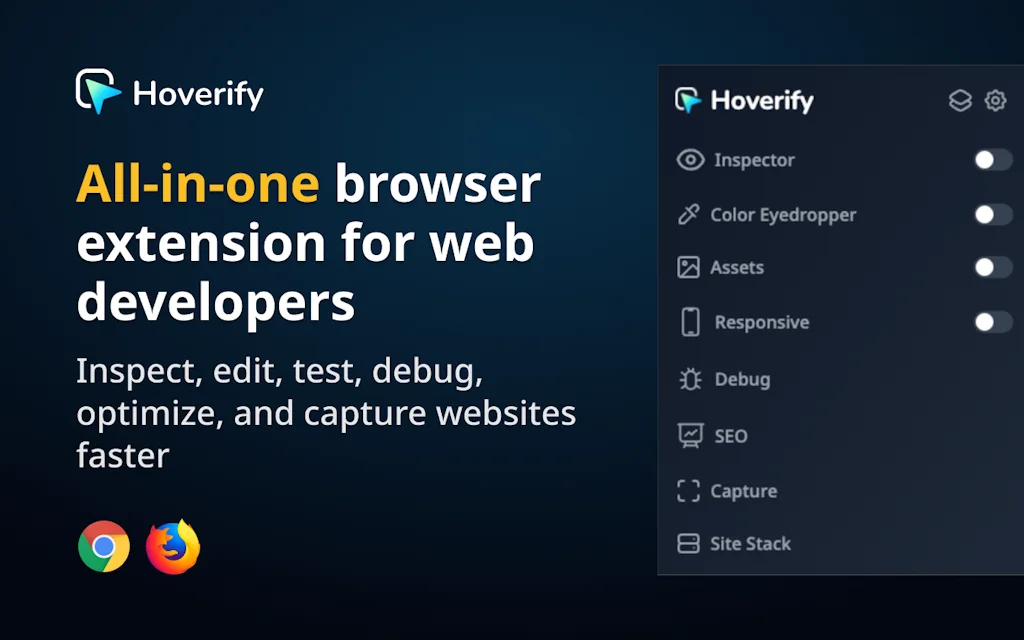
All-in-one browser extension for web developers/designers
What is Hoverify?
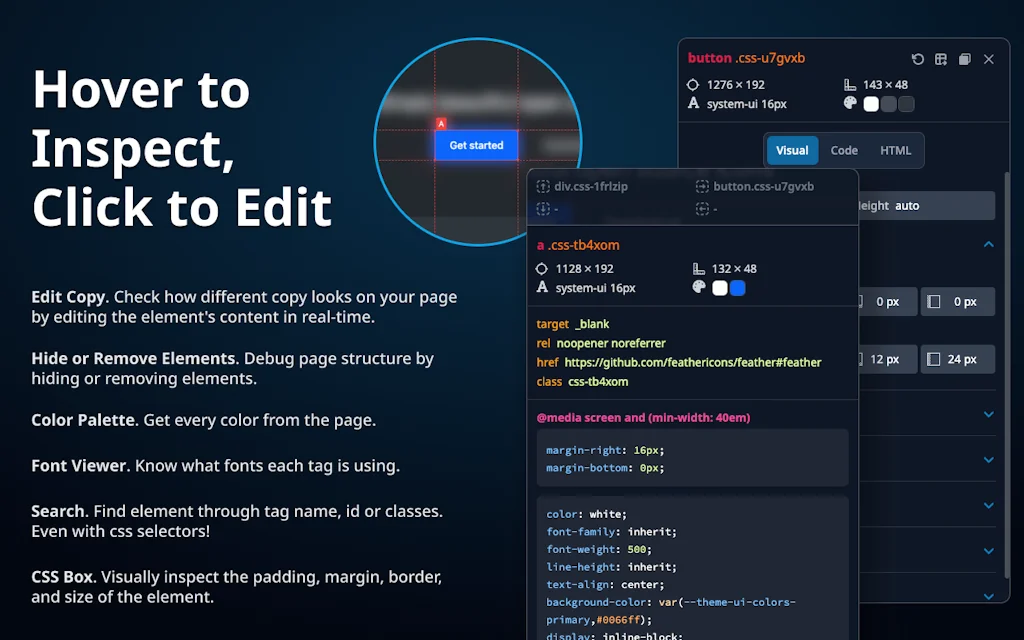
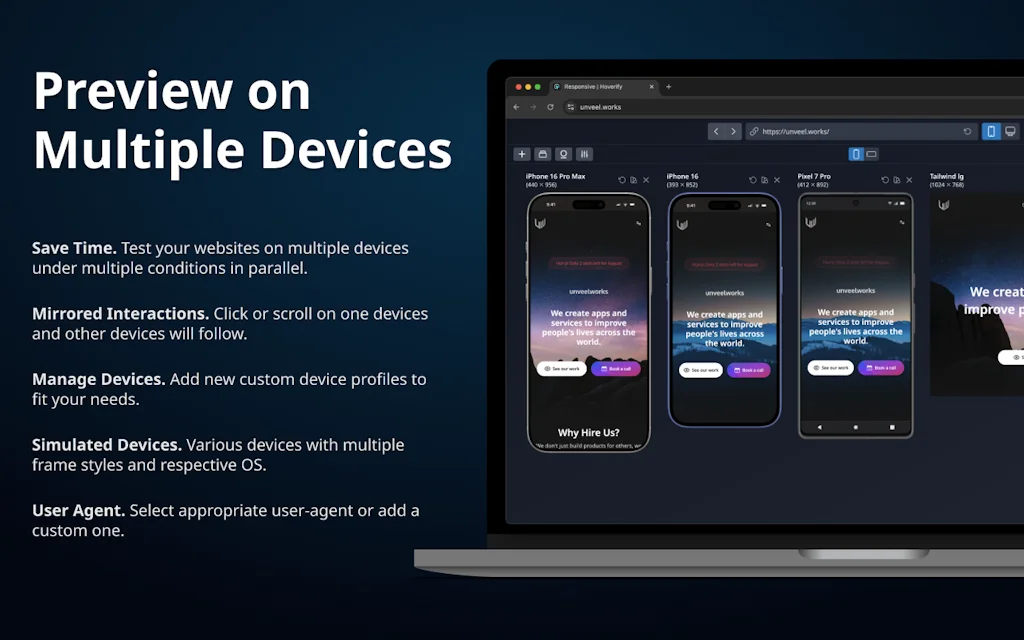
Supercharge your web development workflow with an all-in-one browser extension that helps you inspect, edit, test, debug, capture, and optimize websites faster.
Pros & Cons
Pros
- Time-saving
- Frequent updates
- Screenshot capture
- All-in-one platform
- CSS live editing
- Responsive testing
- Clean interface
- Color picker
- Reliable performance
- Accessibility checks
- Affordable pricing
- Asset extraction
- Fast performance
- Lightweight
- SEO optimization
Tool Details
| Categories | Design & Creative, Engineering & Development, Chrome Extensions |
|---|---|
| Website | tryhoverify.com |
| Added | March 29, 2020 |
| Platforms | Web |
| Social | Twitter · Instagram · Facebook |
Recent Reviews (7)
I couldn't agree more: Hoverify is such a useful toolbox that I use it every day. I highly recommend it, not only because the Inspector tool is great, but also because many other quick tools, such as the color eyedropper, site stack info, screenshot tool (and whatnot) make life much easier. I would say that Hoverify is a tool that you only really miss once you've used it and then don't have access to it—something you take for granted in your everyday work, something you use so often that you hardly notice how useful it really is.
I don't usually write reviews, but I have to make an exception for Hoverify. This extension has single-handedly replaced at least 5 other tools I was using. It's the true "all-in-one" Swiss Army knife for anyone who builds or designs for the web. The ability to inspect elements, check responsiveness across multiple devices at once, grab colors, and even debug on the fly without ever leaving the tab is incredible. The UI is clean, intuitive, and lightning-fast. It's a paid tool, but the amount of time and frustration it saves me makes it worth every single penny. If you are a web developer or designer, do yourself a favor and get this. It's a phenomenal product.
I’ve been an early adopter of Hoverify, and as a nocoder it’s become one of my essential daily tools. What I really like is how it simplifies all the fiddly, browser-based tasks that normally slow me down — inspecting elements, tweaking CSS, testing responsiveness, checking accessibility, grabbing assets. Instead of juggling multiple extensions or developer tools, it’s all bundled neatly into one clean interface. The speed difference is huge: what used to take me minutes of poking around in DevTools, I now do in seconds. That means more time focusing on building, testing, and shipping. The fact that it’s built with no-code builders and indie hackers in mind really shows. It’s lightweight, intuitive, and doesn’t feel like overkill (which a lot of “pro” tools often do). For anyone working in no-code, web design, or just looking to streamline their dev workflow, I can’t recommend it enough. I use it every single day and honestly can’t imagine going back.
I was an early supporter and don't regret the investment on bit. The improvements over time have been exactly what customers ask for and then some. I use it every day from checking responsive quick checks to tool stacks and easily making code changes to any site. And the extras like SEO and Capture are the best additions.
Hoverify is an essential tool for web developers and designers. I’ve been using it for 3 years, and it consistently saves me time. The new 4.0 version is a fantastic upgrade, making the workflow even smoother. Highly recommended!
A great tool for frontend web developers and designers. The responsive preview tool alone is worth the cost, not to mention the live edit and preview of css. No doubt the best browser based tool I have in my tool belt.
I use Hoverify every day for my business. It's quite essential! The developer is very active in fixing bugs and improving the QOL of the product!
Frequently Asked Questions about Hoverify
When did Hoverify become popular?
Hoverify became popular around March 29, 2020.
What are the main advantages of using Hoverify?
The top advantages of Hoverify include: time-saving, frequent updates, screenshot capture, all-in-one platform, CSS live editing.
What is Hoverify's overall user rating?
Hoverify has an overall rating of 5.0/5 based on 7 user reviews.
What type of tool is Hoverify?
Hoverify belongs to the following categories: Design & Creative, Engineering & Development, Chrome Extensions.
Related Design & Creative Tools
Rotato
3D mockup images and movies in minutes

Brick 1100
Transform your smartphone into a classic brick phone

DASCA
Creative effects processor for designers

Kanai
Kanai: 3D room scans + AI furniture models for easy design

Travel Wrapped
Turn your year of travel into a shareable infographic

Photoleap Editor by Lightricks
You’ll never believe what you can create on your iPhone
Related Engineering & Development Tools

Bunnyshell
Self-service Cloud Development Environments

useHooks(🐠)
One new React Hook recipe every day

GanttTool
Online project Gantt charts builder with instant exports

Wendy Dean
Maker of things

React
The library for web and native user interfaces

Tailwind CSS
A utility-first CSS framework for rapid UI development
Related Chrome Extensions Tools

Nyan Cat Progress Bar
Your YouTube progress bar with a rainbow blast of nostalgia

Gemini Sidepanel
Use Gemini AI in Chrome's new sticky sidepanel

Global Sync Meetings
Schedule meetings across timezones with ease!
Tab Deck
Your all-in-one browser tab/tab group manager.

Showgoers
Watch Netflix with friends remotely

365 Design Tips
Every tab a new design tip!
Compare Hoverify :





Don't Get Fooled by Fake Social Media Videos
The world's first fact checker for social media. Paste any link and get an instant credibility score with sources.
Try FactCheckTool Free