
Microsoft Outlook for iOS
Official Microsoft Outlook app designed for iPhone and iPad
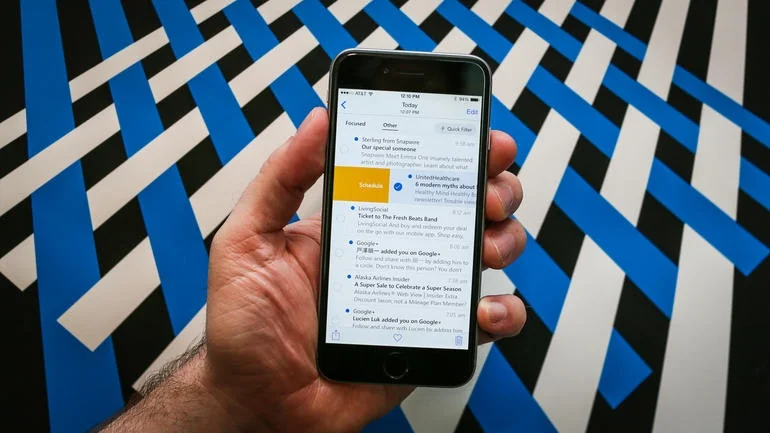
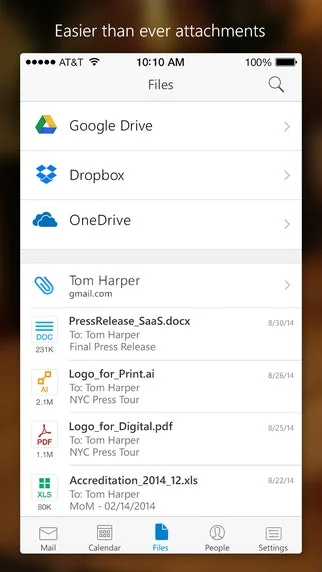

Pros & Cons
Pros
- Organization tools
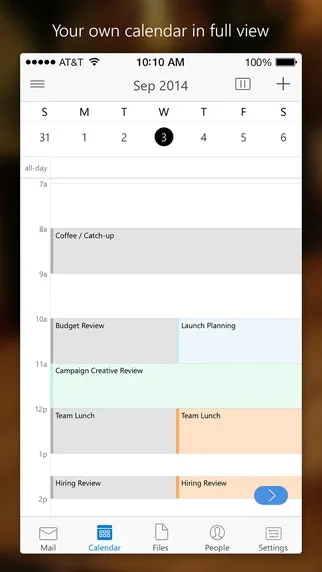
- Email and calendar features
- Calendar integration
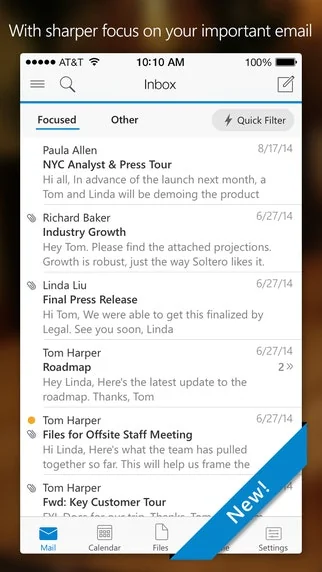
- Improved search function
- Integration with Microsoft 365
- Calendar reminders
- Color coding messages
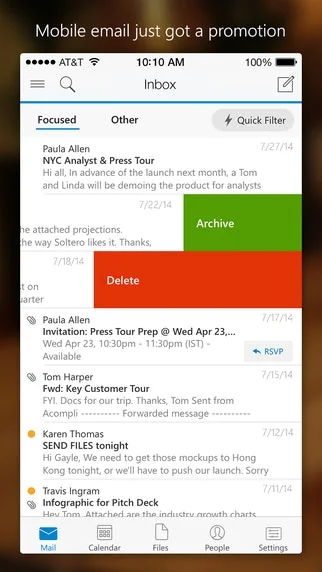
- Intelligent email
- Reliable team communication
- Sync across devices
Cons
- Cluttered interface
- Default reply-all
- Lags with large inboxes
- Outdated interface
- Syncing delays
Tool Details
| Categories | Email clients, Mobile editing apps |
|---|---|
| Website | itunes.apple.com |
| Added | January 29, 2015 |
| Platforms | Web · iOS |
Recent Reviews (8)
Great product
Outlook offers robust email and calendar features, making it great for professional use. Integration with Microsoft 365 is seamless, and organization tools are strong. However, the interface can feel cluttered, and it takes time to get used to all the features. Overall, it's a reliable choice for business communication.
I find Outlook reliable for team communication. I review my inbox each morning and flag urgent items. I personally color code messages to stay organized. Sometimes syncing across mobile devices takes extra time. Yet its calendar integration boosts our efficiency. I recommend Outlook for teams who need structure.
I use Outlook daily to coordinate email and calendar for my team. I schedule meetings directly within the inbox. I personally categorize messages using folders for easy reference. It syncs seamlessly across my devices. My team now depends on its integrated tools for scheduling and follow up.
I use Microsoft Outlook daily, and I appreciate how it efficiently manages my emails, calendar, and tasks all in one place. The integration with other Microsoft apps is a big plus. However, the interface can sometimes feel outdated, and it occasionally lags when handling large inboxes. Despite these issues, it remains a reliable tool for staying organized.
It's getting better over time and search function in email is improving.
Its quite useful for me and is quite effective. It has improved a lot from earlier versions and the search is more effective now. Overall quite a good product and highly useful
Fantastic. Organised emails, social and business, Makes me more efficient,
Frequently Asked Questions about Microsoft Outlook for iOS
When did Microsoft Outlook for iOS become popular?
Microsoft Outlook for iOS became popular around January 29, 2015.
What are the main advantages of using Microsoft Outlook for iOS?
The top advantages of Microsoft Outlook for iOS include: organization tools, email and calendar features, calendar integration, improved search function, integration with Microsoft 365.
What are the disadvantages of Microsoft Outlook for iOS?
Some reported disadvantages of Microsoft Outlook for iOS include: cluttered interface, default reply-all, lags with large inboxes, outdated interface, syncing delays.
What is Microsoft Outlook for iOS's overall user rating?
Microsoft Outlook for iOS has an overall rating of 4.4/5 based on 8 user reviews.
Is Microsoft Outlook for iOS available on mobile devices?
Yes, Microsoft Outlook for iOS is available on iOS (App Store).
What type of tool is Microsoft Outlook for iOS?
Microsoft Outlook for iOS belongs to the following categories: Email clients, Mobile editing apps.
Related Email clients Tools

FeaturePanel
Get your customers back to you

Gmail Unsubscriber
Open source alternative to Unroll.me for Gmail

Hypertype
Write emails 10x faster using AI + your own information

Allyson
Your AI Executive Assistant

Hiver
Making email collaboration a delightful experience for teams

Happenstance
Meet a random human being every month by email
Related Mobile editing apps Tools

Notion to Mobile Cards by CoDo
Deliver your Notion doc as mobile cards via SMS

Photo Tape
Effortless Photo Collage

Kodika.io
Build powerful iOS apps on your iPad with no code.

Screencut: Screenshot editor
Create amazing screenshots for viral tweets in 2 clicks

FieldDay
Create custom vision AI apps, using just your phone.

Pi Charging
The world's first contactless, wireless charger.
Compare Microsoft Outlook for iOS :





Don't Get Fooled by Fake Social Media Videos
The world's first fact checker for social media. Paste any link and get an instant credibility score with sources.
Try FactCheckTool Free