
What is Kerlig AI?
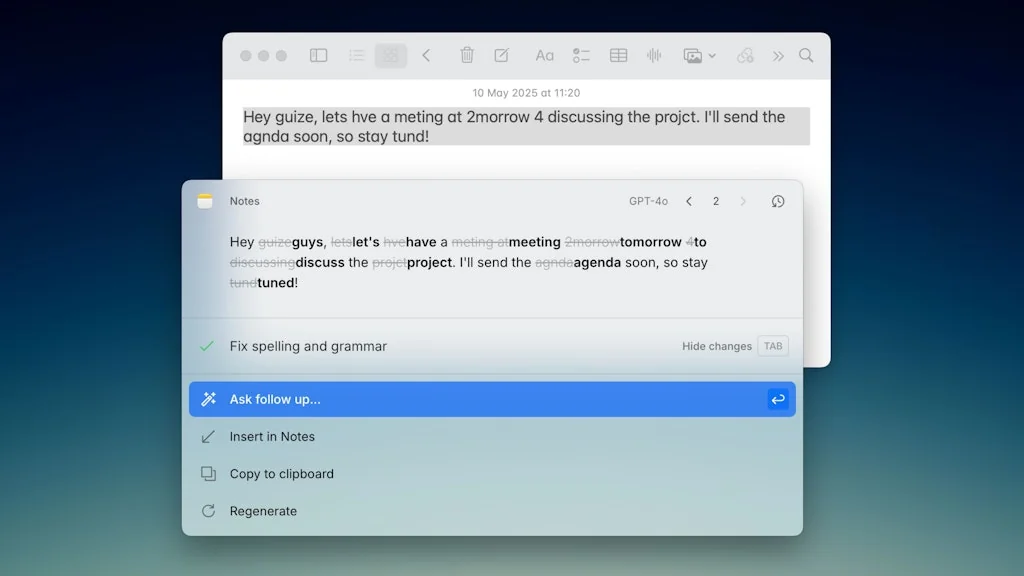
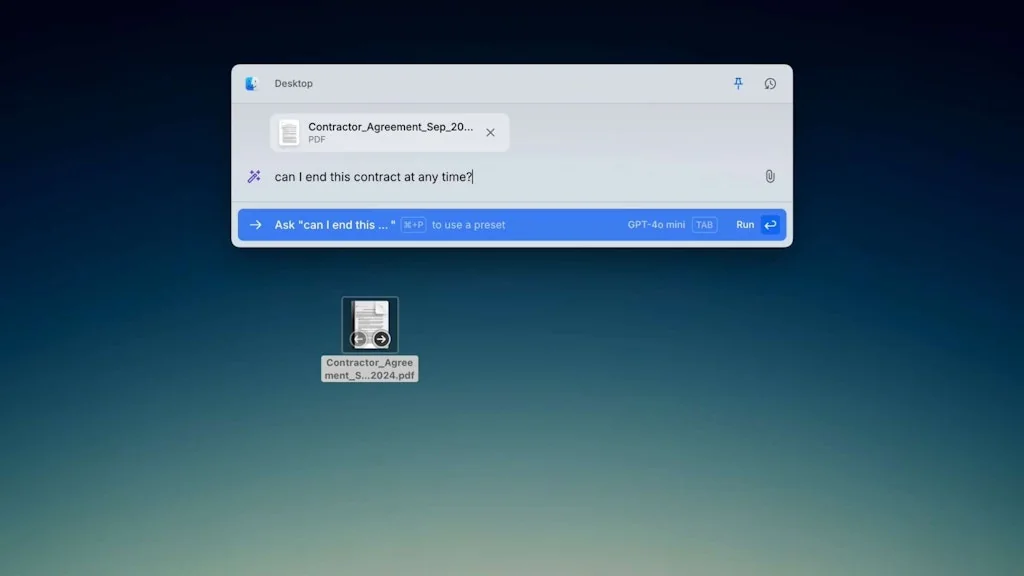
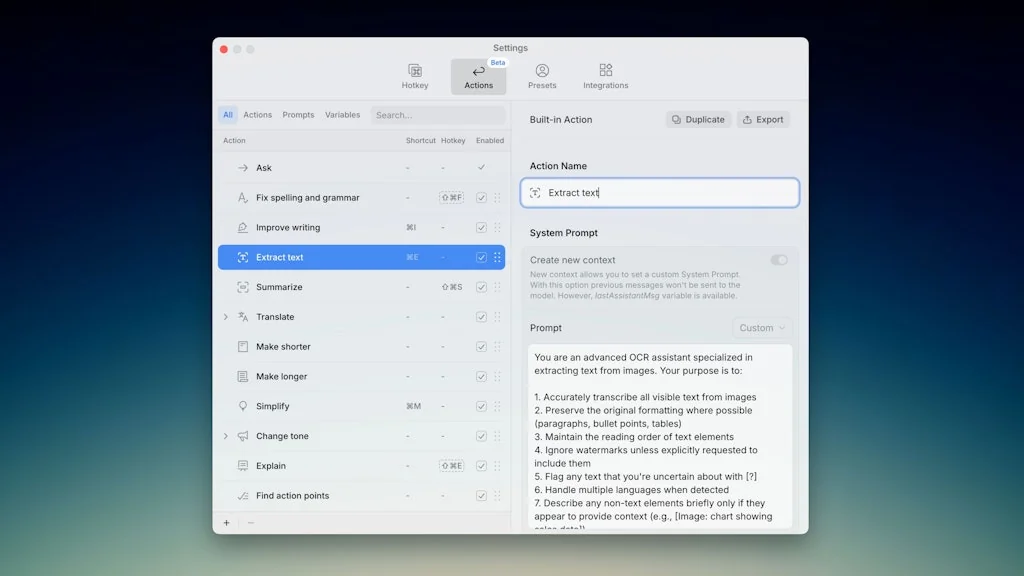
Kerlig is a writing assistant that brings AI to any app on macOS. Write replies on Slack and Mail using your tone of voice. Fix spelling before sending a message. Summarize websites and articles. Chat with PDFs, eBooks and documents. Improve copy in Figma. Translate to any language. Change tone and more!
Pros & Cons
Pros
- Clean user interface
- Easy to use
- Fast performance
- Grammar check
- Multiple AI models
- Seamless experience
- Shortcuts
- Time-saving
- Active development
- API integration
- Customizable prompts
- Inline chat assistant
- MacOS integration
- Real-time support
Tool Details
| Categories | LLMs, Writing assistants, Slack apps |
|---|---|
| Website | www.kerlig.com |
| Added | June 3, 2024 |
| Platforms | Web |
| Social |
Recent Reviews (7)
Kerlig has been a game changer in how I interact with LLMs. The claims are true — it reduces the need for context switching to get AI answers or completions. No more copy-pasting; I simply ask about the content, and if I want to use the response, I just select "Insert in [focused app]." I’ve tested just about every tool out there: ChatGPT for macOS, BoltAI, Elephas, Plus AI, TypingMind, and multiple Raycast extensions. Nothing comes close to the seamless experience Kerlig offers. The integration with macOS is seamless, making it feel like a native part of the system. It’s lightning-fast and incredibly intuitive. Kerlig has genuinely made using AI models so much easier for me! Every other app has been annoying, complicated, slow or any other drawback. Not Kerlig. Highly, highly recommended!
As a non-native English speaker and a student, writing clearly and professionally in English has always been a challenge for me, especially under pressure with deadlines and complex topics to cover. Since I started using Kerlig AI, especially by connecting it with my ChatGPT API, the difference has been incredible. It helps me polish my grammar, improve sentence structure, and express my ideas more naturally. Whether I’m writing essays, reports, or just organizing thoughts, Kerlig AI gives me real-time support that feels like having a personal editor and academic guide by my side. It also saves me hours of research by summarizing content and offering useful suggestions instantly. The interface is clean and easy to use, which makes it even more enjoyable to work with. Honestly, if they keep improving the API integration, it could become one of the best AI tools out there for students like me. It’s not just a writing assistant, it’s a confidence booster and a time-saver that’s made a huge impact on my academic life.
I've been using Kerlig for a while now, and I have to say, I'm really impressed. The user interface is great – it's clean and easy to use. I love that I can customize prompts to fit my needs. The shortcuts and intuitive design make it super easy to get things done quickly. As a student whose first language isn't English, I especially appreciate the grammar check feature. It's been a huge help in improving my writing. Thanks to the team for creating such an amazing app!
Kerlig AI is a game-changer for anyone who writes regularly. I've found it to be an invaluable tool that truly enhances the quality of my work. The AI's ability to provide context-aware suggestions not only corrects errors but also elevates my writing style. What I appreciate most is how intuitive the interface is. I can quickly edit and refine my drafts without losing my flow. The time-saving features have allowed me to focus on creativity rather than getting caught up in the minutiae of writing. I've seen a significant boost in my productivity, making Kerlig AI a must-have in my writing arsenal. I highly recommend it for anyone looking to streamline their writing process!"
Have been looking for an inline chat assistant for a while now—tried out a bunch of different tools, but I think this is the one I’ll stick with. Having an active developer and a super simple UX really makes a difference. It just fits right into your flow. You can tell it’s built with shortcuts and speed in mind—feels super seamless to use.
I have been using Kerlig as a Grammarly alternative. So far so good. I like that you can customise different actions and prompts so I can adapt it to my different writing contexts and styles (from drafting an email to polish an abstract or an article). Beautify UI and very easy to use.
Love it! Fluid UI/UX and you can use multiple models(including ollama meaning you don't even have to pay for other models).
Frequently Asked Questions about Kerlig AI
When did Kerlig AI become popular?
Kerlig AI became popular around June 3, 2024.
What are the main advantages of using Kerlig AI?
The top advantages of Kerlig AI include: clean user interface, easy to use, fast performance, grammar check, multiple AI models.
What is Kerlig AI's overall user rating?
Kerlig AI has an overall rating of 5.0/5 based on 7 user reviews.
What type of tool is Kerlig AI?
Kerlig AI belongs to the following categories: LLMs, Writing assistants, Slack apps.
Related LLMs Tools

AutoGPT - An Autonomous GPT-4
AutoGPT in the browser

ChatGPT by OpenAI
Get answers. Find inspiration. Be more productive.

Langchain
LangChain’s suite of products supports AI development

Prompto
Interact with various LLMs in your browser

Lex
AI-powered word processor, to help you write faster

AI Assistant
your own personal AI
Related Writing assistants Tools




Related Slack apps Tools

Weekend Club
The weekend co-working club for bootstrappers to ship faster

Teamble
Simple, continuous, and actionable feedback on Slack & Teams
Halp
Ticketing, powered by your Slack conversations

BotList 2.0
The best bots for Messenger, Slack, Alexa, Discord and more

Matter
Make Team Recognition & Rewards Fun - all inside Slack or Microsoft Teams

Twist
Tame chaotic teamwork with Twist
Compare Kerlig AI :




Don't Get Fooled by Fake Social Media Videos
The world's first fact checker for social media. Paste any link and get an instant credibility score with sources.
Try FactCheckTool Free