
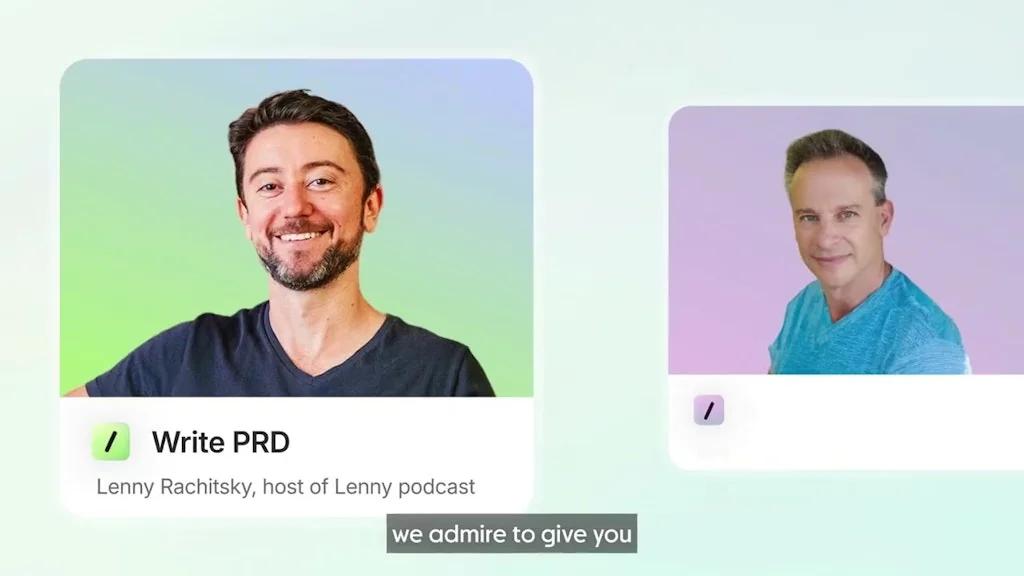
What is Granola?
Granola is an AI-powered notepad that makes taking & using meeting notes a breeze. It blends your own notes with smart transcription to capture every detail. Granola transcribes your computer's audio directly, with no meeting bots joining your call.
Pros & Cons
Pros
- AI transcription
- Meeting summaries
- Minimalist UI
- Action items generation
- Manual notes blending
- Mobile app
- No meeting joining
- Transcription accuracy
- Note sharing
- Quick setup
- Workflow integration
- CRM integration
Cons
- Battery drain
- Contact support
- Project management integration
- Quick setup
Tool Details
| Categories | Meeting software, AI notetakers |
|---|---|
| Website | www.granola.so |
| Added | May 22, 2024 |
| Platforms | Web · iOS |
| Social |
Recent Reviews (13)
Granola is a recent addition to our productivity stack and has been awesome for us. It, is simply put, the best AI notetaker on the market. We especially love the action items it generates – they are spot on every time.
Great summaries, minimalist UI, team iterating quickly in collaboration with the community. My only concerns are around quick laptop battery drain when truly in back to back meetings.
May Granola is great for English, howerver, it doesn't work for Chinese. It would be great to support Chinese.
I’ve been using Granola for a week, and it’s honestly a game-changer. I love how it automatically summarizes my calls and captures the key points without me needing to take notes. The AI does a great job understanding context — way better than simple transcription tools I’ve tried before. It helps me stay focused during meetings instead of typing nonstop. I can quickly review action items afterward, and the summaries are surprisingly accurate. Totally worth trying if you have back-to-back meetings every day!
I found Granola about 3 weeks ago and now consider it a staple in my Project Management tool-kit. The fact that it doesn't join a meeting, rather uses my computer speaker to record means I never miss out on capturing any important info. I've just downloaded it to mobile and had my first in person meeting today - My client said "you're not taking notes" to which I said "no i'm not, but granola is". She downloaded it on the spot! Highly recommend if you're looking for a way to stay organized and want actionable items from any meeting.
I have tried many top conference recording products, including Zoom, Otter.ai, Outreach, Fathom, Chorus, Gong, and several others. However, I find that Granola Web and Mobile is far superior for taking notes and creating transcripts for several reasons: - It works seamlessly across all conference software. - It doesn’t record, so there's no need to interrupt attendees. - It takes accurate notes. - For in-person meetings, the mobile app is just as precise as the web version. - They now offer folders to help keep notes better organized. Overall, the value of Granola far exceeds its price.
Has changed my workflow. No more Ai Notetakers getting added to meetings, it sits on my desktop and doesn't have to integrate with anything - it just lives. For back-to-back meetings it's helped so much and I ensure I say what the tasks are for everyone in the meeting and next steps then Granola helps me craft emails and tasks for my team so much faster than me taking notes in the meetings. Can't live without it at this point.
I've been using it with my Google Workspace account, but wanted my wife to use it, but their org uses Microsoft Outlook and trying to hook it to her personal Gmail account failed. This is a must-solve issue for the product to fully take off. Personally I've had a great experience and does the notetaking and summarizing really well!
Granola is incredibly handy! I love how 'smart' the notes feel—concise, well-structured, and free of unnecessary repetition. It really helps me stay focused on conversations without losing track of key action points. For people who have non-stop meetings with repetitive focus, it's a blessing.
The interaction design of this tool is thoughtful. Button feedback and operation hints are clear, and when something goes wrong, it’s easy to spot the issue. But there’s occasional lag when switching between multiple functions; hope that gets fixed later.
Granola is literally my meeting companion wherever I go. The iOS app is a must for in-person meetings.
Я долго искала приложение, которое поможет сделать жизнь удобнее и сэкономить время. И наконец-то нашла то, что искала! Очень довольна использованием этого приложения. Во-первых, оно невероятно удобно и интуитивно понятное для меня. Во-вторых, особенно приятно, что мои хаотичные заметки могут легко дополнить и структурировать ИИ и это прекрасно.
Incredible product and my new must-have for work productivity. Easy to use, clean, simple. Helps me focus on my meetings and not on taking notes (and the responses are leaps better than Zoom AI's Assistant). I can easily share notes with others and return to them later to ask additional questions. It is really a terrific product.
Frequently Asked Questions about Granola
When did Granola become popular?
Granola became popular around May 22, 2024.
What are the main advantages of using Granola?
The top advantages of Granola include: AI transcription, meeting summaries, minimalist UI, action items generation, manual notes blending.
What are the disadvantages of Granola?
Some reported disadvantages of Granola include: battery drain, contact support, project management integration, quick setup.
What is Granola's overall user rating?
Granola has an overall rating of 4.8/5 based on 39 user reviews.
Is Granola available on mobile devices?
Yes, Granola is available on iOS (App Store).
What type of tool is Granola?
Granola belongs to the following categories: Meeting software, AI notetakers.
Related Meeting software Tools
Tactiq
AI Notetaker that summarizes meetings in real time

Stenote
Super easy meeting and lecture notes

Anytalk
Real-time video and audio translation app
Postpace
The true pace of an efficient video Workflow

Simplora
The agentic system for live decision support during meetings

Vibely
Record Zoom Calls 10x Cheaper Than Gong
Related AI notetakers Tools

Augment 1x
Augment yourself in meetings, exams, and interviews

Backtrack 2.0
Record any meeting backwards & generate AI notes.
Saner.AI
AI Assistant for ADHDer
Interviewell
AI Interview Assistant built for Busy Hiring Managers

The New Microsoft Copilot
Your AI Companion
remio - Your Personal ChatGPT
Assistant intergrated all your info channels
Compare Granola :




Don't Get Fooled by Fake Social Media Videos
The world's first fact checker for social media. Paste any link and get an instant credibility score with sources.
Try FactCheckTool Free