

Logseq
A privacy-first, open-source knowledge base
What is Logseq?
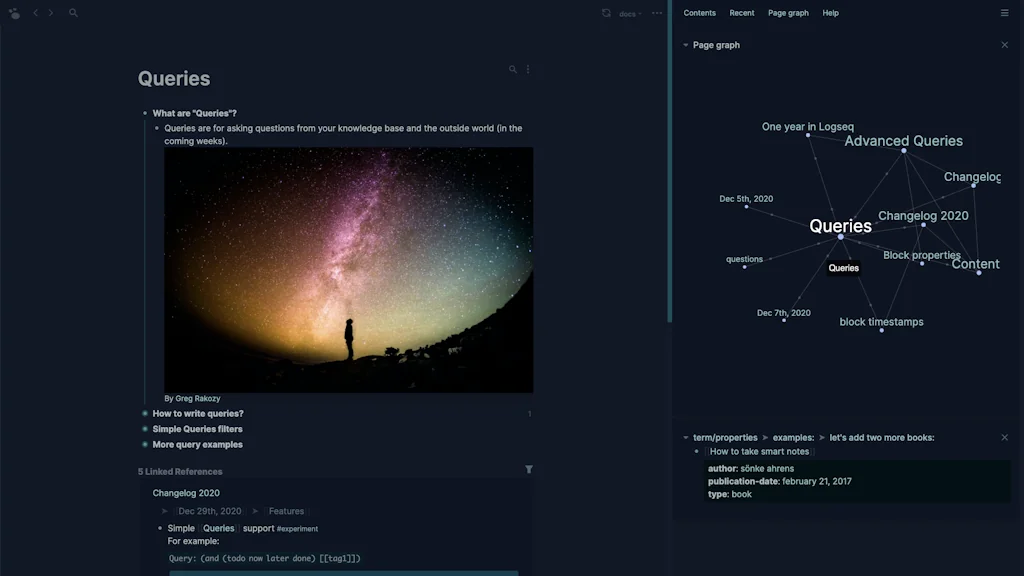
Logseq is a joyful, open-source outliner that works on top of local plain-text Markdown and Org-mode files. Use it to write, organize and share your thoughts, keep your to-do list, and build your own digital garden.
Pros & Cons
Pros
- Open source
- Community plugins
- Bi-directional linking
- Free tier
- Active community
- Daily journal feature
- Local storage
- Markdown support
- PDF annotation
- Flashcards
- Git integration
- Ai assistant
- Ai features
- Ai notes
- Ai-based content generation
- Ai-generated summaries
- Api integration
- Community building
- Customization options
- Data enrichment
- Data sovereignty
- Data sovereignty and security
- Data visualization
- Data-driven decision making
- Database functionality
- Easy configuration
- Growing userbase
- Inspiration for pkm
- Intuitive interface
- Knowledge base
- Large database
- Mcp server setup
- Mcp support
- Mind-mapping
- Multiple ai models
- No coding required
- Note-taking
- Quick setup
- Rapid ui development
- Regular updates
- Simple ui
- Sovereign ai
- User friendly
- User-friendly interface
Cons
- Learning curve
- UI/UX issues
- Slow performance
- Sync issues
- Data loss concerns
- At least until today (2025-12-08): unlike logseq markdown, logseq database has a frustrating regression affecting multi-nested node-titles (such as "[[[[a]]·[[b]]]]·[[[[c]]·[[d]]]]") showing their nested nodes' uuid instead of their nested nodes' titles... :-/
Tool Details
| Categories | Note and writing apps, Knowledge base software, Online learning |
|---|---|
| Website | logseq.com |
| Added | June 2, 2021 |
| Platforms | Web |
| Social | Twitter · GitHub |
Recent Reviews (13)
Logseq is a great home base for collecting and organizing your knowledge. For beginners, start on the daily page and write. That's it. For the experienced, there is a lot of depth to what you can do. Great community, frequent updates. I come back to logseq time and again, despite leaving for weeks at a time to try other PKM. Hard to beat the effectiveness of the simplicity offered here.
Logseq is excellent for recording notes and ideas and finding connections between them. The way it links between pages is especially helpful. I usually do not have to do any manual organization of pages, yet can still find what I need. Logseq is an awesome tool and I would highly recommend that anyone looking for notetaking, brainstorming, or general life organization software give it a try.
My favourite knowledge management tool. I got hooked on networked note-taking with roam research, then had my time with Obsidian. All these tools are great, but Logseq outperforms everything I tried before. It has all the features I need + simple UI + free to use + open source + a supportive community. I don't know what else to ask for.
Super easy and interesting to use.
Open source, markdown based, backlinks, journal focussed
Logseq has transformed my journal. I've previously used evernote. I've had collections of google docs. But the linking that comes so naturally in logseq makes it so much easier to find what you had before. The daily journals are brilliant .. I didn't use them much to start with, but now I find them so much more powerful than having individual pages, because of the inherent timeline. The bullet-as-a-doc provides easier focus, especially with being collapsible. And also, the in-app pdf with annotations are awesome. Thank you so much.
Logseq changed the way I take notes. I used to use Notion as my primary note taking system. Notion was not my first either. I used Evernote. Then moved to OneNote. And then moved to Notion. I was using Notion for a long time. But I felt Notion felt too heavy. It takes a lot of time to load. And it was very difficult to organize my notes. I had two options. If I want to take down some notes, either I need to find where I can put the notes or, I need to put them in Quick notes and later move them to relevant notebook. And opening different pages was very slow. I started looking for other choices. I found another category of note taking apps like Obsidian and Logseq. I tried out both. I loved the features of Logseq. So, I'm using it for a month for now. I'm stuck with Logseq for two reasons. The note taking is local. I keep the notes in local disk and sync it with git. This makes the note taking feels so fast. The second one is the way Logseq organizes the notes. I don't have to think about where to put notes. I can just backlink them wherever I'm writing the notes. When I want to look back at something, I find everything I need at the same place
Logseq is the note taking tool I have been waiting for. I've used paper, Evernote, OneNote, my own custom mix of SimpleMind + NeuralNote (an app I developed for Android to match the notetaking style I wanted), and finally Logseq. I have tried Obsidian. It is much more polished and has a more mature plugin marketplace, but IMO in it's effort to be more user friendly it has lost something that Logseq excels at; something worth a lot. If you use Logseq and adapt your notetaking to its outlier approach, you can effectively make Logseq your second brain, legitimately. With Logseq I can pause and resume thought chains when I don't and do have time for them, losslessly. I can examine and correct my thinking and provide a chain of custody for the thoughts that have led to the decisions I've made. It took me about a year to develop my current notetaking pattern in Logseq - I was too used to working with OneNote/Evernote/etc. that I wasn't leveraging the graph-based system effectively. Now that I'm fully on board, it's life changing.
Logseq's blend of intuitive design and powerful features is mesmerizing. The outliner-based note-taking is transformative; quickly jotting notes, connecting complex thoughts - all effortless. Bidirectional linking is a superpower, creating a web of knowledge. More superpowers come with its extensions / plugins; I recommend Bullet Threading, Matter, Tags, Tabs. Logseq's commitment to privacy stands out. Your data stays local by default, giving you complete control (however, I opted for the iCloud-Sync; works like beta-software.) The developers constantly engage with the community, tirelessly improving and expanding the platform. Hope they focus their attention on the iOS-App. Putting links etc. via the iOS-native share-feature in the app does not work reliable. I still use OneNote for that task. Logseq has revolutionized how I manage information - an absolute must for anyone needing to write, study, or organize thoughts more efficiently.
Without question, LogSeq is the most exceptional application I've come across in the last five years (let GPT appart). I started using it six months ago, and the bump in my productivity has been mind-blowing. Had someone suggested back then that it would replace Google Docs as my go-to platform for content creation, I wouldn't have believed it. LogSeq's strengths lie in its ability to seamlessly organize thoughts and information, making retrieval and reuse a breeze. However, I must admit that it does present a bit of a learning curve. But once you are familiar with it, you'll find that time invested in learning it is undoubtedly well-spent. This is a tool that truly transforms the way you work.
I love using it. It makes note-taking fast and fun and I no longer want to use anything else for personal knowledge management. Sometimes the UI is confusing and the wrong set of blocks get selected, but it's infrequent enough to be merely a minor annoyance. The advanced query feature is poorly documented and really hard to use well. It's actually a programmatic interface that sits right there among the GUI features, and one is tempted to use it expecting it to be easy. That is not at all easy.
I've been trying to find a robust, straight-forward and versatile platform for hosting information for an NGO project I'm working with as a hobby, preferably open source and free since we are are volunteers in this project. Logseq is all of those, and actually offers really versatile features. To use the more advanced queries there is a bit of a learning curve and the documentation is partially a bit thin, but its understandable since it is an open source project and evolving fast.
There are minor issues to work through, mainly the UI/UX, but at this stage, I am unable to function without this solution. The biggest issue it solved for me was that when I'm trying to capture information, I need as little friction as possible while capturing. Logseq's daily journal combined with the bi-directional linking makes it much easier to capture information while working much closer to how our brain functions (less static categorization and more linking between ideas).
Frequently Asked Questions about Logseq
When did Logseq become popular?
Logseq became popular around June 2, 2021.
What are the main advantages of using Logseq?
The top advantages of Logseq include: open source, community plugins, bi-directional linking, free tier, active community.
What are the disadvantages of Logseq?
Some reported disadvantages of Logseq include: learning curve, UI/UX issues, slow performance, sync issues, data loss concerns.
What is Logseq's overall user rating?
Logseq has an overall rating of 4.9/5 based on 64 user reviews.
What type of tool is Logseq?
Logseq belongs to the following categories: Note and writing apps, Knowledge base software, Online learning.
Related Note and writing apps Tools

Documents by Readdle
One app. Infinite capabilities.

idée
Write it down, before you forget!

Bebop
An iOS app for capturing notes as text files

Readbay: The First Commit-To-Read App
A minimalist approach to read less but grow exponentially

LegalLint
Your Drafting Copilot for Legal Documents

iglu
Micro-journaling with on-device intelligence, for iOS
Related Knowledge base software Tools
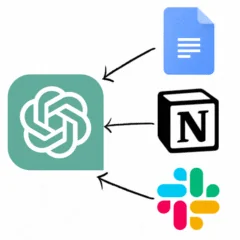
eesel AI
ChatGPT over your Slack, Notion, Google Docs and more

Onboard AI
Navigate and understand any repo using GPT

Enki
Sticky notes for the internet age

OpenSauced
Optimize Your Open Source Project with Deep Insights

MyLens for Chrome
Your AI visualization partner, right in your browser.

Guidde
Magically create video documentation with AI
Related Online learning Tools

Langotalk
Your AI Coach to master a new language

WriteDaily
Make writing a habit.

WordFlippin
Flip new words into lasting knowledge daily!!!

No Code MBA
Learn to build real apps and websites. All without code.

MyLens Stock Market
AI for Stock & Market Analysis

Unzip.dev
Discover the latest developer trends
Compare Logseq :





Don't Get Fooled by Fake Social Media Videos
The world's first fact checker for social media. Paste any link and get an instant credibility score with sources.
Try FactCheckTool Free