

What is Luminar Mobile?
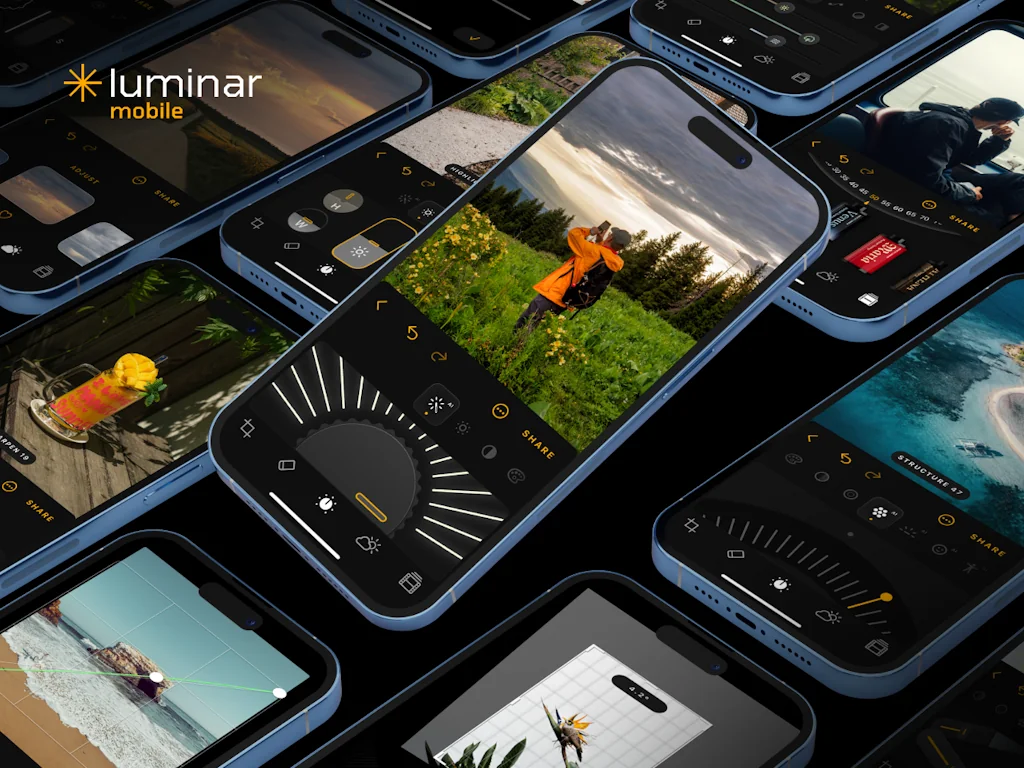
Luminar Mobile introduces users to a novel mobile image editing experience through its playful, innovative design featuring highly interactive controls and special sounds. The app is available for iPhone, Android, iPad, Chromebook and VisionPro devices for an even more immersive editing experience.
Pros & Cons
Pros
- AI modules
- Android availability
- Fast performance
- Intuitive mobile interface
- AI body editing
- Foreground and background brightness control
- Portrait and landscape editing
- Sky replacement tool
- Innovative design
- Photo detailing
- Structure AI
- Clean UI
- Easy to use
- High-quality output
- Minimalistic interface
Cons
- Limited functionality
- Complex solutions to simple tasks
- Lack of local masking
- No raw file support
- Subscription requirement
Tool Details
| Categories | Photo editing, Mobile editing apps |
|---|---|
| Website | apps.apple.com |
| Added | March 6, 2024 |
| Platforms | Web |
| Social |
Recent Reviews (11)
I tested it on an IPad and it looks interesting - next week I'll check it out on a VisionPro. We'll see.
Yeah, to be honest this app already feels dead on arrival, since the mayor reason for me to switch to luminar neo was the local masking ( what is still for whatever reason not even slightly a thing in lightroom). The other k.o. criteria is no Raw files. I didnt bought an expensive dslm camera and invest all this time to edit properly just to limit myself to jpegs. Yes, this is all fixable in the future, but what i find almost insulting about that is the fact that they want to charge me again for a inferior version without including all my bought assets, luts and presets.
Compared to Lightroom Mobile, Luminar is "smarter" in automation. AI modules recognize faces, skies, buildings, and even small details. I managed to completely replace the background in a photo from an exhibition — I used to do such tasks only on a computer. Yes, the toolset is not as wide as on the desktop, but for 90% of tasks — more than enough.
After years of working with Snapseed and Adobe Express, I finally found a tool that combines professional-grade AI tools with an intuitive mobile interface. I was particularly impressed by the Sky Replacement tool — it works almost as accurately as the desktop version of Neo, and this is a rarity among mobile editors on a phone.
This is a really cool photo editor: I don’t feel bad because I’m not a photographer and don’t understand what all these features are for. For regular users like me, Luminar Mobile is intuitive, smart, and has a clear interface. The AI Body feature was a surprise – subtle changes that don’t scream “I used an app.”
AI body editing is subtle but effective, making proportions look more harmonious. Combined with other AI functions and precise brightness adjustments, this editor turns ordinary photos into something professional-looking. I couldn’t be happier to have it on Android!
I’ve edited all my photos from the past year with this app. The skin editing is smooth and realistic, not plastic at all. It’s wonderful that an Android version is finally here. Foreground and background brightness adjustments on a phone are surprisingly good.
The foreground and background brightness settings are magic. I didn't think you could control light so precisely on a phone, but Luminar does it like a charm. The photos look like they came from a professional studio and don't look like they were taken on a phone at all
To be honest, I used the trial period first to play around with editing and then unsubscribe, but in the end I bought a lifetime subscription instead of an annual one. Great app. It's as if the developers themselves take a lot of photos and know what's missing.
I was able to observe the development of an application since 2023, and it has been an extraordinary journey. The overall design and UI of the application is refreshing, especially in the flat world of mobile photo editing. Each tool is easy and fun to use, and the application offers many photo editing possibilities, which I cannot wait to share with my photography audience. In the future, I hope to see even more tools and filters that would offer even more creative possibilities on the iPad. I wish the Skylum team all the best, and congratulations on their achievement.
I really liked the Structure AI function. It brings out the details, but doesn't make the photo "hard". It's like a point focus on the necessary areas without noise. For architecture - super.
Frequently Asked Questions about Luminar Mobile
When did Luminar Mobile become popular?
Luminar Mobile became popular around March 6, 2024.
What are the main advantages of using Luminar Mobile?
The top advantages of Luminar Mobile include: AI modules, android availability, fast performance, intuitive mobile interface, AI body editing.
What are the disadvantages of Luminar Mobile?
Some reported disadvantages of Luminar Mobile include: limited functionality, complex solutions to simple tasks, lack of local masking, no raw file support, subscription requirement.
What is Luminar Mobile's overall user rating?
Luminar Mobile has an overall rating of 4.7/5 based on 31 user reviews.
What type of tool is Luminar Mobile?
Luminar Mobile belongs to the following categories: Photo editing, Mobile editing apps.
Related Photo editing Tools

Image Mate
AI That Renames, Tags & Describes Your Photos

REOK.PRO
Generate business headshots with our AI-photographer

Luminar Neo
Award-winning AI-powered photo editing software Luminar Neo.

CleanUp.Pictures
Remove objects and defects from your pictures - 100% free

ResizePixel.com
Easy to use online image editor
Room Design AI
Create stunning room designs with the help of AI
Related Mobile editing apps Tools

1 1 1 1
The free app that makes your internet safer.

QuakeSense
A Minimalist Native iOS App for Earthquake Alerts
Pocket Tripod
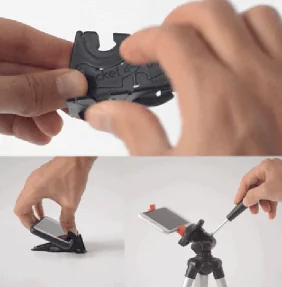
A tripod that works with Android and iPhone cases.

Voxio
Turn speech into formatted text.

WebViewGold
Convert your web apps into iOS & Android apps in 60 seconds.
DPTH
Add depth to your photos
Compare Luminar Mobile :




Don't Get Fooled by Fake Social Media Videos
The world's first fact checker for social media. Paste any link and get an instant credibility score with sources.
Try FactCheckTool Free