

PicDoc
PicDoc turns text into professional charts in seconds
What is PicDoc?
PicDoc is an AI-driven text-to-visual content conversion tool that automatically converts text content into visual elements such as charts, flowcharts, infographics, and more. It helps users express their knowledge, ideas, and business stories in a visual way.
Pros & Cons
Pros
- Time-saving
- AI-driven conversion
- Easy to use
- Professional visual output
- Fast performance
- Intuitive interface
- Variety of visual styles
- Multiple export formats
- Real-time collaboration
- Clean interface
- Free tier
- Image clarity preservation
- Intelligent color matching
- Responsive customer service
- Batch processing
Tool Details
| Categories | Presentation Software, Graphic design tools, Product demo |
|---|---|
| Website | www.picdoc.ai |
| Added | July 29, 2025 |
| Platforms | Web |
Recent Reviews (10)
I’ve been using PicDoc for the past month, and it’s truly transformed how I present information. The moment I paste a paragraph or upload a spreadsheet, the AI instantly turns those raw numbers into polished charts, infographics, or flowcharts that look professional right out of the box—no design experience required. The interface is clean and intuitive; dragging elements around feels natural, and the auto‑generated color palettes match the data type perfectly, yet I can always tweak styles with a few clicks if I want something more specific. What really stands out is how versatile PicDoc is: from bar graphs that show quarterly sales to mind maps for brainstorming sessions, every format looks great without me having to touch any advanced software. Collaboration is seamless—multiple team members can edit the same project in real time, eliminating version confusion and keeping everyone aligned. When I need to share my visuals, exporting them as PNG, PDF, or SVG preserves all the quality, making it easy to drop into PowerPoint decks, embed on websites, or print for handouts. All in all, PicDoc has saved me countless hours that would otherwise be spent fiddling with Excel or Illustrator, and I can’t recommend it enough for anyone who wants to convey data or ideas more effectively without the steep learning curve of traditional design tools. Five stars!
I recently tried PicDoc-AI (PicDoc), and it’s an absolutely impressive AI-powered tool for turning text into visuals. In just a few steps, it automatically converts your text into charts, infographics, and flowcharts, offering various styles like 3D, flat, and cartoon, with intelligent color matching and AI-icon pairing that make each visual look polished and professional. It’s incredibly easy to use and generates visuals in just one second, saving significant time compared to manual design. Whether for illustrations in articles, team brainstorming, or daily inspiration, PicDoc delivers excellent performance and boosts both expression efficiency and collaboration experience. Currently in beta, all features are free to use and support exports in PNG/JPG/PDF formats as well as shareable links. For content creators or professionals, this tool hits the exact pain points and is highly recommended!
I’m a product manager, and I used to spend a lot of time making PPTs to present requirement documents, meeting notes, and project workflows to my team and management. Since trying PicDoc, my workflow has completely changed—now I just paste the key process steps from a document, click “Generate,” and PicDoc instantly creates an editable flowchart or infographic. I can quickly adjust colors, icons, or layouts based on feedback, and in just seconds I have a ready-to-use visual draft. The AI writing feature is also incredibly useful: by entering keywords like “user registration process” or “e-commerce promotion plan,” the system automatically generates an outline and draft copy, saving me tons of time on content creation. With multiple export formats, it’s super convenient to insert visuals into PPTs or send them to the PMO. In short, PicDoc is like my personal design assistant—my speed is now at least three times faster, and the results look far more professional!
This text-to-visualization tool has revolutionized my workflow! As someone drowning in reports and presentations, I used to spend hours manually designing charts or simplifying dense text—no more. Its AI-powered engine turns bullet points, data snippets, or even full paragraphs into clean, professional visuals in seconds: crisp charts, sleek info graphics, or dynamic flowcharts that actually make complex ideas *click*. The interface is intuitive—no design skills needed. I just paste my text, tweak a few style settings, and boom: visuals that look like a pro made them. Colleagues now ask how I “suddenly got good at design” (shhh, it’s the tool). It integrates seamlessly with my go-to apps, saving me hours weekly. Whether for client pitches or team meetings, it turns dry content into something engaging. If you hate wasting time on formatting but need visuals that impress, this is a game-changer. 10/10, can’t work without it now!
When I first used PicDoc, I really didn't expect it to be so user - friendly. As a complete novice with no knowledge of design, after logging in on the webpage, I just randomly selected a paragraph of text and clicked generate, and the chart popped up instantly. It's much faster than the time I spent struggling with it before. The best part is that there's no need to download any software; you can get everything done in the browser. What's more, the basic functions are free. The finished works are automatically stored in the cloud. Later, when I wanted to modify some data, I could just click and adjust. Whether I'm rushing to finish a work report or making a chart temporarily, it's really a huge relief.
PicDoc really does “make words visible”. It is easy to operate, and after importing documents, it can quickly transform complex content into clear mind maps, knowledge maps or summary cards, which greatly improves the efficiency of information digestion. It is especially suitable for dealing with reports, essays or meeting minutes. The visual structure makes the focus clear at a glance and the logical relationship more intuitive. The tool supports customizable templates and color themes to flexibly adapt to different scenarios. The visualization effect is stunning enough. If you can further optimize the processing speed of large documents and interactive details, the experience will be more perfect. Overall, PicDoc is a powerful assistant for efficient learning and work, and it is worth recommending to users who often deal with text!
PICDOC has been a total game-changer for our daily workflow! As someone who used to spend hours drafting reports and manually creating charts, this tool has cut my document creation time in half—easily. The visualization feature is a standout too. Raw data used to feel overwhelming, but with one click, PICDOC turns spreadsheets into clean, professional charts—bar graphs, pie charts, line diagrams—whatever makes the data pop. It’s saved me from countless tedious hours of adjusting axes and colors in other tools.
I can't say enough good things about Picdoc.ai! This platform has truly transformed how I handle document-related tasks. The interface is incredibly user-friendly, making it easy to navigate even for someone who isn't super tech-savvy. What impresses me most is its accuracy—whether I'm extracting text from images, converting files, or organizing documents, the results are always precise and reliable. It saves me so much time, turning what used to be tedious hours of work into a quick, seamless process. Plus, the speed is remarkable; even with larger files, it processes everything efficiently without compromising on quality. If you're looking for a tool to simplify document management, Picdoc.ai is a game-changer. Highly recommended!
In an operation position, I have to handle a large amount of data every day, and using PicDoc to make data charts is simply a godsend. Whether it's bar charts, line charts, or pie charts, they can be generated with one click, and they can be adjusted in real-time according to data changes, which is very flexible. I used to spend a lot of time modifying formats when making charts with other tools, but now with PicDoc, I save a lot of time. This allows me to focus more energy on data analysis, and my work efficiency has been greatly improved! 💪
As a teacher, I really love PicDoc! I often need to insert mind maps and flowcharts into my courseware when preparing lessons, and it's extremely convenient to create them with PicDoc. There are plenty of templates, and the drag-and-drop operation is simple. I can finish charts in a few minutes that used to take half an hour, which saves me a lot of lesson preparation time. Students also say the visuals in the courseware are clear and easy to understand, making learning easier for them. 😊
Frequently Asked Questions about PicDoc
When did PicDoc become popular?
PicDoc became popular around July 29, 2025.
What are the main advantages of using PicDoc?
The top advantages of PicDoc include: time-saving, AI-driven conversion, easy to use, professional visual output, fast performance.
What is PicDoc's overall user rating?
PicDoc has an overall rating of 5.0/5 based on 20 user reviews.
What type of tool is PicDoc?
PicDoc belongs to the following categories: Presentation Software, Graphic design tools, Product demo.
Related Presentation Software Tools

Camera and me, the Manatee
Create video presentations easily in your browser

Rally
Video storytelling tools for product updates and demos

SlideScript
Transform slides into speaker notes in seconds

MyLens AI
Visualize what matters in your content & ideas with AI

💡 Edit Slides with PowerPPTX AI
⚡Update Slides with Relevant Content in Seconds! ✨⏱️

Pitchenvy
A gallery of startup pitch decks
Related Graphic design tools Tools

ColoredMusicSheet
Create engaging lessons with colored music sheets

Polotno Studio
Canva-like design editor. No signups, no ads, no paywalls.

Movie Barcode Generator
Turn your videos and films into dynamic movie barcodes.
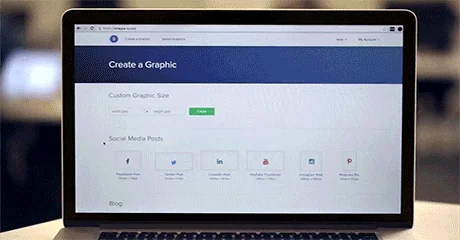
Snappa
Create highly engaging images for all your marketing needs.

SkreenPro
Screenshot Editing. Open Source. Free. Powerful.

ZapBG
Remove backgrounds fast & easily with just a few clicks.
Related Product demo Tools

TicketFair by Chainlift
Interactive Quote Builder for People Who Make Websites

Karumi
AI agents that deliver personalized product demos, 24/7.

Paraflow
The canvas-based product design agent.

VueJS Tour
Guide your users through your application easily

Portal
Links to try any product at any moment with no setup

Notifuze
Boost Engagement with Easy,Personalized Notifications
Compare PicDoc :



Don't Get Fooled by Fake Social Media Videos
The world's first fact checker for social media. Paste any link and get an instant credibility score with sources.
Try FactCheckTool Free