
What is Gestimer for Mac?
With just a single drag gesture, you can effortlessly set timers and reminders in an instant, so you can focus on what really matters.
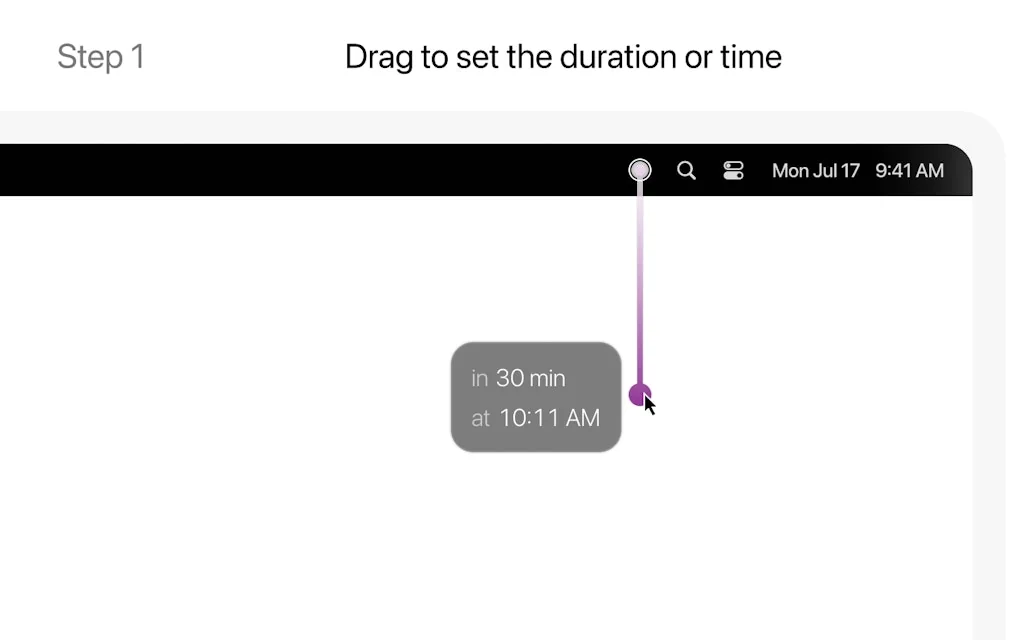
1. Just drag Gestimer's menubar icon to set the duration of your timer or reminder. The further you drag, the longer the duration and time.
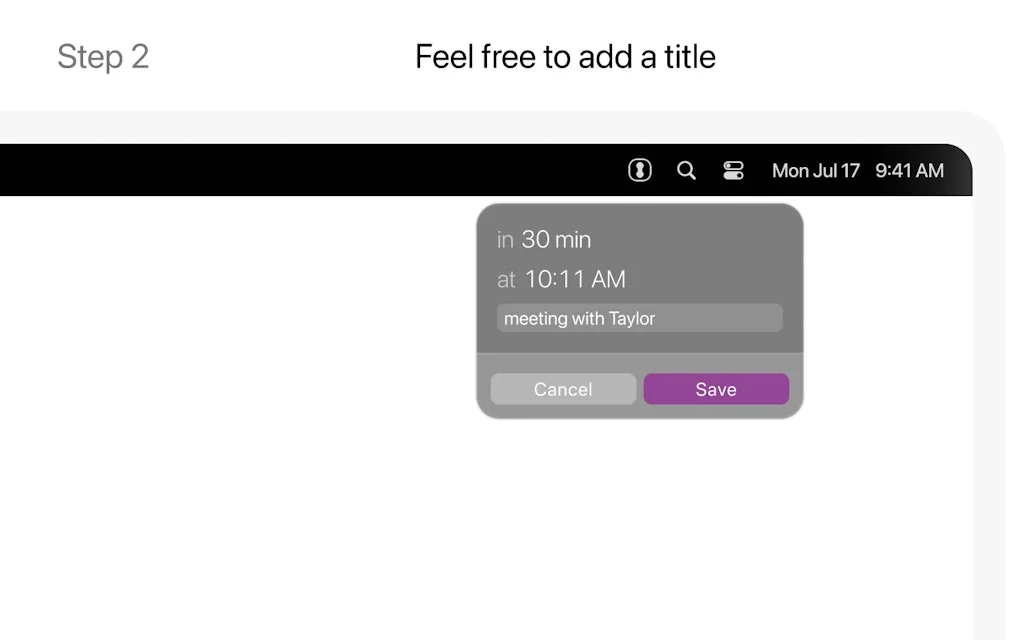
2. You can add a title to your timer or reminder to help you remember what it's for.
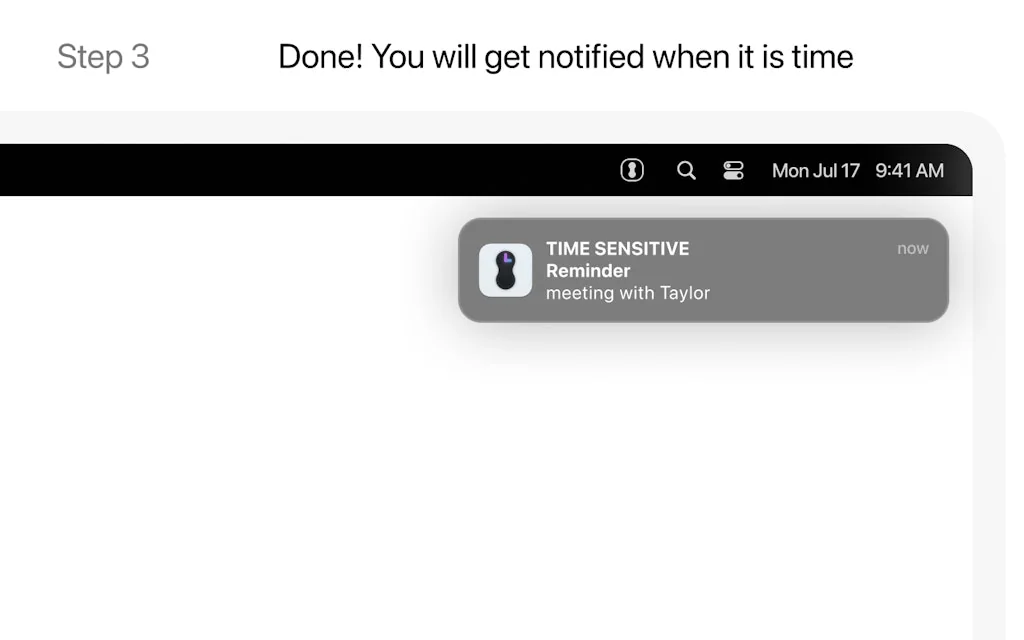
3. And that's it! Gestimer will keep track of your timers and reminders and notify you when it's time.
Tool Details
| Categories | Productivity, Calendar apps, Scheduling software |
|---|---|
| Website | maddin.io |
| Added | May 10, 2015 |
| Platforms | Web · iOS |
| Social |
Frequently Asked Questions about Gestimer for Mac
When did Gestimer for Mac become popular?
Gestimer for Mac became popular around May 10, 2015.
Is Gestimer for Mac available on mobile devices?
Yes, Gestimer for Mac is available on iOS (App Store).
What type of tool is Gestimer for Mac?
Gestimer for Mac belongs to the following categories: Productivity, Calendar apps, Scheduling software.
Related Productivity Tools

Hiringplan
The headcount planning tool with built-in market data

Sourcer AI
AI-Powered Fact-Checker for Article Reputability and Bias

Everywhere
Every moment, Every place. Your AI: Everywhere
Craft.do
Your space for notes, tasks, and big ideas

Whale
Security deposits that just work. For everyone.

Smarty
AI for daily work, intuitive automation, scheduling, & more
Related Calendar apps Tools

Mayday
Your AI Scheduling Co-pilot

OneCal
Synchronize your calendars in real-time.

Prosper - Tasks & Day Planner
Schedule, Plan, Organize life

Love Fuel
Be The Unpredictable Romantic Partner

Dato
Better menu bar clock with calendar and time zones

Google Tasks
Manage, capture, and edit your tasks from anywhere, at anytime, with to-dos that sync across all ...
Related Scheduling software Tools





Compare Gestimer for Mac :





Don't Get Fooled by Fake Social Media Videos
The world's first fact checker for social media. Paste any link and get an instant credibility score with sources.
Try FactCheckTool Free