

monday.com
One platform for managing any project, task, and workflow
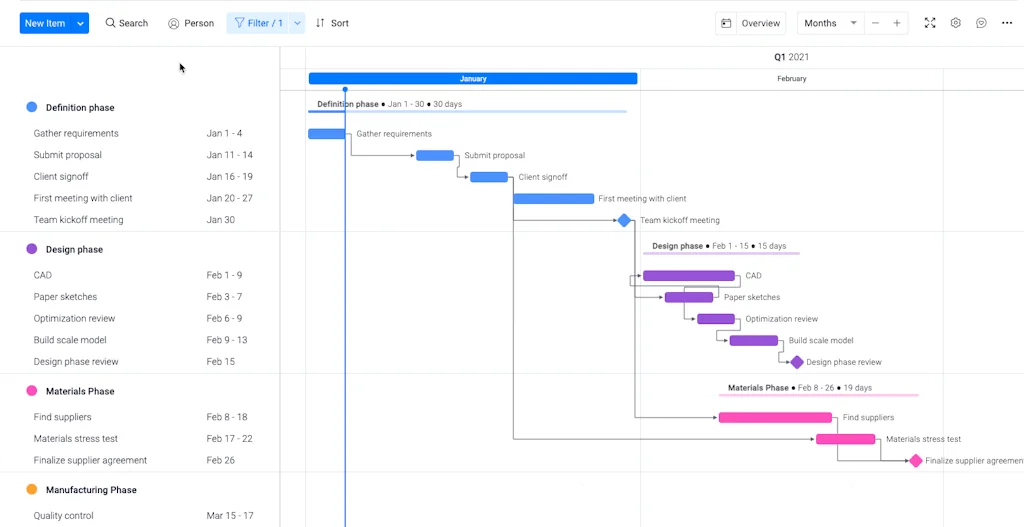
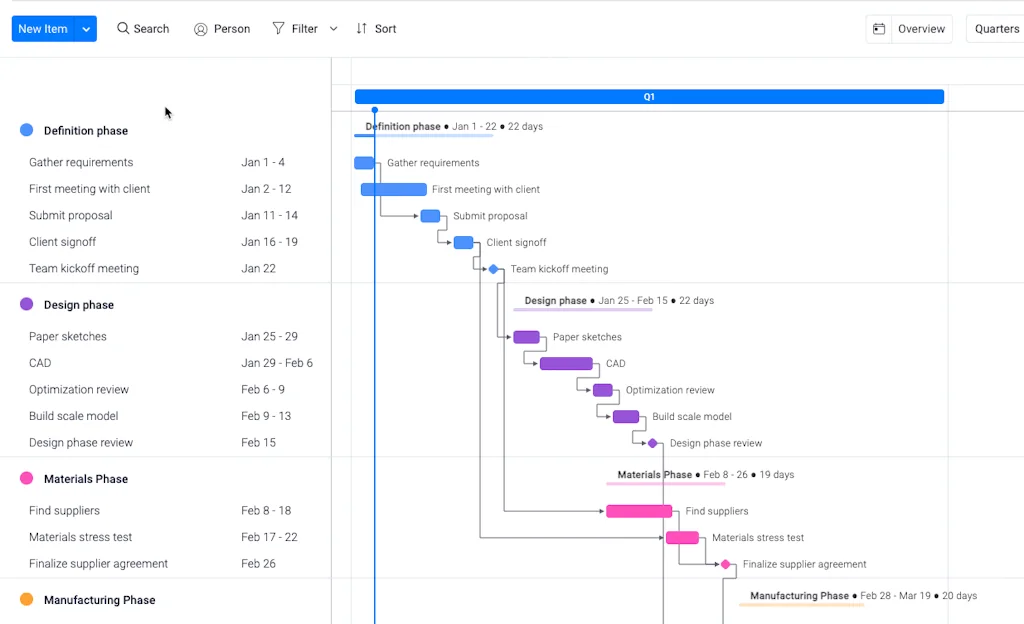
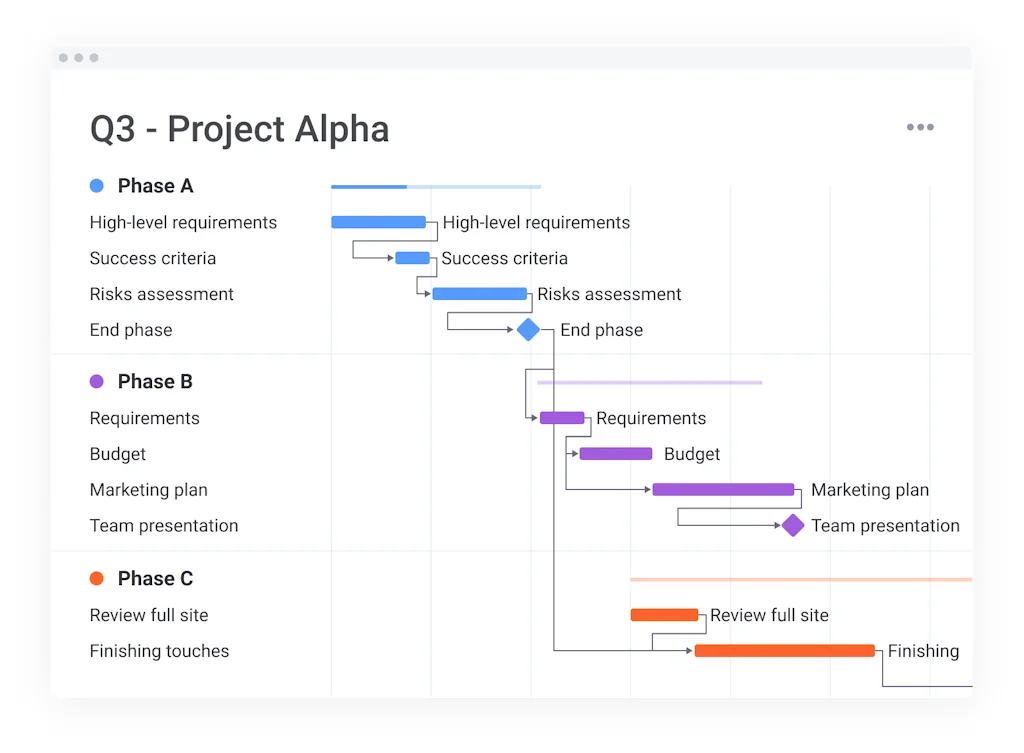
What is monday.com?
Used by 180K+ global customers, monday.com is a customizable and easy-to-use work management platform that maximizes efficiency, boosts collaboration, and increases productivity.
Easily plan, centralize, streamline, and automate your teams' work and projects by utilizing powerful features such as no-code automations, real-time notifications, customizable dashboards, 200+ pre-made templates, multiple views, 72+ integrations, and more. From idea to execution, manage it all on one robust platform.
Pros & Cons
Pros
- Project management
- Collaboration tools
- Visual design
- Flexible task management
- Task management
- Integrations
- Workflow automation
- CRM capabilities
- Data security
- Gantt charts
- No-code automations
- Slack integration
Cons
- Complex setup
- Customer support issues
- Expensive pricing
Tool Details
| Categories | Project management software, Team collaboration software |
|---|---|
| Website | monday.com |
| Added | June 24, 2014 |
| Platforms | Web |
| Social | Instagram · Facebook · GitHub |
Recent Reviews (13)
Monday is a really flexible tool for product management. The boards are flexible enough to cover a wide range of tasks. We use it to organize multiple groups throughout our company: tech roadmaps, bug tracking, sales pipelines, video production. It also has useful integrations with Slack and Jira - though I would love to see even more flexibility in connecting with Atlassian suite.
Does so much it's overwhelming (but in a good way). Highly recommend for teams looking to stay organized. Rating 4 stars because I do feel like there are a few quality of life features that Trello offers that Monday.com doesn't quite measure up to (e.g. repeating tasks w/ a checklist).
Monday is: WOW. The claim should be -> Project Management, made EASY. It has a wonderful UI and UX. The pricing it's so right for this product. Especially if you are a freelance. Perfect to make roadmaps. PS: I love the possibility to insert embedd like Miro, Google Sheet, etc. Fantastic!
If I can explain the structure of something, the first thing I do is model it into monday.com. This platform offers an approach to project management that is intuitive and adaptable, though it might require some learning curve for first-time users. It excels in aspects like workflow creation, automation, and team coordination. In addition, unlike most other tools, it's one-size-fits-most. Consider your business needs carefully to see if monday.com aligns with them, but it doesn't hurt to give it a shot.
I've started to use Monday one and half year ago. Setting up the workspace to meet our work flow was quite challanging in the beginning, but when I've learned all the options it started to be really helpful project management system which I can't imagine working without now. You just need to find your way, and if the first try doesn't suit you, there is always different way. It's easy to use, nice design, flexible and has cool automations.
Monday is a great management app for securing data efficiently from clients, businesses and investors. The management app for software companies is an extremely viable option, as the management features are available for both Development Teams and General Team management (and whatever breakout teams you want to add to it). Recommended for small or big teams.
Monday makes project management so much easier. Saves me a lot of time. It's flexible, provides insights and makes it easy to look up information on old projects since chats/updates are connected to specific tasks. Great Gantt charts too.
As a PMM, so many pieces need to come together to make for a success launch. Monday ensures that everyone knows what's going on, who is working on what, and if there are any blockers to creating the most impact.
Used this in my previous LOB and it made project management a breeze. Saved me a lot of time. Hard to get in touch with their CS though but I guess opportunities are always part of the process.
I'm using Monday for collaborating with our investors during the Due Diligence process. It's really useful for sharing the requirements list, as well as collecting data and providing comments.
I've been using Monday for almost a year now and although setting up certain automations could be quite challenging for inexperienced users, it's a very solid product that I enjoy working with
Takes a bit of time to familiarise yourself with but would recommend this to anyone. Once there's buy-in from your team, it provides endless possibilities to efficiently coordinate cooperation, especially if you're working remotely.
Most of the features and flows are highly customizable, but there were some small issues we couldn't resolve. All in all, it's still a great product for remote teams!
Frequently Asked Questions about monday.com
When did monday.com become popular?
monday.com became popular around June 24, 2014.
What are the main advantages of using monday.com?
The top advantages of monday.com include: project management, collaboration tools, visual design, flexible task management, task management.
What are the disadvantages of monday.com?
Some reported disadvantages of monday.com include: complex setup, customer support issues, expensive pricing.
What is monday.com's overall user rating?
monday.com has an overall rating of 4.9/5 based on 40 user reviews.
What type of tool is monday.com?
monday.com belongs to the following categories: Project management software, Team collaboration software.
Related Project management software Tools

Vector
AI PM Agent for instant PRDs & user stories after meetings

Taskbit
Lots of projects and tasks, one Taskbit
Zenkit
Project management made easy.
fima AI
The utlimate collaboration suite
Setapp
The frontier platform that packs 250+ Mac apps into just one

Tooling Studio
Tools for Google Workspace • Kanban Tasks & Sales CRM
Related Team collaboration software Tools

Stellar AI
Turn strategy into company-wide goals with AI

Felt
The best way to work with maps on the internet.
Google Meet
Premium video meetings. Now free for everyone.

Kive
Generate, manage, and elevate your brand with creative AI.

Langdock
GDPR-Compliant ChatGPT for teams

Mirro
An all-in-one team performance management solution
Compare monday.com :



Don't Get Fooled by Fake Social Media Videos
The world's first fact checker for social media. Paste any link and get an instant credibility score with sources.
Try FactCheckTool Free