

Nx
Smart, Fast and Extensible Build System
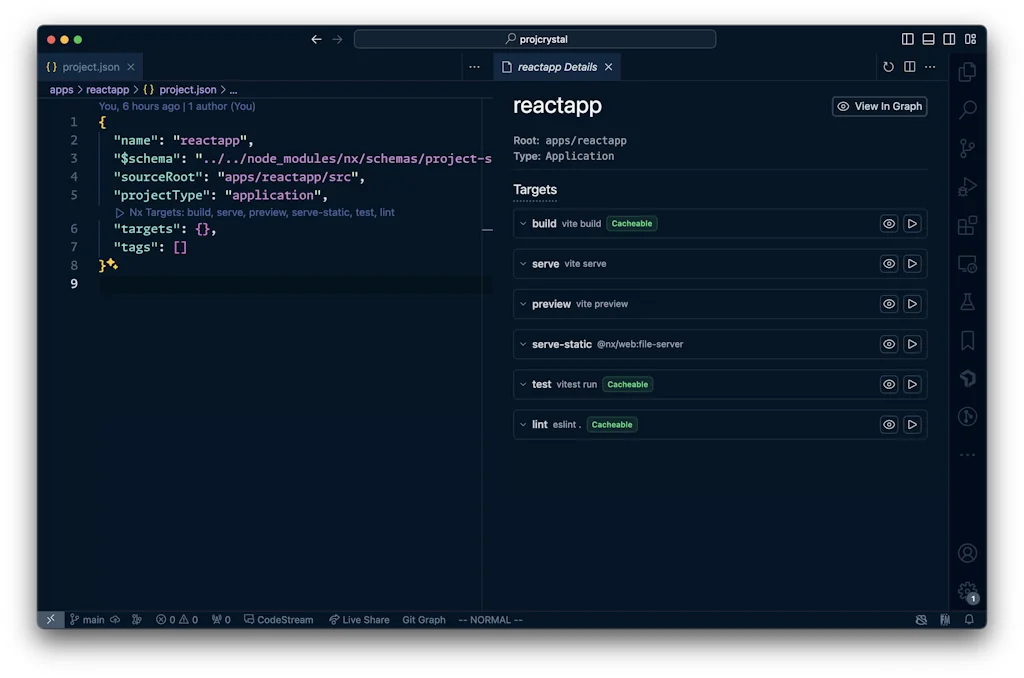
What is Nx?
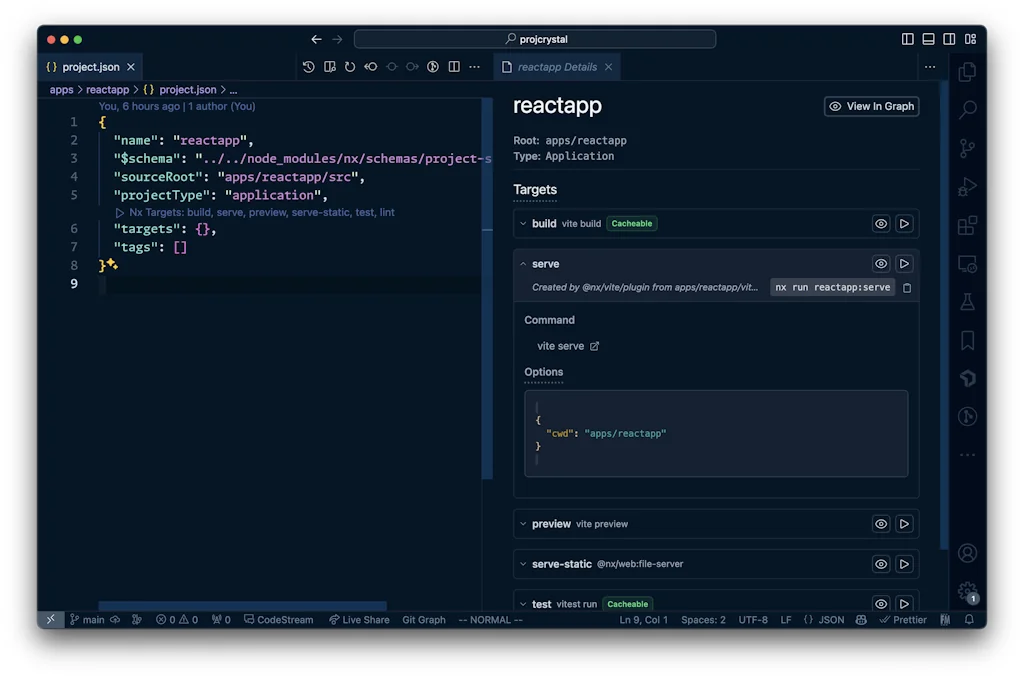
Nx is a next-generation-build system with first-class support for both standalone projects and monorepos.
Pros & Cons
Pros
- Developer experience
- Project maintainability
- Build speed
- Monorepo support
- Workflow optimization
- Angular support
- Code scaffolding
- Dependency management
- Generators and executors
- Multi-project support
- Plugin ecosystem
- Tooling
Cons
- Cloud functionality
- Configuration complexity
- Default settings issues
Tool Details
| Categories | Project management software, Engineering & Development, Command line tools |
|---|---|
| Website | nx.dev |
| Added | December 7, 2022 |
| Platforms | Web |
| Social | GitHub |
Recent Reviews (9)
A monorepo solution for building apps at scale. Nx makes our development lifecycle smoother by enabling us to share code and manage dependencies effectively across multiple projects, helping our engineering teams deliver consistent results faster.
I use generators and executors very often, and they make my workflow clear.
This is the missing link we needed all along. Trying to actively convert more projects to Nx.
While it is a nice take at the chaotic javascript toolchain, its default settings for the most basic typescript project are messy and don't work. I've spent hours trying to have pretty basic things; for example, since sourcemaps are on, please include the sources... and don't transpile into a "src" folder otherwise when I add sources imports will get messy and try to import the ts file .. and why are you transpiling everything in an external "dist" folder? that makes all the sourcemap references wrong ("../../../../packages/etc/etc/file.ts") and nothing works. Nx wraps and hides a lot of details, but the wrapping is often hiding and blocking useful things; I added to my jest configuration two totally valid configuration settings (namely, maxWorkers and testSequencer), and it works if I just do "cd package/name; npx jest", however the Nx wrapper for jest is not recognizing them, so it does not apply them, so tests do not work. In all of this, each package contains EIGHT files in the root directory, the common package.json and README.md (yeah could delete this one), then three tsconfig json files, one jest configuration, an .eslint.json .. and since these were not enough Nx adds its own project.json file. These files are generated, so they repeat the same stuff over and over in each folder .. so that when something needs to be changed it will need to be changed in all the places. The project.json file was specifically boringly long (47 lines by default), all the same but changing only the paths (couldn't it just cwd and use relative paths?) .. then after days of using it I found a page that explained that most of the project.json content could be set in nx.json on the root folder, and that allowed me to delete over 500 lines of useless repetitions .. so why isn't the automatic scaffolding thing doing that already? why did I have to find it out and then do it manually? I was expecting much much much more given the hype this project has all over the place .. I ended up modifying and cleaning up all the generated files, so I can't use the generation part anymore, I can't run tests thru it on many of my packages, so it is not much more than a for-cycle executing npm run in each folder. Maybe there are different use cases in which it is excellent, maybe coming from years of Java using Maven I'm just too used to setup a project with tens of modules in a couple of hours .. I'm just trying to have a monorepo with a library of 10 packages in it.
Nx is at the heart of every web dev project I work on. We don’t put every project in the company in the same repo, but instead group related projects. But even if there’s only a single application in a repo, Nx provides so much value with upgrades, multi-project dependency management, code scaffolding, and more.
Very easy to use, had many plugins that are frequently updated and help maintain a repo. You can use plugins as you please to improve part of your workflow if you can’t use plugins completely
Simplifies the developer experience massively. Easy to use and extend for all kinds of software projects. Nx is my daily driver for software development (especially Angular development).
Simplifies the developer experience, improves build speeds, and great tooling. All my projects start with Nx.
Nx core functionalities are awesome, but can't say that about cloud
Frequently Asked Questions about Nx
When did Nx become popular?
Nx became popular around December 7, 2022.
What are the main advantages of using Nx?
The top advantages of Nx include: developer experience, project maintainability, build speed, monorepo support, workflow optimization.
What are the disadvantages of Nx?
Some reported disadvantages of Nx include: cloud functionality, configuration complexity, default settings issues.
What is Nx's overall user rating?
Nx has an overall rating of 4.6/5 based on 11 user reviews.
What type of tool is Nx?
Nx belongs to the following categories: Project management software, Engineering & Development, Command line tools.
Related Project management software Tools






Related Engineering & Development Tools

Portia AI
Build AI agents you can trust in regulated environments

Epismo
A platform to share and manage powerful human-AI workflows

Experimenters Circuit
Your Laboratory for a Better Tomorrow

GanttTool
Online project Gantt charts builder with instant exports

Exome.js
State manager for deeply nested states

DailyHack
A place where makers & geeks share there daily hacks
Related Command line tools Tools

Bruno
Reinventing the API Client | Local, Native Git, Open Source

Lip Gloss
Design terminal user interfaces
create-dmg
Create a good-looking DMG for your macOS app in seconds

Signadot
Ship Microservices 10x Faster

snap2txt
Convert your project into prompt

Ascendio
Ascend a turborepo project in seconds
Compare Nx :





Don't Get Fooled by Fake Social Media Videos
The world's first fact checker for social media. Paste any link and get an instant credibility score with sources.
Try FactCheckTool Free