

Whalesync
Manage your website from Notion or a spreadsheet
What is Whalesync?
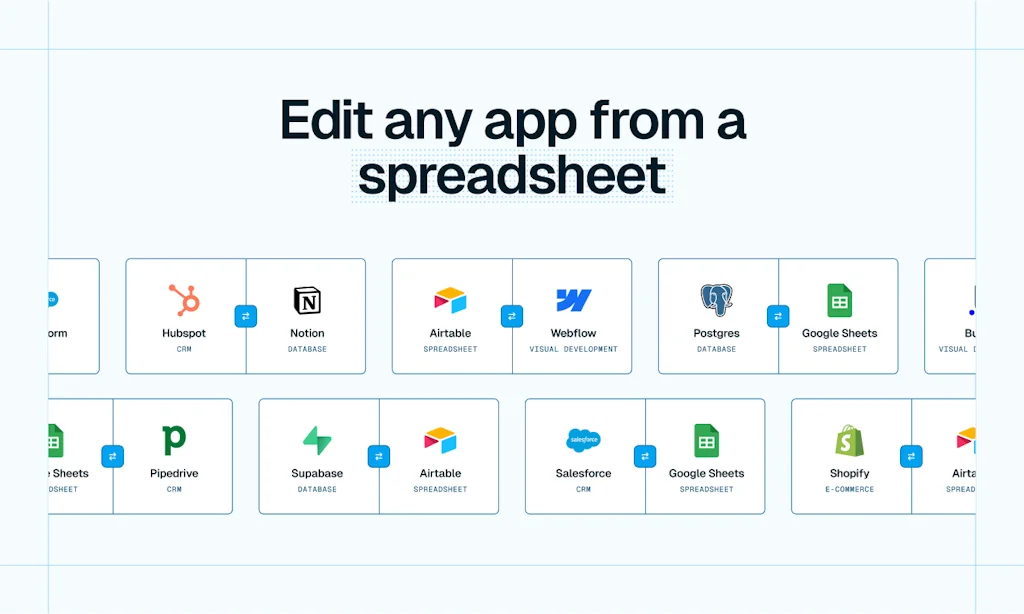
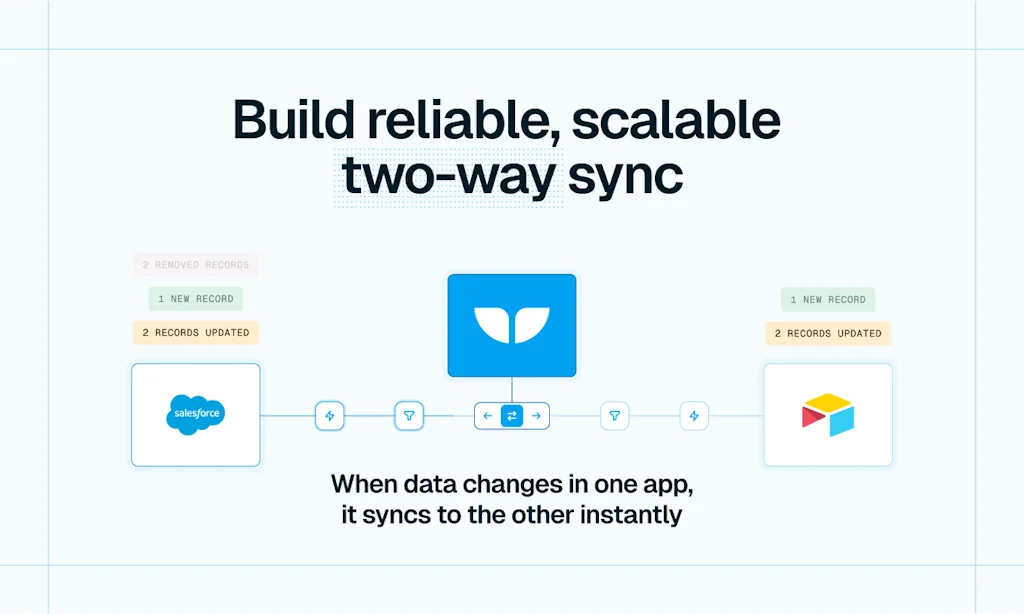
Give your spreadsheet edit access to data in apps like HubSpot, Webflow, and Supabase. Bulk edit, collaborate, or build AI workflows directly from Airtable, Notion, or Google Sheets. Dangerously easy to set up.
Pros & Cons
Pros
- Easy setup
- Integration with Webflow
- Integration with Airtable
- Responsive support
- 2-way sync
- Efficient workflow
- Excellent documentation
- Fast performance
- Integration with Notion
- Pricing
- Time-saving
- Video tutorials
- Workflow automation
Cons
- Limited service integrations
Tool Details
| Categories | Project management software, No-code Platforms, Unified API |
|---|---|
| Website | www.whalesync.com |
| Added | August 22, 2022 |
| Platforms | Web |
| Social | Twitter · LinkedIn |
Recent Reviews (9)
Connected my Supabase database to Airtable so that I could quickly make edits to my DB from a spreadsheet. Whalesync's 2-way sync made this super easy!
The best tool for connecting Webflow and Airtable if we don't say so ourselves :)
Game-changer, couldn't go without!
I've been following Whalesync for a while ever since we migrated our clunky WP site over to Webflow last year. But, like so many I was comfortable in my ways using Zapier. I finally decided to run a quick test for one of our production workflows pushing metrics from a lesser known (but awesome) email service provider to Airflow then to Webflow. This is a 5-6 step Zap. Whalesync helped reduce it down to 4 and offers two-way sync. Which would have needed another 6 step Zap dance. Now we're in the process of moving all of our Webflow related Zaps over to Whalesync after the successful test(s) to save time, money, and a ton of frustration. More importantly, I don't have to worry about those inadvertent updates on Weblow that our marketing team inevitably make, because Whalesync's 2-way sync has me covered! True story: I was tinkering with the test on an early Sunday morning, yeah go figure. I ran into an issue which ended up being my fault, wrote to them, and they got back to me within an hour or so. Now, I could have been lucky that we're both whackos working at that time, but it just shows the level of dedication to users. We're all in on Whalesync and give them 5 stars without any hesitation!
Whalesync is a straightforward and user-friendly sync tool, the best in its class! The video tutorials are not only informative but also enjoyable and easy to follow. Matthew and his support team are consistently responsive and helpful, promptly addressing any questions and following up as needed via email and Slack. I am truly grateful for their guidance in walking me through my initial synchronization process. I love using Whalesync. It completely outperforms Zapier for our needs!
Great solution for syncing data between two platforms, especially when building your own connector is either too much work or unavailable. Their docs are well written, support is responsive, and pricing is fair.
I have been an early and have seen whale sync become a really easy to setup and robuust two-way sync between webflow and Airtable. And it’s super fast and all running in the background. A fan!
I loved the ease of use, UI/UX and overall capabilities for the systems it does connect to. But Whalesync needs to get more services onto the platform.
I used Whalesync to connect an airtable to a webflow site i created. It was very easy to use and quickly addressed what I needed.
Frequently Asked Questions about Whalesync
When did Whalesync become popular?
Whalesync became popular around August 22, 2022.
What are the main advantages of using Whalesync?
The top advantages of Whalesync include: easy setup, integration with Webflow, integration with Airtable, responsive support, 2-way sync.
What are the disadvantages of Whalesync?
Some reported disadvantages of Whalesync include: limited service integrations.
What is Whalesync's overall user rating?
Whalesync has an overall rating of 4.9/5 based on 10 user reviews.
What type of tool is Whalesync?
Whalesync belongs to the following categories: Project management software, No-code Platforms, Unified API.
Related Project management software Tools

Kanbanq
Project management. Simply done. For small teams & indies

GitScrum Studio for IDE
Full project management inside VS Code, Cursor & Windsurf

Cleverity
AI-powered project management

Webdash
A customizable web dashboard for your web projects

Pathpages
Templates made for Notion

Socratic
Intelligent task management for modern software teams
Related No-code Platforms Tools

ncScale
Datadog for No-Code, 1-click Monitoring for No-Code stack!

SiteScarf
Sync announcements across multiple sites

Twinr - App Builder
Convert any Website to Mobile Apps in 30 mins without code!

Glide
Create an app from a Google Sheet in five minutes

TableFlow
Open-source CSV importer — Alternative to Flatfile

Hunch
The AI-First Workspace for Teams
Related Unified API Tools




![[LW24] OpenInt logo](https://factchecktool.com/frontend/images/tools/lw24-openint/lw24-openint-logo.webp)

Compare Whalesync :





Don't Get Fooled by Fake Social Media Videos
The world's first fact checker for social media. Paste any link and get an instant credibility score with sources.
Try FactCheckTool Free