

Pictory
Fast and easy video creation, powered by AI
What is Pictory?
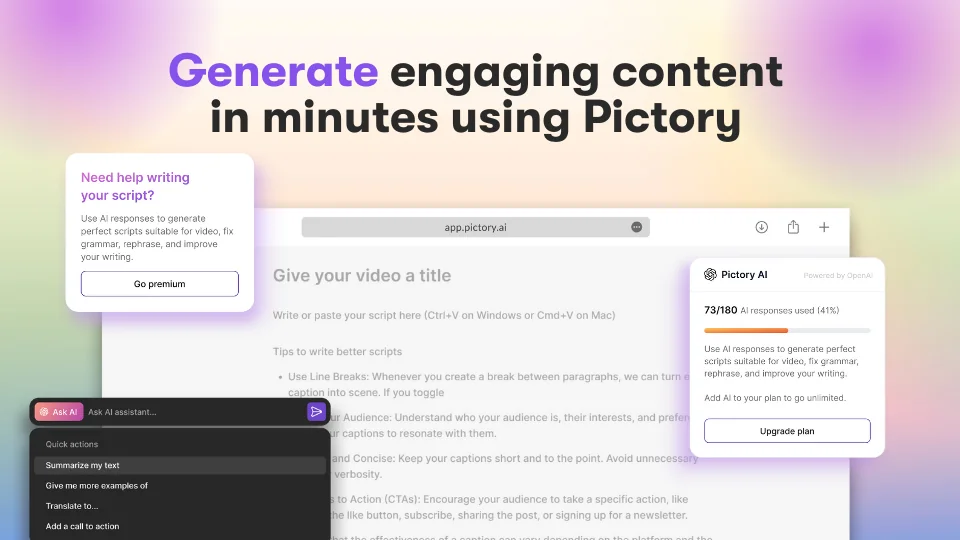
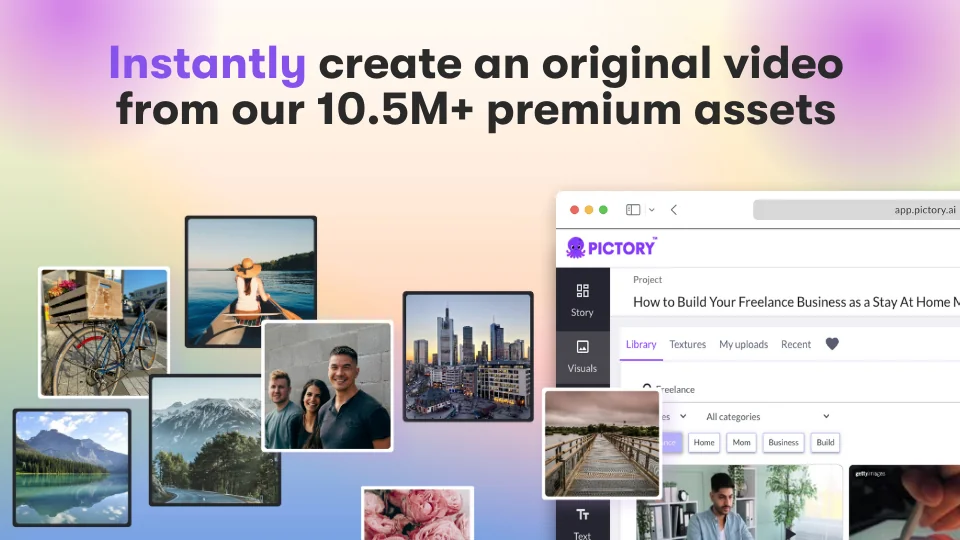
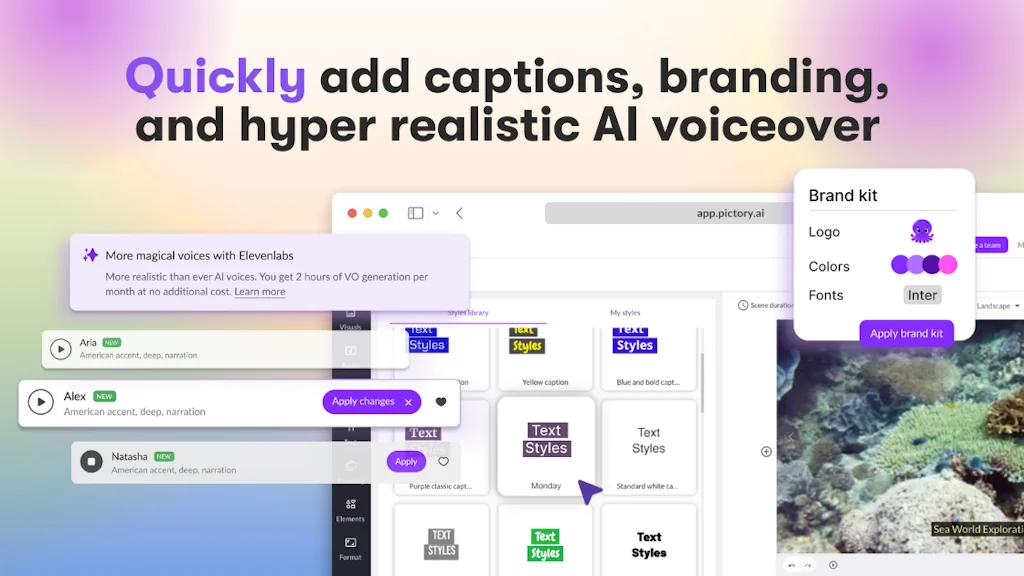
Give Pictory your script, URL or prompt and watch our best-in-class AI visual search create an original video from our 10.5M+ premium assets from Getty Images. Add captions, branding, and hyper realistic AI voiceover from ElevenLabs and revolutionize your video workflow with a single subscription.
Try it free, today!
Pros & Cons
Pros
- User-friendly interface
- AI-powered video creation
- Fast video creation
- Customization options
- Script to video feature
- Cost-effective
- Extensive media library
- Integration with ElevenLabs
- Voiceover options
- Customer support
- Free trial
- Integration with Getty Images
- No credit card required for trial
Cons
- Billing discrepancies
- Brand font support
- Limited voice preview
- Monthly quota limitations
- No 24/7 support
- Rendering time
Tool Details
| Categories | Video editing, Marketing & Sales, AI Generative Media |
|---|---|
| Website | pictory.ai |
| Added | April 22, 2021 |
| Platforms | Web |
| Social | Twitter · Instagram · Facebook · LinkedIn |
Recent Reviews (10)
We have been using pictory.ai for over a year with a certain account, however, we encounter some issues as follows: - you can only hear a preview of a premium voice and not a preview of your actual script. Once the voice is applied and you can actually hear your script, you would have lost from your monthly quota. This voice might not sound as you would have liked to or though in the preview. - you can not hear samples from the premium 29 languages it supports. You need to apply it and hope it will sound OK, which is not the case. Again you loose from your monthly quota. - the voices impact the length of your video and you do not know this until it is applied. Again, you loose from your e.g. 120 minutes monthly. Let's say you want a video of 55 seconds (to be under 1 minute to integrate in certain platforms) but depending on your voices this can go up to 20 seconds (as a rough guidance) going above your intended 55 seconds target. - depending on your script the tonality of a voice changes if you add another word or extract another one making that particular voice not being any more applicable to your video. - we wished some of the premium voices to sound better similar to the popular ones you hear in other videos. - the billing price in our account does not match what we have been paying and it was mentioned on the renewal email. - it does not support as far as I am aware our brand's font to upload. - unfortunately there is no 24h support so if you and your team have issues over the weekend no one to help.
Creating YouTube videos for my learning channel using Pictory was a fantastic experience. Despite being technically oriented and not familiar with marketing or content creation, the interface was smooth and intuitive. The platform offered numerous options and delivered quick outputs, surpassing the efficiency of tools like Camtasia. It allowed me to produce content without depending on a third-party graphic designer, resulting in significant cost savings. The key advantage of Pictory lies in its ability to transform thoughts into high-quality content swiftly, providing a truly empowering experience.
What I love about Pictory is that it's intuitive and easy to use. Most alternatives for some reason tend to have the most complicated user interfaces or they don't work properly. Pictory is not only easy to figure out without a tutorial, but it has everything you need. I teach online courses and use Pictory for my video lectures. I can use Pictory's script to video service and simply type and edit my script there. Or i can copy/paste it there. Then, Pictory creates a video based on my script. It's nice that I don't have to spend all this time searching for media to go in the video, as Pictory has an extensive media library and selects very relevant moving images that can either pan or freeze frame. Meanwhile, you can add your own images instead if you don't like the ones they suggest. Pictory also lets you record a voice over for your video, but I prefer to record mine elsewhere and then upload it to Pictory. The great part about it is that Pictory will align the video to sync with the voice over. Although it's rarely perfect, and you'll have to go in and align image to voice over yourself to make sure it's the way you want it. The good part is that Pictory has such a simple and effective editing feature where you can do that without any issue. Then you can download the video when you're done. The best thing about it is that you can actually do everything I just mentioned with the free trial. It's a really generous trial too, you get 3 video downloads with ten minute limits for each video. And I highly respect them for not forcing you to put your credit card in for the free trial. That shows honesty and integrity and makes me want to buy the subscription even more. Other services want you to put in your credit card because they hope you'll just forget to cancel it and they can grab one month from you before you angrily cancel it. Not the case with Pictory. Great service, love everything about it.
A fantastic AI tool. This saves a BIG time from the initial draft script to video literally in just a few clicks and in minutes, with impressive results. Easy to edit scenes and captions, and you can add stickers, gifs, and emojis to add life/zing to the video. Very easy to add voiceovers (fantastic ones from the 11 Labs integration), and BG music. Editing a video was never this easy - without having a piece of technical knowledge. Highly recommend this for anyone for making videos.
Great AI tool, the script to video feature is perfect if you want to create your own original content. I also love using the edit video using text feature as this not only generates captions for your videos, it allows you to edit the transcript it creates! You can also download the transcript as an SRT file which is very useful. Pictory's recent collaboration with Getty images and ElevenLabs allows you to have even more creative freedom to customize videos and make them your own.
I find Pictory to be an easy-to-use tool for extracting text and producing videos. The interface is clean and simple. The only improvement I would suggest is to enhance the AI capabilities to more accurately reflect the written content. It would also be great to reduce the rendering time.
Pictory is a fantastic tool for creating engaging videos quickly and efficiently. Its AI-driven features make it easy to turn scripts, URLs, or raw text into polished video content with minimal effort. The wide selection of media assets and customization options provide flexibility for different styles and audiences. The user-friendly interface is a huge plus, allowing beginners to get up to speed fast, while still offering enough depth for more experienced users. Highly recommended for anyone looking to streamline their video creation process.
Pictory has been such a creative boost while leveraging business and marketing skills. It's the perfect blend of every video technology service (and then some). I've been editing videos and working on marketing campaigns for several years now, so I'm thrilled to have this process streamlined. Congrats on the new GPT version! Anything is possible -- thanks for taking it to the next level!!!
I started using Pictory in their early days. I'm thrilled with how many features they now have. This all in one tech app is great for creating video presentations, get transcripts, create social medial post and so much more.
I have created a few Youtube videos for my previous company using Pictory. Being a technical person not related to marketing fields or content creation at all, it was an awesome experience - very smooth and intuitive interface, numerous options and very quick output! We were also using Camtasia but that would take so much longer. I was able to get a lot out without relying on a third party graphic designer and we saved a lot! I think the major benefit of Pictory is how you can translate your thoughts to good quality content in such a short time, which is incredibly empowering!
Frequently Asked Questions about Pictory
When did Pictory become popular?
Pictory became popular around April 22, 2021.
What are the main advantages of using Pictory?
The top advantages of Pictory include: user-friendly interface, AI-powered video creation, fast video creation, customization options, script to video feature.
What are the disadvantages of Pictory?
Some reported disadvantages of Pictory include: billing discrepancies, brand font support, limited voice preview, monthly quota limitations, no 24/7 support.
What is Pictory's overall user rating?
Pictory has an overall rating of 4.8/5 based on 23 user reviews.
What type of tool is Pictory?
Pictory belongs to the following categories: Video editing, Marketing & Sales, AI Generative Media.
Related Video editing Tools

Visla
Create polished videos at scale, instantly and effortlessly

VidsMe
Batch download HD/4K Videos, Audios, Playlists from Any Site

QuickVid Autopilot
Post Viral Clips on Autopilot

Rask AI
AI-powered platform for localization and repurposing
Rizzle AI
No Edit Video Creation

VideoMyListing
Make FREE Videos for your Airbnb listing with AI!
Related Marketing & Sales Tools

Marketeam.ai
Get Coworkers, Not Copilots: Meet Your AI Marketing Team

Startup Collections
Resources and tools for entrepreneurs

Embeddable
Build interactive tools for your website by chatting with AI

Salesify
Your personal AI sales coach

folk
Next generation CRM
One Word Domains
Database of 1.2M+ available one-word domains
Related AI Generative Media Tools

studymap.ai
Learn any skill with the power of AI

Blaze
The marketing AI tool for entrepreneurs

AI town
A virtual town where AI characters live, chat and socialize.

Tabbied
Doodle with generated patterns
PixVerse
Use AI to generate fantastic character and landscape videos.

ThinkDiffusion
Think Diffusion - Your Personal A.I. Art Lab
Compare Pictory :




Don't Get Fooled by Fake Social Media Videos
The world's first fact checker for social media. Paste any link and get an instant credibility score with sources.
Try FactCheckTool Free