

Super
Create custom websites with Notion
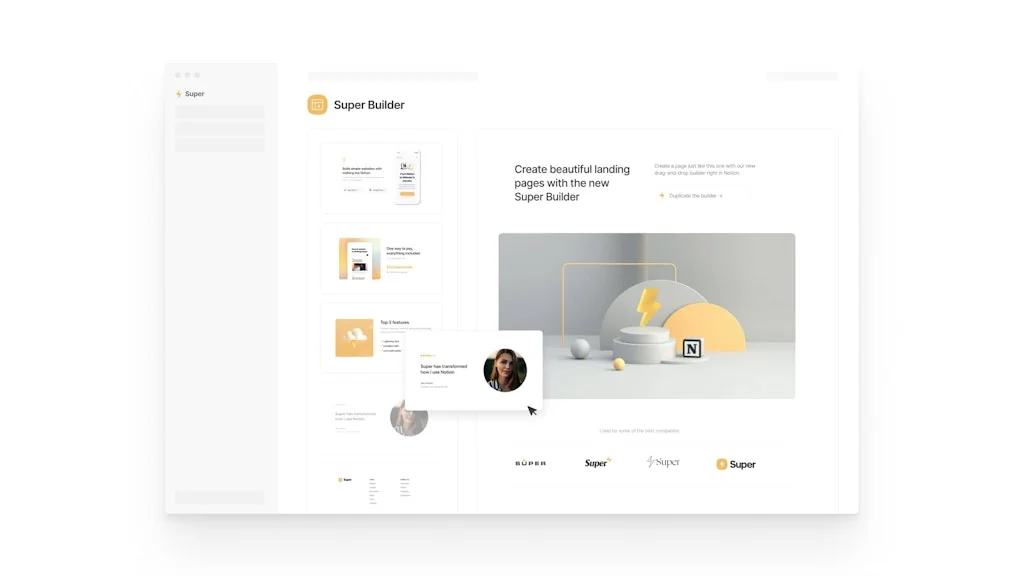
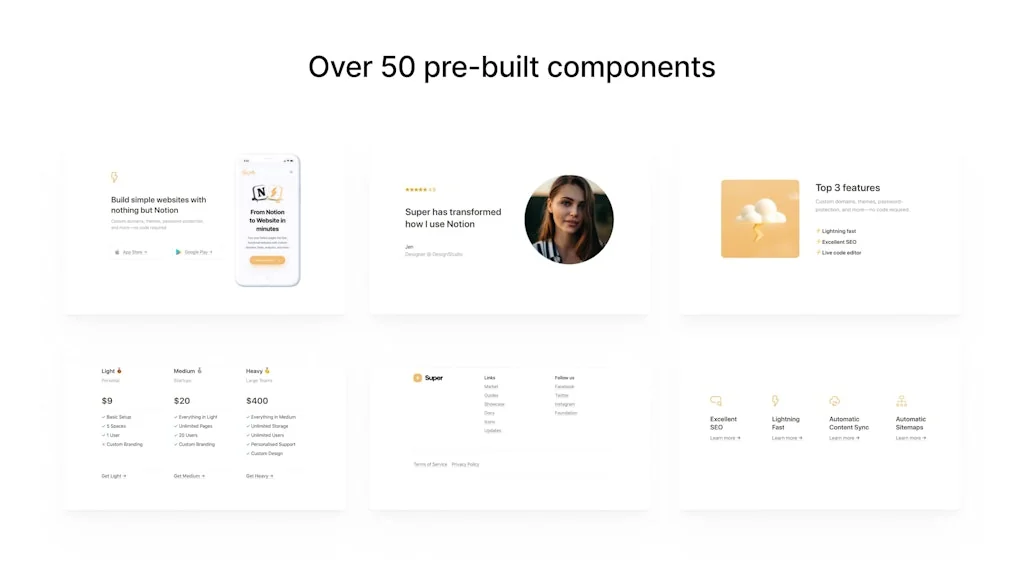
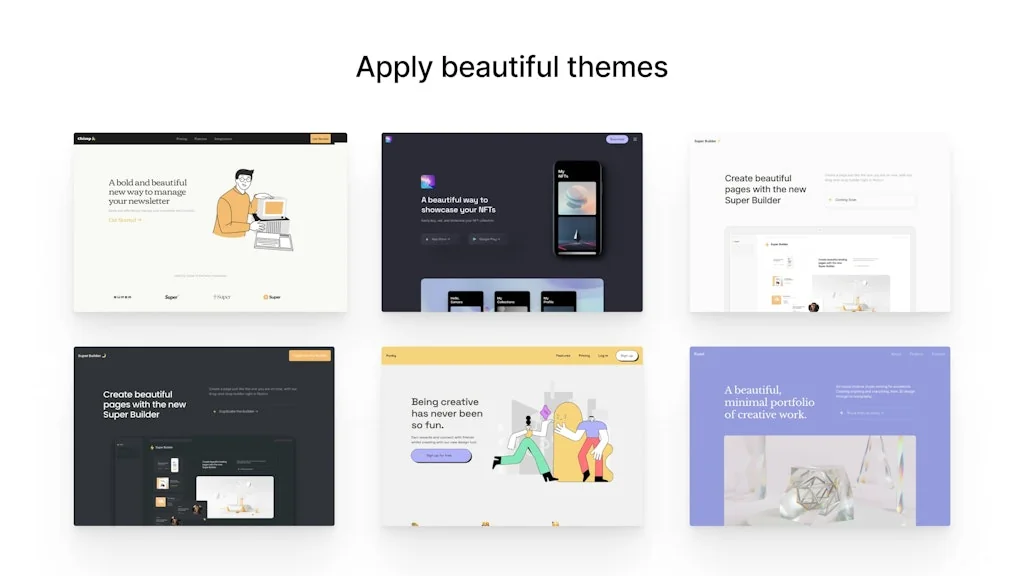
What is Super?
Transform your Notion pages into fully customized, professional websites in less than a minute. Enjoy high performance, SEO optimization, and a compelling user experience with great-looking instant page loads. Focus on creating while Super handles the rest.
Pros & Cons
Pros
- Notion integration
- User-friendly interface
- Responsive customer support
- Website builder
- Content management
- Dashboard features
- Fast performance
- Free tier
- AI insights
- Community support
- Personalization
- Theme customization
Cons
- Bug issues
- Design limitations
- Knowledge resources
Tool Details
| Categories | Website builders, Content Management Systems, Notion Templates |
|---|---|
| Website | super.so |
| Added | April 30, 2020 |
| Platforms | Web |
| Social | Twitter · Instagram · Facebook |
Recent Reviews (13)
I used Notion and Super to introduce and train my team in the art and science of designing and launching websites to a project team this past summer. Excited to see where this goes next and am keen on learning what's next/happening with analytics, animation, and plugins.
I've been using Super for a while and I'm a huge fan. Top-notch website builder + Notion CMS + a very responsive team = I'm able to build a content website faster than ever before, and just as important, effectively maintain it using Notion
Congrats on the launch! I use Super and have created a portfolio template for it and honestly can't recommend it enough. Easy to use and the way it integrates with Notion is seamless. Hyped for 3.0.
Super 3.0 is really good and I am now more than willing to recommend him to my friends. But I seem to have encountered a few bugs. When clicking Save when setting up the website, sometimes an error will be prompted, although this will not affect the result. Also, when I use the translation function in Safari, adding an icon to the footer of my page will cause the entire page to disappear. There will be no response and it will turn into a blank page. This problem will not occur if the translation is turned off. Secondly, when uploading the icon logo to the web page, you will find that the icon has not changed when you visit Safari, but it can be displayed normally in Chrome. I don’t know if it is because of Apple. There is a different "Apple-touch-icon" for Safari. In short, these issues have little impact, and I hope they will be helpful to you. Thank you for your efforts. (Because my English is not very good, so I use Google Translate, I hope it will not cause trouble to you)
👏 Great updates Super! Your platform is so easy to use and I've loved how simple it is to utilise with info-heavy sites built in Notion. The free political digital organising resources site I built for all the progressive campaigners in Australia (https://politicalnotion.co/) has so much content and maintaining and updating it in Notion and Super has been so easy. Thanks so much @trillcyborg for all your continued improvements and updates, awesome.
Fantastic product, really responsive community. My only quibble is that the knowledge resources could use some work, but you can still find the answers you need in the forums or by asking support. Also, an open user feedback system à la Frill or Userback would be a great addition to the product. Overall though, a fantastic tool and a great team behind!
helped us turn a Notion workspace into a quick landing page. I built one for a side project and was impressed with how smooth it was. My team liked how fast we got it live. A few design limits exist, but it gets the job done well.
Using Super.so daily since almost one year. It is a fantastic tool and a great team. Among all tools I use it is among my favorites. It works super smooth and fast. Rarely I need support or have a questions. But when I need it the team is super responsive and the documentation looks pretty complete.
on the free version, so far so good. the product accurately turns notion pages into a neat website. the user dashboard is quite handy. wonder to see how the paid version works
I've built many websites on Super and have always loved it. I currently have my personal website and side project site built through super.
Despite its advanced capabilities, the tool is intuitive and easy to navigate, which made onboarding quick and seamless
The service is great though it takes time for someone to answer my queries.
Amazing! It's a fantastic tool to create front-end ux on top of Notion. (and their support team is incredible!)
Frequently Asked Questions about Super
When did Super become popular?
Super became popular around April 30, 2020.
What are the main advantages of using Super?
The top advantages of Super include: Notion integration, user-friendly interface, responsive customer support, website builder, content management.
What are the disadvantages of Super?
Some reported disadvantages of Super include: bug issues, design limitations, knowledge resources.
What is Super's overall user rating?
Super has an overall rating of 4.9/5 based on 21 user reviews.
What type of tool is Super?
Super belongs to the following categories: Website builders, Content Management Systems, Notion Templates.
Related Website builders Tools

Framer
Design and ship your dream site with zero code

404er
Make a stunning 404 page

Bootstrap Magic
Create your Bootstrap 4.0 themes easily with magic

Bazium
Website builder for SEO with Google Pagespeed score above 90
Stey
AI Copy Magic for Your Website: Rewrite Copy, More Revenue !

HeroUI
Beautiful, fast and modern React UI library
Related Content Management Systems Tools

Teamhub.com
World first unlimited users project and chat tool

Payload
Developer-first TypeScript & React headless CMS

Penify
Blog platform for everyone. Create your own blog effortless.

WoMob
WordPress to Mobile App

MicroWidgets
One-click website upgrades for developers who'd rather code

Stream 2.0
Monetize and manage your virtual events hosted on Zoom
Related Notion Templates Tools
Commotion
Add forms to Notion
Life OS Dashboard
The Ultimate System To Organize Your Life

HiveMind
A 100+ Notion components for teams, beautifully templated

Trove
Create highlights across the internet & send them to Notion
NotionApps
Build apps from Notion without coding

Synced.so
Instant embeddable Help Centers from Your Notion Data
Compare Super :


Don't Get Fooled by Fake Social Media Videos
The world's first fact checker for social media. Paste any link and get an instant credibility score with sources.
Try FactCheckTool Free