
Framer
Design and ship your dream site with zero code
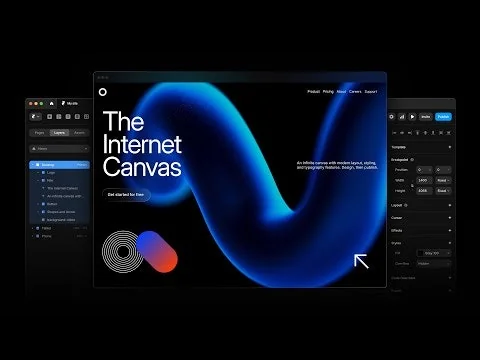
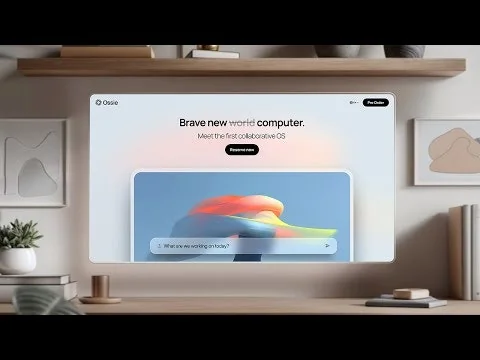
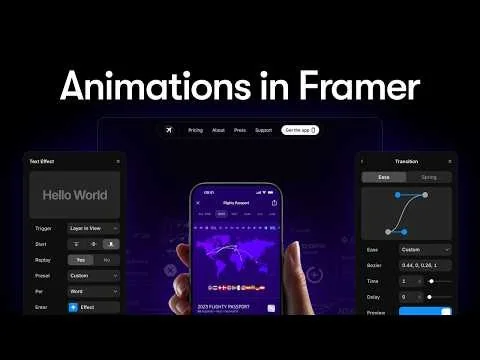
What is Framer?
A no-code platform to create responsive webpages with text, links, media, and incredible animations.
Pros & Cons
Pros
- Easy to use
- No-code platform
- Fast performance
- Animation capabilities
- AI design features
- Responsive design
- Figma integration
- Flexible canvas
- CMS features
- Community support
- Template marketplace
- Drag-and-drop interface
- Real-time collaboration
- SEO friendly
- Customization options
Cons
- Complex setup
- Lack of advanced features
- High pricing
- Limited CMS functionality
- Unresponsive support
- Easy to use
- Real-time collaboration
Tool Details
| Categories | Website builders, No-code Platforms, Content Management Systems, No-Code Website Builder |
|---|---|
| Website | www.framer.com |
| Added | October 15, 2015 |
| Platforms | Web |
| Social | Twitter · Instagram · Facebook · LinkedIn · GitHub |
Recent Reviews (13)
I learned about Framer from a designer on my team. Tried building my first landing page with it. I won't lie, there's a bit of a learning curve, but the experience is very intuitive. The tutorials really impressed me with their quality and simplicity. I used the AI prompt to generate a sitemap for a children's educational product website. Loved the templates! Then I iterated on the text, block layout, and played with the color scheme. Finally, I exported the result to Figma. Ended up with a solid, good-quality basic website that definitely streamlined the content and design development work. If only I could have published the site directly on Framer, it would have been perfect!
We rebuilt our official website to better showcase our product details and foster community engagement, and Framer played a pivotal role in this process. Acting as both a front-end and partial back-end engineer, Framer significantly reduced our development time and resource requirements. Its designer-friendly interface saved us countless hours, allowing us to focus on what truly matters: delivering the best product experience to our consumers. Framer’s seamless integration of design and development made it an indispensable tool for our team.
I love Framer. We were building our own website and landing page before, but switched to host our landing page on framer so we could spend more engineering time on building a compelling web-app & companion app! If you're looking for a good way to build a really good looking landing page, Framer is great. Also great for creating MVPs. Generally difficult to build a real web-app or product on, but for almost everything else it's amazing. Figma and Canva are awesome for design but being able to publish changes yet have similar functionality is incredible.
I chose Framer because it uniquely combines prototyping power with production-ready deployment. Unlike Figma (design only) or Webflow (steeper learning curve), Framer lets me iterate quickly and ship polished, interactive sites directly to clients. The animation capabilities and no-code flexibility give me the creative control I need without sacrificing speed.
Amazing concept. It appears to be in its early stage of development. I love how fast the AI generated a design. The generated text was spot on and clearly communicated the value prop. The typography was beautiful. But sadly, it's very formulaic (only a few templates and isn't free flow) and has a long way to go before widespread usage. The chosen colour palettes were bland and didn't usually follow the website's theme. The generated images were weird and, most times, felt random. I'm super excited, though, as to where they will take this from here. Looking forward to future updates.
Great for Simple Websites, But Limiting for Advanced Needs Some Key Issues: Lack of CMS Flexibility: Framer's CMS is quite basic. For projects requiring robust content management, it doesn't hold up compared to platforms like Webflow or custom-built solutions. The Notion API implementation is limited—for example, you can’t display inline videos in database pages. Single Password Page Protection: There’s no easy way to set up single password protection for individual pages, which makes creating private areas or restricted content unnecessarily complex. Localization Options: Localization is to expensive, making it a poor choice for multilingual sites. No Zapier Integration: Framer doesn’t natively integrate with Zapier, requiring workarounds like using fetch to connect external automation tools manually. Overpriced for Limitations: The platform’s pricing doesn’t align with its feature set. Competitors like Webflow offer far more flexibility and functionality at a comparable cost, while custom Next.js sites provide even greater scalability for professional projects. Unresponsive Support: Customer support is often slow to respond, which compounds the frustration of trying to work around the platform’s restrictions. Also don't really resolve issues. Conclusion: Maybe great for simple websites. For me it is not suitable for projects requiring advanced CMS functionality or integrations. For these needs, tools like Webflow, Zapier-friendly platforms, or a custom-built Next.js site are far superior and cheaper. Given the limitations and high price point and poor support, I often can’t recommend Framer to my clients as-well.
It still has a way to go to be able to compete with the advanced functionalities of Webflow but it is a good tool for making simple websites. → The benefits compared to Webflow: Cheaper, easier to use and learn. Launch faster. Insert quick pre-made animations and interactions. → Where Webflow still is king: Advanced and complex websites are not a thing in Framer right now. For sites with big CMS Framer still lacks many functionalities. If you are a designer Webflow freedom to build anything as you imagine is amazing, Framer sites, on the other hand, look all alike the same with these rounded squares modules, etc. If you are a developer, Webflow will give you much more freedom by tweaking and customizing the code. If they keep developing Framer at the pace they are doing it, I have no doubt it will become a designer and developer's tool of choice sooner than later.
I have to say this version is way much more friendly to the no-code. Though I understand how framer is trying to create a middle shared ground for the no-code and the code-savvy, the bar was high if an intrigued user who has zero background in design or coding wants to get his/her hands on framer. However, there are still a lot of problems with the coding part. Like, my colleague and I were once accidentally trying to add on the coding lines at the same time, and something went wrong, and the whole project blew up and shut down... lol... don't do the coding at the same time... one person at each time...
I'm a product designer so I am always experimenting with tools as early as I can to illustrate a concept. From the onboarding and interactive tutorial to the simplicity of the UI, Framer has been wonderful to use. Also I'm not sure if people know but there is even a plugin in Figma called Framer Copy Paste where you can copy your design and paste right into Framer. Some of my favorite things about Framer are: - The way they do component creation + variants - Style management - Breakpoints - Ease of use
Honestly, I couldn’t have asked for a better tool. I love the look and feel of many Webflow pages, but setting one up was way too technical and time-consuming for us. With Framer, I was able to set up and launch our AdAmigo.ai website after just one afternoon of work — and we’ve never outgrown it since. I can A/B test landing pages with just a few minutes of configuration, we launched a blog, and we’ve been able to achieve everything else we needed. Love Framer!!
I really like the concept behind f4ramers, the platform feels fresh and has a lot of potential for creators who want flexibility and control. The UI is clean, and onboarding was smoother than I expected. Definitely feels like something that can stand out in its niche. That said, a few things could be improved: performance can feel a bit laggy at times, and some features feel half-baked (especially compared to more mature competitors). The community aspect is promising, but it still feels quiet and needs more engagement to really shine.
Misleading pricing. Max non-custom plan is 100gb of bandwidth, which they advertise as 100.000 visitors/month. So each visitor can spend 1mb of bandwidth. EDIT: Seems to be no reply button so I have to reply this way. It’s misleading in the sense that you initially mention all your plans with only the amount of visitors per month listed. Conveniently leaving out the extremely low bandwidth. From there you can directly purchase without seeing the low bandwidth unless your scroll all the way down. While theoretically you could reach 100k visitors with 100gb, most websites would run out bandwidth far before 100k visitors. It also says it’s targeted at “bigger websites”. This also doesn’t make sense as bigger websites will easily use over 1 mb of bandwidth when browsing multiple pages. The amount of visitors you advertise is very unlikely to be reached for most websites. 1mb per visitor is not realistic for most websites. It would be different if you included the bandwidth in the first part of your pricing, but leaving out the much more likely to be hit limit of 100gb bandwidth while having a purchase button there, is misleading. EDIT 2: My apologies if the pricing was indeed not intentionally set up that way. I commend you for looking into it.
Frequently Asked Questions about Framer
When did Framer become popular?
Framer became popular around October 15, 2015.
What are the main advantages of using Framer?
The top advantages of Framer include: easy to use, no-code platform, fast performance, animation capabilities, AI design features.
What are the disadvantages of Framer?
Some reported disadvantages of Framer include: complex setup, lack of advanced features, high pricing, limited CMS functionality, unresponsive support.
What is Framer's overall user rating?
Framer has an overall rating of 4.8/5 based on 232 user reviews.
What type of tool is Framer?
Framer belongs to the following categories: Website builders, No-code Platforms, Content Management Systems, No-Code Website Builder.
Related Website builders Tools

Shopyflow
Build headless Shopify stores in Webflow

Zeroqode
Everything you need to build apps without code

Spaceship
The future of domain, website and digital product management

Ploi - Built by Developers, for Developers.
Use Ploi.io for easy site deployments.

Shade
Free landing page templates for startups

btw
Open source personal blog builder
Related No-code Platforms Tools
Zero to MVP with No-code
The ultimate guide to build apps without coding

Typebot
No-code platform to create advanced chatbots.

Forest
Instant& Customizable Admin Interface, focus on your product

Chatfuel
Chatfuel is the leading chatbot platform for Messenger

Gaia
No-code tool to train and deploy machine translation models

No Code MBA
Learn to build real apps and websites. All without code.
Related Content Management Systems Tools

Mintlify
The intelligent documentation platform

App Link Host
Set up iOS Universal Links without touching a server

React Bricks
CMS with Visual editing based on React components

deco.cx
Build high-performance web apps 10x faster.

Hackmamba
Publish high-quality technical content that converts

Bindr
Getting Rid of ‘final_v2_finalFR.psd'
Related No-Code Website Builder Tools

BlogMaker
A blogging tool that helps your SEO content rank faster.

WebWave
Create website in 3 minutes with WebWave AI
PortalWith
Create client portal access with Notion

Readdy
Websites that stand out, built and published in minutes

Elfsight
No-code AI widgets that engage & convert website visitors

Lumi.new
All in one platform to build your websites.
Compare Framer :



Don't Get Fooled by Fake Social Media Videos
The world's first fact checker for social media. Paste any link and get an instant credibility score with sources.
Try FactCheckTool Free