
Capacities
A studio for your mind

What is Capacities?
Like an artist's studio, Capacities is a place for all your information. It stores your knowledge and can resurface it, right when you need it.
Pros & Cons
Pros
- Object-based organization
- Customization options
- Flexible note linking
- Graph view
- Note-taking
Cons
- Learning curve
Tool Details
| Categories | Note and writing apps, Team collaboration software, Writing assistants |
|---|---|
| Website | capacities.io |
| Added | May 30, 2023 |
| Platforms | Web · iOS · Android |
| Social | Twitter · Instagram · Facebook · LinkedIn |
Recent Reviews (13)
It broke my brain at first. I’m used to dumping notes into folders or endless pages. Here? Everything’s an object. Projects, books, random ideas — you turn them into little building blocks and connect them. Took me 3 days to stop fighting it. But when it clicked? Magic. Suddenly my daily notes linked to a personal project, which linked to a book quote I’d saved months ago. Felt like my thoughts were finally talking to each other. The graph view shows these wild connections I never planned. Daily Notes saved me — perfect for chaotic mornings. Dump thoughts there, then later turn fragments into proper objects. Downsides: That learning curve is REAL. Not for casual note-takers. But after 3 weeks I’m hooked. It’s not perfect, but it gets how messy thinking actually works. Lets me wander, then pulls threads together. If you’re tired of notes feeling dead — try it. Just push through day 3.
This is an incredible note-taking app based on an innovative and thoughtful approach to knowledge management. Its object-based approach allows us to enjoy the benefits of storing in databases, but the linking capabilities take that further, and let us create a web of knowledge with ease. My favourite features are the page layouts, the different embed views for linked content, and the automatic record of what content was created on a day (found in the daily note). This allows me to take control of the knowledge I curate and I can customise the approach along the way. Knowing that I can then scroll back through my daily note to see what I was doing over a period of time is equally fantastic. Overall, Capacities is a genuine joy to use every day and that was evident within the first hours of testing it. Everyone should check out Capacities, I doubt they'll regret it!
Amazing product with incredible potential. Tried it, loved it, the only thing retaining me from using it daily and paying premium is bulk import. I have too much things saved on Notion to migrate everything one by one, but will certainly switch to Capacities as my main workplace when they add it!
It's still early days for my knowledge base but this is the best app I've tried so far for the notes I want to keep permanent, as a database/wiki of my brain. One kinda fun, kinda meta use-case I've gotten out of it recently is creating a Software object for every app I use, with views to keep track of trial lengths, billing, thoughts, sort by categories etc. It feels like for this use alone it might win out other apps in the space xD
I was a bit slow on the uptake. I installed it but thought I probably didn't need it and it would be too much work. Then I watched a few videos and read a few blogs and realised that this app was literally screaming out to me. Yes, I had a lot of the information in Obsidian where I had made it look as nice as possible but as a very visual person it just wasn't the same. I think the only way I can describe it is Obsidian feels like working in a city and Obsidian is like working in the Countryside. You can do your work equally well in both, but it is so much more inspiring surrounding yourself with the beautiful scenery. Now I have started using Capacities, I do things differently. For instance I am a history fan. If I read a historical fiction (referencing real people and events) I not only write a quick review of the book but create profiles for the people and notes for the events and find out more about them. In other words Capacities is causing me to gain more knowledge from my sources.
I am very happy with this product. I have been in Roam Research for about a year and a half. While it was a great move into "relational knowledge management", it has a surprising level of lackluster-ness about it, and has not changed. For this reason it is not "fun" — you may think this is not important, but it is. And I will say — Capacities is FUN. Of course, this has many practical dimensions — it adds object types, and makes it extremely flexible to add new ones. (One of the big things I was surprised about with Roam, is the absolute absence of the ability to add any meta-data — "surely, it must be here somewhere — the ability to add custom fields at the top of the page?" — nope. But Capacities is super-flexible this way. It is a huge leap forward, and I hope they can get a lot of traction. I hope they are not too far ahead of their time. I am supporting them, it is by far and obviously the best product. I first lived in Evernote for many years, then went to Notion, then Roam... now Capacities (a pretty common pattern, I think!)
Getting better every day! Capacities is an excellent tool for knowledge management designed for individual use. It is non-hierarchical like Obsidian, and in that sense is superior to good old Notion, if it comes for personal use. You can share content but is not designed for team work. I use Capacities to manage papers and academic work. Also ideas, benchmark research, daily notes, and administration. It is a very powerful tool that feels very flexible and neat. I prefer Capacities over Obsidian because the latter requires constant revision and maintenance. And because Obsidian offers so many plug-ins, you always get the feeling that you could get a better workaround to improve your note-capturing. Capacities in this sense is a curated experience: once you learn to use it, you make the best out of it, and slowly you get new implementations. The company is very attentive to user feedback. I hope more people discover the power of Capacities.
As someone deeply entrenched in Notion for the past three years, I can hardly contain my excitement about Capacities. It's the answer to all the frustrations I've had with Notion while preserving the aspects I love. Notion Without the Hassle: Capacities is like a breath of fresh air for Notion users. It doesn't just address the issues that had me pulling my hair out; it provides innovative solutions that make me wonder why I stuck with Notion for so long. The Main Calendar: Finally!! a dedicated central calendar! This feature alone is a game-changer for those of us who rely heavily on calendars to manage our lives. I could do everything else in Notion but I hated having to switch to another app or pay to set up an automation between Google Calendar. A main calendar for all tasks should be bare minimum for an all in one producctvity app. Freedom from Notion's Constraints: Capacities breaks free from Notion's rigid structuring system. The built-in views for weblinks, files, and images are a godsend, especially for managing large knowledge systems. It's a significant time-saver compared to Notion's workarounds. Balanced Structure and Customization: Capacities offers a perfect blend of structure and flexibility. It provides an easy-to-use canvas that doesn't overwhelm you with a blank page. While there are some key features that aren't built into Capacities just yet, the benefits far far far outweigh any drawbacks. Plus, the app's promising product roadmap is a compelling reason for me to make the switch. Capacities is a dream come true for (frustrated) Notion users like me. It retains the best of Notion while introducing innovative features and a promising future. If you're seeking a more versatile and efficient knowledge management tool, look no further – Capacities is the solution.
At first, I was looking for a way to sort pictures, texts, and different files with tags to make them easy to find. I wanted a system without strict rules, not like folders that I can only use once for each item. The software Capacities gives me the flexibility I was looking for. You'd think that all Personal Knowledge Management (PKM) tools should be easy to use, but none of the ones I tried, like Notion, Obsidian, or Evernote, were as good as Capacities. The developers are highly participative and constantly in dialogue with their community. I think that's really important. Keep up the good work! I've been a believer from the start :)
They claimed that once you'd used its non-hierarchical approach to organising your notes that you wouldn't want to go back, and the strange thing is that they're right. Strange, because it's hardly the only option out there using tags and links, so there's something subtle going on which has very quickly made Capacities my preferred notes app. It still needs work: by their own admission the offline access is still limited, and a web clipper would be handy. Tables are still far more useful than side by side blocks. I'm a little concerned about future pricing: will the forthcoming mobile app be available in the free version? I'm happy to pay something but it has to realistically reflect the place of notes in my working tools. Having watched Evernote price itself beyond feasible value even for its "personal" version I really hope Capacities won't follow suit. But the potential for greatness is all there, and the team seem smart and focused, so I live in hope.
For me, this is an interesting blend between Notion & Logseq, which are the two apps I've somewhat decently tested. This review has been written after testing capacities for about an hour. ** 3 Things that make it stand out from Notion 1. Toggle to-do. Man I wish Notion had this. Right now my only workaround is toggle with an icon of a square or a checkbox. 2. Default Diary (like LogSeq, a new page is created every day with the date as title. Makes it convenient for scratchpad. It'll also reference dates you've used. Imagine you say "Ask Laury on @Dec 17, 2023". That task will show up on the daily note of Dec 17, 2023. 3. The looks. Don't know what it is exactly but I think it's a little less browny and a little more white. I like it a lot. It's much fresher. ** Missing from Notion 1. Table support 2. ctrl+shift commands. I use them all the time, especially the one to turn something in a bullet point, a toggle, a todo or a page AFTER you've started writing. The "-" "[]" and ">" work great when you start a block, but once you've started writing it's not easy to change
Been using Capacities for a very short time, but for me it's the best blend of all the tools I wished I were using, but aren't for a reason or another: Notion: I love the databases, structure format, but usability 'gotchas' or the lack of mobile input or linked items keeps me from using it long-term Obsidian: Having to manage my own installs, too fiddly to make it what I want, and the mobile app not having mobile-first features keep me from using or recommending it, despite it being amazing desktop software. Roam & others: Eh... I need a mobile app and it seems some of them have burned their userbases with poor product decisions. What I like about Capacities: It has the right amount of 'Obsidian + Roam + Notes + Notion', I can leave notes, link them easily, but not worry about the fiddly management of a client on various platforms. It has mobile capture, I can send to Capacitie's mobile app, or use whatsapp chat to capture a mobile link (very key for me). Enough structure if I want it, but I can also just ship it a link, and it remembers it in the 'weblinks' collection, if I don't send it somewhere specific. And this was built with 3 people? Take my money, and hopefully there's a bright future for Capacities.
I recently discovered Capacities and almost immediately became a Believer (ie, I gladly pay a subscription!) Taking elements from several other apps that many find useful (the tables of Notion, the backlinking of Roam, the graph view of Obsidian, the beauty of Craft), Capacities iterates on these while bringing Objects to the table. Objects allow the user to create specific “objects” in their studio - I am using it for journaling, novel creation, projects, learning notes, etc. The devs are super responsive and the community is wonderful and growing. Definitely check it out!
Frequently Asked Questions about Capacities
When did Capacities become popular?
Capacities became popular around May 30, 2023.
What are the main advantages of using Capacities?
The top advantages of Capacities include: object-based organization, customization options, flexible note linking, graph view, note-taking.
What are the disadvantages of Capacities?
Some reported disadvantages of Capacities include: learning curve.
What is Capacities's overall user rating?
Capacities has an overall rating of 4.8/5 based on 66 user reviews.
Is Capacities available on mobile devices?
Yes, Capacities is available on iOS (App Store) & Android (Google Play).
What type of tool is Capacities?
Capacities belongs to the following categories: Note and writing apps, Team collaboration software, Writing assistants.
Related Note and writing apps Tools
Kompad
An open-source note-taking app for free
Type Switch
Effortless language switching on macOS with Type Switch
noteX
Discover the power of AI-powered note-taking with noteX

Hermes Markdown
Write Better AI Prompts, Faster
StudyRecon
Search Less, Discover More! Streamline your research!

Audio Writer iOS
Transcribe it, refine it and structure it for you
Related Team collaboration software Tools

Zencal
Scheduling for paid meetings and teamwork

Commented
Start conversations and chat on any live projects

Alpine
All your work in one place: docs, tasks, chat, AI and more

Rally.video
A video platform built for large social groups

Accord
Don't leave revenue goals to chance

Spark
All in one email solution.
Related Writing assistants Tools
AI Project Description Generator
Generate project description and build your stack using AI
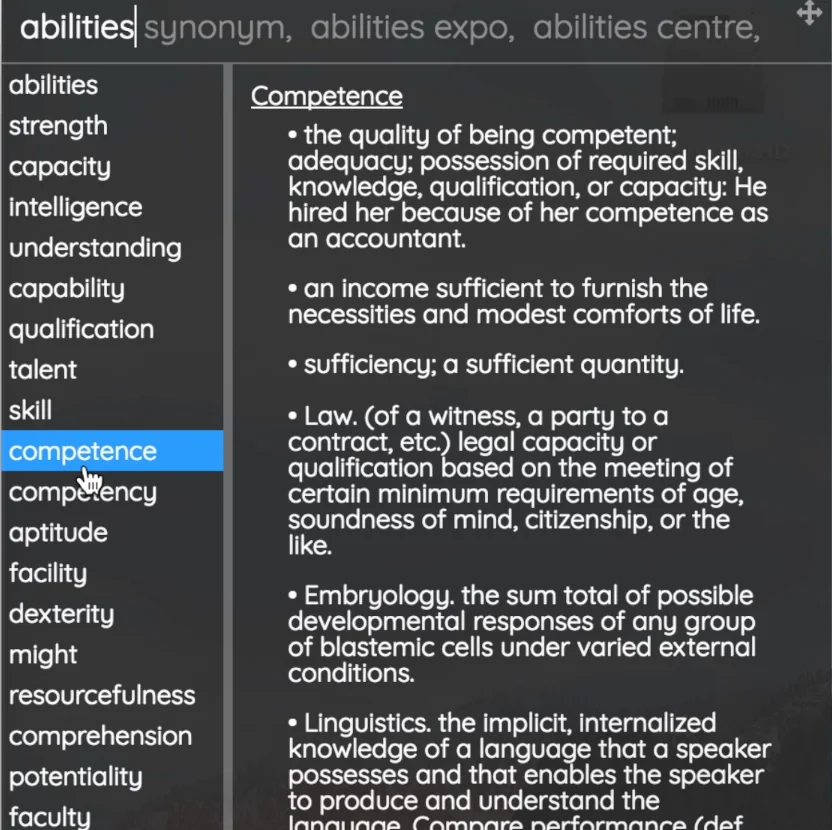
Synonymful
Improve your vocabulary and communicate like a pro.

Sentence Studio
The only way to get (really) good at writing.

Type
The AI-first document editor.

ChatScribe Pro
Transcription, translation, content generation, and Q&A Bot

Typora
A new way to write in Markdown
Compare Capacities :



Don't Get Fooled by Fake Social Media Videos
The world's first fact checker for social media. Paste any link and get an instant credibility score with sources.
Try FactCheckTool Free