

Workona
The essential work organizer for the browser



What is Workona?
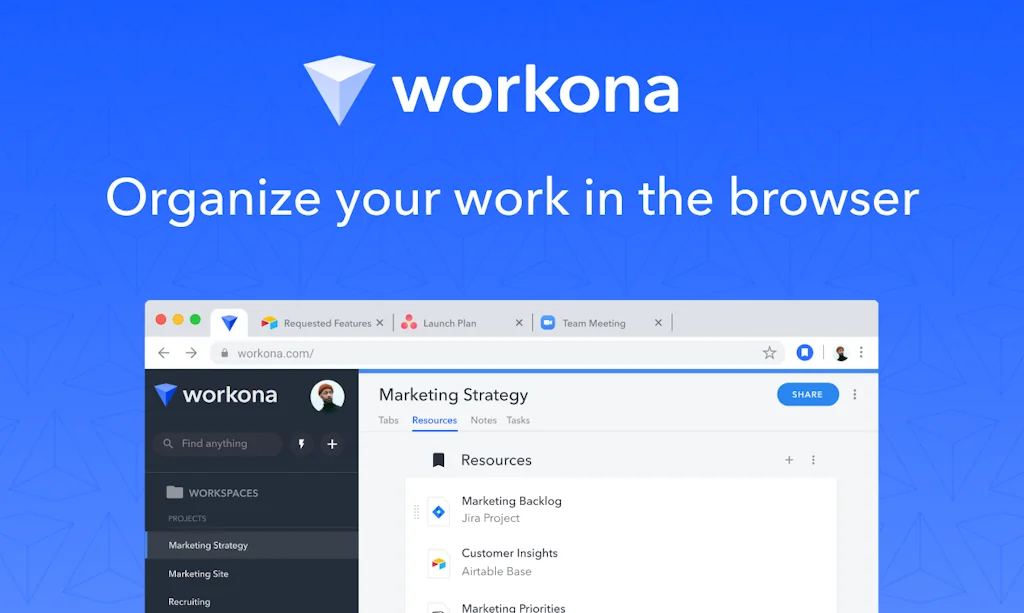
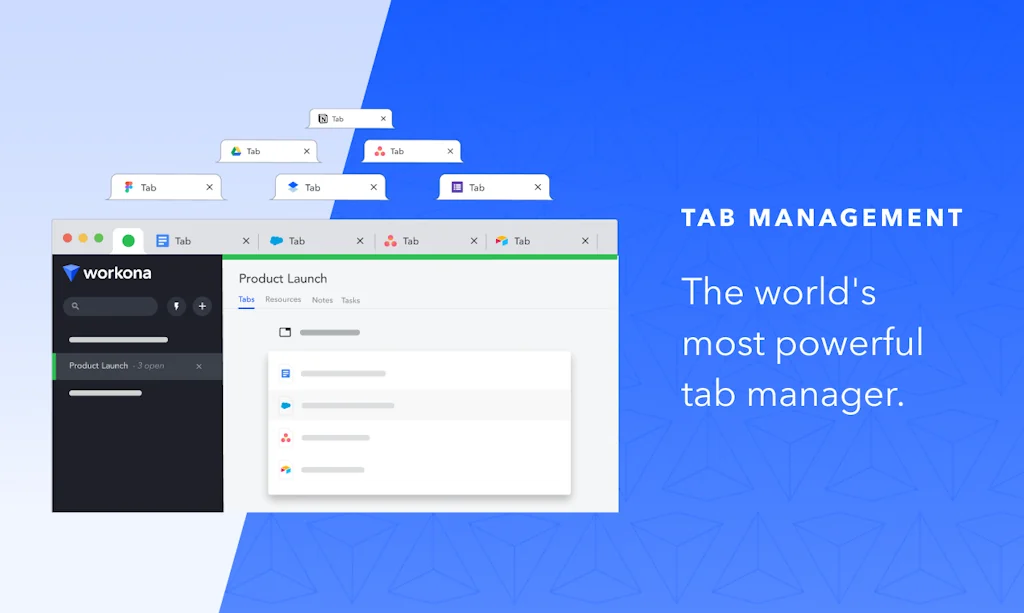
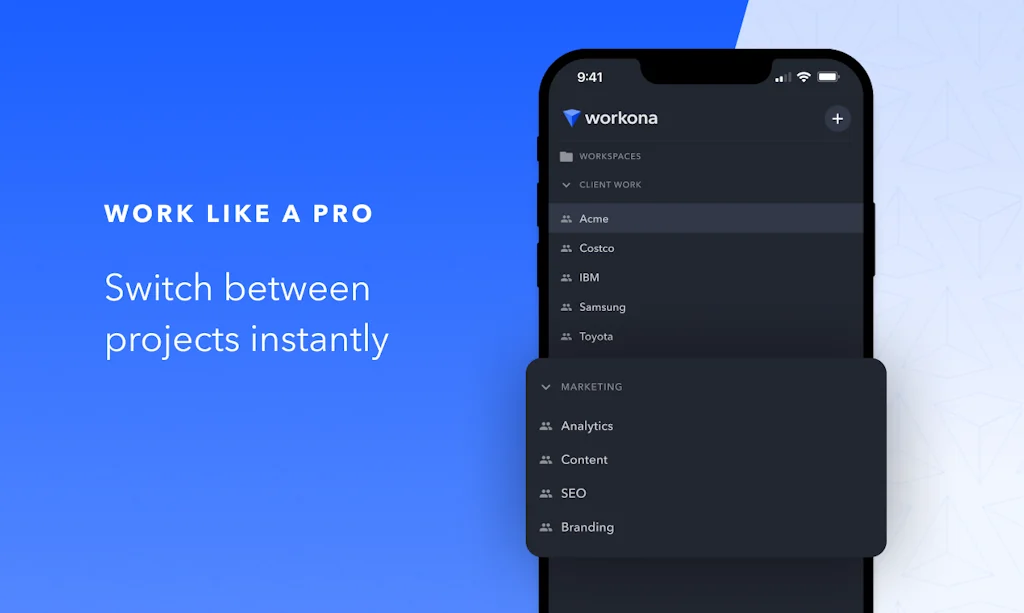
Organize your tabs and docs into workspaces. Move between projects, focus on your top priorities, and get your work done faster.
Pros & Cons
Pros
- Tab management
- Workspace organization
- Browser extension
- Resource management
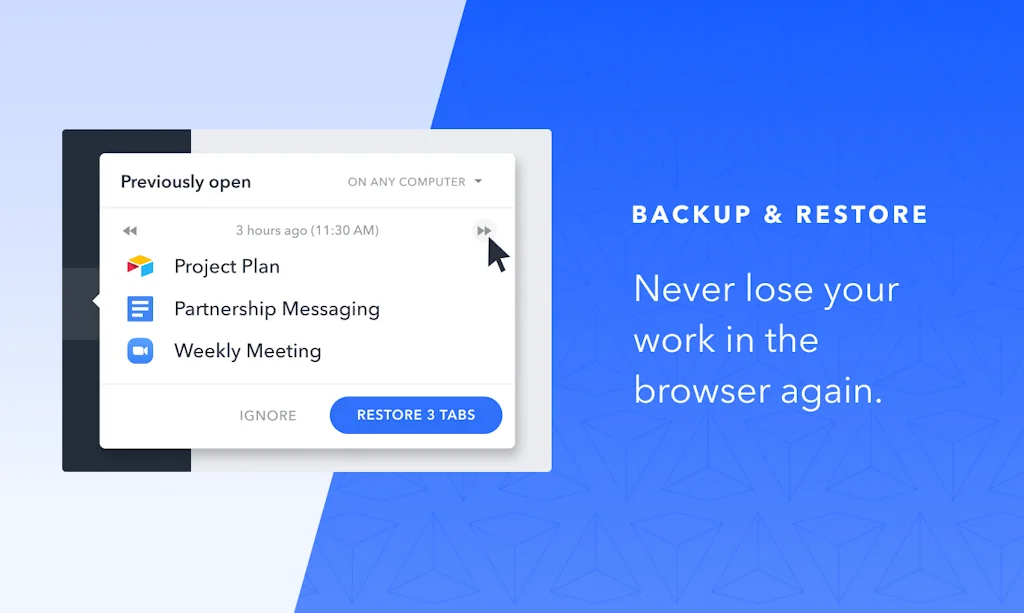
- Automatic saving
- Cross-device synchronization
- Notes management
- Task management
- Free tier
- Low resource usage
- Team collaboration
- Drag and drop
- Project management
- Real-time editing
- Universal search
Cons
- Lack of formal tags
- Missing shared tools access
- Notes management
- Price
Tool Details
| Categories | Productivity, Remote workforce tools, Chrome Extensions |
|---|---|
| Website | workona.com |
| Added | August 11, 2018 |
| Platforms | Web · iOS |
| Social | Twitter · Facebook |
Recent Reviews (12)
Best tab management software I've tried.
Incredible app- helps me manage my tab anxiety
I love this tool organizer for my browser, it has increased my productivity. As a Designer working from home, it allows me to keep my personal digital workspace and my work on all clean! The switch between them is flawless, and it helps me to not get overwhelmed by my different type of research like personal stuff like finances, health and work which are more technical information. Before, I would have everything in one browser or multiple tabs and I felt so dizzy. The little tab with their logo is a nice touch, it feels that I'm not alone on my days of work ;)
SUMMARY: Workona is a very helpful, easy to use extension but there is no undo button in notes so look forward to accidentally losing all your work lmao CONS: I have only one complaint thus far, but it sure is a big one that I hope will be fixed. At least to my knowledge, there is no undo button for notes.....I've been working on one note in particular for an excruciatingly long time and have been gathering little snippets of info for it from all different corners of the internet. I went to select one word and retype it, but accidentally selected the whole note and now it's all gone ;-; PROS: I've started redoing the note and it has been easier than it would be without workona, as I can restore tabs from specific time periods so that I get all the tabs I was working on together (if that makes sense). This restore function in general is great, you'll never have to worry about shutdowns or losing your many many tabs/windows again. I cant speak on the resources and tasks functions as I haven't used them at all, but the rest of the features work smoothly, are very intuitive and easy to figure out. I'm sure this also applies to the features I haven't used.
workona is my go-to to bring calm to daily chaos, juggling different projects and initiatives I'm part of. One thing I think it's missing (but they use to have, I could swear!) is a way to access overall tools that are shared across workspaces. So for example, I need a quick access to Confluence, always, so I have two options, either pinning the tab to my browser everywhere or have it as resource in each workspace. And I don't like the bookmark bar 🤭 ahah anyway, it's still a pretty solid product I use every day ♥
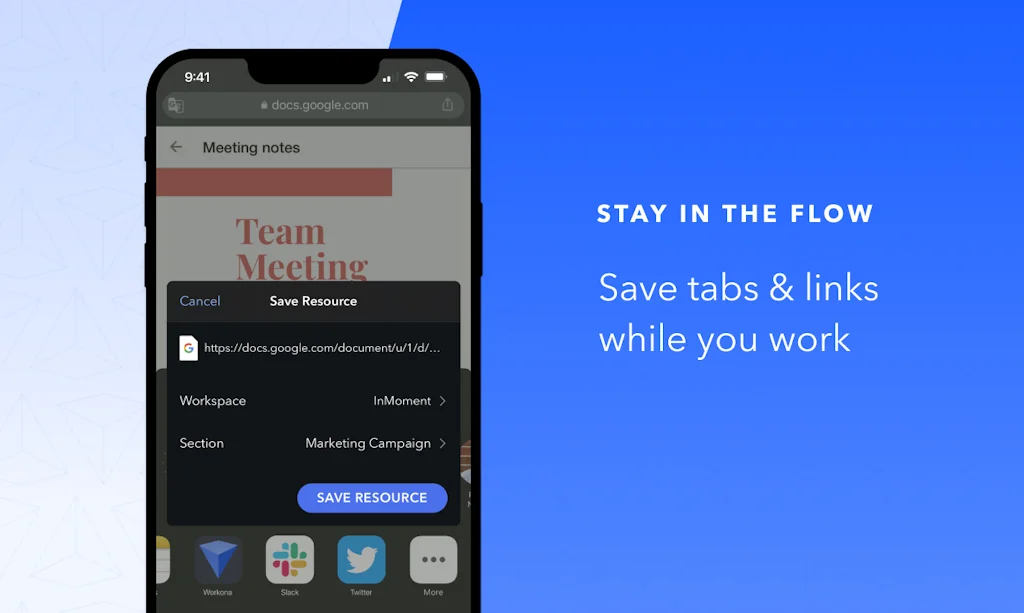
Looking for a great... ummmm... tab manager, topic manager, project manager, notes manager, tasks manager, resources manager, productivity app hub, and team coordinator? Well, in my nearly six months of use of Workona as of the time of this writing, I can say, at least for this distributed software systems architect, Workona is a great facilitator for all of the aforementioned productivity aids. Workona has increasingly elated and surprised me during my MASSIVE research and development phase for my current project. Before I continue with my review, lest you think this GLOWING review is an ad masquerading as a review, nope. I have no affiliation with Workona other than being a happy user. I present my review for your benefit, as I truly believe that once you get the hang of Workona, you'll find it as handy, useful, and organizing- and productivity-increasing as I do. Next, when you consider some of the other reviews here, take note of the date of their submission. As with any software, Workona has matured and improved over time, so for older reviews, ignore the "buggy this" and "buggy that", as that is commonly true of most software products in their early days. I've experienced no bugs (May - Nov. 2022). For those recent reviews that mention usage problems, it's probably due to not giving themselves time enough to flow with Workona's organizational and usage paradigm, or they simply weren't using Workona optimally, or had a misunderstanding of the premise and goals of Workona and expected it to be and do something other than what it was built for. I can say as far as my usage, it was a growth process. At so many turns, the elation and surprise I mentioned earlier, erupted each time I tried something that I hoped Workona would do... and it did it! Primarily, this was concerning drag-n-drop -- it's pervasive in Workona. Everything is draggable for easy reorganizing. Further, if somehow you lose tabs. Workona backs up your work at each change, and allows you to recover any given Workspace back to any prior state. What exactly is Workona built for? Well, coming from my perspective, I'd say research, team, and project management. However, it has so many flexible facilities and capabilities that I can't imagine someone not finding it useful in their workflows, for both personal and professional use cases of many kinds. Imagine being able to categorize your daily browsing in multiple conceptual Workspace Sections containing multiple Workspaces, into each of which you can add multiple Note Sections, Notes (rich, with attachments, images, and full-text formatting), Task Sections, Tasks (with due dates, attachments, and rich text), Resource Sections, and Resources (links, documents, folders, each with optional description). Note that that's PER workspace! Meaning, your projects can be as small or large, and as thin or fully documented and cross-referenced as you like. To top it all off, Workona allows your team to contribute to and share this common body of well-organized information -- with REAL-TIME editing updates! You whole team can stay onboard and collaborate far better than with emails, text messages, and forwarded documents. All important information in one common repository. Workona is a fantastic tool for personal and collaborative use. At first glance, one might perceive that Workona has one glaring omission: TAGS. There is no formal declaration of tags in Workona. I was so disappointed when I discovered no mention of "tags" in their literature, help, or even in Google searches -- no mention. :( Well... no problem. Workona includes full-text search across all workspaces and elements. Given that, you can define your inline tags however you like. I use the common #tagword syntax. Just place a #, or your preferred tag-designation symbol, before a word you wish to tag... that's it. Then, when you need to find all elements with a given tag, typing Alt-S on Windows brings up the Workona Universal Search, into which you can type and search for your #tagword. Problem solved! Well, not completely. Hopefully, Workona gurus will formalize tags and allow searching for multiple tags at the same time, thus filtering only for those elements that have all selected tags. One other suggested feature if Workona personnel happen to read this is to add link preview on hover. That would be a very handy aid-to-memory and time-saver. On optimal usage of Workona: Sure, it will allow you to have many, Many, MANY tabs open in your various workspaces, and keep them there between work sessions and browser reload. However, I've found the optimal way to use Workona and to conserve browser and computer memory is to consider ANY and ALL open tabs as just temporary work and research items. Open them in whatever workspace you like, but I try to move to the workspace for whose concept I'm currently focusing on or researching, and I do my searches and open tabs there. When I've opened and researched as many tabs as I like, whether that's over a few minutes or several days, my intent is ALWAYS to either bookmark them in the browser bookmarking system AND/OR bookmark them as a resource in an appropriate resource group within the current workspace. Once a tab has been bookmarked with either method or both, close it -- you can always reopen it by clicking on its resource, and it will show again in the list of open tabs. Managing open tabs and resources this way will keep your workspaces, and browser/computer memory uncluttered. Consider it as you would consider clearing your physical desk at the end of a work session. You do keep a clean desk, right? :D Ok, that's about it. I hope what I've written here has been helpful in giving you some glimpse into the facilities, usefulness, and benefits of Workona.
As a co-founder of a start-up I wear many hats. Workona has allowed me to organize the websites I'm using by task. I can switch easily from one workspace to another and each workspace has the tabs open I need for that task. I also have resources attached to each task. This is an organizational game changer.
if you have too much tabs opend like me, then try this out. you have "sessions" or "sections" where you could put tabs + notes + tasks and if you close a session it is auto-saved. so next time u start where you closed last time. and you can move ressources (tabs/notes/tasks) to different session/sections
Using Workona has streamlined my workflows and helped me reduce distractions of having too many tabs open in one browser window. Separating my projects into their own workona groups has made a huge positive impact on my ability to focus on one project at a time.
Workona helps me to isolate projects (many browser tabs) to spaces I can recall at any time and sync between devices. It allows focus on one area at a time and to stay organized with always the right tabs for the task I need to complete.
Bootstrapped SaaS founder here. Wearer of many hats. Workona makes switching contexts painless. The team really thought of all the edge cases that have made previous browser tab management tools unusable for me.
I've been using Workona for a while now and it's been a complete game changer! It keeps all my tabs organized so I'm not constantly getting lost. What's even better is that the UX and UI are incredibly intuitive, making it much easier to use. It saved me a ton of time and I'm so glad I found this product. I highly recommend it to anyone who needs to manage multiple tabs!
Frequently Asked Questions about Workona
When did Workona become popular?
Workona became popular around August 11, 2018.
What are the main advantages of using Workona?
The top advantages of Workona include: tab management, workspace organization, browser extension, resource management, automatic saving.
What are the disadvantages of Workona?
Some reported disadvantages of Workona include: lack of formal tags, missing shared tools access, notes management, price.
What is Workona's overall user rating?
Workona has an overall rating of 4.5/5 based on 24 user reviews.
Is Workona available on mobile devices?
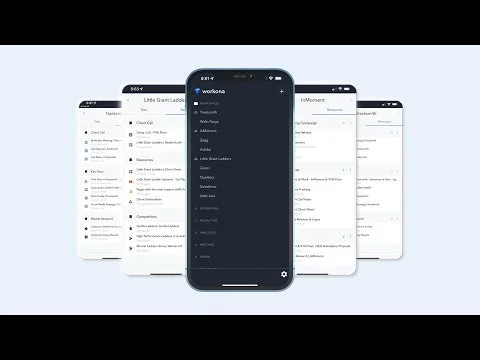
Yes, Workona is available on iOS (App Store).
What type of tool is Workona?
Workona belongs to the following categories: Productivity, Remote workforce tools, Chrome Extensions.
Related Productivity Tools

Mnexium AI
Persistent, structured memory for AI Agents

Just Scroll
Effortless auto-scroll with customizable speed for Chrome

Journal for Chrome
Save links, documents, and more to Journal.

Blurt
Writing tool optimized for productivity and focus

Indy
All the tools you need to manage your independent business

Clear 2
The charmingly simple list app, redesigned for the future
Related Remote workforce tools Tools

First Round
We're called First Round for a reason.

Luna Display
Hardware that turns the iPad into a wireless second display

Tilvo
Borrow talent from Fortune 500 companies

UXReality Platform
Online platform for remote user tests

Petcube Bites 2 Lite
Smart pet camera with a treat dispenser

Twist
Tame chaotic teamwork with Twist
Related Chrome Extensions Tools

SwipeWell
Save all your marketing inspiration in one place

Universal Bypass
Don't waste your time on annoying link shorteners ⛓️

GitHub Chat
Chat with any github repository, file or wiki

Just Read
Reader view for web browsers

EazyCSS
No code CSS editor for any website.

Airgram for Google Meet & Zoom
Reimagine your online meeting experience
Compare Workona :





Don't Get Fooled by Fake Social Media Videos
The world's first fact checker for social media. Paste any link and get an instant credibility score with sources.
Try FactCheckTool Free