

FocuSee
Auto Turn Screen Recordings into Stunning Product Videos.
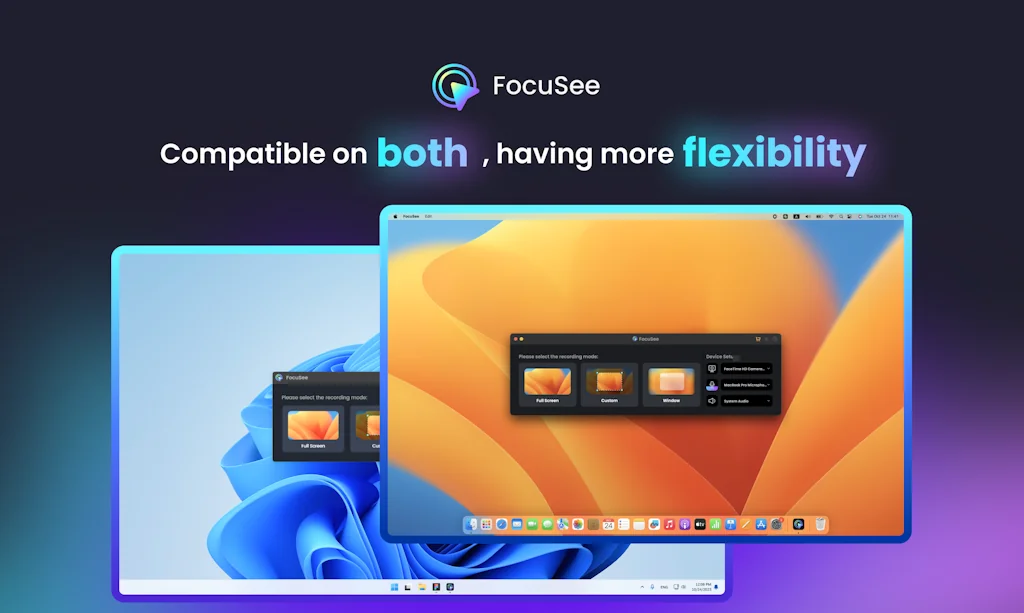
What is FocuSee?
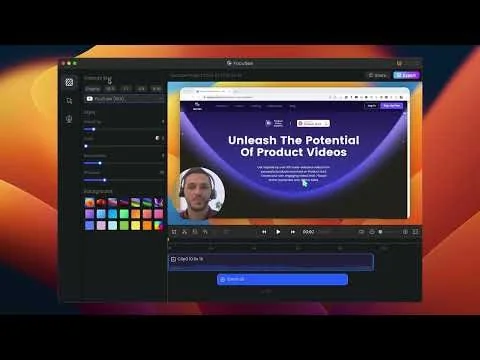
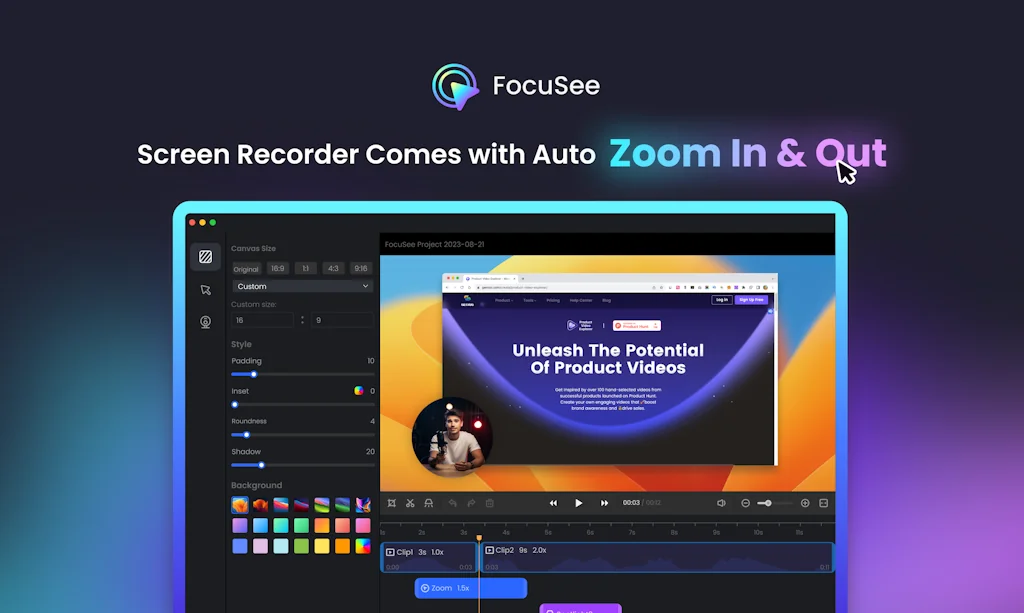
A screen recorder comes with automated editing - Automatically track cursor movement, apply dynamic zoom and click effects, add a pleasant background, and generate a professional-looking video/gif that is ready to use.
Pros & Cons
Pros
- Dynamic zoom
- User-friendly interface
- Automated editing
- Cursor tracking
- AI features
- Click effects
- Layout features
- Affordable pricing
- Auto-subtitle function
- Camera background removal
- Custom background
- Custom fps/loop settings for GIF export
- Facecam customization
- Motion blur
- Noise reduction
Cons
- Export issues
- Incomplete video export
Tool Details
| Categories | Screenshots and screen recording apps, Video editing, Product demo |
|---|---|
| Website | focusee.imobie.com |
| Added | October 26, 2023 |
| Platforms | Web |
| Social |
Recent Reviews (13)
I recently had the chance to try out FocuSee, and it has completely transformed my screen recording experience. Let me share with you the standout features that have me excited 🎯Automated Editing FocuSee's automated editing feature is a game-changer. It simplifies the editing process, saving me time and ensuring my content looks professional. No need for external software – it's all in one place. 🎯Customizable Zoom Effects I love how FocuSee allows me to add customizable zoom effects. It's fantastic for drawing my viewers' attention to important details, making my tutorials more engaging. 🎯2x Highlighting with Spotlight For my presentations and tutorials, the '2x Highlighting with Spotlight' feature has been invaluable. It lets me emphasize crucial points, making my content more impactful. 🎯Cursor Customization The ability to choose from various cursor styles and click effects is a delightful touch. It adds a professional look to my videos and keeps my audience engaged. FocuSee has become my go-to screen recording tool. It's user-friendly, and these fantastic features have elevated the quality of my content. If you're a content creator, educator, gamer, or professional, give FocuSee a try. It's a game-changer. you can watch my review via on YouTube - YouTube LinkedIn - LinkedIn
It is painful and time-consuming to record a product demo, edit it, write the script, and record the voiceover. With FocuSee, everything for the product demo can be done in one place. Plus, you get different types of social media versions with one shot. It would be even better if the video could be turned into a walkthrough blog or documentation, further extending the use cases of a demo walkthrough video into written content.
This is by far one of my favorite products I’ve found on product hunt. Phenomenal team behind this that regularly pushed updates and listens to their users. Drop your loom subscription and switch to this!
I chose FocuSee because I wanted a screen recording tool that automatically edits videos in real time. As a content creator, I needed something that saves time on trimming, captions, and polishing while still producing professional-quality results. Its AI features and faceless video options made it a perfect fit.
I have been using FocuSee for a long time and the new 2.0 update is a real upgrade.It adds AI avatars voice cleanup and background removal that make screen recordings look cinematic without editing stress.Still super easy to use and saves a lot of time for creators like me who record tutorials regularly.If you want fast polished results this update is totally worth it.
“FocuSee is an absolute game-changer. I’ve been looking for a tool that could save me hours of editing, and I finally found it. With just a few clicks it cuts out the boring parts, adds super accurate automatic captions, and exports videos already optimized for TikTok, Instagram, or YouTube. What impressed me the most is the speed: something that used to take me an entire evening now takes just a few minutes. The interface is simple, and you don’t need to be a professional editor to get professional-looking results. Sure, there are more advanced programs with tons of features, but for anyone who wants to create content quickly without wasting time, FocuSee is unbeatable. Highly recommended!
FocuSee is a fantastic screen recording tool! Its versatile recording options (full screen, custom area, window) meet all needs. The audio setup with waveform monitoring and noise reduction works amazingly—even my cheap mic sounded better. The editing features shine: one-click aspect ratio adjustment for social platforms, rich cursor effects (zooming, highlights, sounds), and smooth animations. The auto-subtitle function is impressive, hitting 95% accuracy despite poor audio. Layout presets for webcam integration are handy, and presets save time for repeated projects. Sharing and exporting are seamless. Minor tweaks aside, it’s a must-have for creators. Highly recommend! Use code "creativeberry" for 20% off—worth every penny!
As a content creator who records a lot of tutorial videos, I really like how FocuSee combines screen recording and editing in one place. The interface is clean, easy to use, and features like cursor highlight, zoom, and beautify make the workflow super smooth. The new AI updates, like smart cut and voice enhancement, are also very promising. Just shared my full experience in a YouTube video — it’s definitely worth trying!
The deal is great, but it seems since iMobie took over, features such as video sharing directly from the platform have been removed. This makes FocuSee a bit of a lame duck that doesn't help with workflow and just becomes a fancy, static tool that requires far too much post-recording steps to get the final video out to the team, users or whoever needs to watch a tutorial or how-to screen capture fast. The production features are great, but the bit after the recording is cumbersome. It makes us worry, because the features are present in previous incarnations and early reviewers are presenting options that are simply no longer there. That's bad form and without regular updates and better (more on-the-ball) support is feels like a sales strategy that all out for a quick sell-out. As far as we're concerned: add video sharing or at least a direct, in-app connection to users' Vimeo or Youtube channels, and we're immediately adding two more stars.
I’ve tried a bunch of screen recording tools, but FocuSee really stands out with its smart auto-zoom, motion blur, and layout features - all without needing to edit manually. It fits perfectly into my design tutorial workflow and genuinely saves time while making the videos look pro. If you're a creator or educator, this is a must-try.
Cool idea. However, without features like ctrl + Z, panning, fade in/out and transitions, it is very easy to find something wrong after the export. I understand this is still the early stage of this product, but maybe at least allow exporting the same recording until the user gets it right and is satisfied? The free version allows only 1 export.
FocuSee has 1-upped my product showcase game on X. Its blur-effect on zoom-in is so good that I continue to use the app despite it not working in "Crop" or "Window" mode. (Reach out FocuSee team if you want a more detailed bug report!)
Why I am not able to raise the support ticket at imobie site and also when i am using app, When I record a video, the recording process seems to work fine. However, after finishing the recording and opening the app to export the video, the video is incomplete. For example, if I record a 5-minute video, only 2 or 3 minutes are shownport ticket in the imobie site and also while using the app I am recording on the macbook air m1, macos 15.5
Frequently Asked Questions about FocuSee
When did FocuSee become popular?
FocuSee became popular around October 26, 2023.
What are the main advantages of using FocuSee?
The top advantages of FocuSee include: dynamic zoom, user-friendly interface, automated editing, cursor tracking, AI features.
What are the disadvantages of FocuSee?
Some reported disadvantages of FocuSee include: export issues, incomplete video export.
What is FocuSee's overall user rating?
FocuSee has an overall rating of 4.6/5 based on 36 user reviews.
What type of tool is FocuSee?
FocuSee belongs to the following categories: Screenshots and screen recording apps, Video editing, Product demo.
Related Screenshots and screen recording apps Tools

Screencut v2.0
Transform your screenshots in one click!

Redacted
Quick and easy app to redact parts of an image
Tella
Screen recording for entrepreneurs

Bubbles
Teamwork. On your time.

OneStream Live
Create, schedule & multistream videos on social media & web
Screely
Instantly Turn a Screenshot into a Beautiful Mockup.
Related Video editing Tools

DeepSwap
Best online face swap tool to make deepfake videos in a sec

lmage Generator by Akool
Turn any ideas into visuals at studio quality
CaptionKit
AI captions & subtitles for video

revid.ai
all-in-one tool to create viral short videos

Google Veo 2
State-of-the-art video
1001 Record
Reliable Screen Recorder - Record easily, Record HD.
Related Product demo Tools

ScreenRun
beautiful videos from screenshots or recordings in seconds

Storylane
Create and share interactive product demo in 10 mins

Formcrafts
The new generation form builder

Kroto
Create professional how-to video and guides; insanely fast!
Nicky.codes
Record once, explain everywhere

Karumi
AI agents that deliver personalized product demos, 24/7.
Compare FocuSee :



Don't Get Fooled by Fake Social Media Videos
The world's first fact checker for social media. Paste any link and get an instant credibility score with sources.
Try FactCheckTool Free