
Microsoft Clarity
Website analytics powered by machine learning 📊

What is Microsoft Clarity?
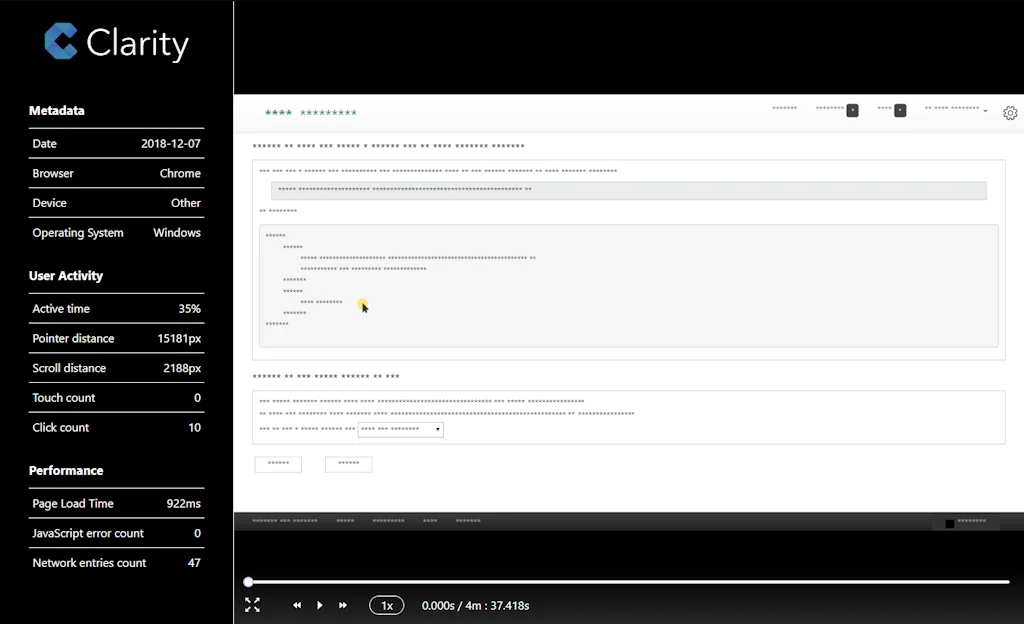
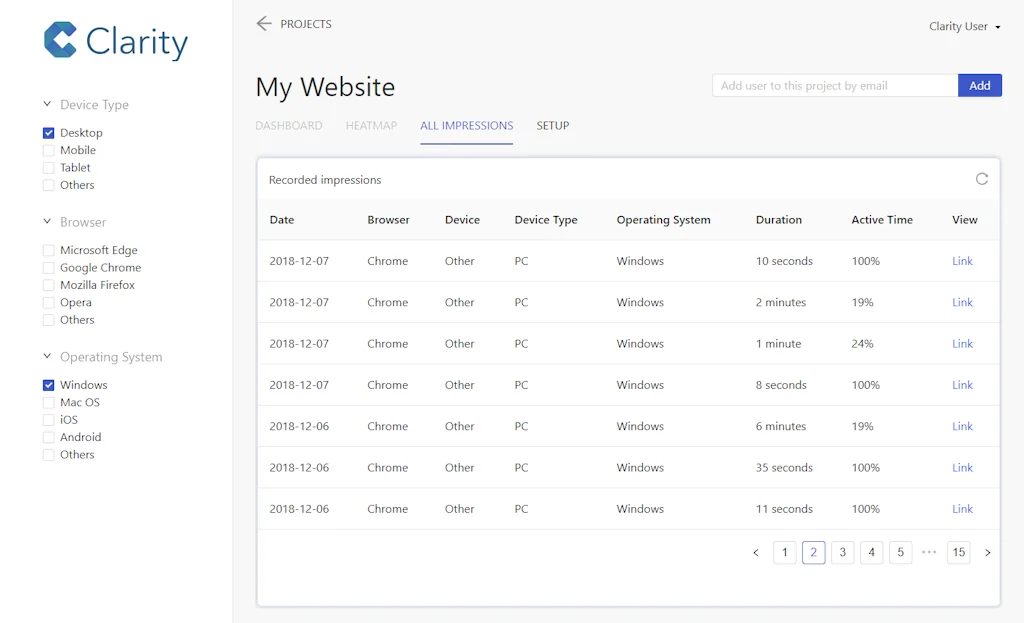
Clarity by Microsoft is a web analytics product for webmasters. Session replays and heatmaps powered by AI and machine learning.
Pros & Cons
Pros
- Free tier
- Heatmaps
- Conversion rate optimization
- Data filtering
- Disable cookies
- Frequent updates
- Google Analytics integration
- Session recordings
Cons
- Cluttered UI
- Precise location data collection
- Recording playback issues
Tool Details
| Categories | Screenshots and screen recording apps, Website analytics, AI Metrics and Evaluation |
|---|---|
| Website | www.clarity.ms |
| Added | December 13, 2018 |
| Platforms | Web |
Recent Reviews (8)
I've used Clarity for my landing pages to record user sessions, one issue that I usually face is recording player is not that smooth, it pauses automatically sometimes and sometimes it won't play the video at all.
As a growth hacker 50% of my job is to optimize conversion rates. MS Clarity does bulk of the heavy lifting for me, I just hope it remains free forever. Hahaha.
Fantastic, free tool that can show you how users interact with your site.
This is a great free service that already allowed me to see and fix many web, android ( and even by proxy iOS ) bugs. The thing I absolutely hate about it is that it requires collecting precise location that my app does not need and I dont need when I am looking at screen recordings. There is no way to turn this data collection off and it would have been more useful to just be able to filter out the screen recordings that did not provide a location than force it. Or to at least collect non-precise location because that already gets you the city level information, where as its not really relevant for most app developers to know what part of San Jose, CA youre standing in when using their app.
Clarity all the way, no Hotjar for my. Why would you pay so much money if you can have it all for free on Clarity. I know Hotjar has some more functionalities, but honestly Clarity gives me everything I need, easy to filter, a huge amount of data and the tool keeps improving week after week with new feature releases. Will stay a customer for a long time coming :)
The UI can feel a bit cluttered since I only use it occasionally but I appreciate the option to disable cookies for my SPA.
Session recordings. Heat maps and Google Analytics integration are great features.
Love Microsoft Clarity! it has been used to create our Infografix app (a free infographics generator).
Frequently Asked Questions about Microsoft Clarity
When did Microsoft Clarity become popular?
Microsoft Clarity became popular around December 13, 2018.
What are the main advantages of using Microsoft Clarity?
The top advantages of Microsoft Clarity include: free tier, heatmaps, conversion rate optimization, data filtering, disable cookies.
What are the disadvantages of Microsoft Clarity?
Some reported disadvantages of Microsoft Clarity include: cluttered UI, precise location data collection, recording playback issues.
What is Microsoft Clarity's overall user rating?
Microsoft Clarity has an overall rating of 4.4/5 based on 10 user reviews.
What type of tool is Microsoft Clarity?
Microsoft Clarity belongs to the following categories: Screenshots and screen recording apps, Website analytics, AI Metrics and Evaluation.
Related Screenshots and screen recording apps Tools

AppLaunchpad
Create beautiful App Store & Google Play Images for
ScreenSnapAI
The AI Powered Screenshot Assistant

Scre.io - Screen Recorder
Record videos from the camera or capture from the screen.

Android
Android 11

Poindeo
The Screen Recorder That Auto-Zooms

BrandBird
Turn screenshots into beautiful social media images & posts
Related Website analytics Tools

Usermaven
Simple yet powerful, AI-driven analytics tool for marketers

Stackpile
Install integrations on your website in seconds

AesirX
Seamless, Affordable Compliance Solutions

Imagify
A new way to optimize your images and have a faster website!

Canvas
Understand your startup

Litelytics
A Clean & Simple Dashboard for Google Analytics (GA4)
Related AI Metrics and Evaluation Tools
Deepchecks Monitoring
Open Source Monitoring for AI & ML

Giskard
The Testing platform for AI systems

Helicone AI
Open-source LLM Observability for Developers

Sunrise KPI
Automated reports on all your key metrics in one place.

Atlas
Vibe pricing in seconds

Job Taken
Find out how susceptible is your job to computerization
Compare Microsoft Clarity :





Don't Get Fooled by Fake Social Media Videos
The world's first fact checker for social media. Paste any link and get an instant credibility score with sources.
Try FactCheckTool Free