

Airtable
AI-Native App Platform
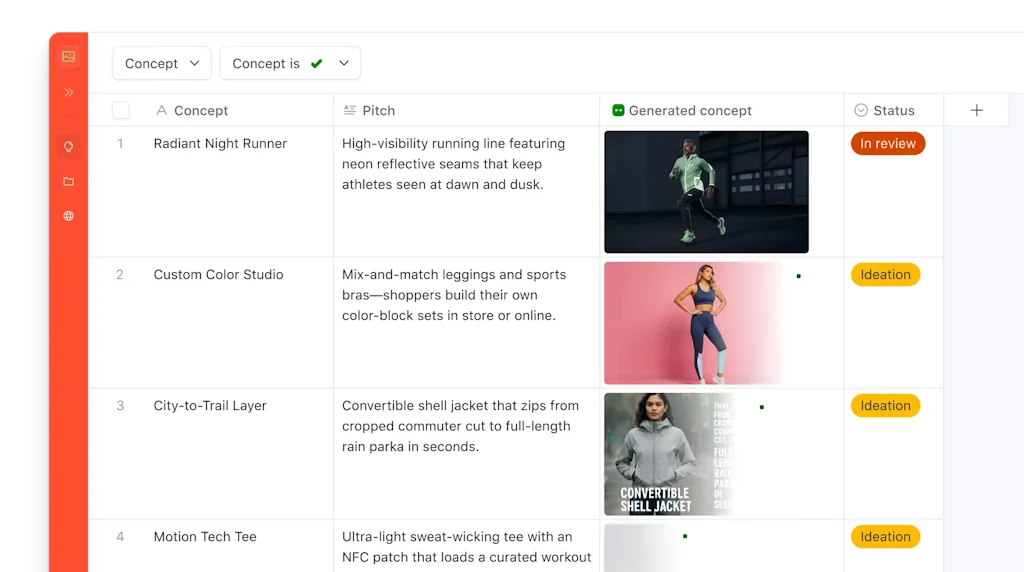
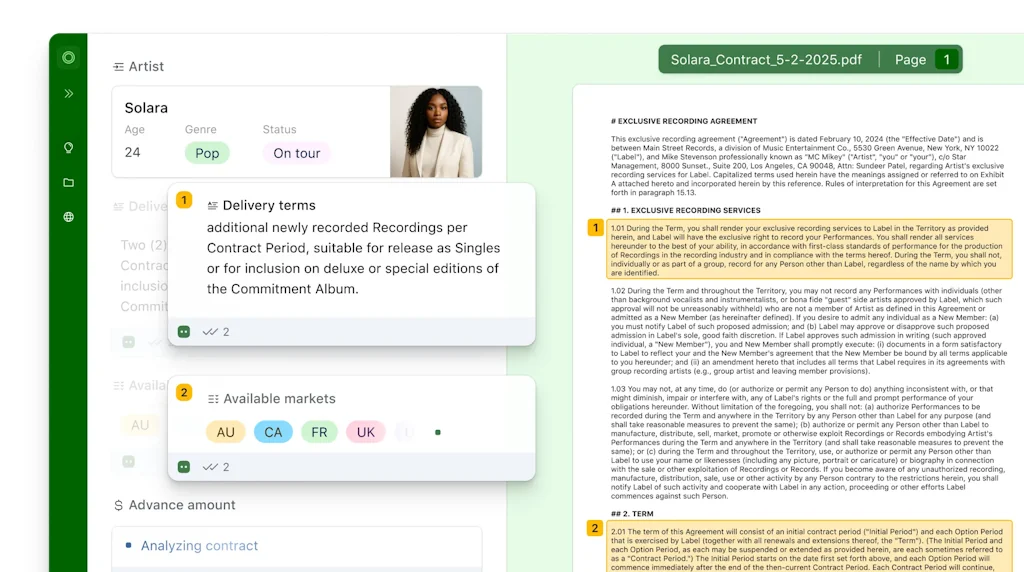

What is Airtable?
The AI-native app platform, combining the magic of vibe coding business apps with real production-readiness and scalability.
Pros & Cons
Pros
- Ease of use
- Flexibility
- Database management
- Customization options
- Real-time collaboration
- User-friendly interface
- Automation features
- Powerful integrations
- No-code capabilities
- Integration with other tools
- Mobile app
- Template availability
- API access
- Bulk schema edits
- Clean interface
- Data visualization
- Field types and constraints
- Interfaces
- Scripting and extensions
- Webhooks
Cons
- Complexity for new users
- Automation features
- Pricing for advanced features
- Slow performance
- Limited free version
- Support issues
Tool Details
| Categories | Team collaboration software, Spreadsheets, No-code Platforms, AI Databases, No-Code App Builder |
|---|---|
| Website | airtable.com |
| Added | September 26, 2014 |
| Platforms | Web · iOS · Android |
| Social |
Recent Reviews (13)
I’ve been using Airtable for years. For form submissions, lightweight CRMs, managing projects, or simply putting shape to information I don’t want to lose. It’s one of the few tools that doesn’t overcomplicate itself. Field types are intuitive. Views are clean. There’s a structure beneath it all that feels both solid and generous. Lately, I’ve been using the built-in AI to help generate table structures and formulas. It’s surprisingly effective for customizing and scaffolding completely custom tables, and I find myself building what I need faster. I also use Airtable to store all of my automation outputs (Make, Zapier, n8n), and I really like its versatility when I need it to be. The one thing I miss is the old sense of place. The recent dashboard redesign makes it harder to locate my bases. It’s not unusable, but the clarity got a little muddy. Still, Airtable remains one of the few platforms that respects both form and function. It doesn’t try too hard. And for that, I keep coming back. I'd rather use it that Google Sheets or Notion's databases.
I used Airtable as the backend for my Softr app. It’s flexible, easy to manage, and lets me structure data visually. I considered using Softr’s new internal database, but it doesn’t yet support automations, which I rely on. Tip: Airtable is great if you need both data structure and automation. Alternative considered: Softr Databases – promising, but lacks full automation support (for now).
We experimented with Linear and Jira, but they were either too rigid or too heavy for what we needed during rebuild mode. Airtable gave us the perfect balance of structure and flexibility. We used it to run lightweight pipelines across bugs, performance issues, user requests, and growth experiments, without slowing down the team or losing visibility.
We had a terrible experience with Airtable support recently. They restricted our workspace, which left us unable to use our base for more than two weeks. This was a huge problem for us, as our business relies entirely on our Airtable information, which is tied up with all of our websites, day-to-day operations, and payments. Needless to say, we were extremely frustrated with the situation and the lack of support we received from Airtable. To make things worse, their support team only answered our inquiries after 1-2 days, which made the situation even more unbearable. It was also very hard to upgrade our plan and unlock our base, which made us lose valuable time and money.
Airtable has been a helpful personal organizational tool. There are templates for a variety of uses - I've been able to manage medical conditions, to-do lists, job applications, and more. I would like to see more formatting options in the free version.
For many years, I had been searching for the perfect data and project management tool. Airtable turned out to be that missing piece of the puzzle I was looking for. Its flexibility and intuitive interface mean that data management has never been easier. Creating and customizing databases to meet my specific needs has become incredibly easy. I love the ability to use different views, such as a table or calendar, that allow me to better understand my data and the relationships between them. I am also impressed with the ease with which I can collaborate with my team. The ability to invite other users to collaborate on a project in real time allows us to work efficiently and maintain data consistency. The automations and integrations are incredibly useful, allowing me to optimize my work and integrate Airtable with other tools I use on a daily basis. All in all, Airtable is an absolute must-have for anyone involved in data and project management. It is an indispensable tool for my team and me, which significantly increases our productivity and efficiency. I highly recommend it!
I've been using Airtable for a while now and I'm absolutely hooked. It makes creating and organizing databases so easy and convenient that I can't imagine my work without it. Airtable allows me to create data tables, add fields as needed, and establish relationships between them effortlessly. I also appreciate the sorting, filtering, and different viewing options for data. With features like notifications, comments, and collaborative work with colleagues, Airtable has become an indispensable tool that significantly simplifies my life. I highly recommend Airtable to anyone who is looking for an efficient way to manage data.
Love it, use it every day. Only issue right now is it loads views very slowly, even with just 100 records. It may require one of the 3rd party tools for enhanced interfaces depending on what you want to do.
Having used Airtable for four years, I can confidently say it's an indispensable tool, seamlessly blending organization, collaboration, and customization capabilities to streamline data management. Its adaptability to evolving workflows over time has made it an invaluable asset for my projects and team collaboration.
Spreadsheets on steroids. Still way better than Google sheets, even though they're trying to copy some of the features. Interfaces are an underutilized capability -- we use them for reporting on operational metrics.
Great tool, the templates are really helpful, but you need some small understanding of how to use the formulas and tools. I've used it for personal and professional projects.
I enjoy Airtable's user-friendly interface and powerful capabilities that help store customer information, track project progress, or manage inventory in one place!
It's a nice, flexible tool that we use to account for our testing equipment. There is good synchronization between the web and Android versions.
Frequently Asked Questions about Airtable
When did Airtable become popular?
Airtable became popular around September 26, 2014.
What are the main advantages of using Airtable?
The top advantages of Airtable include: ease of use, flexibility, database management, customization options, real-time collaboration.
What are the disadvantages of Airtable?
Some reported disadvantages of Airtable include: complexity for new users, automation features, pricing for advanced features, slow performance, limited free version.
What is Airtable's overall user rating?
Airtable has an overall rating of 4.7/5 based on 49 user reviews.
Is Airtable available on mobile devices?
Yes, Airtable is available on iOS (App Store) & Android (Google Play).
What type of tool is Airtable?
Airtable belongs to the following categories: Team collaboration software, Spreadsheets, No-code Platforms, AI Databases, No-Code App Builder.
Related Team collaboration software Tools

Figma
The collaborative interface design tool

Dive
AI powered team meetings

MarkUp for Chrome
Turn any URL into a canvas for feedback from your browser

Duckly
Collaborate on any page with a Figma-like experience

RevMyWork.com
Get your work reviewed by experts. Review works get paid.

Assignly
Never lose a Slack message again
Related Spreadsheets Tools

Better Sheets
Make Better Google Sheets
human.software
Data analytics for non-coders

Coda
A new doc for teams

Airboxr
No-code querying and data-enrichment interface for GSheets.

SheetBest
Turn a SpreadSheet (Google or Excel) into a REST API
SpreadSimple
A blazing-fast way to create and manage sites using Sheets
Related No-code Platforms Tools

Formaloo
Build forms, web apps and portals without any code

Trace AI
fastest way to build ios apps with AI

co.dev
Turn your ideas into full-stack apps
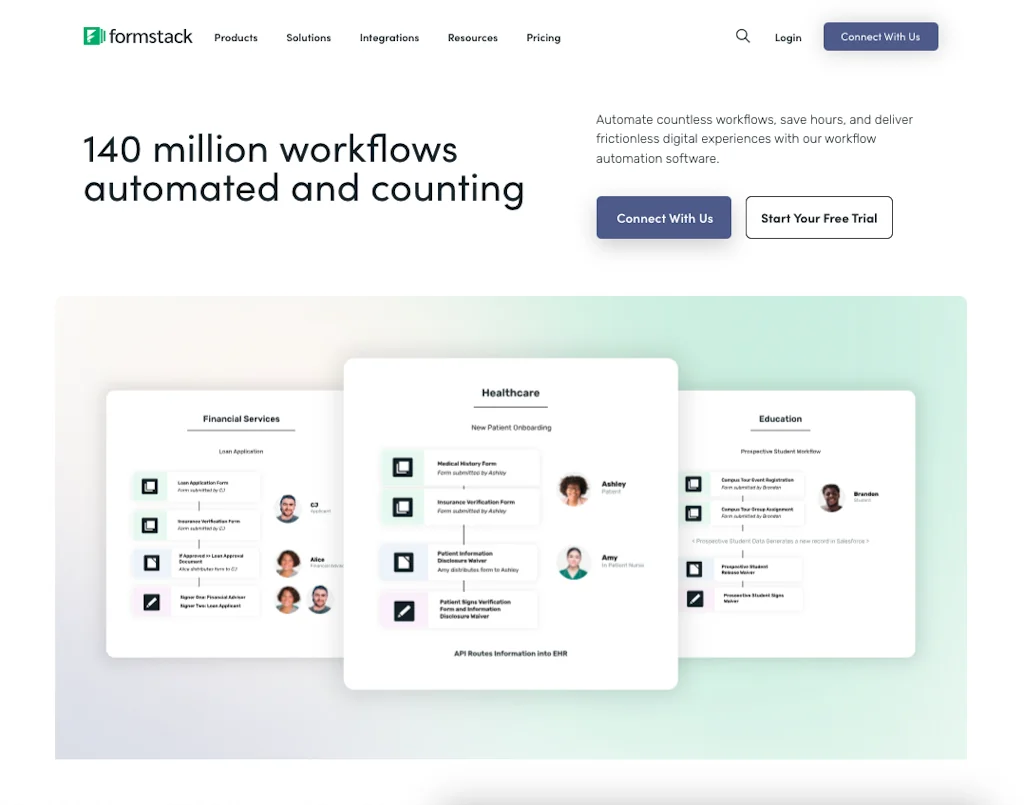
Formstack
Workflow Automation Software: Data Capture, Doc Gen & eSign

Fabloq
Low-code API builder

Trible
AI-powered, no-code app&web builder for Experts and Creators
Related AI Databases Tools

Baselight
The data layer for humans & AI

Graphiti
Build personalized AI agents that learn from dynamic data

QuestDB
The fastest open source time-series database

Cubox
The AI Read-It-Later App

Chat2DB Local
Make everyone a database expert and data analyst.

Boost.space
No-code Single Source of Truth Database for AI & Automations
Related No-Code App Builder Tools

AppifyText.ai
From Text description to ready-to-use Web App in 30 seconds.

Rork
Build real mobile apps by chatting with AI

Build0
Build custom internal apps in minutes, no coding required

Base44
Build fully-functional apps in minutes No coding necessary

CREAO
Infinitely personalized software for every team member

CatDoes
Team of AI agents build mobile apps for you & your business
Compare Airtable :





Don't Get Fooled by Fake Social Media Videos
The world's first fact checker for social media. Paste any link and get an instant credibility score with sources.
Try FactCheckTool Free