

LeadDelta
CRM built for modern teams & creators powered by AI
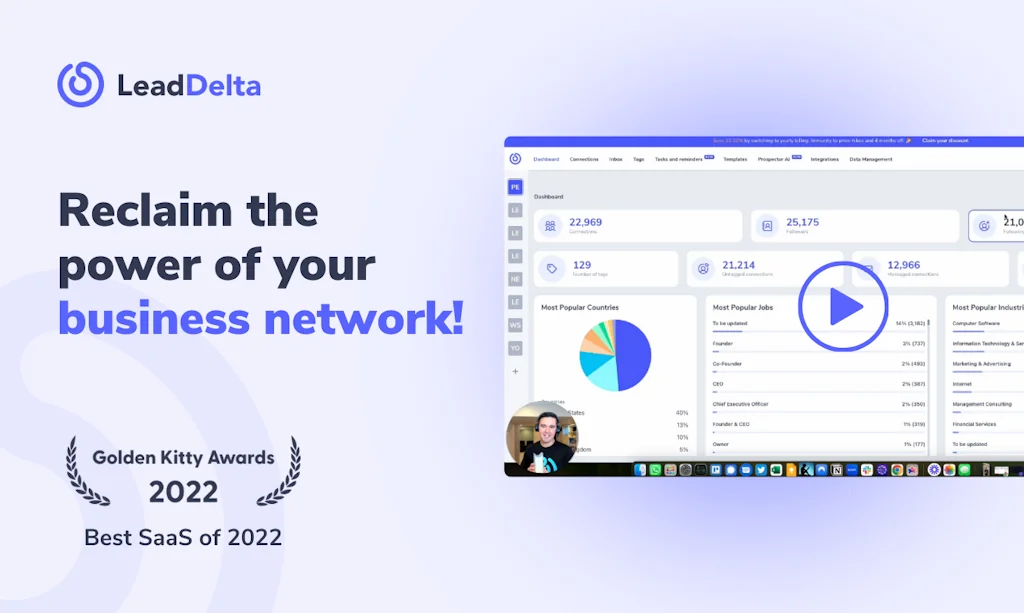
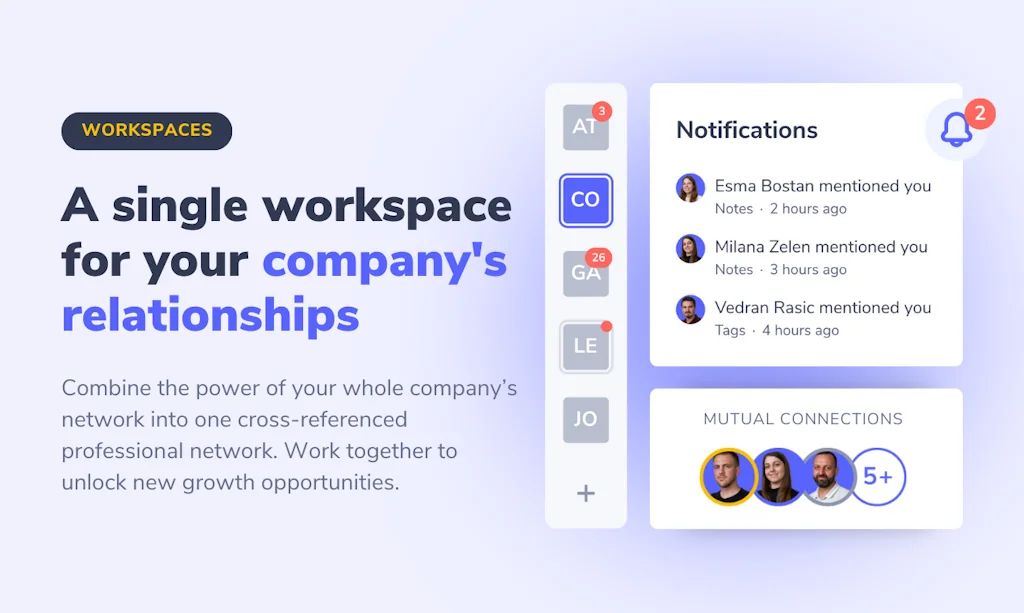

What is LeadDelta ?
LeadDelta helps you become proactive about your most valuable asset – your relationships.
🗂 Centralize all your LinkedIn contacts in one place.
🗝 Unlock data & signals.
🏷 Filter, sort, tag & organize.
⚡️ Build workflows & grow.
Pros & Cons
Pros
- LinkedIn integration
- Fast performance
- Spreadsheet-style dashboard
Cons
- CSV import issues
- Customer support
- Duplicate contacts
- Refund policy
Tool Details
| Categories | Team collaboration software, CRM software, Lead generation software, Social Networking |
|---|---|
| Website | leaddelta.com |
| Added | May 30, 2021 |
| Platforms | Web |
| Social | Twitter · Instagram · Facebook |
Recent Reviews (13)
Adding new people and growing my network was the biggest challenge I faced, and I'm grateful to find Lead Delta early on and start managing my connections. Lead Delta has helped me cut through the chaos in my mind and network and work more systematically not to lose any information. One of my favorite features would be notes and tags, as I can access information quickly and have a continuous workflow. The development team is killing it with new features coming in constantly.
Its a great tool for exporting your Linkedin contacts. Im looking at other ways to incorporate this tool into my lead gen efforts.
Absolutely brilliant! 🤩 So nice tips, so valuable insights - it lights up new ideas and opens a new possibilities! Thank you for creating this beautiful e-book and thank you for sharing it with the community! 🙏✨ Big congrats on the launch! ✨🍀🥳
I signed up for LeadDelta because I heard they were the best CRM for business professionals using LinkedIn. I spent hours getting it set up and configured. I wanted to update my CRM contacts with the contact information from my Google account. So I went through the effort of migrating my Google contact data. But it created duplicates of all my contacts. I then tried to delete the duplicates, but the only option is to hide the imported contacts, there is no way to remove them. But hiding them does not remove them from the dashboard data. I reached out for help and had to argue with the customer support that my dashboard was indeed showing data for the hundreds of contacts I manually selected and hid. I was told they could not remove the contacts from their end. As a software engineer, I know it is not that hard to update a database. But I was told it was impossible. I politely asked for a refund, twice, but they refused, even though I had just subscribed 2 days prior and was never able to use the software to track my contacts. I had to contest the charges with the credit card company, and now Lead Delta is fighting the refund. I cannot believe their lack of customer service and care. ----- REPLY TO VED: # Product Hunt Response Ved, I appreciate your response but need to correct several inaccuracies: **Timeline Facts:** - May 23: Igor confirmed CSV import "cannot be undone" - no "override" option was mentioned - May 23-27: No engineer removal offer was made; you only entered the conversation May 27th - May 28: New account option only offered after I'd already requested cancellation **Core Issue:** The dashboard showed 966 connections when I had 237 LinkedIn connections, making the tool unusable for my intended workflow. This fundamental mismatch wasn't disclosed during signup. **Support Experience:** It took 4+ days to learn this behavior was intentional ("feature not bug") rather than something that could be fixed. I worked through your support channels for nearly a week. When you confirmed the mixing of LinkedIn and imported contacts was permanent and intentional, requesting a refund was appropriate consumer protection. Better upfront disclosure about how CSV imports permanently alter dashboard accuracy would help future users make informed decisions. The documented conversation timeline speaks for itself.
LeadDelta is one of the tools that changed my life. It helps me communicate with potential leads and prepare a release of my new tool. There are two features I cannot live without: Tag (I'm using it to group my connections around topics) and Notes (given that I'm talking to many people daily, it helps me remember the most crucial elements of previous conversations). In the end, LeadDelta has the best customer success team I have ever faced. They are agile (working 24/7 for real), and they do not stop until they help you. They are so good; that I'm implementing some tactics into my business.
LeadDelta is the first tab I open each morning. It pulls my entire LinkedIn network into a fast, spreadsheet-style dashboard, so I instantly see roles, companies, and chat history without bouncing between LinkedIn and our CRM.
Just tried LeadDelta 3.0, and it's a fantastic CRM for modern teams and creators! As a marketer testing new tools, I found it to be incredibly efficient. It helps reclaim the power of your network to sell, hire, and grow. With LeadDelta, you can centralize all your digital contacts, tap into your team’s collective network, and empower your networking efforts with AI. Plus, the network-dedicated task list ensures you always follow up. Highly recommend giving LeadDelta 3.0 a try!
It has been some months since I've been using lead delta, and it makes my life over linkedin a bit less chaotic. I'd really say that if there's the best tool to stay on top of things without all the clutter and noise, this is that tool. Would really recommend it!
It's a very intuitive way to manage your LinkedIn contacts that is way superior to what LinkedIn allows you to do. The tagging feature and inbox is excellent.
It was great to set up and use from the start. I really like how they are building everything in the open and sharing tons of information.
It is nice to have an email system or autoresponder. It is even great to have a CRM. But if you use LinkedIn the best of both worlds in one tool is LeadDelta! You could not handle presales mails more comfortably than within this software. The tagging system is perfect for giving any state of communication within LinkedIn, a batch to sort organize, or use. As an example, you tagg CEOs of e special niche. Then you send them the first thank you after the initial contact. Then you could set this as a sign and could filter out all those, to send the other ones the same. Similar to the second message or even a dedicated question only to women, an offer only for people with a special job level etc. In Germany for elder B2B users, a formal salutation is necessary. So tagging f/m in combination with the mail templates helps to use the placeholders for names with the right salutation. This is so powerful. And as long as contacts are not already customers, you don't need to copy and paste any personal data from or to your mail system or CRM.
Amazing product with very intuitive user interface. I love how you can manage contacts from all of your different platforms in one place with labels. And the ability to see all the necessary information inside the built-in inbox is invaluable when it comes to productivity.
It helps me not to cry when trying to stay in touch with my LinkedIn connections
Frequently Asked Questions about LeadDelta
When did LeadDelta become popular?
LeadDelta became popular around May 30, 2021.
What are the main advantages of using LeadDelta ?
The top advantages of LeadDelta include: LinkedIn integration, fast performance, spreadsheet-style dashboard.
What are the disadvantages of LeadDelta ?
Some reported disadvantages of LeadDelta include: CSV import issues, customer support, duplicate contacts, refund policy.
What is LeadDelta 's overall user rating?
LeadDelta has an overall rating of 4.8/5 based on 24 user reviews.
What type of tool is LeadDelta ?
LeadDelta belongs to the following categories: Team collaboration software, CRM software, Lead generation software, Social Networking.
Related Team collaboration software Tools





Related CRM software Tools

Linckr
Linkedin to Notion

Snov.io
Find, contact and convert leads easily

Callbook.ai - Zoho CRM
End-to-end AI phone system for Zoho CRM

RightMessage
Segment your audience. Personalize your website.

Very Good Table
Build custom apps for your business in minutes, not months.

Emma by Revrag.ai
AI Agent for personalised smart outreach
Related Lead generation software Tools

PeakFeed
Handy tools for hard-working marketers.

DoneSmart.com Marketing Package
Get more traffic and improve your SEO

Clodo
Execute outbound at the speed of thought.
EasyBloggers
We will create a list of niche-specific influencers for you.

B2B Heaven
Where B2B brands tap into influencer marketing

Infraforge
Private Cold Email Infrastructure Sorted In Minutes
Related Social Networking Tools

Cravit
Discover new places through food missions with friends

Olympic Games Chrome Extension
Track Paris 2024: Schedules, highlights, medals e fan chat

Kin Habits
Build healthy habits with friends

Roblox
The largest growing social platform for play

Overlap
Personalized email intros to grow your network

Thunderpod
A social health & fitness platform
Compare LeadDelta :





Don't Get Fooled by Fake Social Media Videos
The world's first fact checker for social media. Paste any link and get an instant credibility score with sources.
Try FactCheckTool Free