
System Color Picker
The macOS color picker supercharged
What is System Color Picker?
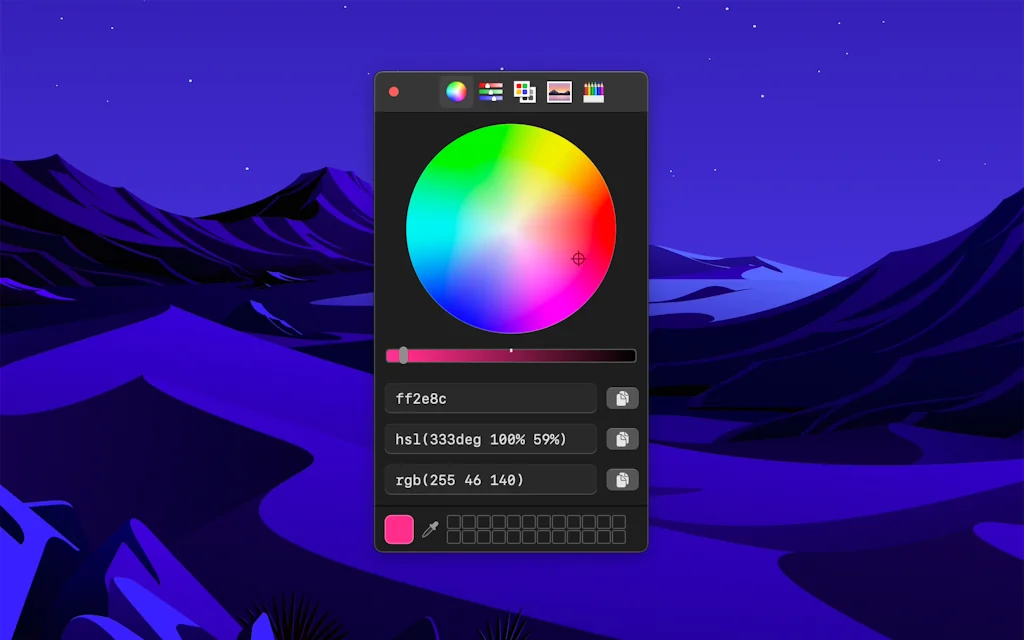
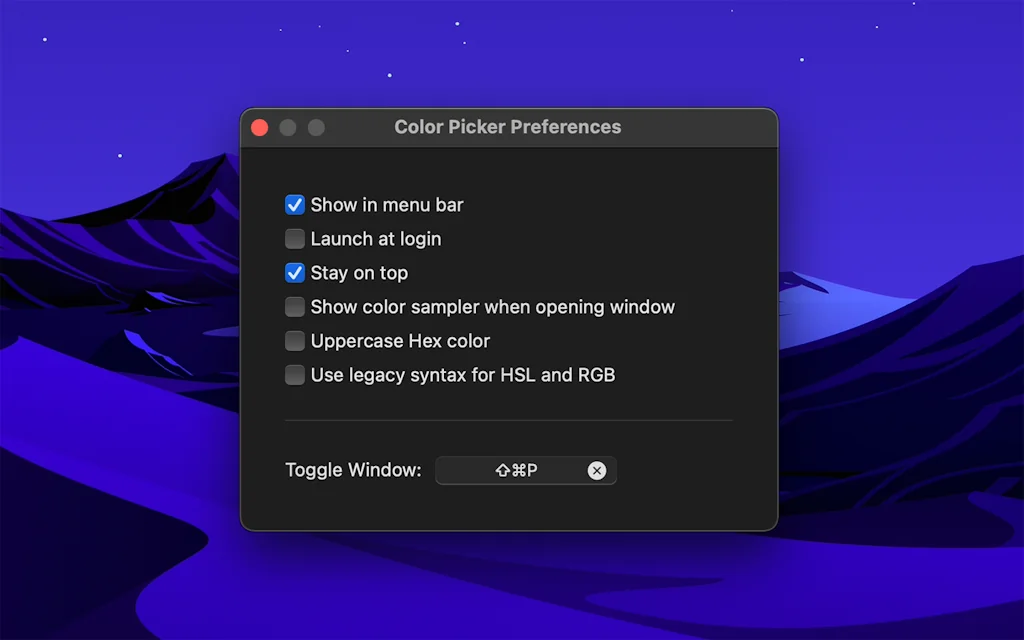
This is the built-in macOS color picker as a standalone app with lots of additional features. Quickly copy, paste, convert between different color formats, toggle it directly from the menu bar, keyboard shortcuts, launch it at login, and more.
Tool Details
| Categories | Interface design tools, Chrome Extensions, Design resources |
|---|---|
| Website | apps.apple.com |
| Added | June 14, 2021 |
| Platforms | Web · iOS |
| Social | GitHub |
Recent Reviews (1)
I am so impressed with the functionality and ease of use of this app. As someone who works as a frontend developer, having a reliable and accurate color picker is essential to my workflow. The System color picker has exceeded my expectations in every way. It's incredibly intuitive and allows me to quickly and easily select colors from various sources, including images and websites. The built-in palettes are also a fantastic feature, making it easy for me to save and organize my most recently used colors. Overall, I highly recommend this app to anyone in need of a reliable and efficient tool for selecting colors.
Frequently Asked Questions about System Color Picker
When did System Color Picker become popular?
System Color Picker became popular around June 14, 2021.
What is System Color Picker's overall user rating?
System Color Picker has an overall rating of 5.0/5 based on 1 user reviews.
Is System Color Picker available on mobile devices?
Yes, System Color Picker is available on iOS (App Store).
What type of tool is System Color Picker?
System Color Picker belongs to the following categories: Interface design tools, Chrome Extensions, Design resources.
Related Interface design tools Tools

100 UI/UX Tips
A collection of tips to make your interface better

Lunacy
Graphic design software with built-in assets and AI tools

Draftly
Turn plain English into editable UI components & designs
Placeholder Loader Creator
SVG component editor to create skeleton/placeholder loaders

CSS Pro
A re-imagined Devtools for web design

Flowkit
Sketch library for user flows/content maps/annotations
Related Chrome Extensions Tools

Best Reminder App Chrome Extension
Smart Reminders in Your Browser

Hoverify
All-in-one browser extension for web developers/designers

Highly
Highlight to share.
Logo Grabber
Grab any site's logo in a click ✨

X Feed Muter
Mute users and keywords instantly

Devsync
Visually edit CSS. Live-sync the result with your editor.
Related Design resources Tools
Grid-Feed
Sync your Instagram feed with Figma
Playground Color Swatches
Unleash your kaleidoscope of creative possibilities!
Placeholder Loader Creator
SVG component editor to create skeleton/placeholder loaders

novita.ai
Simple LLM APIs & GPU instance

QRfy
Dynamic QR code generator
Mesh·y - Generate Mesh Gradients
Generate custom beautiful mesh gradients
Compare System Color Picker :





Don't Get Fooled by Fake Social Media Videos
The world's first fact checker for social media. Paste any link and get an instant credibility score with sources.
Try FactCheckTool Free