

zcal
Beautiful scheduling pages your clients will love
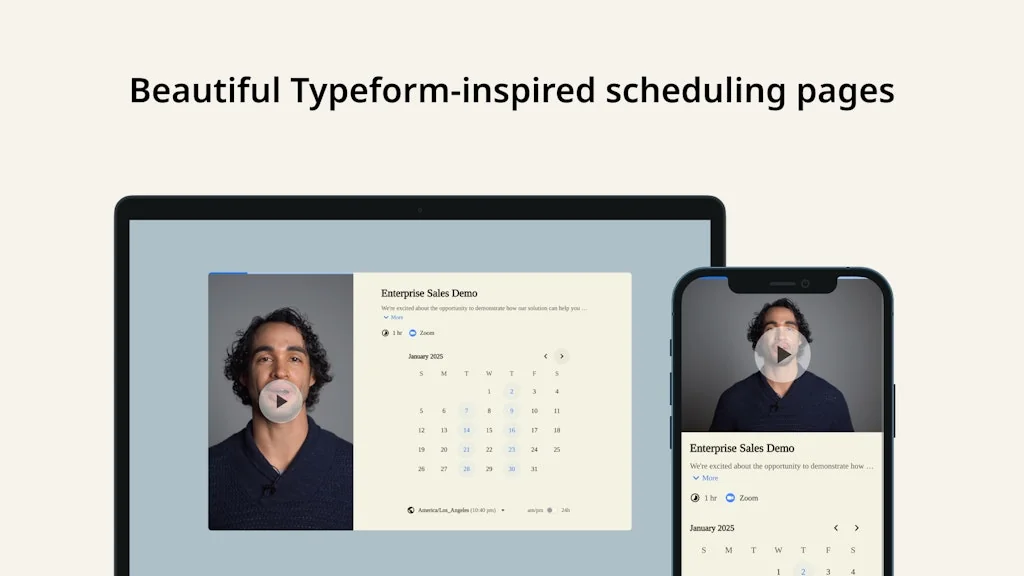
What is zcal?
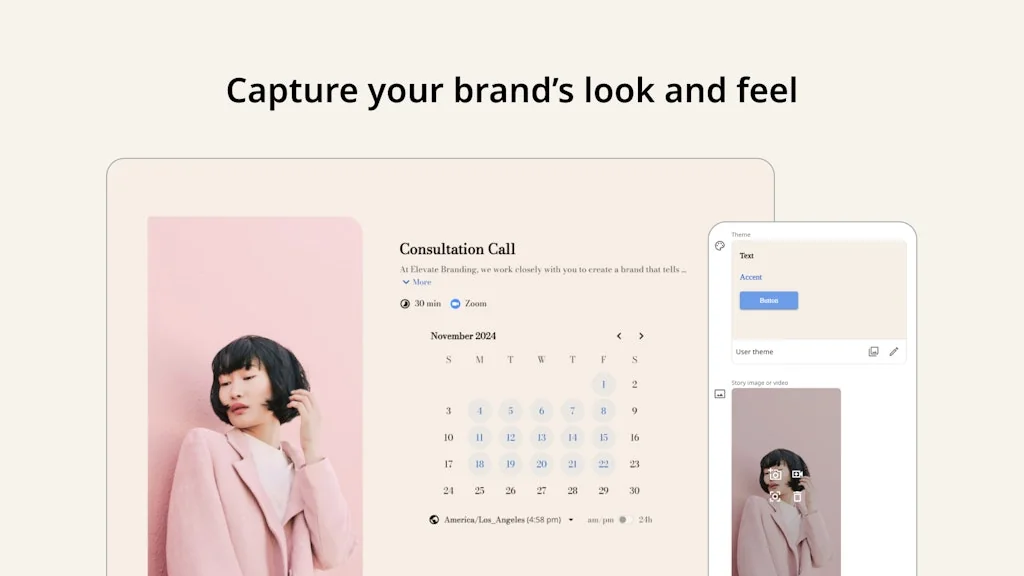
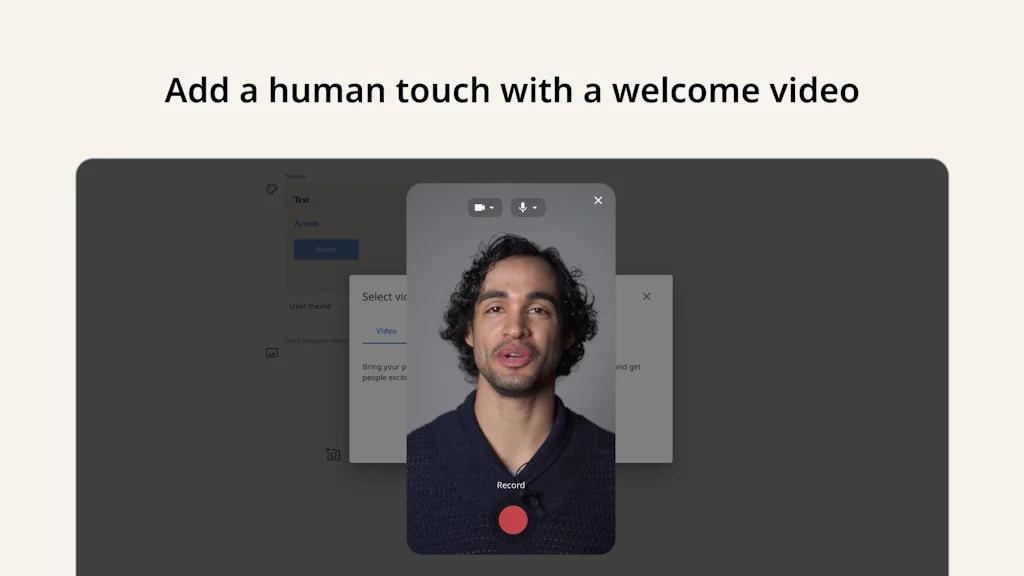
zcal is the only scheduling app that offers Typeform-level customization and polish. Increase your bookings with beautiful scheduling pages that capture your brand’s look and feel.
Pros & Cons
Pros
- Easy to use
- Beautiful UI
- Freemium version
- Personalized meeting links
- Sync across platforms
- Meeting polls
- Platform agnostic
- Regular feature updates
- Unlimited appointment types
- Unlimited event types
Cons
- No cancellation control
- No iCloud calendar integration
- No team functionalities
- No translation feature
- Confirmation emails from Google account
- Limited calendar integration
- No bulk edit
- Poor customer support
- Text overruns
Tool Details
| Categories | Productivity, Calendar apps, Scheduling software |
|---|---|
| Website | zcal.co |
| Added | November 11, 2021 |
| Platforms | Web |
| Social |
Recent Reviews (13)
Scheduling catch-ups with friends feels much more natural in Zcal. It's extremely simple to find available times in group meetings where we can vote on our availability via the meeting polls feature. Thoughtful product and congrats @e20xyz @saurabhc on the launch!
Best!
So far so good with the freemium version.
-Terrible, non-existent support -He uses a free chat app which they acknowledge is useless and yet did nothing to change this -He boasts about aesthetics and yet text overruns are common -Team? I think just one person... -No way to add a late cancellation/change penalty -No way to accept/reject meetings before system confirms them -Confirmation emails sent from your google account rather than your company email I think you will like it when you first set it up, but then once you really test it, you will discover the flaws and then if you need to contact support...well - you're on your own
One of the best FREE scheduling options available. Book appointments, create events, sync with calendar. This isn't the perfect solution, yet. Pros and cons... PROS !!!! Unlimited appointment types !!!! Unlimited event types + Multiple options for sharing your schedule + Individual and personalized links + Calendar agnostic (works with iCal, Outlook, Google Calendar etc) + Platform agnostic (use it with email, Shopify, Squarespace, Wix etc) CONS - No bulk edit - No control over cancelation period (restrict cancelling within 24 hours of start time) - Not able to use a set of add-on variables (like Massage appointment with add-on hot stones)
I started using Zcal recently, and it has quickly become a game-changer for managing my calendar. The integration with other tools and its easy-to-use interface makes scheduling a breeze. I particularly like the ability to set up personalized meeting links and sync across different platforms. It’s a great way to streamline my meetings and save time!
I use zcal for so long I've forgotten when! It makes my discovery meetings so easy! As someone with synesthesia, I just need the right UX to get things done. When it comes to 1-1 scheduling, zcal is simply it! Thank you 💙
Zcal is an excellent alternative to Calendly 😍 however, it misses one thing: iCloud calendar link. When this modification is made, it will be ✨perfect✨
Lovely personnalized calendar booking system. Would be great to have team functionnalities such as a common booking link for 2/3 people.
Beautiful UI and UX. Easy for my clients and team members to use. They release new features regularly. Very happy with Zcal.
Great in every sense. Easy to use, free and attractive. I just miss an option for different languages in the same event.
Great app! Needs a translation feature for world usage. Thanks to the developers for this.
It looks really nice. Feature set appears great. BUT, Essentially useless for me. They claim I can connect ALL my calendars to their app. But I use Apple Calendar, and they only connect to Google and Outlook. So I have to hop back and forth from their app and my calendar to check my availability. The requests for iCal/WebDEV integration on their support site don't even indicate that they plan on adding that feature.
Frequently Asked Questions about zcal
When did zcal become popular?
zcal became popular around November 11, 2021.
What are the main advantages of using zcal?
The top advantages of zcal include: easy to use, beautiful UI, freemium version, personalized meeting links, sync across platforms.
What are the disadvantages of zcal?
Some reported disadvantages of zcal include: no cancellation control, no iCloud calendar integration, no team functionalities, no translation feature, confirmation emails from Google account.
What is zcal's overall user rating?
zcal has an overall rating of 4.4/5 based on 14 user reviews.
What type of tool is zcal?
zcal belongs to the following categories: Productivity, Calendar apps, Scheduling software.
Related Productivity Tools





Related Calendar apps Tools



Related Scheduling software Tools
Tickr: Event Countdown
A new take on countdown timers

Zencal
Scheduling for paid meetings and teamwork

DueDo
Deadline focused todo list

Insight Pipeline
Learn what people REALLY think about your product

CheckYa
The All-In-One Tool For Freelancers And Creatives.

Shrewd Observer
Android app for discipline and quality life moments
Compare zcal :





Don't Get Fooled by Fake Social Media Videos
The world's first fact checker for social media. Paste any link and get an instant credibility score with sources.
Try FactCheckTool Free